
joliker MY532GRedEU
Joliker 32GB Bluetooth 5.0 MP3 Player User Manual
Model: MY532GRedEU
1. Introduction
Thank you for choosing the Joliker 32GB Bluetooth 5.0 MP3 Player. This device is designed to provide a high-quality portable music experience with versatile features including Bluetooth connectivity, FM radio, voice recording, and e-book functionality. This manual will guide you through the setup, operation, and maintenance of your new MP3 player to ensure optimal performance and longevity.
2. Safety Information
- Do not expose the device to extreme temperatures, direct sunlight, or high humidity.
- Avoid dropping or subjecting the device to strong impacts.
- Do not disassemble or attempt to repair the device yourself. Refer to qualified service personnel.
- Keep the device away from water and other liquids.
- Use only the provided charging cable and accessories.
- Prolonged listening at high volume levels may cause hearing damage. Adjust volume to a safe level.
3. Package Contents
Please check the package contents to ensure all items are present:
- 1 x Joliker MP3 Player
- 1 x Micro USB Charging Cable
- 1 x Wired Earphones
- 1 x Protective Case
- 1 x Anti-loss Lanyard
- 1 x User Manual (this document)

Figure 3.1: Included accessories with the Joliker MP3 Player.
4. Product Overview
The Joliker MP3 Player features a compact design with a full touch screen for intuitive navigation. Familiarize yourself with the device's components:

Figure 4.1: Front view of the Joliker MP3 Player.
4.1. Full Touch Screen Interface
The device is equipped with a 1.8-inch IPS full touch screen, allowing for smartphone-like control and navigation through menus and functions.

Figure 4.2: Interacting with the full touch screen.
5. Setup
5.1. Charging the Device
Before first use, fully charge the MP3 player. Connect the micro USB charging cable to the device's charging port and the other end to a USB power adapter (not included) or a computer's USB port. The battery indicator on the screen will show charging status.
5.2. Powering On/Off
- To power on: Press and hold the Power button until the screen lights up.
- To power off: Press and hold the Power button, then select 'Power Off' on the screen.
5.3. Inserting/Removing TF Card (Micro SD Card)
The device comes with 32GB of internal memory and supports expansion up to 128GB via a TF (Micro SD) card. Locate the TF card slot on the side of the device.
- To insert: Gently push the TF card into the slot until it clicks into place.
- To remove: Push the TF card inward slightly until it pops out, then pull it out.

Figure 5.1: Memory capacity and TF card slot.
5.4. Transferring Music and Files
Connect the MP3 player to your computer using the provided USB cable. The device will appear as a removable disk. You can then drag and drop music files (MP3, WMA, APE, FLAC, WAV, AAC-LC, ACELP) and other supported files (TXT for e-books, JPG, BMP, GIF for photos) directly into the device's internal storage or the inserted TF card.
6. Operating Instructions
6.1. Basic Navigation
Tap the icons on the touch screen to access different functions. Swipe left/right or up/down to navigate through menus and lists. Use the back arrow icon to return to the previous screen.
6.2. Music Playback
- From the main menu, tap the 'Music' icon.
- Browse your music by Artist, Album, Songs, Playlists, or Folders.
- Tap a song to start playback.
- Use the on-screen controls (Play/Pause, Next/Previous, Volume) to manage playback.
6.3. Bluetooth Connection
The MP3 player features Bluetooth 5.0 for stable and fast wireless connections to headphones or speakers.
- From the main menu, tap the 'Bluetooth' icon.
- Turn on Bluetooth. The device will automatically search for nearby Bluetooth devices.
- Select your desired Bluetooth headphones or speaker from the list to pair.
- Once paired, audio will be routed through the connected Bluetooth device.

Figure 6.1: Bluetooth 5.0 connectivity.
6.4. FM Radio
The built-in FM tuner allows you to listen to your favorite radio stations. Wired earphones must be connected as they act as the antenna.
- Connect the wired earphones to the 3.5mm audio jack.
- From the main menu, tap the 'FM Radio' icon.
- Use the on-screen controls to scan for stations, save presets, or manually tune.

Figure 6.2: FM Radio function with wired earphones.
6.5. Voice Recording
The MP3 player can function as a voice recorder. It also supports line-in recording, allowing you to record audio from external sources.
- From the main menu, tap the 'Recorder' icon.
- To start a new voice recording, tap the record button.
- For line-in recording, connect the MP3 player to an audio output device (e.g., phone, CD player) using an AUX cable (not included), then select the line-in recording option.
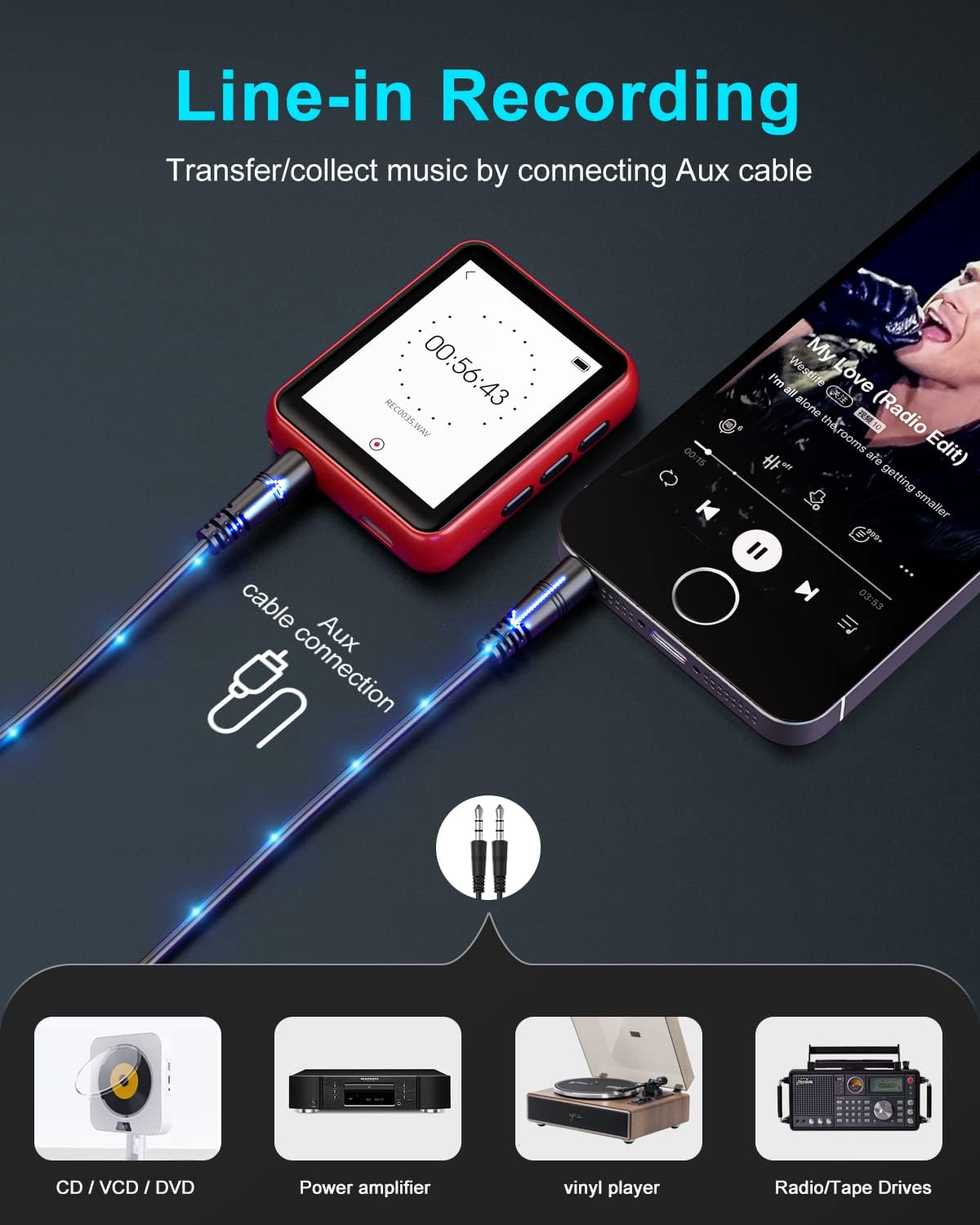
Figure 6.3: Line-in recording capability.
6.6. Other Functions
The Joliker MP3 player offers several other useful features:
- E-book: Read TXT format e-books directly on the device.
- Pedometer: Track your steps during walks or runs.
- Alarm Clock: Set alarms for reminders.
- Photo Viewer: View JPG, BMP, GIF images.
- Folder Browsing: Access files organized in folders.

Figure 6.4: Multi-function overview.
7. Maintenance
7.1. Cleaning
Wipe the device with a soft, dry cloth. Do not use abrasive cleaners or solvents.
7.2. Storage
Store the device in a cool, dry place away from direct sunlight and extreme temperatures when not in use for extended periods.
7.3. Battery Care
To prolong battery life, avoid fully discharging the battery frequently. Charge the device regularly, even if not in use, to maintain battery health.
8. Troubleshooting
| Problem | Possible Cause | Solution |
|---|---|---|
| Device does not power on. | Low battery. | Charge the device for at least 30 minutes. |
| No sound from earphones. | Earphones not properly connected or faulty. Volume too low. | Ensure earphones are fully plugged in. Increase volume. Try different earphones. |
| Cannot connect to Bluetooth device. | Bluetooth not enabled. Device out of range. Pairing issue. | Ensure Bluetooth is on for both devices. Move closer. Delete previous pairing and re-pair. |
| Files not recognized. | Unsupported file format. Corrupted file. | Ensure files are in supported formats (MP3, WMA, etc.). Try transferring the file again. |
| Screen unresponsive. | Temporary software glitch. | Press and hold the Power button for 10-15 seconds to force a restart. |
9. Specifications
| Feature | Specification |
|---|---|
| Brand | Joliker |
| Model Number | MY532GRedEU |
| Internal Memory | 32 GB |
| Expandable Memory | Up to 128 GB (via TF/Micro SD card) |
| Bluetooth Version | 5.0 |
| Screen Size | 1.8 Inches |
| Display Technology | IPS LCD |
| Battery Type | Lithium-Polymer |
| Supported Audio Formats | MP3, WMA, APE, FLAC, WAV, AAC-LC, ACELP |
| Supported E-book Format | TXT |
| Supported Image Formats | JPG, BMP, GIF |
| Special Features | FM Radio, Voice Recorder, Equalizer, Pedometer, Alarm Clock |
| Connectivity | Bluetooth, Micro USB, 3.5mm Audio Jack |
10. Warranty and Support
Joliker products are designed for reliability and performance. For any issues or inquiries not covered in this manual, please contact Joliker customer support through your purchase platform or the official Joliker website. Please retain your proof of purchase for warranty claims.
Ask a question about this manual
Ask about setup, troubleshooting, compatibility, parts, safety, or missing instructions. Manuals+ will review the question and use this page’s manual context to help answer it.