
Introduction
This manual provides detailed instructions for setting up, operating, and maintaining your REUMAR Frameo WiFi Digital Picture Frame. This device allows you to instantly share photos and videos with loved ones from anywhere in the world using the Frameo application.

The REUMAR Frameo 10.1 inch WiFi Digital Picture Frame.
Key Features
- 10.1-inch IPS LCD Touch Screen: High-definition display with 1280x800 resolution, 16:10 aspect ratio, and a wide 178° viewing angle for clear and vibrant image quality.
- WiFi Connectivity: Built-in 2.4GHz WiFi for receiving photos and videos from anywhere. (Note: Only compatible with 2.4GHz WiFi networks).
- Ample Storage: 32GB of internal memory, expandable up to 128GB via Micro SD card (supports FAT32 and NTFS formats).
- Customizable Settings: Features include weather clock display, photo hiding, brightness adjustment, sleep mode, and adjustable photo/video slideshow playback time.
- Auto-Rotate Function: Automatically adjusts photo orientation for horizontal or vertical placement.
- User-Friendly Interface: Intuitive touch screen and easy setup for all users.
- Secure Sharing: Utilizes the Frameo app for end-to-end encrypted transmission, ensuring privacy and GDPR/CCPA compliance.
- Album Organization: Latest firmware (V1.26) allows organizing photos and videos into albums and using the 'My Photos' feature for sorting and filtering.

Overview of the frame's key features.
Setup Guide
Follow these steps to set up your REUMAR Frameo Digital Picture Frame:
- Power On: Plug in the wired power adapter. The frame does not use batteries, so no recharging is needed.
- Select Language: Once the frame boots up, select your preferred language from the list displayed on the screen.
- Connect to WiFi: Choose your 2.4GHz WiFi network from the list and enter the password to connect.
- Software Update: The frame will automatically check for available software updates. If an update is found, select 'Download Update' to install it. This may take a few minutes.
- Name Your Frame: Enter your name and the location of the frame (e.g., 'Living Room', 'Kitchen'). This name will be visible to friends and family when they send photos.
- Set Time Zone: Select the correct time zone for your location.
Video: Instructions on how to set up your Frameo digital picture frame, covering initial power-on, language selection, WiFi connection, software updates, naming the frame, and setting the time zone.

The Frameo app facilitates easy setup and sharing of memories.
Operating Instructions
Sharing Photos and Videos via Frameo App
The Frameo app allows you to send photos and videos (up to 15 seconds) directly to your frame from anywhere in the world. The app is available for free on Google Play and the Apple App Store.
- Download the Frameo app on your smartphone.
- Add friends or family members by sending them a unique code from your frame.
- Select photos or videos from your phone's gallery within the app.
- Choose the recipient frame(s) and add a caption if desired.
- Send the media; it will appear on the frame within seconds.
Video: Demonstrates how to share photos to a WiFi photo frame from anywhere using the Frameo app.
Video: Illustrates the process of sharing moments via the Frameo App.
Video: Step-by-step guide on how to send videos using the Frameo app.
Album Organization
With firmware version V1.26 or later, you can organize your photos and videos into albums directly on the frame. This allows you to display specific collections of memories.
Video: Demonstrates how to organize and display favorite memories on the frame using the album feature.
Weather and Clock Display
The frame can display the current time and weather forecast. This feature can be customized in the settings.
Video: Shows the REUMAR digital picture frame displaying weather and clock information.
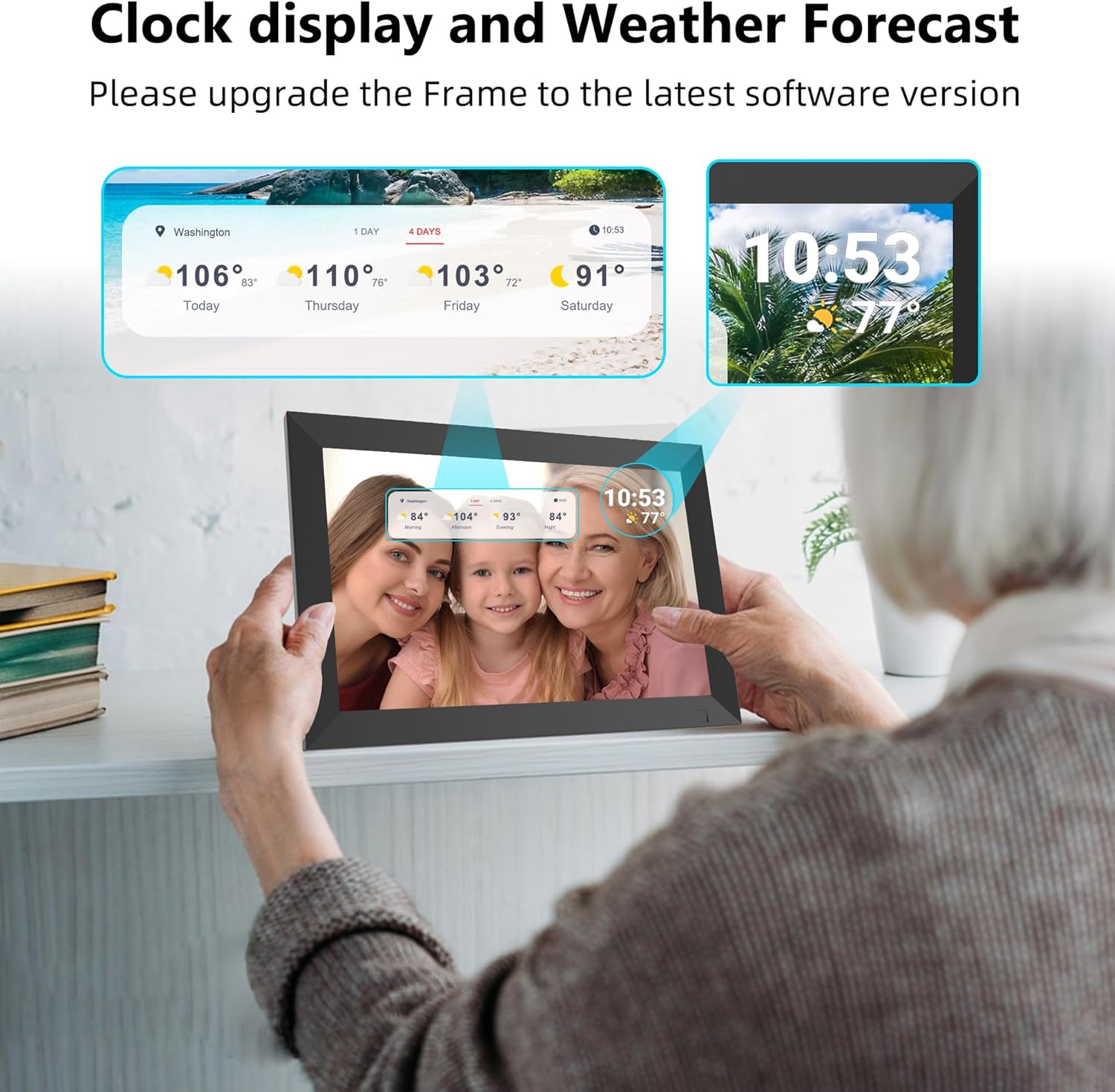
The frame can display clock and weather information.
Smart Motion Detector
The frame may include a smart motion detector feature, allowing it to turn on or off based on presence, conserving energy.

The smart motion detector feature.
Auto-Rotate and Wide Viewing Angle
The frame automatically adjusts the orientation of photos and videos, whether placed horizontally or vertically. The 178° wide viewing angle ensures clear visibility from various positions.
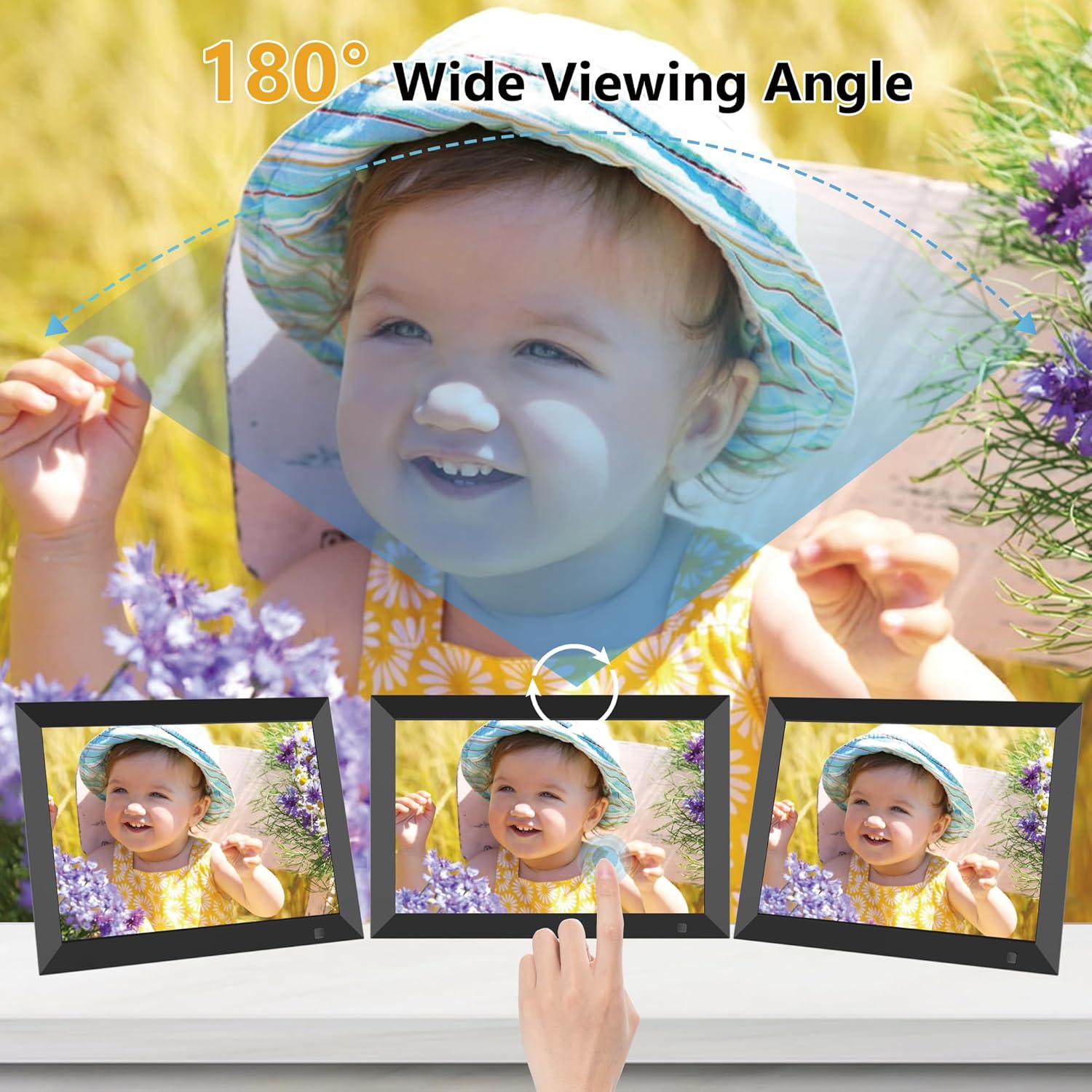
The 180° wide viewing angle and auto-rotate feature.
Maintenance
- Cleaning: Use a soft, dry cloth to clean the screen and frame. Avoid abrasive cleaners or solvents.
- Handling: Handle the frame with care to prevent damage to the screen or internal components.
- Storage: If storing the frame for an extended period, ensure it is powered off and kept in a dry, cool place.
Troubleshooting
- WiFi Connectivity Issues: Ensure your frame is connected to a 2.4GHz WiFi network. Check your router and network settings. Restarting both the frame and your router can often resolve connectivity problems.
- SD Card Not Recognized: Ensure the Micro SD card is properly inserted and formatted to FAT32 or NTFS. Try reinserting the card or using a different card to rule out card-specific issues.
- Software Updates: If the frame is not functioning as expected, check for and install any available software updates through the settings menu.
- Frame Not Responding: If the frame becomes unresponsive, unplug the power adapter, wait a few seconds, and then plug it back in to restart the device.
Specifications
| Product Dimensions | 9.84 x 6.69 x 0.99 inches |
| Item Weight | 1.57 pounds |
| Item Model Number | ZN-DP1002.3.0 |
| Brand | REUMAR |
| Color | Black |
| Resolution | 1280*800 IPS HD Display |
| Compatible Devices | Free download the "Frameo" APP for Android & iOS |
| Screen Size | 10.1 Inches |
| Internal Storage | 32GB |
| Expandable Storage | Up to 128GB Micro SD (FAT32/NTFS) |
Warranty and Support
REUMAR is committed to providing high-quality products and excellent customer service. For any technical questions, pre-sales, or after-sales support, please contact the manufacturer directly. Specific warranty details may vary and are typically provided with your purchase documentation.
