
1. Product Overview
The SmallRig Quick Release Clamp (Compatible with Arca-type) 2143B is a lever-type base designed for rapid mounting and unmounting of cameras or accessories equipped with a separately available Arca-type plate. The tightness of the clamp can be adjusted via a small screw on the lever, ensuring cross-compatibility with most Arca-type plates.
This clamp features multiple 1/4"-20 and 3/8"-16 threaded holes, as well as thorough mounting holes on its bottom surface. This allows for versatile attachment to various camera support devices such as tripods, jibs, and other rigs.
Key Features:
- Arca-Type Plate Compatibility: Designed to quickly mount and unmount cameras or accessories with Arca-type plates.
- Versatile Mounting Threads: Equipped with 1/4"-20 and 3/8"-16 threaded holes for broad compatibility with various support systems.
- Secure Locking Lever: A robust lever mechanism ensures equipment is securely held in place.
- Durable Construction: Manufactured from high-quality aluminum alloy for long-lasting performance.
2. Package Contents
Please verify that all items listed below are included in your package:
- 1 x SmallRig Quick Release Clamp 2143B
- 4 x 1/4"-20 Screw
- 1 x 3/8"-16 Screw
- 2 x Hex Spanner

The image shows the SmallRig Quick Release Clamp 2143B alongside its accessories: four 1/4-inch-20 screws, one 3/8-inch-16 screw, and two hex spanners for installation and adjustment.
3. Setup and Installation
Follow these steps to properly set up and install your SmallRig Quick Release Clamp 2143B:
- Attach Clamp to Support: Use the provided 1/4"-20 or 3/8"-16 screws to attach the Quick Release Clamp to your tripod, monopod, camera cage, or other support device. Ensure the screws are tightened securely using the hex spanners.
- Attach Arca-Type Plate to Camera: If your camera or accessory does not already have an Arca-type plate, attach one (sold separately) to its base using the appropriate screw.
- Mount Camera to Clamp: Open the lever on the Quick Release Clamp. Slide your camera (with the attached Arca-type plate) into the clamp's jaws. Close the lever firmly to secure the camera.
- Adjust Tightness (if needed): If the plate feels too loose or too tight, use a hex spanner to adjust the small screw on the lever mechanism to achieve the desired clamping force.

This image illustrates the underside of the clamp, clearly marking the various 1/4-inch-20 and 3/8-inch-16 threaded holes for versatile mounting options on tripods, rigs, or other camera support equipment.

The quick release clamp is shown integrated into a camera rig setup, illustrating how it provides a secure and low-profile connection for quick mounting and dismounting of the camera.
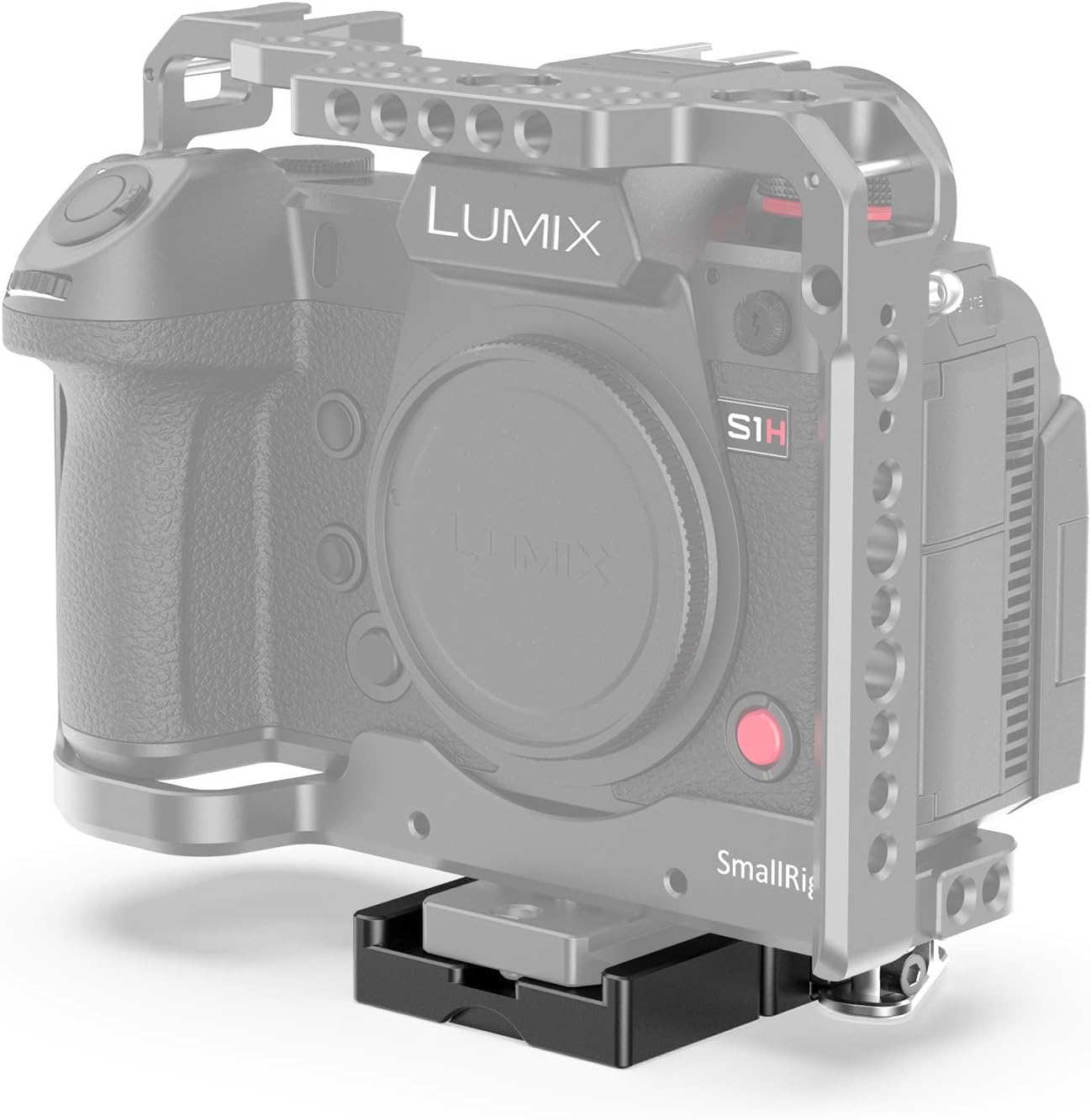
A side view of the SmallRig Quick Release Clamp 2143B on a camera rig, highlighting the lever for quick release and the overall compact design when in use.
Installation Videos:
This video demonstrates the installation and adjustment of an Arca-type clamp holder on a tripod, showing how to adjust the knob for width and secure the plate.
This video illustrates the process of attaching a quick release plate to a camera and then securely mounting it onto an Arca-type clamp, highlighting the built-in bubble levels for precise alignment.
This video demonstrates the installation of an Arca-type quick release clamp onto a tripod ball head and the subsequent attachment of a camera plate, showcasing the lever locking mechanism for quick and secure setup.
This video demonstrates the use of a SmallRig Arca-Swiss mount plate on a DJI RS3 Mini gimbal, illustrating how it helps lower the center of gravity for improved balance and stability.
4. Operating Instructions
The SmallRig Quick Release Clamp 2143B is designed for straightforward operation:
- Mounting: With the lever in the open position, align your Arca-type plate with the clamp's jaws and slide it in. Once positioned, push the lever to the closed position until it clicks or feels firm.
- Releasing: To remove your camera or accessory, simply pull the lever to the open position and slide the Arca-type plate out of the clamp.
- Adjusting Clamping Force: If the clamping force is not optimal, use one of the provided hex spanners to turn the small screw located on the side of the lever. Turn clockwise to increase tightness and counter-clockwise to loosen.

A top-down view of the SmallRig Quick Release Clamp 2143B, highlighting the lever mechanism and the Arca-type compatible jaws designed to securely hold a quick release plate.
5. Maintenance
To ensure the longevity and optimal performance of your SmallRig Quick Release Clamp 2143B, follow these maintenance guidelines:
- Cleaning: Regularly wipe the clamp with a soft, dry cloth to remove dust and debris. Avoid using harsh chemicals or abrasive materials.
- Inspection: Periodically check all screws and the lever mechanism for any signs of loosening or wear. Tighten any loose screws with the provided hex spanners.
- Storage: Store the clamp in a dry, clean environment when not in use to prevent corrosion or damage.
6. Troubleshooting
If you encounter any issues with your Quick Release Clamp, consider the following:
- Plate feels loose after clamping: Ensure the Arca-type plate is fully seated within the clamp's jaws. Adjust the tightness screw on the lever clockwise to increase clamping force.
- Difficulty inserting/removing plate: Check if the lever is fully open. If the plate is still difficult to insert or remove, adjust the tightness screw on the lever counter-clockwise to loosen the clamping mechanism.
- Clamp not securely attaching to tripod: Verify that the 1/4"-20 or 3/8"-16 screws used to attach the clamp to your support device are fully tightened.
7. Specifications
| Feature | Detail |
|---|---|
| Manufacturer | SMALLRIG |
| Item Model Number | 2143 |
| Product Dimensions | 7.2 x 7 x 1.4 cm; 135 g |
| ASIN | B09PTV254L |
| Brand | SmallRig |
| Colour | Black |
| Compatible Devices | Cameras |
| Mounting Type | Tripod |
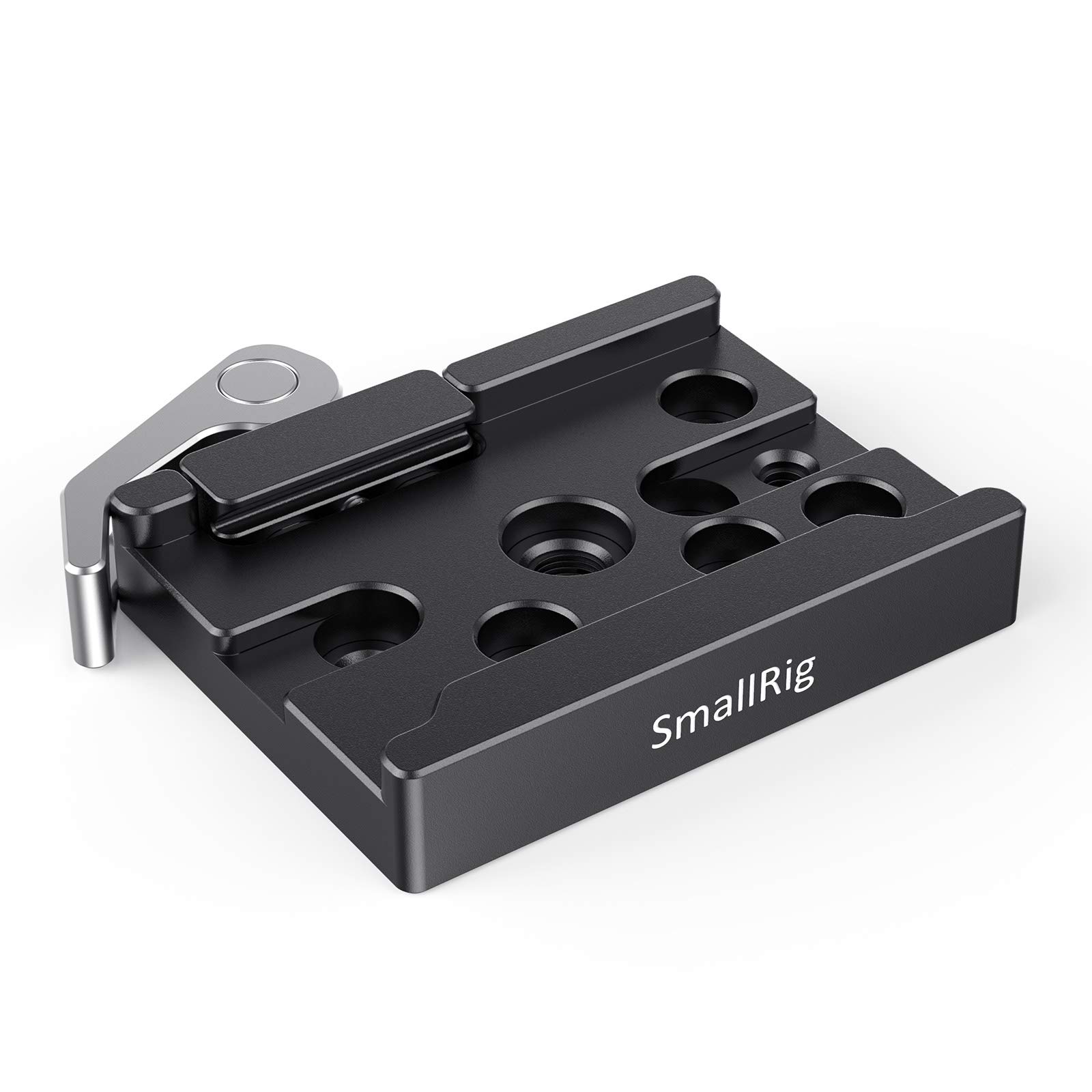
This image displays the key dimensions of the SmallRig Quick Release Clamp 2143B, including its length, width, and height, providing precise measurements for compatibility.
8. Warranty and Support
SmallRig products are manufactured to high-quality standards. For warranty information, please refer to the official SmallRig website or contact your retailer. If you require technical assistance or have questions regarding your product, please reach out to SmallRig customer support through their official channels.


