
Introduction
The Smof BT19 Bluetooth 5.0 Audio Receiver is designed to upgrade non-Bluetooth audio systems, home stereos, speakers, and wired headphones with wireless Bluetooth capabilities. It features Bluetooth 5.0 for stable transmission, a built-in microphone for hands-free calls, noise-cancelling technology, and dual connection support. This manual provides detailed instructions for setup, operation, and maintenance.
Package Contents
Please verify that all items are present in your package:
- 1 x Smof BT19 Bluetooth Receiver
- 1 x Micro USB Charging Cable
- 1 x 3.5mm Metal Adapter
- 1 x 3.5mm Audio Cable
- 1 x User Manual

The package includes one Bluetooth receiver, one charging cable, one 3.5mm metal adapter, one 3.5mm audio cable, and a user manual.
Product Overview
Familiarize yourself with the components of your Smof BT19 Bluetooth Audio Receiver:

This diagram highlights the key components of the Smof BT19 adapter, including the audio output port, power ON/OFF button, play/pause/answer/hang up button, Micro USB charging port, microphone, next song/volume up button, and previous song/volume down button.
Setup Instructions
1. Charging the Device
Before first use, fully charge the Smof BT19 receiver using the provided Micro USB cable. Connect the cable to the Micro USB charging port on the device and the other end to a USB power source (e.g., car charger, computer USB port, or wall adapter).
2. Power On/Off
- Power On: Press and hold the Power ON/OFF button for approximately 3 seconds until the LED indicator lights up.
- Power Off: Press and hold the Power ON/OFF button for approximately 3 seconds until the LED indicator turns off.
3. Pairing with a Bluetooth Device
- Ensure the Smof BT19 is powered on and in pairing mode (LED indicator will flash blue and red alternately).
- On your smartphone or other Bluetooth-enabled device, go to the Bluetooth settings.
- Search for available devices and select "BT19" from the list.
- Once connected, the LED indicator will show a solid blue light.
- The device will automatically reconnect to the last paired phone upon powering on, if Bluetooth is enabled on the phone.
4. Connecting to Audio System
Connect the Smof BT19 receiver to your car audio system, home stereo, or wired headphones using the 3.5mm audio cable or metal adapter. Plug one end into the Audio Output port of the BT19 and the other end into the AUX input of your audio system.
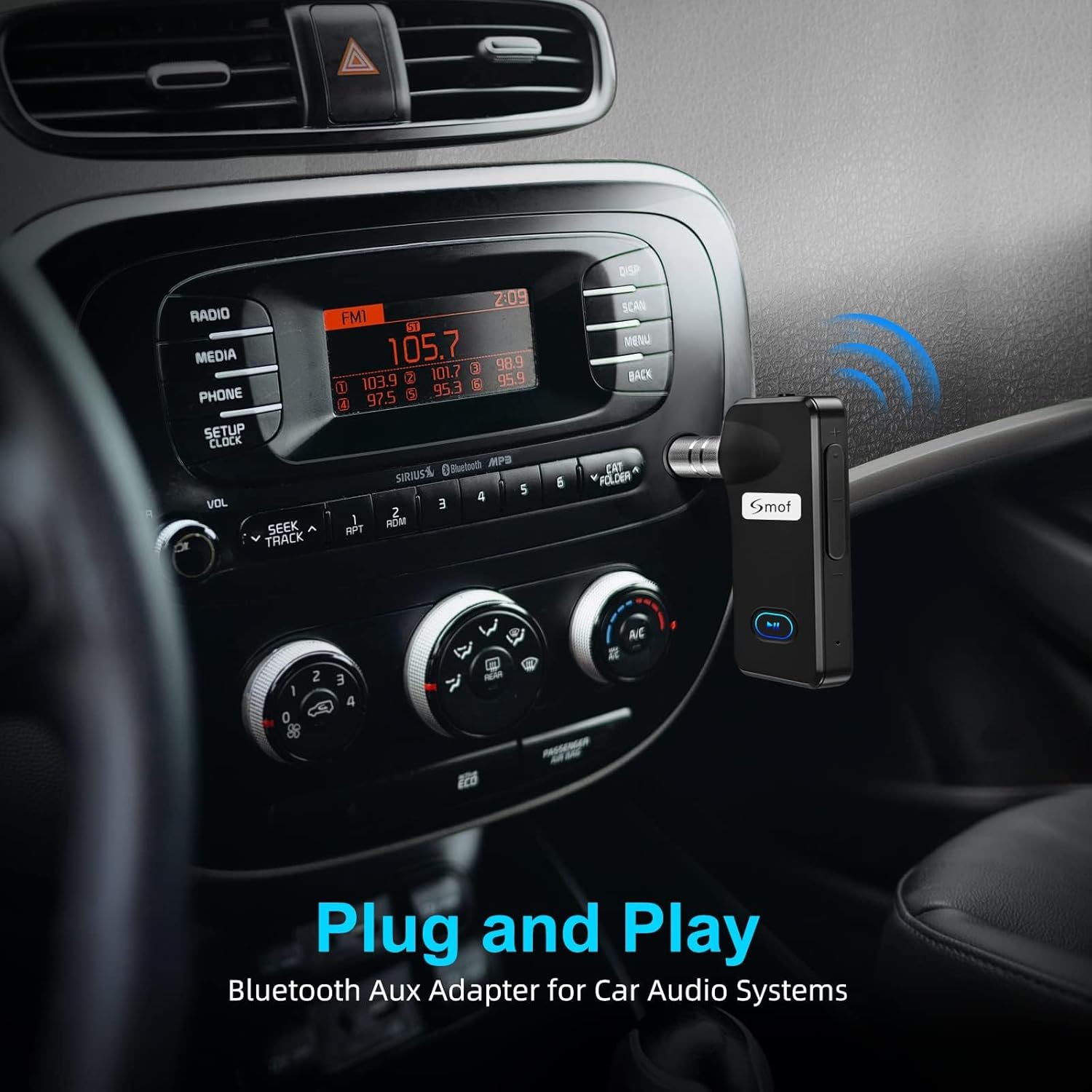
The adapter offers a simple plug-and-play setup for car audio systems.

The Smof BT19 Bluetooth adapter connects to car audio systems, home stereo systems, and wired headphones, enabling wireless audio streaming.
Operating Instructions
Music Playback
- Play/Pause: Press the multi-function button (Play/Pause/Answer/Hang up) once.
- Next Song: Short press the "Next Song / Volume Up" button.
- Previous Song: Short press the "Previous Song / Volume Down" button.
- Volume Up: Long press the "Next Song / Volume Up" button.
- Volume Down: Long press the "Previous Song / Volume Down" button.

Enjoy high-fidelity music streaming by connecting the Smof BT19 adapter to your home stereo system.

Transform your wired headphones into wireless ones by connecting them to the Smof BT19 adapter.
Hands-Free Calling
The built-in microphone allows for convenient hands-free communication.
- Answer Call: Press the multi-function button once.
- End Call: Press the multi-function button once during a call.
- Reject Call: Press and hold the multi-function button for 2 seconds.
- Activate Voice Assistant: Long press the multi-function button for 1 second.

The built-in microphone allows for hands-free calls and voice assistant activation, enhancing driving safety and convenience.
Dual Connection
The Smof BT19 adapter supports simultaneous connection with two Bluetooth devices.
- Pair the first device following the "Pairing with a Bluetooth Device" instructions.
- After the first device is connected, disable Bluetooth on the first device. The BT19 will re-enter pairing mode.
- Pair the second device with the BT19.
- Enable Bluetooth on the first device again. Both devices should now be connected to the BT19.
This feature allows you to switch between music playback and answering calls from either connected device.

The Smof BT19 adapter supports dual connection, allowing two devices to be paired simultaneously.
Battery Life and Charging
- The BT19 is equipped with a 1800mAh battery.
- Provides up to 12 hours of music playback on a single charge.
- Charging time is approximately 2 hours.
- Long standby time of 130 hours.
- The device can be used while charging.
- Features a low battery alarm to indicate when charging is required.

The adapter is designed to save battery when connected to a power source.

The device can be used while charging, ensuring continuous operation.

The adapter features a low battery alarm to alert users when charging is needed.
Maintenance
- Keep the device dry. Moisture can damage the internal circuits.
- Do not use abrasive cleaning solvents to clean the device.
- Do not expose the device to extreme temperatures.
- Avoid dropping or subjecting the device to strong impacts.
Troubleshooting
| Problem | Possible Cause | Solution |
|---|---|---|
| Device does not power on. | Low battery. | Charge the device for at least 2 hours. |
| Cannot pair with Bluetooth device. | Device not in pairing mode; Bluetooth disabled on phone; too far from device. | Ensure BT19 is flashing blue/red. Enable Bluetooth on your phone. Move phone closer to BT19. Forget previous pairings on your phone and try again. |
| No sound or poor sound quality. | Incorrect AUX connection; volume too low; interference. | Ensure 3.5mm cable is fully inserted. Adjust volume on both BT19 and audio system. Move away from other wireless devices. |
| Intermittent connection. | Distance too far; obstacles; interference. | Keep devices within 10 meters (33 feet) line of sight. Reduce obstacles between devices. |
Specifications
| Feature | Detail |
|---|---|
| Model Name | BT19 |
| Bluetooth Standard | Bluetooth 5.0 |
| Connectivity Technology | AUX, Bluetooth |
| Power Source | Battery Powered (1 Lithium Polymer battery required) |
| Battery Capacity | 1800mAh (implied from 12 hours playback, not explicitly stated as 1800mAh in specs, but in feature bullets) |
| Music Playback Time | Up to 12 hours |
| Charging Time | Approximately 2 hours |
| Standby Time | 130 hours |
| Item Weight | 0.08 Kilograms |
| Control Method | Buttons |
| Special Features | LED Light, Multifunctional Button, Hands-Free Call, Noise Cancelling, Dual Connect |
| Compatible Devices | Headphones, Home Stereo Systems, Speakers |
Safety Information
Warning:
- This product contains a lithium-ion battery. Do not dispose of in fire or heat.
- Follow local regulations for battery disposal.
- Use only in well-ventilated areas.
- Potential interference with other wireless devices may occur.
- For safe use while driving, pair the device before starting your journey and use voice control to minimize distraction.
Warranty and Support
The Smof BT19 Bluetooth 5.0 Audio Receiver comes with a 5-year warranty. For technical support, troubleshooting assistance, or warranty claims, please refer to the contact information provided in your product packaging or visit the official Smof website.
Product Demonstration Video
This video demonstrates the setup, pairing process, music playback controls (play/pause, skip, volume adjustment), and highlights the package contents of the Smof BT19 Bluetooth Audio Receiver.


