
1. Product Overview
The Allimity EN218A8H is a dedicated replacement remote control designed for seamless operation with Hisense HS312 and HS218 2.1 CH soundbars. This remote provides direct access to all essential functions without requiring any complex programming or setup procedures. It operates using infrared technology.
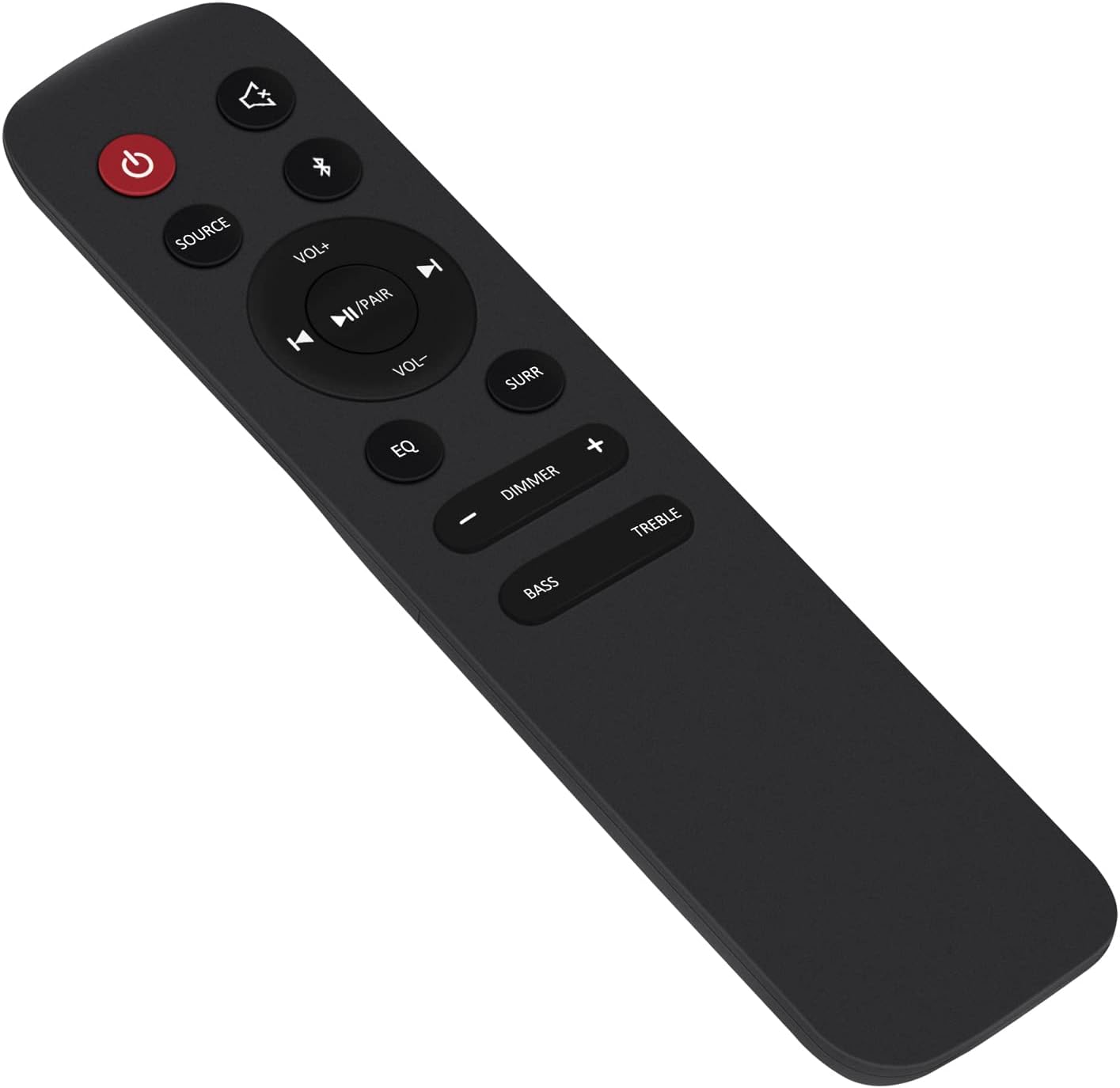
Figure 1: Angled view of the Allimity EN218A8H replacement remote control.
2. Setup
2.1 Battery Installation
- Locate the battery compartment on the back of the remote control.
- Slide the battery cover downwards to open it.
- Insert two (2) AAA alkaline batteries, ensuring the positive (+) and negative (-) terminals match the diagrams inside the compartment.
- Slide the battery cover back into place until it clicks securely.
Note: This remote control does not require any programming. Once batteries are installed, it is ready for use with compatible Hisense soundbars.

Figure 2: Rear view showing the battery compartment of the remote control.
3. Operating Instructions
Point the remote control directly at your Hisense soundbar to ensure proper signal transmission. The remote provides intuitive control over various soundbar functions.

Figure 3: Front view of the remote control, highlighting button layout.
3.1 Key Functions
- Power Button (⏻): Turns the soundbar on or off.
- Source Button: Cycles through available input sources (e.g., HDMI, Optical, Bluetooth).
- Volume Up/Down (VOL+/-): Adjusts the soundbar's master volume.
- Play/Pause/Pair (▶II/PAIR): Controls media playback and initiates Bluetooth pairing.
- Previous/Next Track (⏮/⏭): Skips to the previous or next track during media playback.
- Mute Button (🔇): Mutes or unmutes the soundbar audio.
- EQ Button: Cycles through preset equalizer modes.
- Dimmer Button: Adjusts the brightness of the soundbar's display.
- Bass +/-: Adjusts the bass level.
- Treble +/-: Adjusts the treble level.
- Surround (SURR) Button: Activates or deactivates surround sound mode.
4. Maintenance
4.1 Battery Replacement
Replace batteries when the remote's response becomes sluggish or it stops functioning. Always use new AAA alkaline batteries. Do not mix old and new batteries, or different types of batteries.
4.2 Cleaning
Wipe the remote control with a soft, dry cloth. Do not use liquid cleaners, sprays, or abrasive materials, as these can damage the remote's surface or internal components.
4.3 Storage
If the remote control will not be used for an extended period, remove the batteries to prevent leakage and potential damage to the device.
5. Troubleshooting
- Remote not responding:
- Ensure fresh AAA alkaline batteries are correctly installed.
- Check for any obstructions between the remote and the soundbar.
- Ensure you are within the maximum operating range (approximately 10 meters).
- Verify that the soundbar is powered on.
- Intermittent response:
- Replace batteries with new ones.
- Ensure the remote's infrared emitter is clean and unobstructed.
6. Specifications
| Brand | ALLIMITY |
| Model Name | EN218A8H |
| Compatible Devices | Hisense HS312, Hisense HS218 2.1 CH Soundbars |
| Connectivity Technology | Infrared |
| Special Feature | No programming required |
| Maximum Range | 10 Meters |
| Number of Buttons | 20 |
| Batteries Required | 2 x AAA Alkaline (not included) |
| Dimensions (L x W x H) | 15.2 cm x 5.1 cm x 1.3 cm |
7. Support
For any questions or assistance regarding your Allimity EN218A8H replacement remote control, please do not hesitate to contact us via email. We are committed to helping you resolve any issues you may encounter.
