
Introduction
This manual provides detailed instructions for the Soundcore by Anker Life P2i True Wireless Earbuds and Life Q30 Active Noise Cancelling Headphones. These devices offer impressive sound quality, advanced call features, and comfortable wear for an enhanced audio experience. The Life P2i earbuds feature 10mm drivers and AI-enhanced calls, while the Life Q30 headphones boast 40mm drivers and hybrid active noise cancellation.
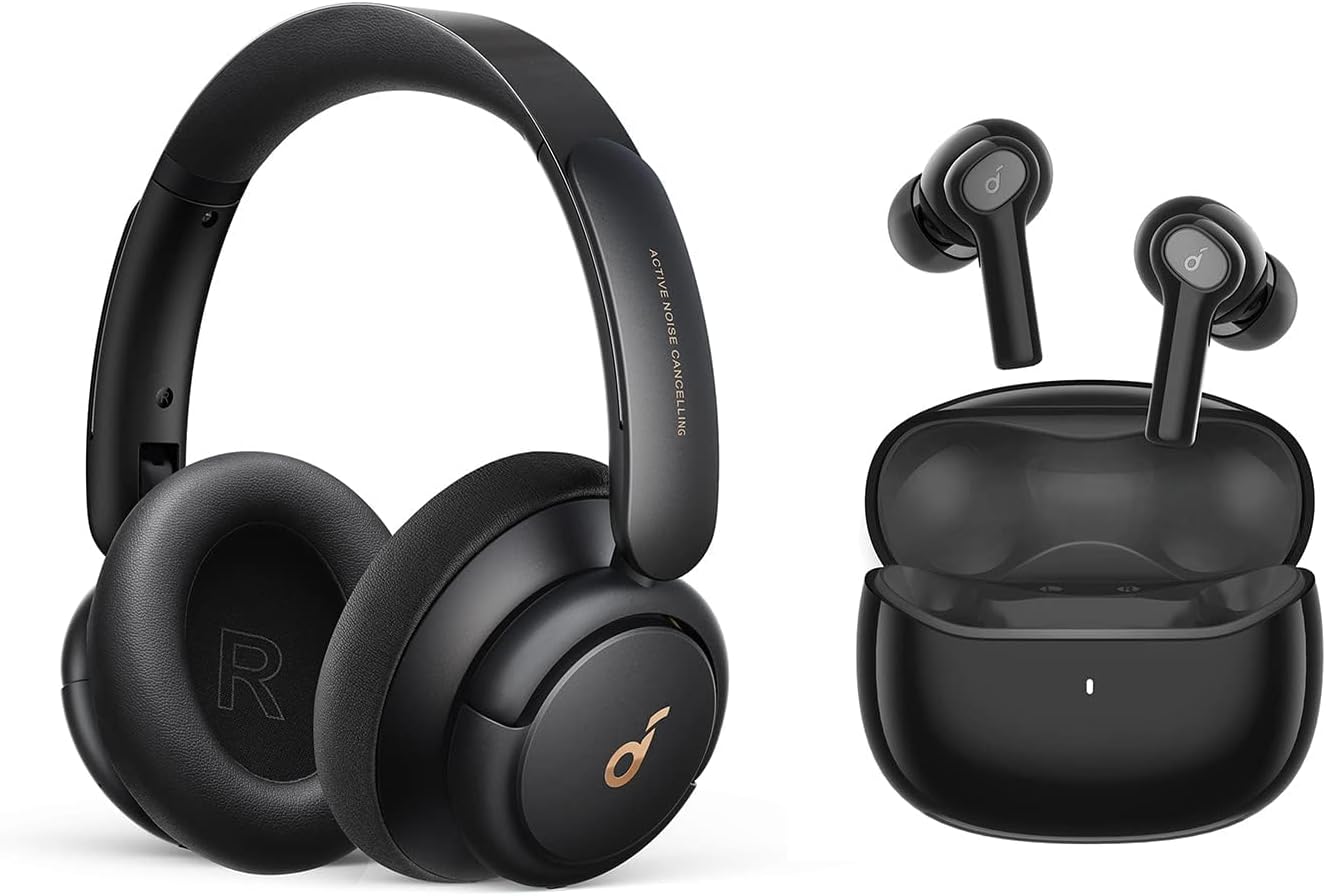
Image: Soundcore Life P2i True Wireless Earbuds and Life Q30 Active Noise Cancelling Headphones. This image displays both the in-ear earbuds and the over-ear headphones, showcasing the complete product package.
What's in the Box
- Soundcore Life P2i True Wireless Earbuds
- Soundcore Life Q30 Active Noise Cancelling Headphones
- S/M/L Ear Tips (for Life P2i)
- USB-C Cable (for both devices)
- Welcome Guide
Setup
1. Initial Setup for Life P2i Earbuds
- Remove the protective film from the charging contacts on both earbuds.
- Place the earbuds back into their charging case.
- Close the lid of the charging case.
- Charge the earbuds and case for at least 10 minutes using the provided USB-C cable.
2. How to Wear Life P2i Earbuds
To ensure optimal sound quality and a secure fit, place the earbuds into your ear canal and gently rotate them to lock them into position. Experiment with the included S/M/L ear tips to find the most comfortable and secure fit for your ears.

Image: Visual guide for setting up and wearing the Life P2i earbuds. It illustrates removing protective film, placing earbuds in the case for charging, and the correct method for inserting and rotating the earbuds in the ear for a secure fit.
Operating Instructions
Life P2i Earbud Controls
The Life P2i earbuds feature physical buttons for easy control of music playback, calls, and voice assistant. Refer to the table below for specific functions:

Image: Close-up of a Soundcore Life P2i earbud highlighting the location of the physical control button.
| Action | Left Earbud (L) | Right Earbud (R) |
|---|---|---|
| Press once | Volume Down | Volume Up |
| Press twice | Previous Track | Next Track |
| Press and hold for 2s | Activate Voice Assistant | Activate Voice Assistant |
| Press once (during call) | Answer/End Call | Answer/End Call |
| Press twice (during call) | Reject Call | Reject Call |
| Press and hold for 2s (during call) | Switch Call | Switch Call |
| Quick press 3 times | Switch EQ Mode | Switch EQ Mode |
Sound Quality and EQ Modes (Life P2i)
The Life P2i earbuds are equipped with 10mm oversized drivers, delivering powerful and clear audio. You can switch between two distinct EQ modes to optimize your listening experience:
- Bass Mode: Provides a strong, punchy bass ideal for music genres that benefit from deep low frequencies.
- Podcast Mode: Enhances vocal clarity, making spoken-word audio like podcasts and audiobooks easier to understand.

Image: Illustration showing the two EQ modes for Life P2i earbuds: Bass Mode and Podcast Mode, indicating their distinct sound profiles.
AI-Enhanced Calls (Life P2i)
Life P2i earbuds are designed for crystal-clear calls. They feature two built-in microphones and an AI algorithm that effectively reduces background noise, ensuring your voice is heard clearly by the person on the other end.

Image: Depiction of AI-enhanced calls with Life P2i earbuds, showing a person on a call with a smartphone, emphasizing clear communication.
Bluetooth Pairing (Life P2i)
The earbuds utilize advanced Bluetooth 5.2 technology for stable and efficient connectivity. For instant pairing, simply open the charging case lid, and the earbuds will automatically connect to the last paired device. If pairing for the first time, search for "Soundcore Life P2i" in your device's Bluetooth settings.

Image: A smartphone screen showing a successful Bluetooth connection to Soundcore earbuds, with the earbuds floating nearby.
Single Earbud Use (Life P2i)
You can seamlessly use either the left or right earbud independently. Simply remove one earbud from the charging case to enjoy music or make calls in mono mode.
Active Noise Cancellation (Life Q30)
The Life Q30 headphones feature hybrid active noise cancellation technology, capable of filtering out up to 95% of low-frequency ambient sounds, such as engine noise. This allows for a more immersive listening experience.

Image: Diagram illustrating how the hybrid active noise cancellation in Life Q30 headphones works, showing external and internal microphones detecting and counteracting noise waves.
The Life Q30 also offers tailored noise cancellation modes for different environments:
- Outdoor Mode: Optimized for reducing ambient noise in outdoor settings.
- Transport Mode: Specifically designed to minimize engine and road noise during travel.
- Indoor Mode: Ideal for reducing chatter and background noise in indoor environments.

Image: Visual representation of the three tailored noise cancellation modes for Life Q30 headphones: Outdoor Mode, Transport Mode, and Indoor Mode, each depicted with a relevant scene.
Maintenance
Cleaning
- Regularly clean the earbuds and charging case with a soft, dry, lint-free cloth.
- For the ear tips, remove them from the earbuds and gently wipe with a damp cloth, then allow them to air dry completely before reattaching.
- For the Life Q30 headphones, wipe the earcups and headband with a soft, dry cloth. Avoid using harsh chemicals or abrasive materials.
- Ensure charging contacts on both earbuds and inside the case are clean and free of debris to maintain proper charging.
Storage
When not in use, store the Life P2i earbuds in their charging case to protect them and keep them charged. Store the Life Q30 headphones in a cool, dry place, ideally in a protective case if available, to prevent damage.
Troubleshooting
If you encounter any issues with your Soundcore devices, please try the following general troubleshooting steps:
- No Sound: Ensure the devices are charged, properly paired, and the volume is turned up on both the device and your audio source.
- Pairing Issues: Turn off Bluetooth on your device, then turn it back on. Forget the device in your Bluetooth settings and attempt to re-pair. Ensure the earbuds are in pairing mode (usually by opening the case).
- Charging Issues: Check the USB-C cable and charging port for any damage or debris. Try a different charging cable or power adapter.
- Distorted Audio: Move closer to your audio source to avoid interference. Try playing different audio files to rule out source issues.
- Reset: For persistent issues, consult the Soundcore support website for specific reset instructions for your model.
Specifications
| Feature | Detail |
|---|---|
| Model Numbers | Life P2i (A3991), Life Q30 |
| Life P2i Driver Size | 2 x 10mm |
| Life Q30 Driver Size | 40mm |
| Impedance (Life P2i) | 16Ω |
| Frequency Response (Life P2i) | 20Hz-20kHz |
| Playtime (Life P2i) | Up to 8 hours (earbuds), 28 hours total with charging case |
| Fast Charging (Life P2i) | 10-minute charge for 1 hour of use |
| Bluetooth Version | 5.2 |
| Water Resistance (Life P2i) | IPX5-Rated (sweat, rain, water splashes) |
| Weight (Life P2i Earbud) | 0.15oz (4.4g) |
| Weight (Life Q30) | 9oz (260g) |
Warranty and Support
Your Soundcore Life P2i True Wireless Earbuds and Life Q30 Active Noise Cancelling Headphones come with an 18-month warranty.
For further assistance, product registration, FAQs, and more detailed support, please visit the official Soundcore website or their Amazon store:
Visit the Soundcore Store on Amazon