
1. Introduction
This manual provides essential instructions for the safe and effective use of your Kastar NP-QM91D Lithium-ion Battery. This high-capacity 7.4V 5500mAh battery is designed as a replacement for various Sony camera and camcorder models. Please read this manual thoroughly before using the product.
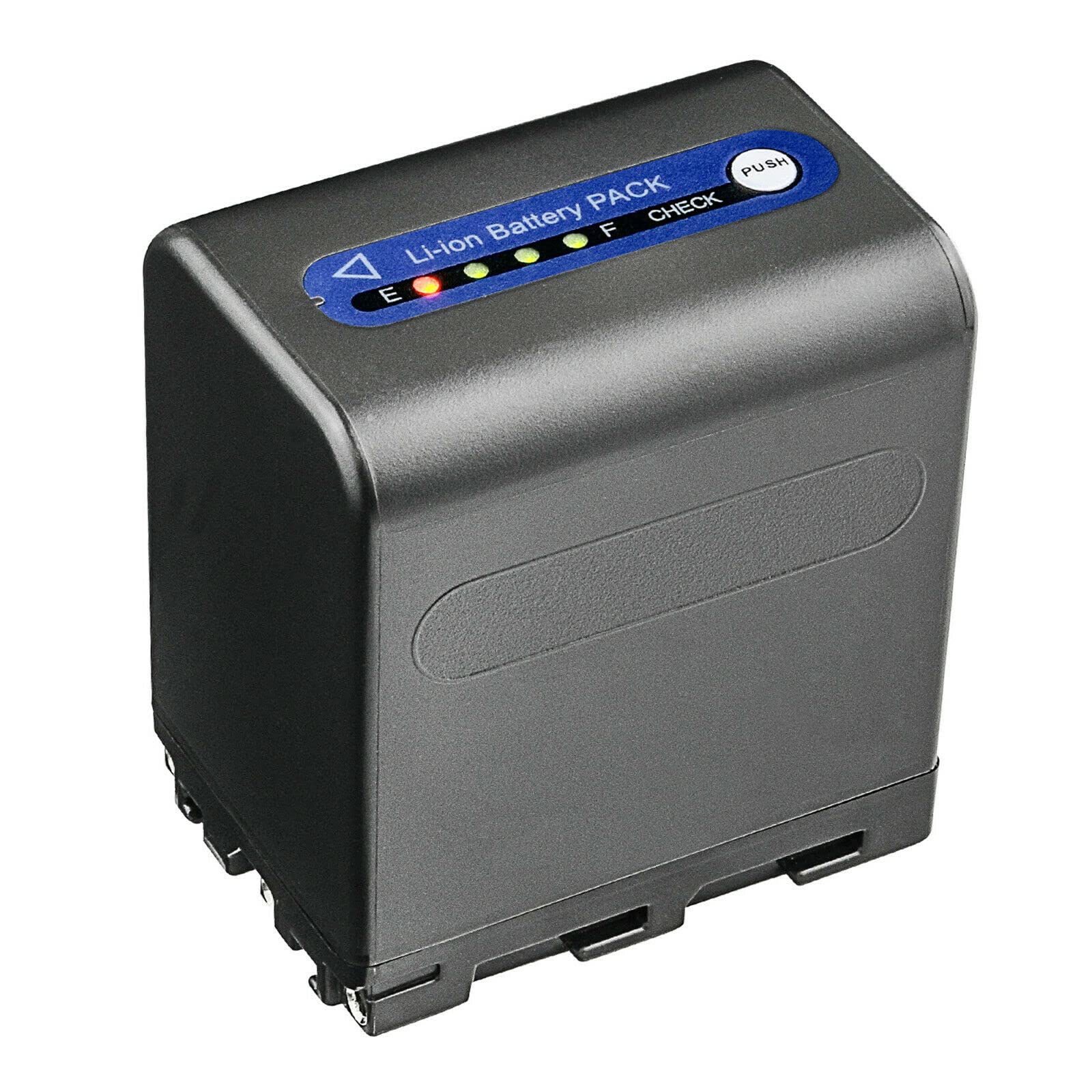
Figure 1: Kastar NP-QM91D Lithium-ion Battery. The battery features a black casing with a green and white label indicating "Kastar For Son.NP-QM91/QM91D Li-ion Battery 7.4V 5500mAh 40.7Wh" and safety warnings at the bottom.
2. Safety Information
Observe the following safety precautions to prevent damage to the battery or injury to yourself.
- Do not incinerate: Disposing of the battery in fire can cause explosion or leakage.
- Do not disassemble: Tampering with the battery can lead to short-circuiting, fire, or chemical exposure.
- Do not short-circuit: Avoid contact between metal objects and the battery terminals. This can cause excessive heat, fire, or explosion.
- Dispose of properly: Follow local regulations for lithium-ion battery disposal. Do not discard with general household waste.
- Do not expose to high temperatures: Keep the battery away from heat sources and direct sunlight. Do not expose to temperatures exceeding 140°F (60°C).
- Keep out of reach of children.
- If the battery leaks, avoid contact with the fluid. If contact occurs, wash thoroughly with water and seek medical attention.
3. Package Contents
The package includes the following item:
- 1 x Kastar NP-QM91D Lithium-ion Battery

Figure 2: Kastar Battery Packaging. A white box with the Kastar logo and "HIGH CAPACITY Battery for Camera & Camcord" text, along with icons for "NO MEMORY EFFECT", "100% Compatible", "HIGH STABILITY", and "18 Months warranty".
4. Setup and Installation
Follow these steps to install the battery into your compatible device:
- Ensure your camera or camcorder is powered off before attempting to install or remove the battery.
- Locate the battery compartment on your device. Refer to your device's instruction manual if needed.
- Open the battery compartment cover.
- Align the Kastar NP-QM91D battery with the battery slot, ensuring the contacts match correctly.
- Gently slide the battery into the compartment until it clicks into place or is securely seated.
- Close the battery compartment cover.
Note: Always use the correct battery for your device. Incorrect battery installation can cause damage.
5. Operating Instructions
5.1. Charging the Battery
To charge your Kastar NP-QM91D battery, use a compatible Sony charger (e.g., BC-VM50, BC-VM10, BC-V615) or a Kastar-approved charger.
- Insert the battery into the charger, ensuring proper alignment of the contacts.
- Connect the charger to a power source.
- Observe the charger's indicator light. It typically shows charging status (e.g., red for charging, green for fully charged).
- Once fully charged, disconnect the charger from the power source and remove the battery.
Note: It is recommended to fully charge the battery before its first use to optimize performance.
5.2. Battery Usage
Once installed and charged, the battery will power your compatible camera or camcorder. Monitor your device's battery indicator to determine remaining power. For optimal performance, avoid completely draining the battery frequently.
6. Maintenance
Proper maintenance extends the life of your battery.
- Storage: Store the battery in a cool, dry place away from direct sunlight and extreme temperatures. For long-term storage, charge the battery to approximately 50-60% capacity.
- Cleaning: Use a clean, dry cloth to wipe the battery terminals if they become dirty. Do not use liquids or abrasive cleaners.
- Avoid Impact: Do not drop the battery or subject it to strong impacts.
7. Troubleshooting
| Problem | Possible Cause | Solution |
|---|---|---|
| Battery not charging | Incorrectly inserted battery; faulty charger; dirty contacts. | Ensure battery is correctly inserted. Try a different compatible charger. Clean battery and charger contacts. |
| Battery not powering device | Battery not fully charged; incorrect installation; device issue. | Charge the battery fully. Re-install the battery correctly. Test with another known-good battery if available. |
| Short operating time | Battery not fully charged; battery nearing end of life; high power consumption by device. | Ensure battery is fully charged. Consider replacing the battery if it's old. Reduce power-intensive features on your device. |
If problems persist, contact customer support.
8. Specifications
- Battery Type: Lithium-ion
- Battery Voltage: 7.4 V
- Battery Capacity: 5500 mAh
- Energy: 40.7 Wh
- Product Dimensions: 1.51 x 2.33 x 2.2 inches (3.84 x 5.92 x 5.59 cm)
- Item Weight: 7.5 ounces (212.6 grams)
- Safety Standards: Meets UL1642 & CE safety standards
- Protection Features: Built-in over-charge, over-discharge, over-voltage, over-current, and over-heating protection circuit.
9. Compatibility
The Kastar NP-QM91D battery is compatible with the following Sony battery models, charger models, and camera/camcorder models:
9.1. Compatible Sony Battery Models
- NP-FM30, NP-FM50, NP-FM55H, NP-QM50, NP-QM51
- NP-FM70, NP-FM71, NP-QM71, NP-QM71D
- NP-FM90, NP-FM91, NP-QM91, NP-QM91D
9.2. Compatible Sony Charger Models
- BC-VM50, BC-VM10, BC-V615
9.3. Compatible Sony Camera/Camcorder Models
This battery is compatible with a wide range of Sony devices, including but not limited to:
- CCD-TRV Series: CCD-TRV106, CCD-TRV108, CCD-TRV116, CCD-TRV118, CCD-TRV126, CCD-TRV128, CCD-TRV138, CCD-TRV150, CCD-TRV208, CCD-TRV218, CCD-TRV228, CCD-TRV250, CCD-TRV308, CCD-TRV318, CCD-TRV328, CCD-TRV338, CCD-TRV350, CCD-TRV408, CCD-TRV418, CCD-TRV428, CCD-TRV438, CCD-TRV608, CCD-TRV730, CCD-TRV740, CCD-TRV748
- DCR-DVD Series: DCR-DVD100, DCR-DVD101, DCR-DVD200, DCR-DVD201, DCR-DVD300, DCR-DVD301, DCR-DVD91
- DCR-HC Series: DCR-HC14, DCR-HC15, DCR-HC88
- DCR-PC Series: DCR-PC100, DCR-PC101, DCR-PC103, DCR-PC104, DCR-PC105, DCR-PC110, DCR-PC115, DCR-PC120, DCR-PC330, DCR-PC6, DCR-PC8, DCR-PC9
- DCR-TRV Series: DCR-TRV10, DCR-TRV11, DCR-TRV116, DCR-TRV12, DCR-TRV14, DCR-TRV140, DCR-TRV145, DCR-TRV147, DCR-TRV15, DCR-TRV16, DCR-TRV17, DCR-TRV18, DCR-TRV19, DCR-TRV20, DCR-TRV22, DCR-TRV23, DCR-TRV230, DCR-TRV239, DCR-TRV24, DCR-TRV240, DCR-TRV245, DCR-TRV25, DCR-TRV250, DCR-TRV255, DCR-TRV260, DCR-TRV265, DCR-TRV30, DCR-TRV33, DCR-TRV300, DCR-TRV325, DCR-TRV330, DCR-TRV340, DCR-TRV350, DCR-TRV355, DCR-TRV360, DCR-TRV38, DCR-TRV380, DCR-TRV39, DCR-TRV40, DCR-TRV430, DCR-TRV460, DCR-TRV480, DCR-TRV50, DCR-TRV530, DCR-TRV6, DCR-TRV60, DCR-TRV70, DCR-TRV730, DCR-TRV738, DCR-TRV740, DCR-TRV75, DCR-TRV8, DCR-TRV80, DCR-TRV828, DCR-TRV830, DCR-TRV840, DCR-TRV890, DCR-TRV940, DCR-TRV950
- Other Models: DSR-PDX10, HVL-ML20M, HVR-A1, HVR-A1U, GV-D1000, HDR-HC1, HDR-SR1, HDR-UX1, MVC-CD200, MVC-CD250, MVC-CD300, MVC-CD350, MVC-CD400, MVC-CD500, GV-D1000, GV-D1000E Video
10. Warranty and Support
Kastar provides an 18-month warranty for this product, as indicated on the packaging. This warranty covers manufacturing defects and ensures the product meets its stated specifications.
For warranty claims, technical assistance, or any questions regarding your Kastar NP-QM91D battery, please contact Kastar customer support through their official website or the retailer where the product was purchased. Please have your purchase receipt and product model number (NP-QM91D or BA-1B-QM91D-A) available when contacting support.
