
Product Overview
The LEKATO Looper Pedal is a versatile guitar effect pedal designed for electric guitar and bass. It features a synchronous recording mode, a built-in high-sensitivity tuner, and the ability to store up to 3 loops with a total recording time of 18 minutes. The pedal supports unlimited overdubbing and offers high-quality 48K/24bit sampling for lossless audio. Its USB interface allows for easy import and export of WAV loop files to and from a PC.

Image: Front view of the LEKATO Looper Pedal in blue, showcasing its compact design, level knob, LED screen, and footswitch.
Setup
- Power Supply: The LEKATO Looper Pedal requires a 9V DC power adapter with a central negative polarity. The power supply is not included with the pedal. Ensure the power supply provides at least 300mA current. Using an improper power supply may damage the pedal or prevent it from functioning.
- Connecting to Instruments/Amplifiers: Connect your electric guitar or bass to the input jack of the looper pedal. Connect the output jack of the looper pedal to your amplifier or other effects chain.
- USB Connection: The included USB cable is for transferring recorded WAV files to and from a computer (Windows/MAC OS). It does not power the looper pedal.
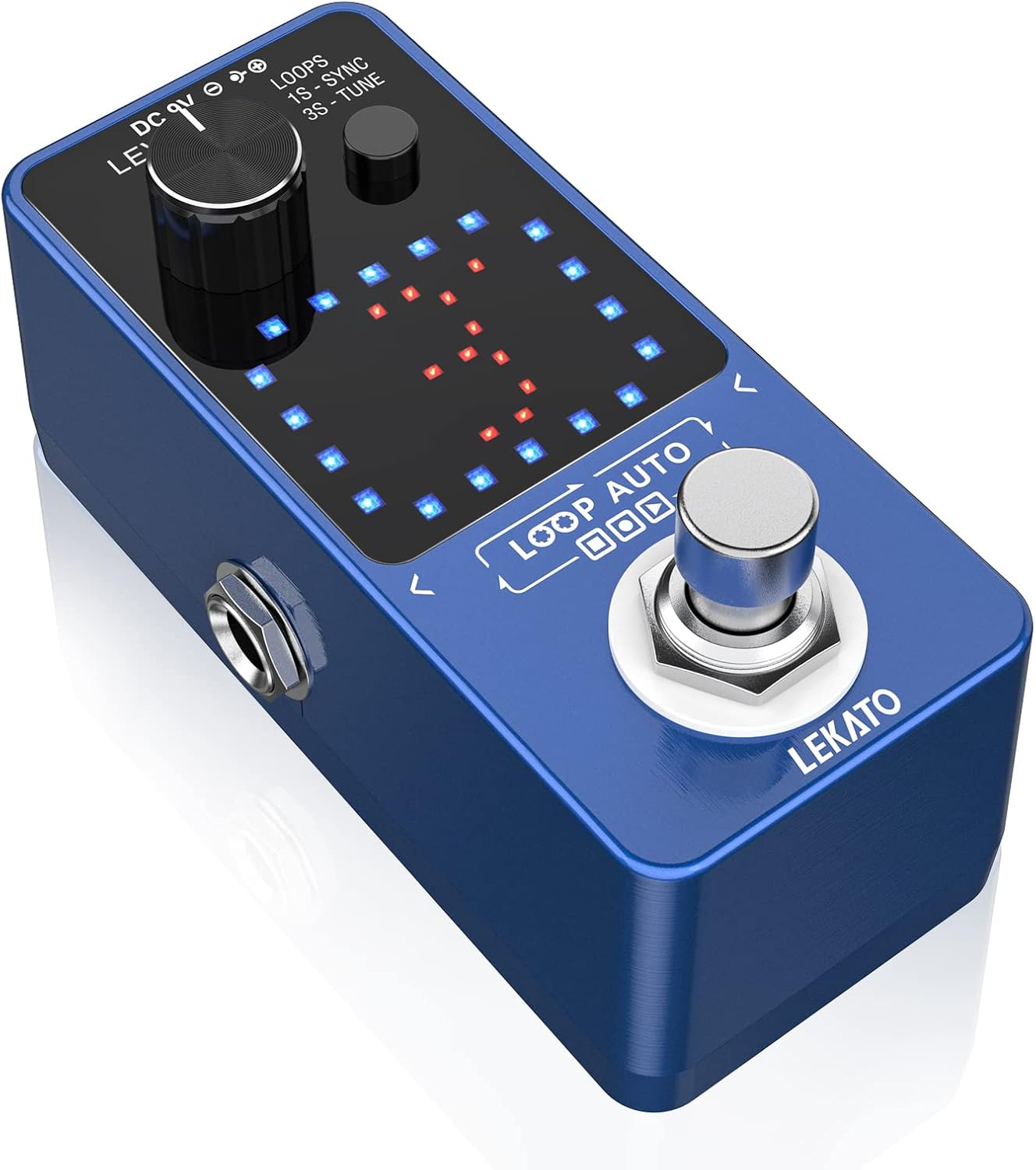
Image: Diagram illustrating the required 9V DC central negative power supply and a note that it is not included.

Image: The LEKATO Looper Pedal connected to a laptop via a USB cable, demonstrating its file transfer capability.
Operating Instructions
The LEKATO Looper Pedal features a single footswitch and a multi-function button for intuitive control over its various features.
Basic Looping Functions
- Record: Press the footswitch once to start recording your loop.
- Play/Overdub: Press the footswitch again to stop recording and start playback. While playing, press the footswitch again to enter overdub mode and record additional layers.
- Stop: Double-press the footswitch to stop playback.
- Undo/Redo: While playing, press and hold the footswitch for 1 second to undo the last overdub. Hold again for 1 second to redo it.
- Erase: While stopped, press and hold the footswitch for 2 seconds to erase the current loop.
- Volume Adjustment: Use the "LEVEL" knob to adjust the playback volume of your loops.

Image: The looper pedal highlighting its single footswitch for record, undo/redo, stop, and erase functions.
Multi-function Button (Loops, SYNC, Tuner)
The small button next to the LEVEL knob controls loop selection, SYNC mode, and tuner activation.
- Select Tracks (Loops): Press the multi-function button once (less than 1 second) to cycle through the 3 available loop memory slots. The LED screen will indicate the selected loop (1, 2, or 3).
- Enter Synchronous Recording Mode (SYNC): Press and hold the multi-function button for 1 second. A red dot will appear on the LED screen, indicating the pedal is waiting for an audio input to automatically start recording. This feature helps in precise loop timing.
- Enter Tuning Mode (TUNE): Press and hold the multi-function button for 3 seconds. The LED screen will switch to tuner display, allowing you to tune your instrument.

Image: Visual guide for the multi-function button: single press for track selection, 1-second hold for SYNC mode, and 3-second hold for tuning mode.

Image: The looper pedal's LED screen showing the visual time indicator for loops and the SYNC record feature.
Official Product Demonstration
Watch this video for a comprehensive demonstration of the LEKATO Looper Pedal's features, including basic looping, SYNC recording, and tuner functionality.
Video: A detailed demonstration of the LEKATO Looper Pedal's core functions, including recording, overdubbing, undo/redo, sync mode, and the built-in tuner.
Maintenance
- Cleaning: Use a soft, dry cloth to clean the pedal's exterior. Avoid using abrasive cleaners or solvents.
- Storage: Store the pedal in a dry environment, away from extreme temperatures and direct sunlight.
- Power Off: Always disconnect the power supply when the pedal is not in use for extended periods.
Troubleshooting
| Problem | Possible Cause | Solution |
|---|---|---|
| Pedal does not power on. | Incorrect power supply (voltage, polarity, or current). | Ensure you are using a 9V DC central negative power adapter with at least 300mA. The USB cable does not provide power. |
| No sound output. | Incorrect cable connections, low volume, or pedal bypassed. | Check all input/output cable connections. Adjust the "LEVEL" knob. Ensure the pedal is engaged (not bypassed). |
| Loops are not recording or playing correctly. | Incorrect operation sequence, memory full, or corrupted data. | Review the "Operating Instructions" for correct recording/overdubbing steps. Try erasing the current loop and starting fresh. If issues persist, try resetting the pedal (refer to user manual PDF for advanced reset procedures if available). |
Specifications
| Feature | Detail |
|---|---|
| Brand | LEKATO |
| Model Number | M01698BL |
| Item Weight | 10.9 ounces (310 Grams) |
| Product Dimensions | 4.33 x 2.48 x 2.56 inches (1.95"L x 1.57"W x 3.54"H) |
| Sampling Rate | 48K/24bit |
| Number of Loops | 3 |
| Single Loop Record Duration | Up to 6 minutes |
| Total Recording Time | 18 minutes |
| Overdubbing | Unlimited |
| Tuner Function | Built-in high sensitivity tuner |
| Connectivity | USB (for file transfer) |
| Power Source | Corded Electric (9V DC Central Negative, ≥300mA) |
Warranty and Support
LEKATO is committed to the development and manufacture of professional musical instrument accessories. For detailed warranty information and technical support, please refer to the official user manual or contact LEKATO customer service.
A comprehensive User Manual in PDF format is available for download: Download User Manual (PDF)