
Quantum TH100HC.SC3
Quantum Throttle 100 RH BC Reel User Manual
Model: TH100HC.SC3
Introduction
This manual provides comprehensive instructions for the safe and effective use, setup, operation, and maintenance of your Quantum Throttle 100 RH BC Reel (Model: TH100HC.SC3). Please read this manual thoroughly before using your reel to ensure optimal performance and longevity.
Product Overview
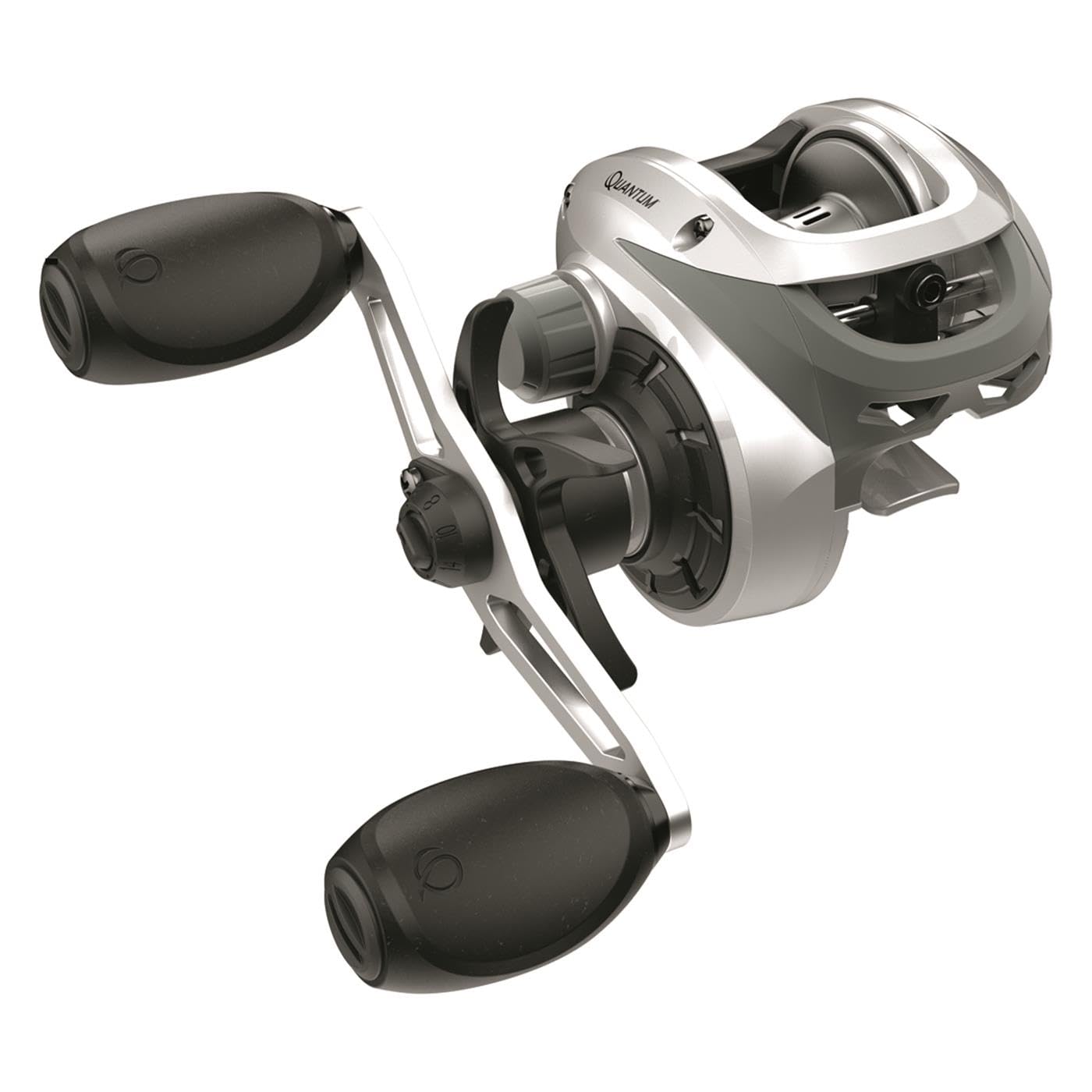
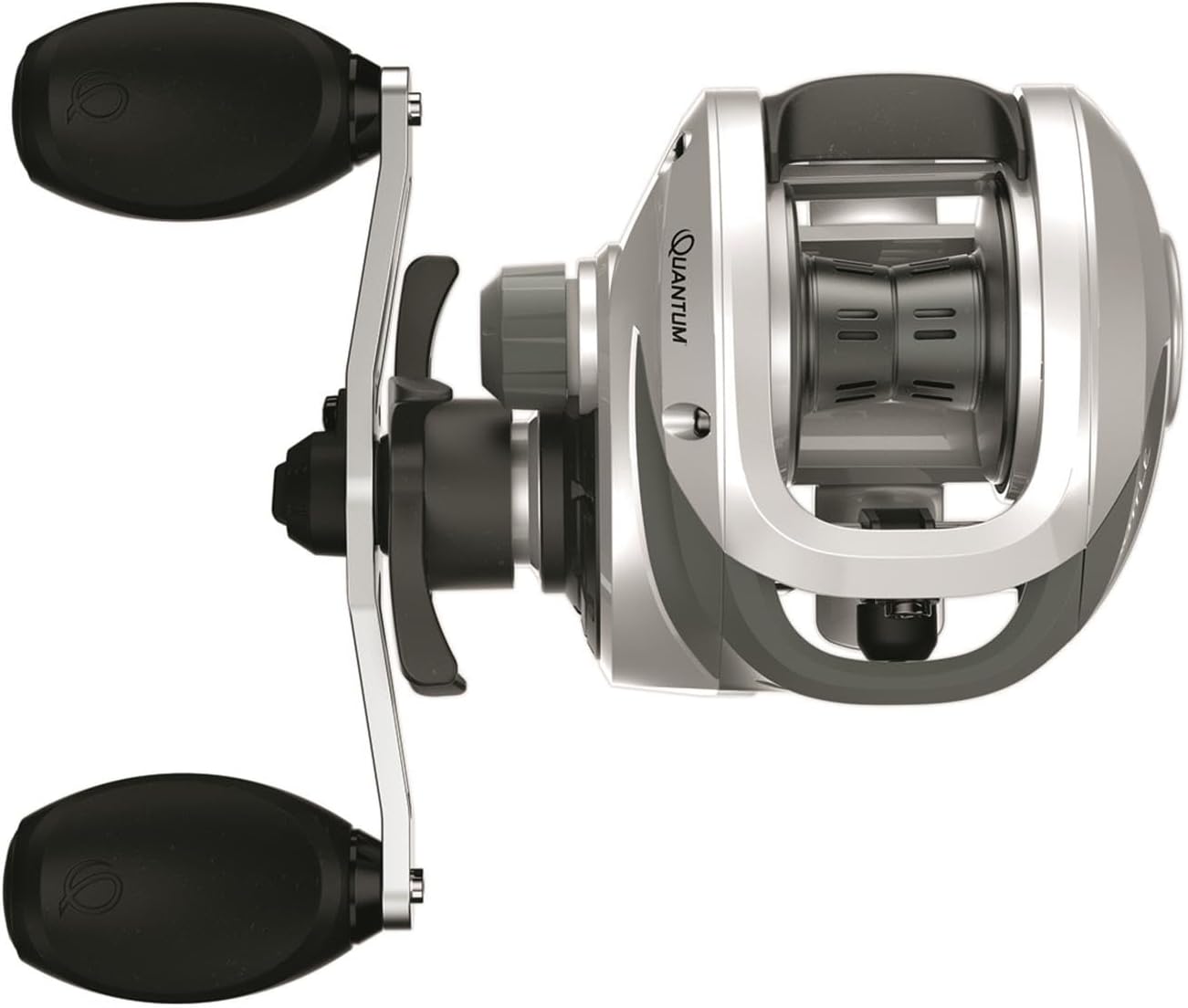
The Quantum Throttle 100 RH BC Reel is a high-performance baitcasting reel designed for various fishing techniques. It features a robust construction and user-friendly design.
Key Features:
- Durable construction for reliable performance.
- Efficient braking system for controlled casting.
- Comfortable handle design for extended use.
- Ambidextrous hand orientation for versatile use.

Setup
1. Spooling Line:
The Quantum Throttle 100 RH BC Reel is compatible with both monofilament and braided fishing lines. The line capacity is approximately 12 lbs / 135 yards for monofilament and 30 lbs / 170 yards for braided line.
- To access the spool, locate the flip switch on the side of the reel.
- Engage the flip switch to release the side plate, allowing the spool to slide out.
- The spool features small holes designed to secure the fishing line. Thread the line through one of these holes and tie a secure knot to prevent slippage.
- Carefully wind the desired amount of line onto the spool, ensuring even distribution.
- Once spooled, reinsert the spool and secure the side plate by engaging the flip switch.
2. Adjusting Spool Tension:
The spool tensioner is located on the side of the reel, opposite the handle. Adjust this knob to control the speed at which the spool rotates during a cast. A proper tension setting prevents backlash (tangles) and optimizes casting distance.
3. Braking System:
The reel is equipped with a braking system to further control spool rotation during casting. This system helps prevent overruns and allows for smoother, more accurate casts. Refer to the markings on the reel for specific brake settings and adjust according to your lure weight and casting style.
Operating Instructions
1. Casting:
To cast, depress the thumb bar to disengage the spool. With proper spool tension and brake settings, you can achieve smooth casts. The reel is designed to facilitate "no thumb casting" for experienced users, minimizing the need for manual spool control during the cast. Practice casting in an open area to familiarize yourself with the reel's performance and find your optimal settings.
2. Reeling:
After casting, turn the handle to engage the retrieve mechanism. The Quantum Throttle 100 RH BC Reel provides smooth reeling action. Its ambidextrous hand orientation allows for comfortable use by both right-handed and left-handed anglers.
3. Drag Adjustment:
The star drag system is located next to the handle. This system allows for easy and precise adjustment of the drag pressure. Turn the star wheel clockwise to increase drag and counter-clockwise to decrease it. Set the drag appropriately for the target fish species and line strength to prevent line breakage during a fight.
Maintenance
Regular maintenance ensures the longevity and optimal performance of your Quantum Throttle 100 RH BC Reel.
- Cleaning: After each use, especially in saltwater environments, rinse the reel with fresh water to remove salt and debris. Wipe it dry with a soft cloth. Do not submerge the reel.
- Lubrication: Periodically apply a small amount of high-quality reel oil to moving parts such as the handle knobs, spool shaft, and line guide. Use reel grease on gears if disassembling for deeper cleaning (recommended by a professional if unfamiliar).
- Storage: Store your reel in a dry, cool place away from direct sunlight and extreme temperatures.
Troubleshooting
If you encounter issues with your reel, consider the following common solutions:
- Backlash/Bird's Nest: This often occurs due to improper spool tension or brake settings. Adjust the spool tensioner and braking system to match your lure weight and casting technique. Ensure your thumb is ready to feather the spool if needed.
- Stiff Reeling: This could be due to dirt, debris, or lack of lubrication. Clean the reel thoroughly and apply appropriate lubricants to moving parts.
- Drag Slipping: Check if the drag washers are dry or worn. Ensure the star drag is tightened sufficiently for your fishing conditions.
For more complex issues, it is recommended to consult a professional reel technician or contact Quantum customer support.
Specifications
| Feature | Detail |
|---|---|
| Brand | Quantum |
| Model Name | TH100HC.SC3 |
| Hand Orientation | Ambidextrous |
| Color | Multi |
| Material | Blend |
| Fishing Technique | Baitcasting |
| Line Capacity | 12/135 (mono), 30/170 (braid) |
| Fishing Line Type | Monofilament and Braided |
| UPC | 032784642084 |
Warranty and Support
For information regarding warranty coverage, service, or technical support for your Quantum Throttle 100 RH BC Reel, please refer to the official Quantum website or contact their customer service department directly. Keep your purchase receipt as proof of purchase for any warranty claims.
You can visit the Quantum Store on Amazon for more product information.
Ask a question about this manual
Ask about setup, troubleshooting, compatibility, parts, safety, or missing instructions. Manuals+ will review the question and use this page’s manual context to help answer it.