
1. Introduction
The Lorex LR-DL5 RFID Coded Card Access System is designed to provide secure and convenient access control for various indoor environments such as offices and apartments. This device supports both password entry and RFID card/keyfob access, offering flexibility and enhanced security. It is capable of managing up to 1000 unique user cards or keyfobs.
This manual provides detailed instructions for the installation, operation, and maintenance of your LR-DL5 access system. Please read this manual thoroughly before installation and use to ensure proper functionality and safety.
2. Safety Information
- Ensure the power supply is disconnected before installation or maintenance to prevent electrical shock.
- This device is designed for indoor use only. Avoid exposure to moisture, direct sunlight, or extreme temperatures.
- Installation should be performed by a qualified electrician or technician.
- Use only the specified 12VDC power supply.
- Do not attempt to disassemble or modify the device, as this will void the warranty and may cause damage or injury.
3. Package Contents
Please check the package contents to ensure all items are present:
- Lorex LR-DL5 RFID Coded Card Access System Unit
- 100 x Magnetic Keyfobs
- Mounting Screws and Wall Plugs
- User Manual (this document)
4. Specifications
| Feature | Specification |
|---|---|
| Model | LR-DL5 |
| Access Methods | Password, RFID Card/Keyfob |
| User Capacity | Up to 1000 cards/keyfobs |
| Power Supply | 12VDC |
| Operating Temperature | 0°C – 45°C |
| Dimensions (L x W x H) | 120mm x 80mm x 22mm |
| Relay Output | NO/NC Dry Contact |
| Material | Plastic |
| Installation | Surface Mount |
5. Setup and Installation
The Lorex LR-DL5 is designed for easy surface-mount installation. Ensure you have the necessary tools (drill, screwdriver, wire strippers) and follow these steps:
- Choose a Location: Select an indoor location near the door where the access system will be used. Ensure it is protected from moisture and direct sunlight.
- Mount the Device:
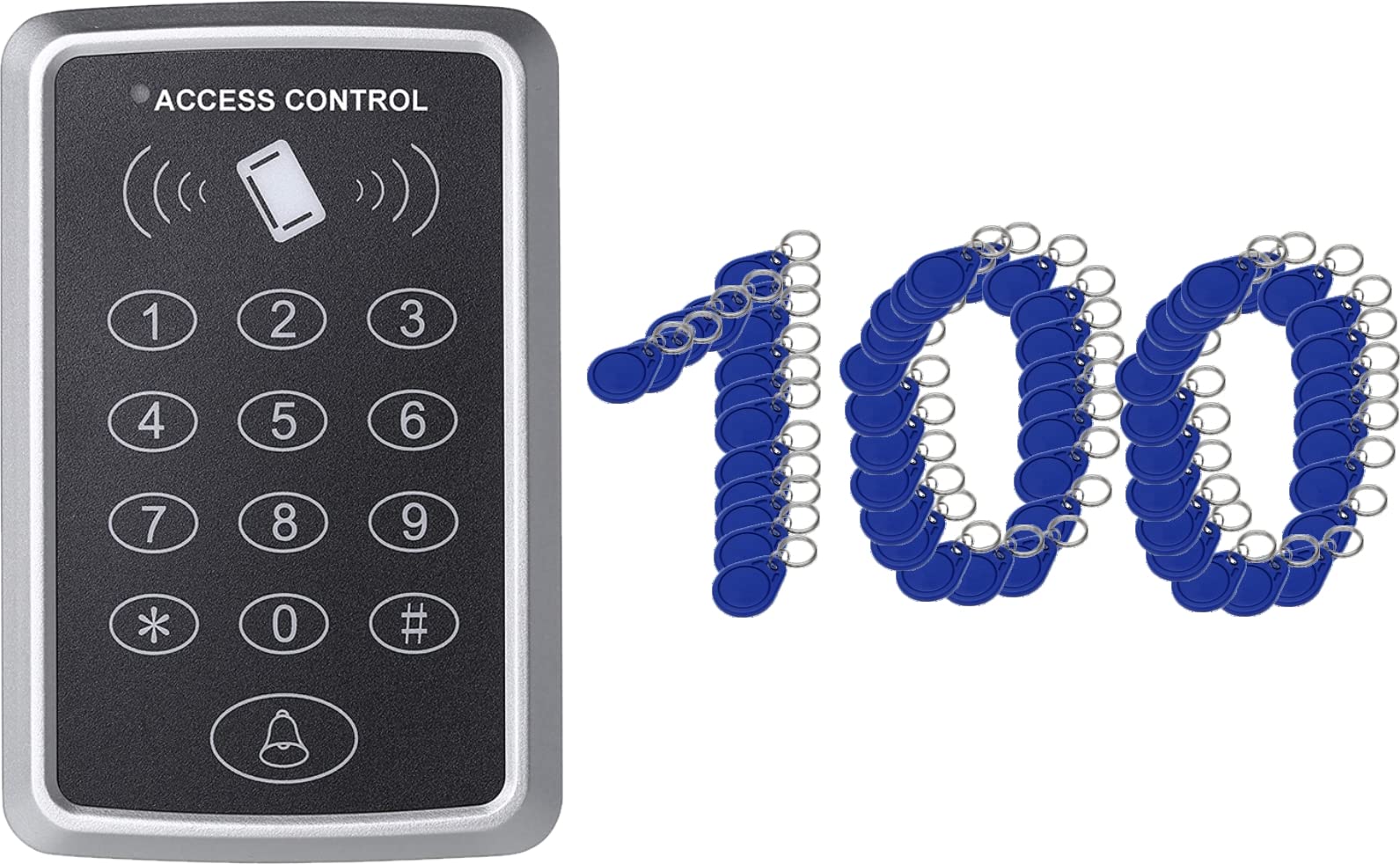
Image: The Lorex LR-DL5 unit, a grey plastic device with a keypad and card reader, mounted on a wall.
Mark the drilling points on the wall using the device as a template. Drill holes, insert wall plugs, and secure the device to the wall using the provided screws. - Wiring: Connect the 12VDC power supply to the designated power terminals. Connect the NO (Normally Open) or NC (Normally Closed) relay outputs to your electric door strike or automatic door opener, depending on your lock type. Refer to the wiring diagram provided with your specific lock mechanism.
- Initial Power-Up: Once all connections are secure, connect the 12VDC power supply. The device will power on, and an indicator light will confirm it is ready for programming.
6. Operating Instructions
The LR-DL5 offers both password and RFID card/keyfob access. Below are the basic operating procedures.
6.1. Programming Mode
To enter programming mode, press # followed by the master password (default is 123456). The indicator light will change, confirming entry into programming mode.
6.2. Changing the Master Password
- Enter programming mode.
- Press 0.
- Enter your new 6-digit master password.
- Press # to confirm.
- Exit programming mode by pressing *.
6.3. Adding User Cards/Keyfobs
You can add up to 1000 user cards or keyfobs.
- Enter programming mode.
- Press 1.
- Present the RFID card/keyfob to the reader. The device will beep to confirm successful addition.
- Repeat for additional cards.
- Exit programming mode by pressing *.
6.4. Adding User Passwords
- Enter programming mode.
- Press 2.
- Enter a 4-6 digit user password.
- Press # to confirm.
- Repeat for additional passwords.
- Exit programming mode by pressing *.
6.5. Deleting User Cards/Keyfobs
- Enter programming mode.
- Press 3.
- Present the RFID card/keyfob to be deleted to the reader. The device will beep to confirm deletion.
- Repeat for additional cards.
- Exit programming mode by pressing *.
6.6. Deleting User Passwords
- Enter programming mode.
- Press 4.
- Enter the 4-6 digit user password to be deleted.
- Press # to confirm.
- Repeat for additional passwords.
- Exit programming mode by pressing *.
6.7. Adjusting Relay Time
The relay pull-in time (how long the door remains unlocked) can be adjusted.
- Enter programming mode.
- Press 5.
- Enter the desired time in seconds (e.g., 03 for 3 seconds).
- Press # to confirm.
- Exit programming mode by pressing *.
7. Maintenance
- Cleaning: Wipe the device with a soft, dry cloth. Do not use abrasive cleaners or solvents.
- Inspection: Periodically check the wiring for any signs of damage or loose connections.
- Software Updates: No user-performable software updates are available for this model.
8. Troubleshooting
| Problem | Possible Cause | Solution |
|---|---|---|
| Device does not power on. | No power supply or incorrect voltage. | Check 12VDC power connection. Ensure power adapter is working. |
| Door does not unlock with valid card/password. | Incorrect wiring to door strike, card/password not programmed, or relay time too short. | Verify wiring connections. Ensure card/password is correctly added. Adjust relay time if necessary. |
| Cannot enter programming mode. | Incorrect master password. | Ensure you are using the correct master password. Default is 123456. |
| Keyfobs not working. | Keyfobs not programmed or faulty. | Ensure keyfobs are correctly added to the system. Test with a known working keyfob. |
9. Warranty and Support
For warranty information and technical support, please refer to the documentation provided at the time of purchase or contact your local Lorex distributor. Keep your purchase receipt as proof of purchase for warranty claims.
Manufacturer: Lorex
First Available Date: January 3, 2022