1. Introduction
Thank you for purchasing the LEMORELE 4K Wireless HDMI Transmitter and Receiver. This device allows for wireless transmission of high-definition audio and video signals, eliminating the need for long HDMI cables. It is designed for various applications including home entertainment, business meetings, and educational presentations. Please read this manual thoroughly before use to ensure proper installation and operation.
2. Package Contents
Please verify that all items listed below are included in your package:
- Wireless HDMI Transmitter (TX) x 1
- Wireless HDMI Receiver (RX) x 1
- HDMI Cable x 1
- USB-C Charging Cable x 2
- Power Adapter x 1
- User Manual x 1

Image: The complete package contents, including the transmitter, receiver, HDMI cable, two USB-C charging cables, a power adapter, and the user manual.
3. Product Overview
The LEMORELE Wireless HDMI system consists of a Transmitter (TX) and a Receiver (RX) unit. The Transmitter connects to your source device (e.g., laptop, game console), and the Receiver connects to your display device (e.g., TV, projector).

Image: A clear view of the LEMORELE wireless HDMI transmitter (left, with antennas) and the receiver (right, a smaller, round unit with an integrated HDMI cable).
Key Features:
- High-Quality Transmission: Supports 1080P@60Hz from the transmitter and 4K@30Hz output from the receiver.
- Dual-Band Wireless: Utilizes 2.4G/5G dual-band technology for stable signal transmission.
- Long-Range Coverage: Up to 50 meters (164 feet) wireless transmission distance in an open field.
- Plug and Play: No drivers or software installation required.
- Portable Design: Compact and lightweight for easy transport and use in various locations.
4. Setup Instructions
Follow these steps to set up your LEMORELE Wireless HDMI system:
- Connect the Receiver (RX): Plug the HDMI cable from the Receiver unit into an available HDMI input port on your display device (HDTV, projector, monitor).
- Power the Receiver (RX): Connect one of the provided USB-C charging cables to the Receiver's power input and the other end to a 5V2A USB power source (e.g., the included power adapter or a USB port on your TV).
- Connect the Transmitter (TX): Plug the HDMI connector of the Transmitter unit into the HDMI output port of your source device (e.g., laptop, game console, set-top box).
- Power the Transmitter (TX): Connect the second USB-C charging cable to the Transmitter's power input and the other end to a 5V2A USB power source. Note: If the transmitter's indicator light is flashing, it indicates insufficient power. Ensure you are using the supplied power supply cable and a 5V2A adapter.
- Power On Devices: Turn on your source device and display device.
- Automatic Pairing: The Transmitter and Receiver should automatically pair. Once paired, the indicator lights will become solid, and your source device's screen will be mirrored or extended to your display.
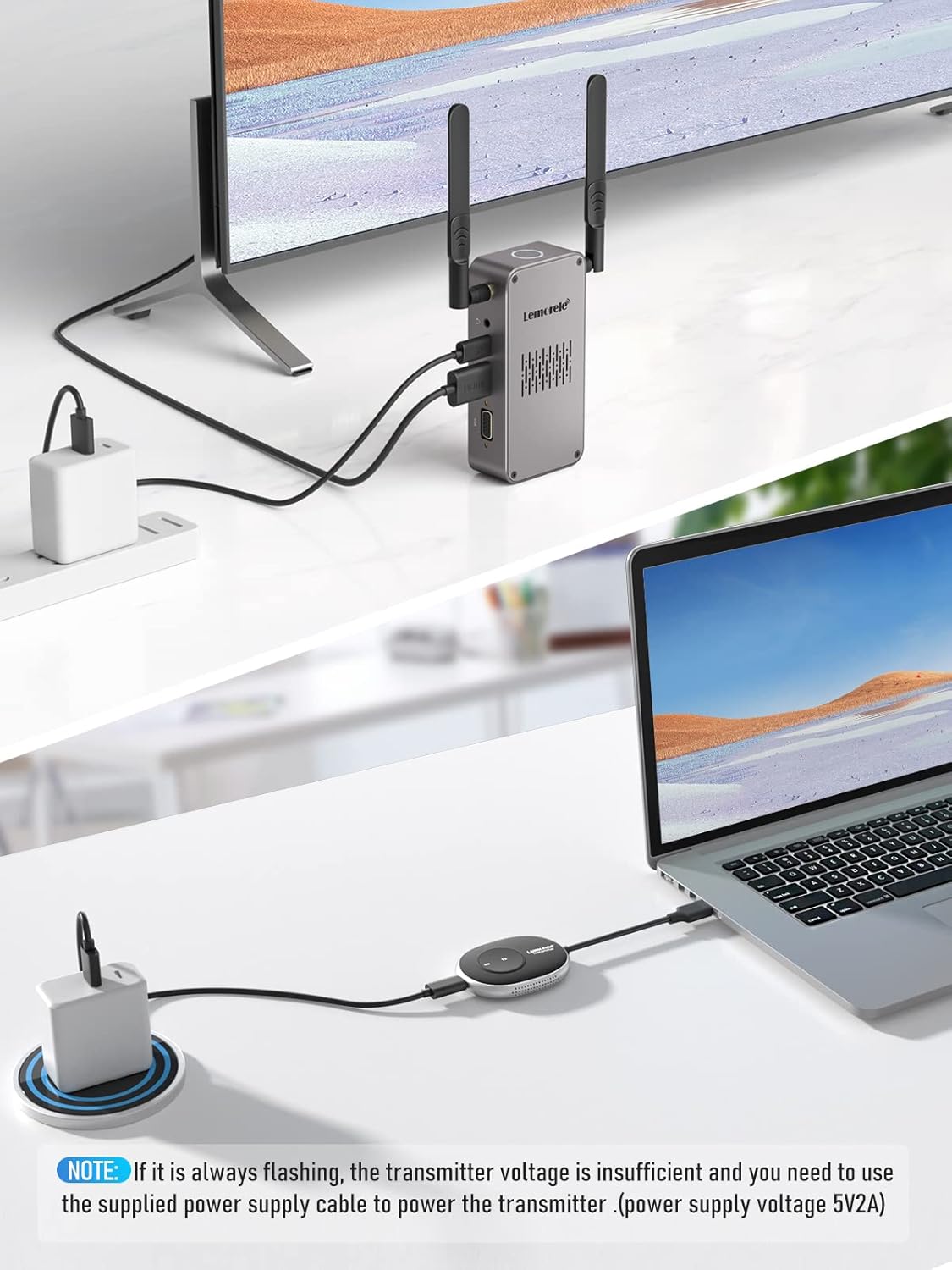
Image: An illustration showing the setup process. The receiver is connected to a TV and powered, while the transmitter is connected to a laptop and powered. A note highlights the importance of a 5V2A power supply for the transmitter if its light flashes.
5. Operating Instructions
Basic Operation (Plug & Play)
Once the Transmitter and Receiver are properly connected and powered, the system operates on a 'plug and play' principle. No additional drivers or software are required. The content from your source device will automatically appear on the connected display.
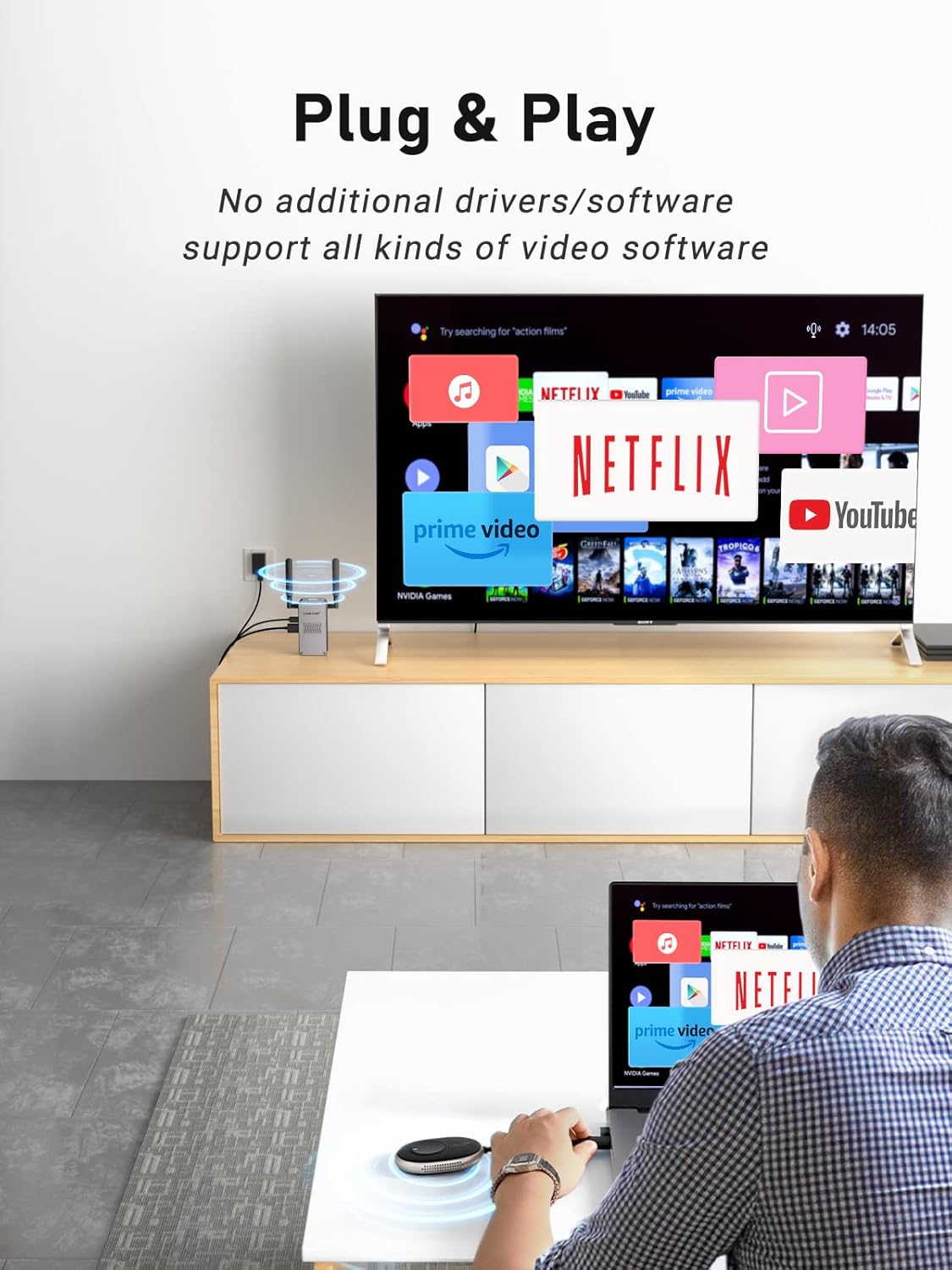
Image: A user is shown operating the wireless HDMI system, with a laptop connected to the transmitter and a TV displaying content from Netflix, demonstrating the plug-and-play functionality.
Multi-Point Free Switching
The system supports connecting multiple transmitters to a single receiver, allowing for seamless switching between different source devices. This is ideal for presentations or collaborative environments.
- Connect additional Transmitter units to other source devices as described in the Setup Instructions.
- To switch between active transmitters, simply press the button on the desired transmitter unit. The receiver will automatically detect and display the signal from the selected transmitter.

Image: A three-panel image illustrating multi-point free switching. Panel 1 shows a single transmitter connected. Panel 2 shows two transmitters connected to different laptops in a meeting room. Panel 3 shows the display switching between the two laptops, highlighting the ease of changing sources.
6. Compatibility
The LEMORELE Wireless HDMI system is compatible with a wide range of devices and services:
- Source Devices: Laptops, PCs, Gaming Consoles (PS4, Nintendo Switch), Set-top Boxes, DVD/Blu-ray Players, and other devices with HDMI output.
- Display Devices: HDTVs, Projectors, Monitors with HDMI input.
- Supported Services: Compatible with popular streaming services like Netflix, Amazon Prime Video, YouTube, Hulu, and various video conferencing platforms like Zoom.

Image: A graphic displaying various application and service logos, including Hulu, Netflix, Amazon MP3, Amazon, Vudu, Instagram, Zoom, Spotify, YouTube, Office, and Snapchat, indicating broad compatibility.
7. Troubleshooting
If you encounter issues, please refer to the following common solutions:
- No Signal/Black Screen:
- Ensure both the Transmitter and Receiver are properly powered with 5V2A adapters. A flashing indicator light on the transmitter often means insufficient power.
- Check all HDMI cable connections. Try using a different HDMI cable if possible.
- Verify that your display device is set to the correct HDMI input source.
- Restart both the source device and the display device.
- Poor Picture Quality/Intermittent Signal:
- Reduce the distance between the Transmitter and Receiver.
- Ensure there are no significant obstructions (e.g., thick walls, metal objects) between the units.
- Minimize interference from other wireless devices (e.g., Wi-Fi routers, cordless phones) by moving them further away.
- Confirm that your source device's resolution output is compatible with the system's capabilities (up to 4K@30Hz).
- Audio Issues:
- Check audio settings on your source device and display device.
- Ensure the HDMI cable supports audio transmission.
8. Specifications
| Brand | Lemorele |
| Model Number | Q5R18 |
| Color | Black |
| Connectivity Technology | HDMI (Wireless) |
| Special Features | Portable, Wireless |
| Compatible Devices | Smart Television, Laptops, PCs, Gaming Consoles |
| Transmitter Resolution | 1080P@60Hz |
| Receiver Output Resolution | 4K@30Hz |
| Wireless Frequency | 2.4G/5G Dual-Band |
| Wireless Transmission Distance | Up to 50 meters (164 feet) in open field |
| Power Input | 5V2A (USB-C) |
| Supported Internet Services | Netflix (and other streaming platforms) |
9. Maintenance
To ensure the longevity and optimal performance of your LEMORELE Wireless HDMI system, please follow these maintenance guidelines:
- Cleaning: Use a soft, dry cloth to clean the exterior of the devices. Do not use liquid cleaners or aerosols.
- Storage: When not in use for extended periods, store the devices in a cool, dry place away from direct sunlight and extreme temperatures.
- Handling: Avoid dropping or subjecting the devices to strong impacts.
- Ventilation: Ensure the devices have adequate ventilation and do not block any vents during operation.
10. Warranty and Support
LEMORELE products are designed for reliability and performance. This product comes with a standard manufacturer's warranty. For specific warranty details, please refer to the warranty card included in your package or contact LEMORELE customer support.
If you require technical assistance or have questions not covered in this manual, please contact LEMORELE customer support through the retailer where you purchased the product or visit the official LEMORELE website for contact information.


