
Midland MXT500 50-Watt GMRS Mobile Radio
Instruction Manual
Introduction
This manual provides detailed instructions for the installation, operation, and maintenance of your Midland MXT500 50-Watt GMRS Mobile Radio. The MXT500 is a two-way communication device designed for use on GMRS (General Mobile Radio Service) frequencies, offering enhanced range and reliable communication for various applications including farms, ranches, overlanding, trails, and off-roading.
The radio features 15 high-power GMRS channels (1-7 & 15-22), 142 CTCSS/DCS privacy codes, and integrated NOAA Weather Scan + Alert capabilities. Please read this manual thoroughly before operating the device to ensure proper usage and to maximize its performance.
Package Contents
- Midland MXT500 GMRS Mobile Radio Unit
- Microphone
- Magnetic Mount Antenna
- Mounting Bracket and Hardware
- DC Power Cable
- Owner’s Manual (this document)
Setup and Installation
Proper installation is crucial for optimal performance and safety. Ensure the vehicle's electrical system is compatible with 12 Volts DC.
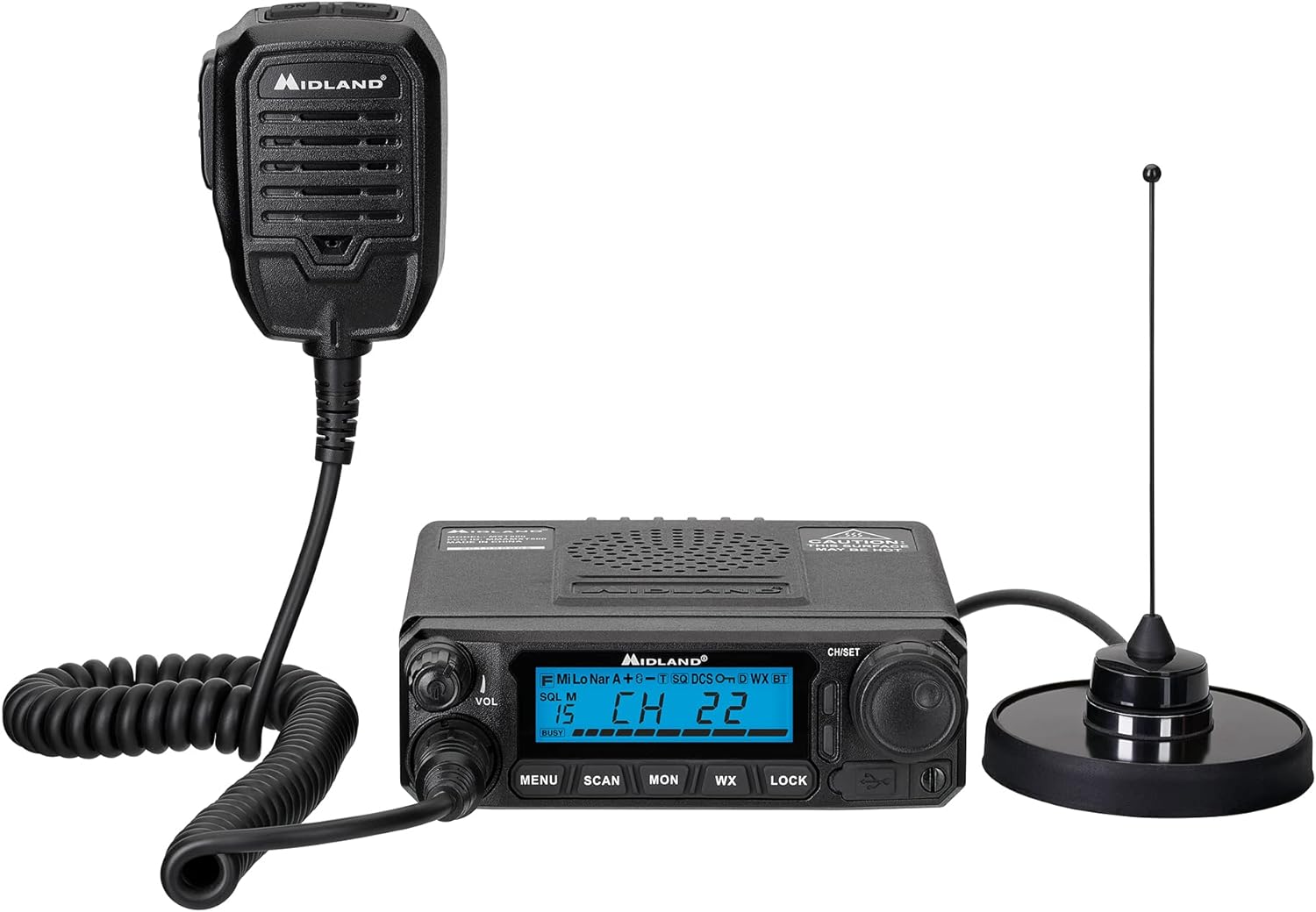
Image: The Midland MXT500 radio unit, its connected microphone, and the magnetic mount antenna.
- Mounting the Radio Unit:
Select a secure location in your vehicle that does not obstruct driving or airbag deployment. Use the provided mounting bracket and hardware to firmly attach the radio unit. Ensure adequate ventilation around the unit.

Image: The MXT500 radio unit securely mounted on a vehicle's dashboard, showing its compact design.
- Antenna Installation:
Attach the magnetic mount antenna to a metallic surface on the vehicle's roof or trunk lid, ensuring it has a clear line of sight for optimal signal. Route the antenna cable carefully to avoid damage and interference.
- Power Connection:
Connect the DC power cable to the radio unit. Connect the red wire to a 12V DC positive power source (e.g., vehicle battery or accessory fuse box) and the black wire to a suitable ground point. Ensure connections are secure and properly fused.
- Microphone Connection:
Plug the microphone cable into the designated port on the front of the radio unit. Secure the microphone in an easily accessible location using its hanger.
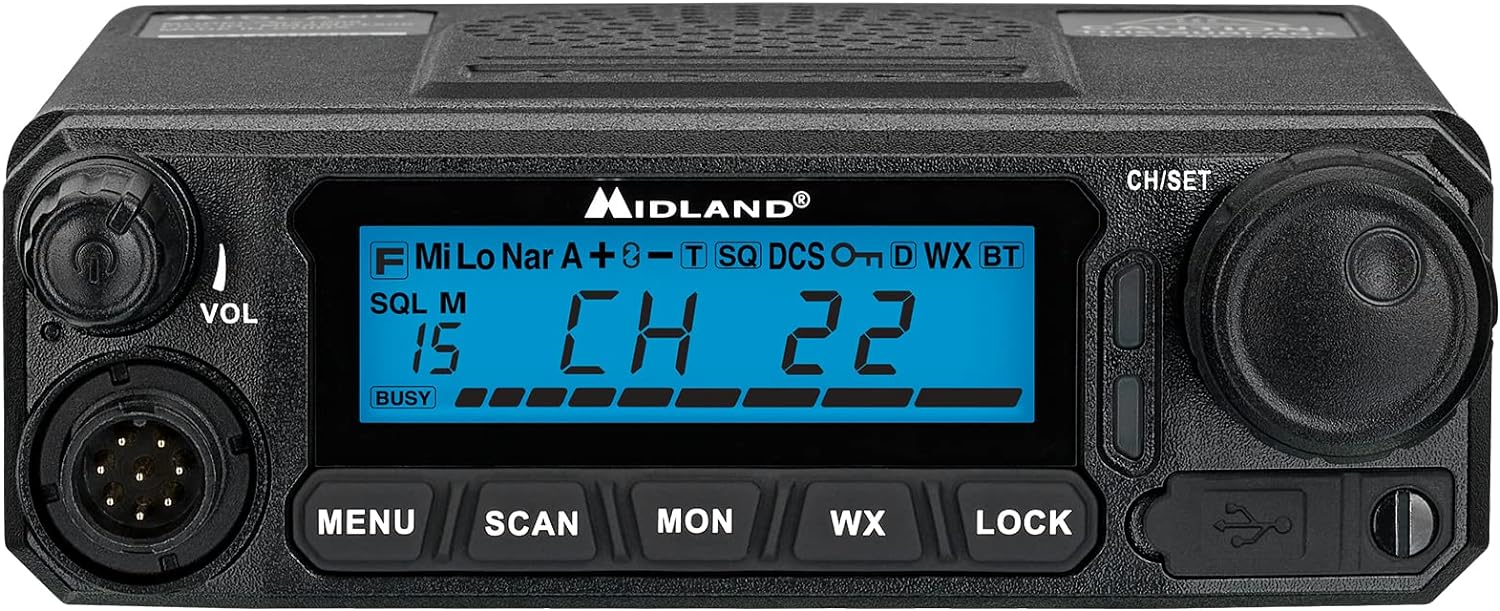
Image: A detailed view of the MXT500 radio's front panel, highlighting the display, control knobs, and microphone connection port.
Operating Instructions
Familiarize yourself with the radio's controls for effective communication.

Image: The Midland MXT500 GMRS mobile radio, microphone, and magnetic mount antenna, ready for operation.
- Power On/Off and Volume:
Rotate the VOL knob clockwise to power on the radio and adjust the listening volume. Rotate counter-clockwise until it clicks to power off.
- Channel Selection:
Use the CH/SET rotary knob to select desired GMRS channels (1-7 and 15-22). The selected channel will be displayed on the LCD screen.
- Transmitting and Receiving:
To transmit, press and hold the Push-To-Talk (PTT) button on the microphone. Speak clearly into the microphone. Release the PTT button to receive.
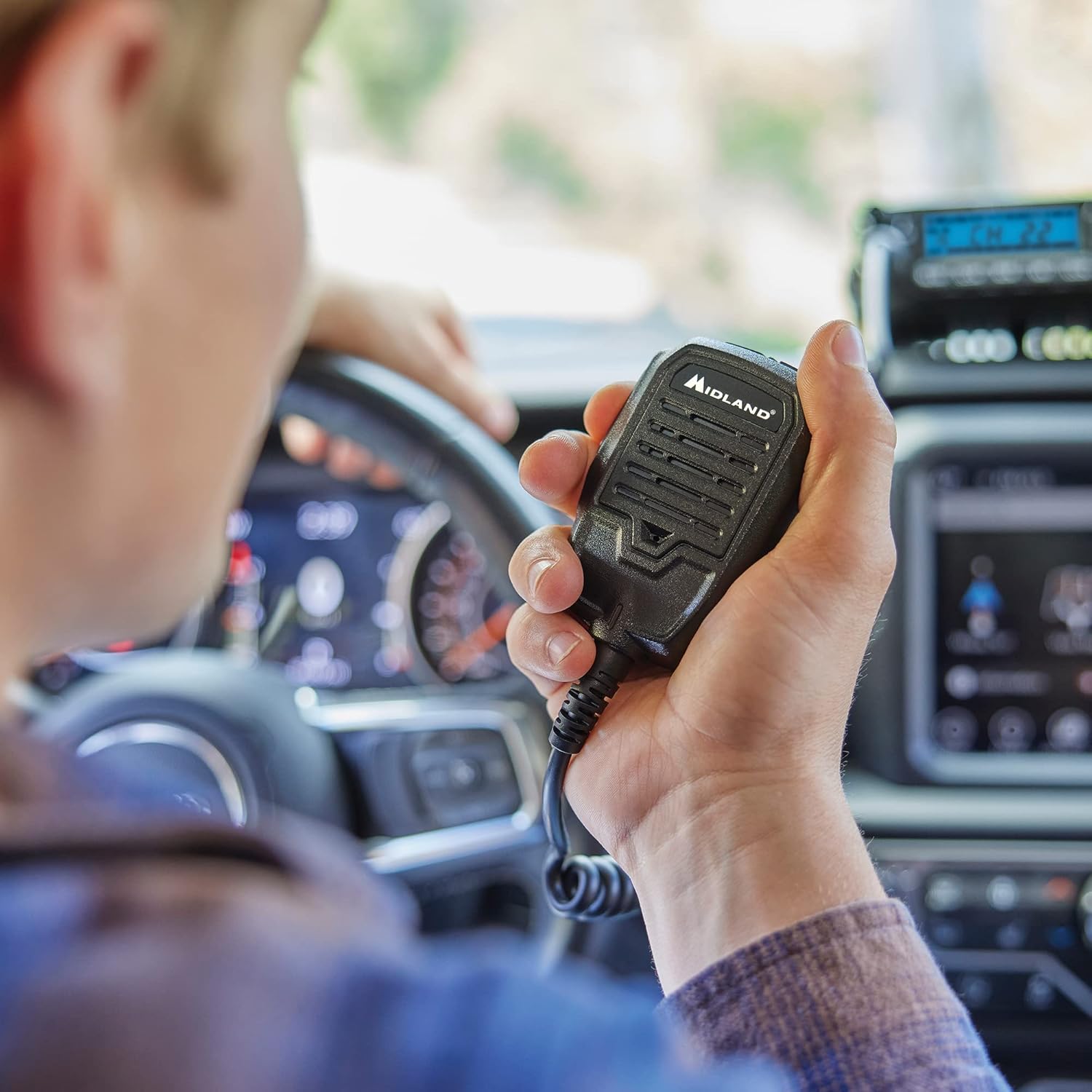
Image: A user holding the MXT500 microphone, demonstrating its ergonomic design for in-vehicle communication.
- Privacy Codes (CTCSS/DCS):
The MXT500 supports 142 CTCSS/DCS privacy codes. These codes help filter out unwanted transmissions from other users on the same channel. Refer to the full user manual for detailed instructions on setting privacy codes via the MENU button.
- NOAA Weather Scan + Alert:
Press the WX button to activate the NOAA Weather Scan. The radio will automatically scan 10 available weather (WX) band channels and lock onto the strongest signal to provide severe weather updates. The NOAA Weather Alert feature will sound an alarm if there is a risk of severe weather or an AMBER alert.
- Channel Scan:
Press the SCAN button to initiate channel scanning. The radio will cycle through active channels. Press SCAN again to stop.
- Monitor Function:
Press the MON button to temporarily disable the squelch and listen for weak signals on the current channel.
- Lock Function:
Press the LOCK button to prevent accidental changes to settings or channels.
- Repeater Channels:
The MXT500 is repeater capable. Channels 15-22 are designated GMRS repeater channels. Consult the full user manual for specific repeater setup and operation procedures.
Maintenance
- Cleaning: Use a soft, damp cloth to clean the exterior of the radio. Do not use harsh chemicals or abrasive cleaners.
- Water Resistance: The MXT500 is designed with a waterproof rating. However, avoid submerging the unit and ensure all connections are secure to maintain water resistance.
- Antenna Care: Periodically check the antenna and its cable for any signs of wear or damage. Ensure the magnetic base is clean and free of debris for proper adhesion.
- Power Cable: Inspect the power cable for fraying or damage. Replace if necessary to prevent electrical issues.
Troubleshooting
This section addresses common issues you might encounter with your MXT500 radio.
- No Power: Check the power cable connections and the vehicle's fuse. Ensure the VOL knob is turned clockwise to power on.
- Cannot Transmit or Receive: Verify the antenna is properly connected. Ensure you are on an active GMRS channel. Check if the LOCK function is engaged.
- Poor Audio Quality: Adjust the volume. Check microphone connection. Ensure the antenna has a clear line of sight.
- Weather Alert Not Functioning: Ensure the WX function is enabled and the radio is within range of a NOAA weather broadcast.
For more detailed troubleshooting or persistent issues, please contact Midland customer support.
Specifications
| Feature | Specification |
|---|---|
| Model Number | MXT500 |
| Item Weight | 3.8 Pounds |
| Product Dimensions | 5.5 x 8 x 1.75 inches |
| Display Type | LCD |
| Number of Channels | 99 (including GMRS and WX channels) |
| Talking Range Maximum | 100 Mile (under optimal conditions) |
| Voltage | 12 Volts |
| Water Resistance Level | Waterproof |
| Special Features | Call Alert, Channel Scan, Backlit Display, Digital Volume Control, Mic Gain Control, Long Range, Public Alert, Weather Alert, Repeater Capable, 142 Privacy Codes |
Warranty Information
The Midland MXT500 GMRS Mobile Radio comes with a 1-Year Warranty from the date of purchase. This warranty covers defects in materials and workmanship under normal use. It does not cover damage caused by misuse, accident, unauthorized modifications, or improper installation.
Please retain your proof of purchase for warranty claims. For detailed warranty terms and conditions, refer to the official Midland website or contact customer support.
Support
For technical assistance, product inquiries, or warranty service, please contact Midland Radio Corporation. Visit the official Midland website for the most current support information, FAQs, and contact details.
Manufacturer: Midland Radio Corporation
Online Resources: www.midlandusa.com
Important Regulatory Information
Operation of GMRS radios requires a valid FCC license. It is the user's responsibility to obtain a license before operating this device on GMRS frequencies. For more information, visit the FCC website.
No Relevant Videos Found
No official product videos from the seller were found to be relevant for inclusion in this instruction manual.


