
FBZ FBZ-01
FBZ 60Ft Outdoor Waterproof LED Strip Lights
Model: FBZ-01
Introduction
The FBZ 60Ft Outdoor Waterproof LED Strip Lights are designed to provide versatile and vibrant lighting for both indoor and outdoor environments. Featuring IP65 waterproof rating, smart app control, remote control, music sync capabilities, and a timing function, these LED strip lights offer a customizable lighting experience for various applications such as balconies, roofs, gardens, stairs, and party settings.

Image: The FBZ 60Ft Outdoor Waterproof LED Strip Lights, showcasing the product packaging, the coiled LED strip, and a smartphone displaying the app interface, with a house illuminated by the lights in the background.
Safety Guidelines
- Ensure the power adapter is connected to a suitable power source (24V low voltage).
- Do not immerse the power adapter or controller in water. While the LED strip is IP65 waterproof, the power components are not designed for submersion.
- Do not cut the LED strip unless specifically instructed and only at designated cutting marks. Cutting at non-designated points may damage the strip and void the warranty.
- Ensure proper ventilation around the power adapter during operation.
- Keep out of reach of children.
- Do not cover the lights with flammable materials.

Image: A power adapter with water splashing on it, accompanied by a red 'X' symbol, indicating that the power adapter is not waterproof and should be protected from water exposure.

Image: A pair of scissors positioned to cut an LED strip light, with a warning against cutting at non-designated points.
Package Contents
Please check the package contents upon opening to ensure all components are present:
- FBZ 60Ft Outdoor Waterproof LED Strip Light
- Power Adapter (24V)
- Controller Box
- Remote Control
- Fixed Clips
- Straps
- User Manual
Installation
1. Physical Installation
- Prepare the Surface: Ensure the installation surface is clean, dry, and smooth. For outdoor use, consider surfaces that allow for proper drainage and protection from extreme weather.
- Connect Components: Connect the LED strip to the controller box, and then connect the controller box to the power adapter. Ensure all connections are secure.
- Mount the Strip: Use the provided fixed clips and straps to secure the LED strip along your desired path. For optimal adhesion, press firmly along the strip. For outdoor applications, additional mounting methods may be beneficial to withstand environmental factors.
- Power On: Plug the power adapter into a standard electrical outlet. The lights should illuminate.

Image: A diagram illustrating the secure connection of the LED strip to its power cable, showing how to twist and lock the waterproof connector.
2. App Installation and Pairing (Lotus Lantern App)
- Download the App: Search for "Lotus Lantern" in the Google Play Store (for Android) or Apple App Store (for iOS) and download the application.
- Enable Bluetooth: Ensure Bluetooth is enabled on your smartphone.
- Open the App: Launch the Lotus Lantern app. It should automatically detect the FBZ LED Strip Lights. If not, refresh the device list within the app.
- Pairing: Select your device from the list to pair. Once paired, you can control the lights via the app.

Image: A collage showing various screens of the Lotus Lantern app interface, including color selection, music modes, and timing functions, along with icons for Google Play and App Store downloads.
Operating Instructions
1. Basic Control (App & Remote)
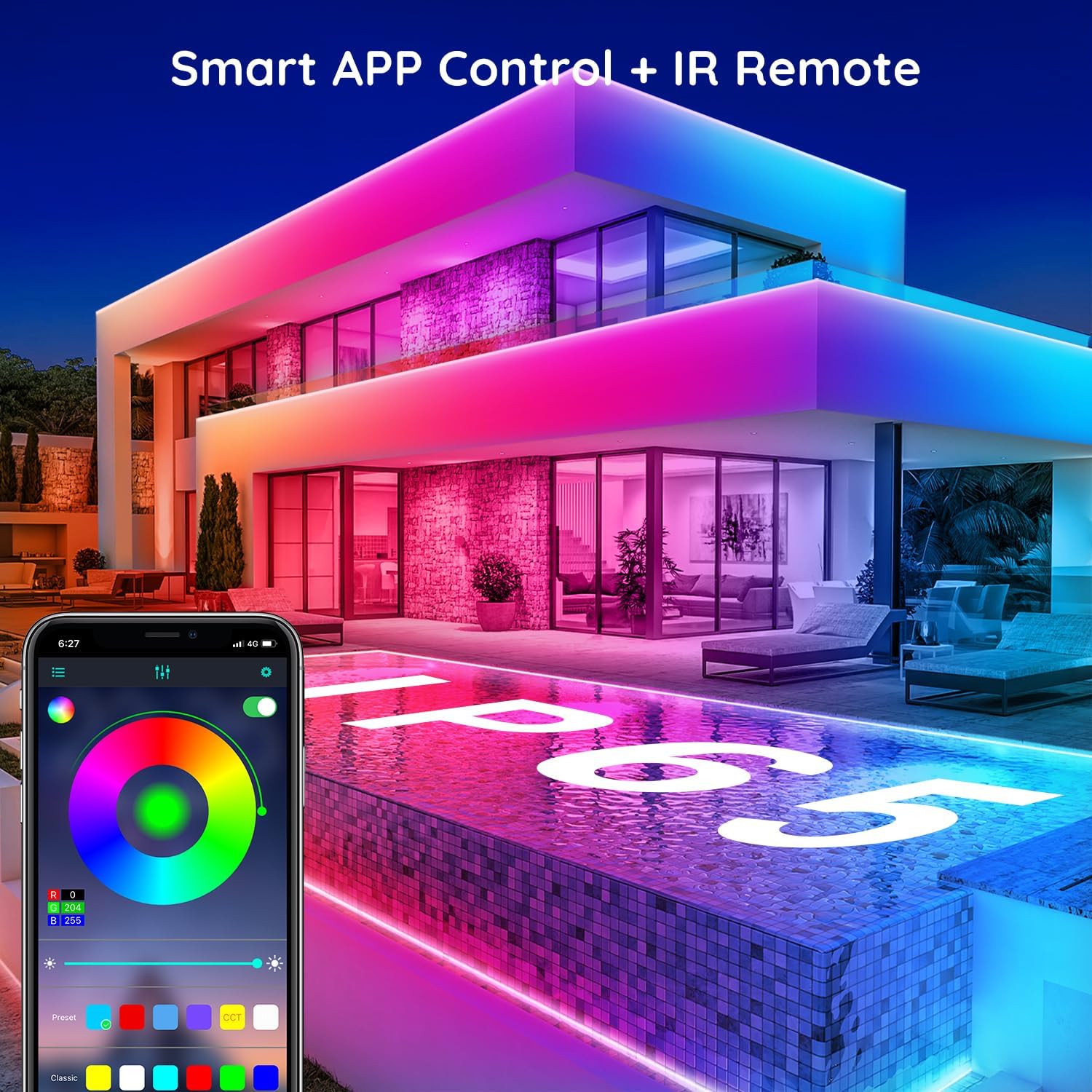
Image: A smartphone displaying the Lotus Lantern app interface for controlling LED lights, alongside a physical infrared remote control, set against a backdrop of a house illuminated by colorful LED strip lights.
- Power On/Off: Use the power button on the remote or within the app to turn the lights on or off.
- Color Selection: Select from a wide range of colors using the color wheel in the app or the dedicated color buttons on the remote.
- Brightness Adjustment: Adjust the light intensity using the dimmer controls on the remote or the brightness slider in the app.
2. Music Sync Mode
The lights can synchronize with music, changing colors and patterns according to the rhythm.

Image: A group of people enjoying music outdoors, with colorful LED strip lights illuminating the house and musical notes overlaid, demonstrating the music sync feature.
- App Control: Navigate to the 'Music' section in the Lotus Lantern app. You can choose to sync with music playing on your device or through the device's microphone.
- Remote Control: Some remotes may have a dedicated music mode button.
3. Timing Function
Set schedules for the lights to automatically turn on or off at specific times.

Image: A split image showing a house illuminated by LED lights at night (top) and dark (bottom), with a 'Timing Function' overlay indicating automatic turn-on and turn-off times.
- App Control: Access the 'Schedule' or 'Timer' section in the Lotus Lantern app to set desired on/off times.
4. Group Management
If you have multiple FBZ LED strip lights, you can group them together for synchronized control or manage them individually.
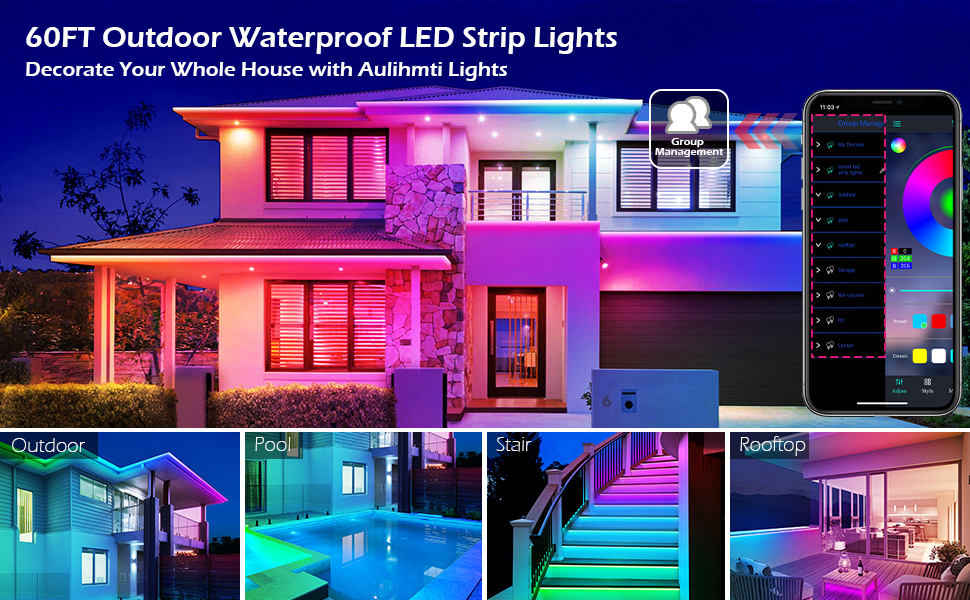
Image: A large image showcasing a modern house illuminated by colorful LED strip lights, with smaller inset images demonstrating the lights used in various outdoor settings like a pool, stairs, and rooftop, highlighting the 'Group Management' feature in the app.
- App Control: Within the Lotus Lantern app, navigate to the group management settings to create and manage light groups.
Care & Maintenance
- Cleaning: Gently wipe the LED strip with a soft, damp cloth. Do not use harsh chemicals or abrasive cleaners. Ensure the power is disconnected before cleaning.
- Storage: If storing the lights for an extended period, coil them neatly and store in a cool, dry place away from direct sunlight and extreme temperatures.
- Inspection: Periodically inspect the strip and connections for any signs of damage, wear, or corrosion, especially for outdoor installations.
Troubleshooting
| Problem | Possible Cause | Solution |
|---|---|---|
| Lights do not turn on. | No power, loose connection, faulty adapter. | Check power outlet. Ensure all connections are secure. Test with another adapter if possible. |
| Lights flicker or show incorrect colors. | Loose connection, damaged section of strip, app/remote interference. | Check all connections. Restart the app and device. Ensure no strong interference sources nearby. |
| Remote control not working. | Battery depleted, remote not pointed at receiver, obstruction. | Replace remote battery. Ensure clear line of sight to the controller box. |
| App cannot connect to lights. | Bluetooth off, lights not powered, app issue, device already paired. | Ensure Bluetooth is on. Power cycle the lights. Restart the app. Unpair and re-pair if necessary. |
| Music sync not working. | Microphone blocked, app settings incorrect. | Ensure microphone access is granted to the app. Check music sync settings in the app. |
Technical Specifications
| Feature | Specification |
|---|---|
| Model Number | FBZ-01 |
| Length | 60 Feet |
| Color | RGB (Red, Green, Blue) |
| Indoor/Outdoor Usage | Indoor, Outdoor |
| Water Resistance Level | IP65 Waterproof |
| Light Source Type | LED |
| Power Source | Corded Electric |
| Voltage | 24 Volts |
| Wattage | 15 watts |
| Number of Light Sources | 150 |
| Control Method | App, Remote Control |
| Material | Acrylic |
| Item Weight | 1.19 pounds |
Warranty & Support
For warranty information, technical support, or service inquiries, please refer to the official FBZ website or contact their customer service directly. Keep your purchase receipt as proof of purchase for any warranty claims.
Note: No official product videos with relevant metadata were provided in the input to be embedded in this manual.
Ask a question about this manual
Ask about setup, troubleshooting, compatibility, parts, safety, or missing instructions. Manuals+ will review the question and use this page’s manual context to help answer it.