
1. Important Safety Information
Read this user manual carefully before you use the appliance and save it for future reference. This appliance has been designed for domestic use only.
General Safety
- Always place the steam generator iron on a stable, level, heat-resistant surface.
- Do not leave the iron unattended while it is connected to the mains or while it is still hot.
- Keep the appliance and its cord out of reach of children.
- Do not immerse the iron or the base unit in water or any other liquid.
- Do not use the appliance if the plug, the mains cord, or the appliance itself shows visible damage, or if the appliance has been dropped.
- Only connect the appliance to an earthed wall socket.
Hot Surfaces
The soleplate of the iron and the steam emitted are extremely hot and can cause burns. Avoid contact with hot surfaces. Always use the iron with care.
2. Product Overview
The Philips PerfectCare 7000 Series Steam Generator Iron (Model PSG7140/70) is designed to provide efficient and safe ironing for all ironable fabrics. It features advanced technologies for optimal performance.
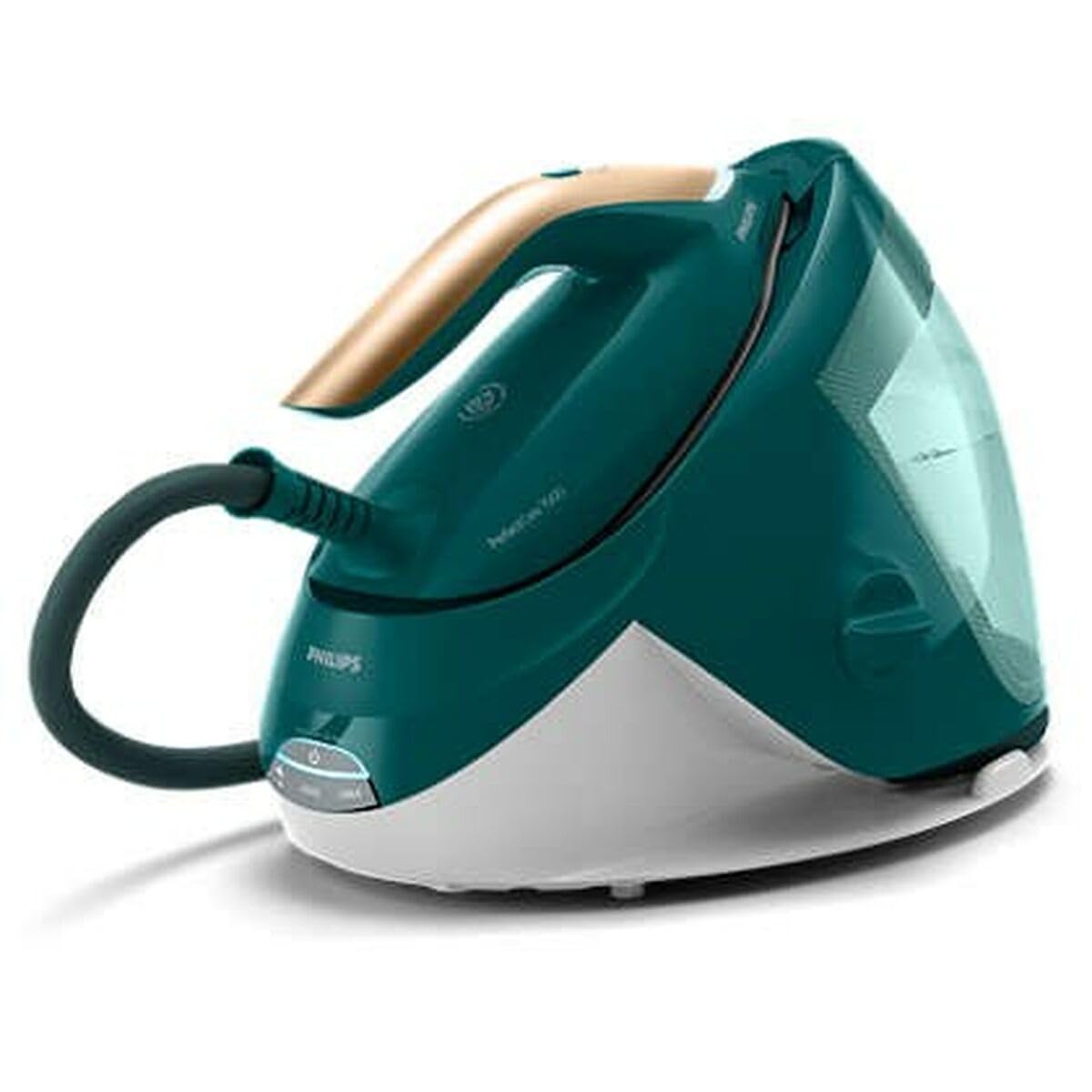
Image: Philips PerfectCare 7000 Series Steam Generator Iron, showing the iron and its base unit.
Key Features
- DynamiQ Technology: Intelligent steam sensor for perfect steam when you need it.
- OptimalTEMP Technology: Guarantees no burns on all ironable fabrics, no temperature adjustment needed.
- SteamGlide Elite Soleplate: Provides excellent gliding and scratch resistance.
- Large Water Tank: 1800 ml removable water tank for extended ironing sessions.
- Fast Heat-up: Ready to use in 2 minutes.
- Tap Water Suitable: Can be used with tap water.
- Lightweight Design: For comfortable and easy handling.
3. Setup
Follow these steps to prepare your steam generator iron for first use.
- Unpack: Remove all packaging materials and stickers from the appliance.
- Place the appliance: Place the steam generator base unit on a stable, level, and heat-resistant surface.
- Fill the water tank:
- Remove the removable water tank from the base unit.
- Fill the water tank with tap water up to the 'MAX' indication.
- Place the water tank back into the base unit.
- Connect to power: Plug the mains cord into an earthed wall socket.
- Power on: Press the on/off button. The iron will start heating up, indicated by a flashing light. It will be ready for use in approximately 2 minutes when the light stops flashing and remains steady.
4. Operating the Iron
This section explains how to use your Philips PerfectCare 7000 Series steam generator iron for effective ironing.
Ironing with OptimalTEMP Technology
Thanks to OptimalTEMP Technology, you do not need to adjust the temperature setting. The iron is safe to use on all ironable fabrics, from denim to silk, without the risk of burning.
- Ensure the iron is heated up and ready (steady light indicator).
- Place the garment on the ironing board.
- Press the steam trigger under the handle to release steam. The DynamiQ sensor will automatically provide steam when the iron is moving.
- For a continuous steam boost, press and hold the steam trigger.
- For vertical steaming, hold the iron in a vertical position and press the steam trigger. This is suitable for refreshing hanging garments or curtains.
- When you finish ironing, place the iron back on its base unit or on the ironing board. The OptimalTEMP technology allows you to leave the hot soleplate directly on the ironing board cover without causing damage.
Refilling the Water Tank
The water tank can be refilled at any time during use. When the water level is low, an alert will indicate that a refill is needed.
5. Maintenance
Regular maintenance ensures the longevity and optimal performance of your steam generator iron.
Cleaning the Soleplate
- To clean the soleplate, use a damp cloth and a non-abrasive cleaner.
- Never use scouring pads, vinegar, or other chemicals, as these can damage the soleplate.
Descaling
While the appliance is designed to be used with tap water, regular descaling is recommended to prevent limescale buildup, especially in hard water areas. Refer to the full manual for specific descaling instructions for your model, which typically involves a dedicated descaling cycle or rinsing the steam chamber.
Storage
- After use, switch off the appliance and unplug it.
- Allow the iron to cool down completely.
- Empty the water tank.
- Secure the iron to the base unit using the carry lock (if available on your model).
- Store the appliance in a dry, safe place. The power cord can be stored in the cord compartment or secured with the Velcro fix.
6. Troubleshooting
If you encounter problems with your Philips PerfectCare 7000 Series steam generator iron, consult the following table for common issues and solutions.
| Problem | Possible Cause | Solution |
|---|---|---|
| No steam is coming out. | Water tank is empty or low. Iron is not hot enough. | Refill the water tank. Wait for the iron to heat up completely (light stops flashing). |
| Water is leaking from the soleplate. | Iron is not hot enough for steam. | Wait until the iron is fully heated before using the steam function. |
| Iron is not heating up. | Appliance is not plugged in or switched on. | Check if the plug is securely in the wall socket. Press the on/off button. |
| Limescale particles are coming out. | Appliance needs descaling. | Perform the descaling procedure as described in the full manual. |
If the problem persists after trying these solutions, please contact Philips Consumer Care.
7. Specifications
| Feature | Specification |
|---|---|
| Brand | PHILIPS |
| Model Number | PSG7140/70 |
| Dimensions (L x W x H) | 31.8 x 31.8 x 48 cm |
| Weight | 4.2 Kilograms |
| Power | 2100 Watts |
| Voltage | 240 Volts |
| Water Tank Capacity | 1800 ml |
| Heat-up Time | 2 minutes |
| Soleplate Material | SteamGlide Elite (Aluminium base) |
| Cord Length | 1.7 m (iron to base), 1.65 m (power cord) |
| Special Feature | Lightweight |
8. Warranty and Support
Warranty Information
This Philips PerfectCare 7000 Series Steam Generator Iron comes with a 2-year warranty from the date of purchase. Please retain your proof of purchase for warranty claims. The warranty covers manufacturing defects under normal domestic use.
Customer Support
For further assistance, troubleshooting not covered in this manual, or to inquire about spare parts, please contact Philips Consumer Care. You can find contact information on the official Philips website or through the retailer where you purchased the product.
When contacting support, please have your model number (PSG7140/70) and serial number (if applicable) ready.


