
1. Introduction
This manual provides essential information for the safe and efficient use of your SHARP 65EQ3EA 65-inch 4K Ultra HD Android Smart TV. Please read these instructions thoroughly before operating the television and retain them for future reference. This model features a frameless design, Quantum Dot display technology, Harman Kardon audio, and runs on the Android 11 (R) operating system.
Experience a premium design: the frameless contour of the SHARP EQ3EA integrates easily into any ambiance. Thanks to its slim aluminum frame, the television becomes an elegant accessory in your interior, even when turned off.
Bring premium cinematic images in 4K Ultra HD resolution to your home. Discover cinema-inspired HDR with Dolby Vision. Be captivated by deep contrasts and rich, precise colors. Thanks to Quantum Dot (Quantum Colour) technology, the EQ3EA can display the ultimate color space. The light sensor automatically adjusts brightness for even better images. With AQUOS Motion technology, even the fastest movements are displayed smoothly and realistically, allowing you to experience fast-paced scenes as if you were in the middle of the action.
The premium image is supported by a premium sound experience, thanks to the integrated Harman/Kardon hybrid audio system. The innovative driver configuration, composed of front-firing tweeters and down-firing woofers, delivers clear sounds and solid bass. Innovative Dolby Atmos and dts:X sound technologies allow you to enjoy 360-degree Virtual Surround sound that completely immerses you in your content.
Thanks to the current Android 11 (R) operating system, the SHARP EQ3EA is even smarter. With the integrated Google Assistant, you can easily control your TV by voice command. Additionally, 7,000 applications such as Netflix or Prime Video are available to you. The EQ3EA also excites gamers. The four HDMI 2.1 ports with eARC, ALLM, VRR, and QMS ensure low latency and variable frame rates. Thanks to the integrated Chromecast, the TV also supports Google Stadia.

Image 1.1: The SHARP 65EQ3EA television displaying vibrant content, highlighting its frameless design and Harman Kardon audio system.
2. What's in the Box
Carefully unpack your television and ensure all items are present. If any items are missing or damaged, please contact your retailer.
- SHARP 65EQ3EA 4K Ultra HD Android Smart TV
- Remote Control
- 2 x AAA Batteries (for remote control)
- Installation Kit for TV Stand
- Quick Guide (Note: Language may vary)
3. Setup
3.1. Initial Placement
- Place the TV on a stable, level surface or mount it on a wall using a VESA 200 x 200 mm compatible wall mount.
- Ensure adequate ventilation around the TV to prevent overheating.
- Avoid direct sunlight or strong light sources that may affect picture quality.
3.2. Connecting Cables
Connect all necessary external devices to the TV's ports. Refer to the image below for port locations.

Image 3.1: Rear panel of the SHARP 65EQ3EA TV, showing various input and output ports.
- HDMI: Connect up to four HDMI 2.1 devices (e.g., game consoles, Blu-ray players). These ports support eARC, ALLM, VRR, and QMS for enhanced gaming and audio.
- USB: Connect USB storage devices for media playback or software updates.
- Antenna/Satellite: Connect your terrestrial or satellite antenna cable for DVB-T/T2/C/S/S2 reception.
- LAN (RJ45): For a wired internet connection.
- Optical Audio Out: For connecting to an external sound system.
- Headphone Jack: For private listening.
- Mini Composite/CVBS + Audio Input: For older analog devices.
- Micro SD Card Reader: For additional storage or media.
3.3. Power On and Initial Setup
- Connect the power cord to the TV and then to a wall outlet.
- Press the power button on the remote control or on the TV.
- Follow the on-screen instructions to complete the initial setup, including language selection, network connection (Wi-Fi or LAN), Google account login, and channel scanning.
- The integrated Google Assistant will guide you through setting up voice control.
4. Operating Instructions
4.1. Remote Control Overview
Familiarize yourself with the remote control buttons for easy navigation and control of your TV.

Image 4.1: The two remote controls included with the SHARP 65EQ3EA TV, showing various function buttons.
- Power Button: Turns the TV on or off.
- Source Button: Selects input sources (HDMI, TV, USB, etc.).
- Navigation Buttons (Up/Down/Left/Right/OK): For menu navigation and selection.
- Volume Up/Down: Adjusts the sound level.
- Channel Up/Down: Changes TV channels.
- Home Button: Accesses the Android TV home screen.
- Netflix/YouTube/Prime Video Buttons: Direct access to streaming applications.
- Google Assistant Button: Activates voice control.
4.2. Basic TV Functions
- Turning On/Off: Press the power button on the remote.
- Changing Channels: Use the CH+/- buttons or enter channel numbers directly.
- Adjusting Volume: Use the VOL+/- buttons.
- Selecting Input Source: Press the SOURCE button and select the desired input (e.g., HDMI 1, TV).
4.3. Smart TV Features (Android TV)
Your SHARP 65EQ3EA runs on Android 11 (R), providing access to a wide range of smart features.
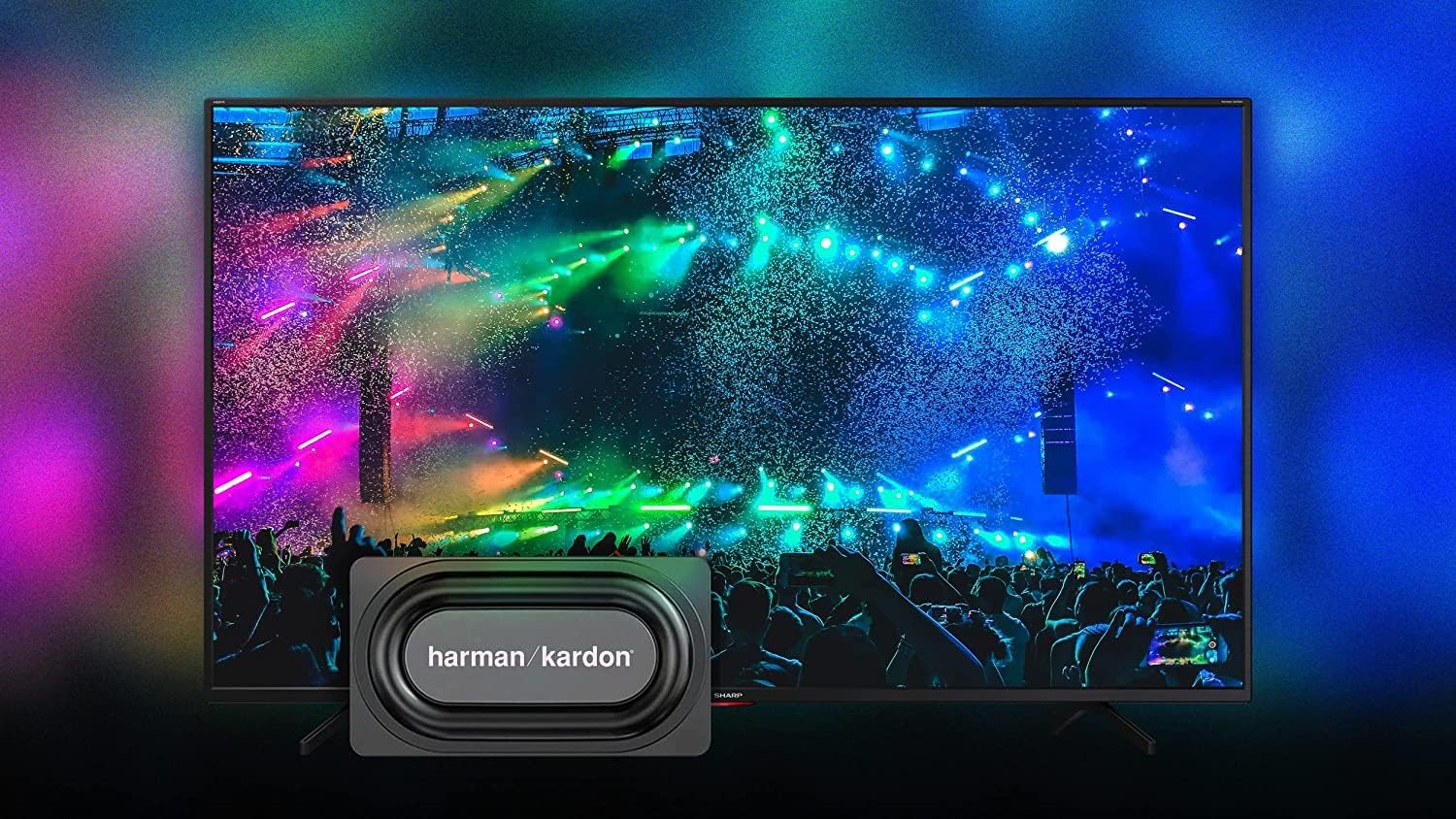
Image 4.2: The Android TV home screen on the SHARP 65EQ3EA, displaying various streaming applications and content recommendations.
- Home Screen: Press the Home button to access your favorite apps, recommended content, and settings.
- Apps: Access pre-installed apps like Netflix, YouTube, Google Play Movies & TV, Google Play Store, and Prime Video. Download more apps from the Google Play Store.
- Google Assistant: Use voice commands to search for content, control smart home devices, or get information. Press the Google Assistant button on your remote and speak into the microphone.
- Chromecast Built-in: Cast content (videos, photos, music) from your smartphone, tablet, or computer directly to your TV.
4.4. Audio Features
The integrated Harman Kardon speaker system, combined with Dolby Atmos and DTS:X technologies, delivers an immersive audio experience.
- Harman Kardon Audio: Enjoy clear sounds and solid bass from the front-firing tweeters and down-firing woofers.
- Dolby Atmos & DTS:X: These technologies provide 360-degree virtual surround sound, enhancing your viewing experience.
- Audio Settings: Adjust sound modes (e.g., Standard, Movie, Music) and equalizer settings in the TV's audio menu.
4.5. Gaming Features
The SHARP 65EQ3EA is designed to enhance your gaming experience.
- HDMI 2.1 Ports: Four HDMI 2.1 ports support advanced gaming features.
- eARC (Enhanced Audio Return Channel): For high-quality audio passthrough to compatible sound systems.
- ALLM (Auto Low Latency Mode): Automatically switches the TV to a low-latency mode when a game console is detected.
- VRR (Variable Refresh Rate): Synchronizes the TV's refresh rate with the game console's frame rate to reduce screen tearing and stuttering.
- QMS (Quick Media Switching): Reduces black screen time when switching between different frame rates.
- Google Stadia Support: The integrated Chromecast allows for direct streaming of Google Stadia games.
5. Maintenance
5.1. Cleaning the Screen
- Always unplug the TV before cleaning.
- Use a soft, lint-free cloth (e.g., microfiber) to gently wipe the screen.
- For stubborn marks, lightly dampen the cloth with water or a specialized screen cleaner. Never spray cleaner directly onto the screen.
- Avoid using abrasive cleaners, alcohol, or solvents, as these can damage the screen surface.
5.2. Software Updates
- Ensure your TV is connected to the internet.
- Navigate to the TV's settings menu to check for and install available software updates.
- Regular updates ensure optimal performance, security, and access to new features.
6. Troubleshooting
If you encounter problems with your TV, refer to the following common issues and solutions.
| Problem | Possible Solution |
|---|---|
| No power | Check if the power cord is securely connected. Ensure the power outlet is working. Try pressing the power button on the TV itself. |
| No picture, but sound is present | Check the input source. Ensure external devices are powered on and connected correctly. Try a different HDMI cable. |
| No sound, but picture is present | Check the volume level. Ensure Mute is not activated. Check audio output settings if using external speakers. |
| Remote control not working | Replace the batteries. Ensure there are no obstructions between the remote and the TV's IR sensor. |
| Cannot connect to Wi-Fi | Ensure your Wi-Fi router is on and working. Re-enter the Wi-Fi password. Try restarting your router and TV. |
| Smart TV apps are slow or unresponsive | Check your internet connection speed. Close unused apps. Restart the TV. Clear app cache in settings. |
7. Specifications
Detailed technical specifications for the SHARP 65EQ3EA TV.

Image 7.1: Diagram showing the dimensions of the SHARP 65EQ3EA television.
| Feature | Detail |
|---|---|
| Brand | Sharp |
| Model Number | 65EQ3EA |
| Screen Size | 65 Inches (164 cm) |
| Display Technology | LED with Quantum Dot (Q-COLOUR) |
| Resolution | 4K Ultra HD (3840 x 2160 px) |
| Refresh Rate | 60 Hz (Active Motion 1000) |
| Operating System | Android 11 (R) |
| Special Features | Frameless Design, Google Assistant, Chromecast built-in, Dolby Vision, HDR10, HLG, Dolby Atmos, dts:X, dts Virtual:X, Harman Kardon Speaker System, AQUOS UltraClear, AQUOS Motion, Optical Picture Control (OPC) Light Sensor, Google Stadia Support |
| Connectivity Technology | Ethernet, HDMI, USB, Bluetooth, Wi-Fi |
| Connections | 4 x HDMI 2.1 (eARC, ALLM, VRR, QMS), 2 x USB, Micro SD Card Reader, Antenna Input, Satellite Input, Headphone Jack, Digital Optical Audio Output, Mini Composite/CVBS + Audio Input, LAN (RJ45) |
| Tuner | Triple UHD Tuner DVB-T/T2/C/S/S2 (MPEG4 + H.265) /HEVC (10 bits) |
| Audio Output | 2 x 15W (Harman Kardon) |
| VESA Standard | 200 x 200 mm |
| Color | Black |
| Batteries | 2 AAA (included) |
| Supported Internet Services | Amazon Instant Video, Google TV, Netflix, YouTube |
8. Warranty and Support
Your SHARP 65EQ3EA television comes with a standard manufacturer's warranty. Please refer to the warranty card included in the packaging for specific terms and conditions, including warranty period and coverage details. For technical support, service, or inquiries about spare parts, please contact Sharp customer service or your authorized retailer. Keep your purchase receipt as proof of purchase for warranty claims.