
1. Introduction
Thank you for purchasing the VILINICE 120W TV Sound Bar, Model SD04. This sound bar is designed to enhance your audio experience with powerful sound, built-in subwoofers, and versatile connectivity options. Please read this manual carefully before use to ensure proper operation and to maximize the product's performance.
2. Important Safety Instructions
- Do not expose this appliance to rain or moisture.
- Do not block any ventilation openings. Install in accordance with the manufacturer's instructions.
- Do not install near any heat sources such as radiators, heat registers, stoves, or other apparatus (including amplifiers) that produce heat.
- Protect the power cord from being walked on or pinched, particularly at plugs, convenience receptacles, and the point where they exit from the appliance.
- Only use attachments/accessories specified by the manufacturer.
- Unplug this appliance during lightning storms or when unused for long periods of time.
- Refer all servicing to qualified service personnel. Servicing is required when the apparatus has been damaged in any way, such as power-supply cord or plug is damaged, liquid has been spilled or objects have fallen into the apparatus, the apparatus has been exposed to rain or moisture, does not operate normally, or has been dropped.
3. Package Contents
Please check to ensure all items are included in your package:
- VILINICE 120W TV Sound Bar
- Remote Control
- 3.5mm to RCA Cable
- Power Adapter
- HDMI Cable
- User Manual

Image: Contents of the VILINICE Sound Bar package, including the sound bar, remote control, 3.5mm to RCA cable, power adapter, HDMI cable, and user manual.
4. Product Overview
4.1. Features
- 120W strong output power with built-in 2 subwoofers and 4 full-range speakers.
- Built-in DSP technology for accurate sound field positioning and clear vocals.
- Three Equalizer (EQ) Modes: Movie, Music, Dialog.
- Adjustable Bass and Treble.
- LED display for mode and volume indication.
- Wireless Bluetooth 5.0 connectivity.
- Multiple input options: HDMI-ARC, AUX/RCA, Optical, USB.
- Ultra-slim 39-inch design.
4.2. Sound Bar Components

Image: An exploded view of the VILINICE Sound Bar, showing the internal full-range drivers and subwoofers that contribute to the 3D surround sound system.
4.3. Rear Panel Connections

Image: Close-up of the rear panel of the VILINICE Sound Bar, displaying various input ports including DC power, BASS, USB, AUX, RCA, Optical, COA, and HDMI-ARC.
5. Setup and Connections
Before connecting, ensure all devices are powered off.
5.1. Connecting to Power
- Connect the power adapter to the DC input port on the sound bar.
- Plug the power adapter into a wall outlet.
5.2. Connecting to a TV or Other Devices
Choose one of the following connection methods:
- HDMI-ARC (Recommended): Connect an HDMI cable from the HDMI-ARC port on the sound bar to the HDMI-ARC port on your TV. This allows for audio return channel functionality.
- Optical: Connect an optical cable from the OPTICAL port on the sound bar to the optical output port on your TV or audio source.
- AUX/RCA: Use the provided 3.5mm to RCA cable to connect the AUX port on the sound bar to the RCA audio output ports (red and white) on your TV or device. Alternatively, use a 3.5mm audio cable for direct AUX connection.
- USB: Insert a USB drive into the USB port for playing audio files directly from the drive.
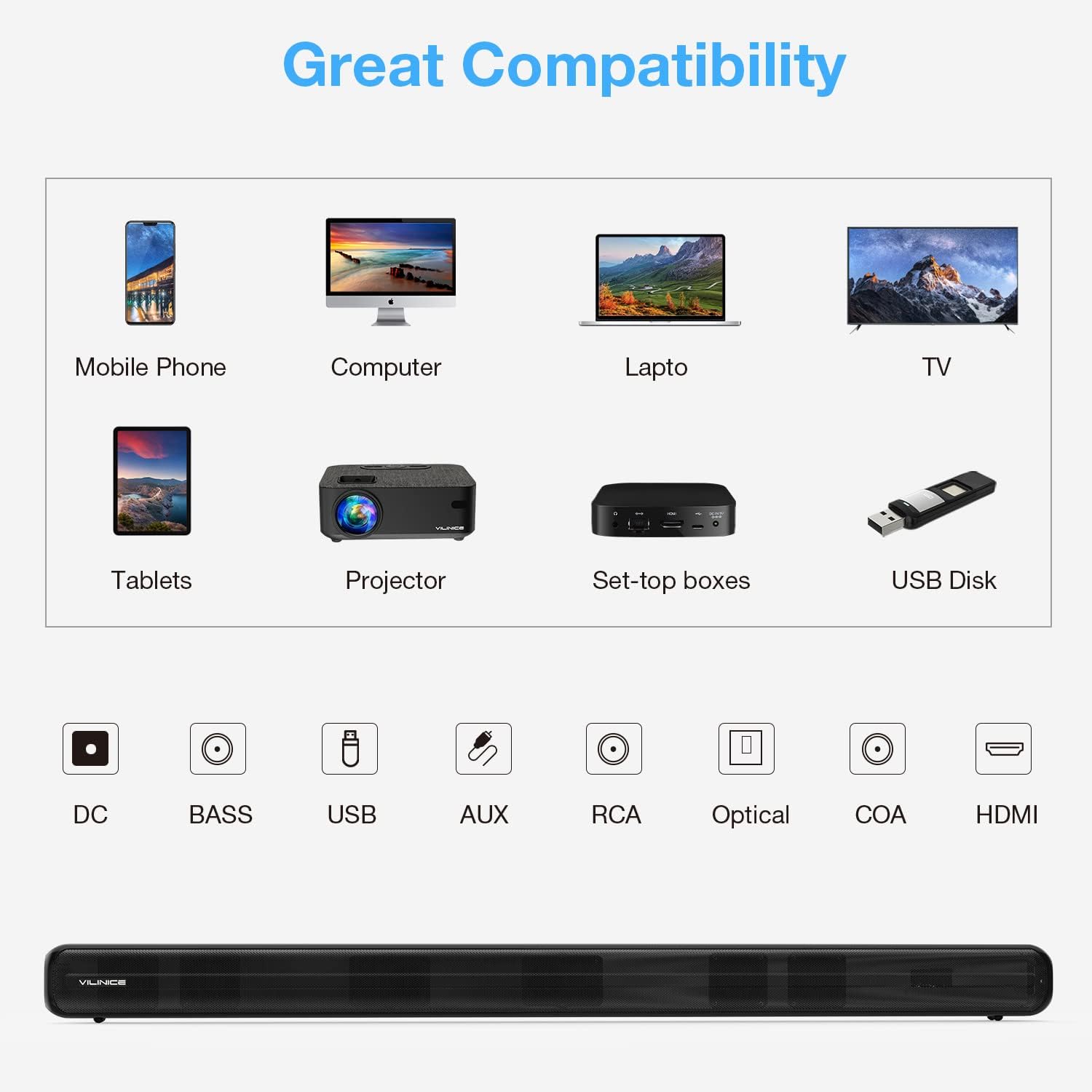
Image: Diagram illustrating the compatibility of the VILINICE Sound Bar with various devices (mobile phone, computer, laptop, TV, tablets, projector, set-top boxes, USB disk) and its available input ports (DC, BASS, USB, AUX, RCA, Optical, COA, HDMI).
6. Operating Instructions
6.1. Power On/Off
Press the Power button on the remote control or on the sound bar to turn the unit on or off.
6.2. Selecting Input Mode
Press the MODE button on the remote control or on the sound bar to cycle through the available input modes: HDMI-ARC, OPTICAL, AUX, USB, and Bluetooth. The LED display will indicate the current mode.
6.3. Volume Control
- Press Volume + to increase the volume.
- Press Volume - to decrease the volume.
- Press MUTE to mute or unmute the sound.
6.4. Equalizer (EQ) Modes
The sound bar features three preset EQ modes to optimize audio for different content types:
- MOVIE: Enhances dialogue and sound effects for films.
- MUSIC: Provides a balanced sound profile for music playback.
- DIALOG: Optimizes vocal clarity for news, podcasts, or speech-heavy content.
Press the corresponding MOVIE, MUSIC, or NEWS (Dialog) button on the remote control to select an EQ mode.

Image: Illustration of the VILINICE Sound Bar's DSP technology and three EQ modes (Music, Movie, News/Dialog) with corresponding visual examples.
6.5. Bass and Treble Adjustment
Use the BASS+ / BASS- buttons on the remote control to adjust the bass level. Similarly, use the TREBLE+ / TREBLE- buttons to adjust the treble level.

Image: Close-up of the VILINICE Sound Bar's remote control, highlighting the MODE, BASS+, BASS-, MOVIE, MUSIC, and NEWS buttons for audio adjustments.
6.6. Bluetooth Pairing
- Turn on the sound bar and switch to Bluetooth mode using the MODE button. The LED display will show "BT" and flash, indicating it's in pairing mode.
- On your mobile device, enable Bluetooth and search for available devices.
- Select "SD04" from the list of devices.
- Once connected, the LED display will stop flashing and remain solid "BT".
- To disconnect, turn off Bluetooth on your device or press and hold the Bluetooth button on the sound bar.
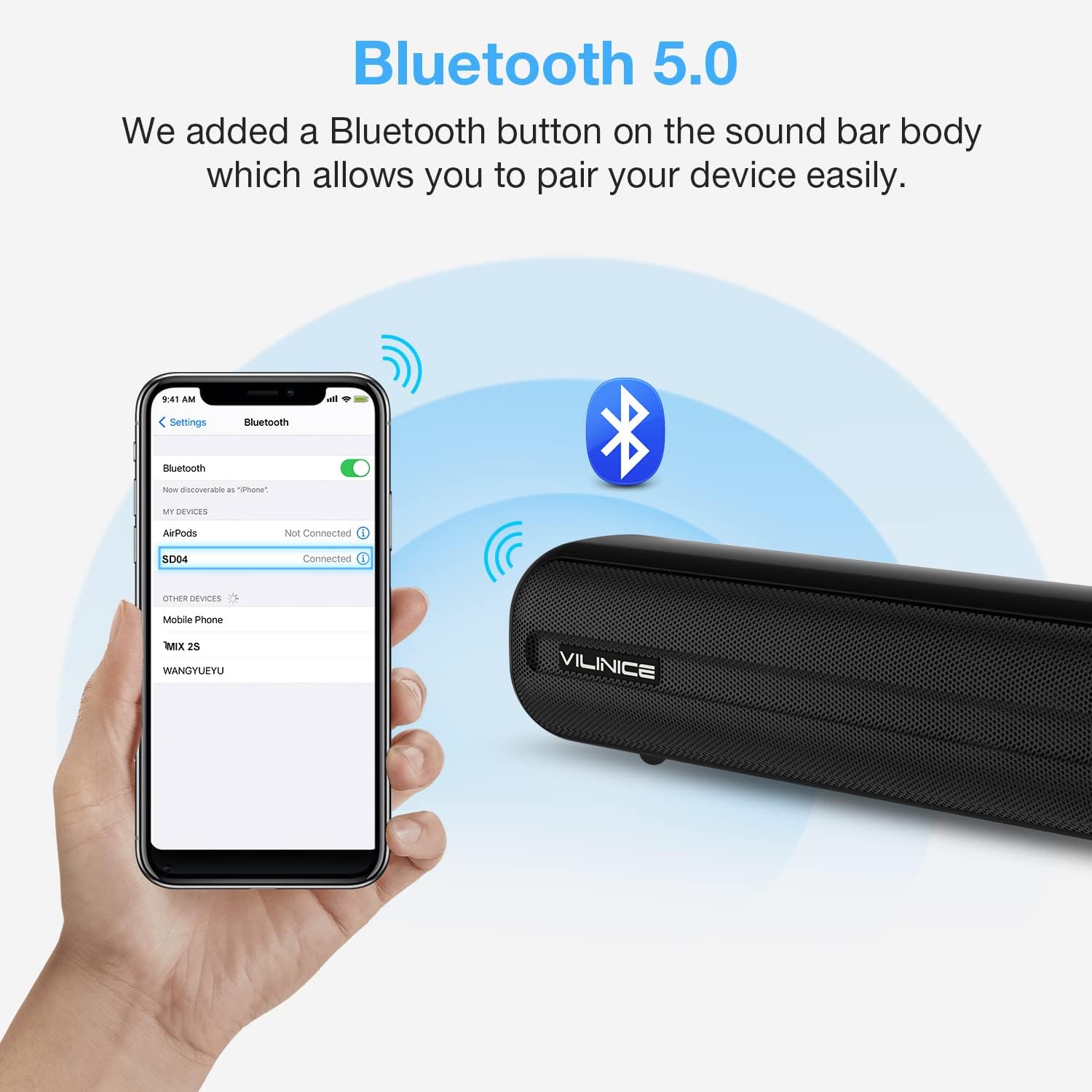
Image: A smartphone screen showing the Bluetooth settings with "SD04" selected for pairing, next to the VILINICE Sound Bar emitting Bluetooth signals.
7. Maintenance
- Cleaning: Use a soft, dry cloth to clean the surface of the sound bar. Do not use liquid cleaners or abrasive materials.
- Storage: If storing the sound bar for an extended period, unplug it from the power outlet and store it in a cool, dry place.
- Ventilation: Ensure the sound bar has adequate ventilation and is not covered, to prevent overheating.
8. Troubleshooting
| Problem | Possible Cause | Solution |
|---|---|---|
| No power | Power cord not connected or outlet not working. | Ensure the power cord is securely connected to the sound bar and a working power outlet. |
| No sound | Incorrect input mode selected; volume too low; cables not connected properly. |
|
| Remote control not working | Batteries are dead or incorrectly inserted; obstacle between remote and sound bar. |
|
| Bluetooth pairing issues | Sound bar not in pairing mode; device too far; interference. |
|
9. Specifications
| Model Number | SD04 |
| Speaker Type | Surround, Soundbar |
| Speaker Maximum Output Power | 120 Watts |
| Connectivity Technology | Auxiliary, Optical, HDMI-ARC, USB, Bluetooth 5.0 |
| Audio Output Mode | Surround |
| Product Dimensions (D x W x H) | 2.7" x 38.8" x 2.8" |
| Item Weight | 6.78 pounds |
| Control Method | Remote |
| Power Source | DC |
| Special Feature | Equalizer (3 Modes), Built-in DSP |
10. Warranty and Support
VILINICE provides lifetime technical support for this product. If you encounter any issues or have questions regarding your sound bar, please contact our customer support team. Refer to the contact information provided with your purchase or visit the official VILINICE website for assistance.

