
1. Introduction
Thank you for choosing the JOMISE D530 4K Dual Dash Cam. This manual provides essential information for setting up, operating, and maintaining your device. Please read it thoroughly before use to ensure proper functionality and safety.
2. Product Overview
Key Features
- Front Camera: 4K (3840x2160P) video recording.
- Rear Camera: 1080P video recording.
- Built-in GPS: Records driving route, speed, and other location data.
- Built-in WiFi: Connects to a mobile app for live viewing, settings adjustment, and video download.
- 3-inch IPS Screen: Clear display for real-time monitoring and playback.
- 170° Wide Angle Lens: Comprehensive coverage of the road.
- JOMISE Starvis Sensor: Enhanced low-light performance.
- Super Capacitor: Provides reliable power in extreme temperatures and extends lifespan.
- 32GB SD Card Included: Ready for immediate use.
Package Contents
The JOMISE D530 package includes the following items:
- JOMISE D530 Front Dash Cam
- Rear Camera with connection cable
- Car Charger (Cigarette Lighter Adapter)
- GPS Module (integrated into mount)
- 32GB Micro SD Card
- User Manual
- Mounting accessories (adhesive pads, cable clips)

Image: Contents of the JOMISE D530 Dash Cam package.
3. Setup
3.1 Installation
- Clean Windshield: Ensure the area on your windshield where the dash cam will be mounted is clean and dry.
- Attach Front Camera: Secure the front dash cam to the windshield using the provided adhesive mount. Position it to ensure a clear view of the road without obstructing your driving vision.
- Install Rear Camera: Mount the rear camera on the rear windshield. Connect the rear camera cable to the main unit. For reverse assist functionality, connect the red wire from the rear camera cable to your vehicle's reverse light power supply.
- Connect Power: Plug the car charger into your vehicle's cigarette lighter socket and connect the other end to the main dash cam unit. Route the cable neatly along the windshield and dashboard using the provided cable clips.
- Insert SD Card: Insert the 32GB Micro SD card (or a larger compatible card, up to 256GB) into the designated slot on the dash cam.

Image: Front dash cam mounted on the windshield.
3.2 Initial Configuration
Upon first power-on, the dash cam may prompt you to set the date and time. Follow the on-screen instructions. It is recommended to format the SD card through the dash cam's menu before first use.
Video: This video demonstrates the installation process and key features of the JOMISE D530 Dash Cam.
4. Operating Instructions
4.1 Basic Operation
- Power On/Off: The dash cam will automatically power on and start recording when your vehicle starts, and power off when the engine is turned off.
- Loop Recording: The device records video in continuous loops. When the SD card is full, the oldest unlocked files are overwritten.
- G-Sensor & Emergency Recording: In case of a sudden impact or collision, the built-in G-sensor will automatically lock the current video file to prevent it from being overwritten.
- Parking Monitor: With a hardwire kit (sold separately), the dash cam can monitor your vehicle while parked, recording incidents or using time-lapse recording to save storage space.

Image: Illustration of the G-Sensor and Emergency Recording feature.

Image: Time-lapse recording for extended parking surveillance.
4.2 GPS Functionality
The built-in GPS module records your vehicle's location, speed, and driving route. This data can be viewed using the dedicated PC player software (DVPlayer), which can be downloaded from the official JOMISE website. The software allows you to synchronize video playback with your route on a map.

Image: Dash cam screen displaying GPS information and speed.
4.3 WiFi and App Connection
Download the "OK CAM Plus" app from your smartphone's app store. Enable Wi-Fi on your dash cam via the settings menu. Connect your smartphone to the dash cam's Wi-Fi network (SSID and password displayed on the dash cam screen). Through the app, you can:
- View live footage from both cameras.
- Adjust dash cam settings.
- Download recorded videos and photos directly to your phone.
- Share content to social media.
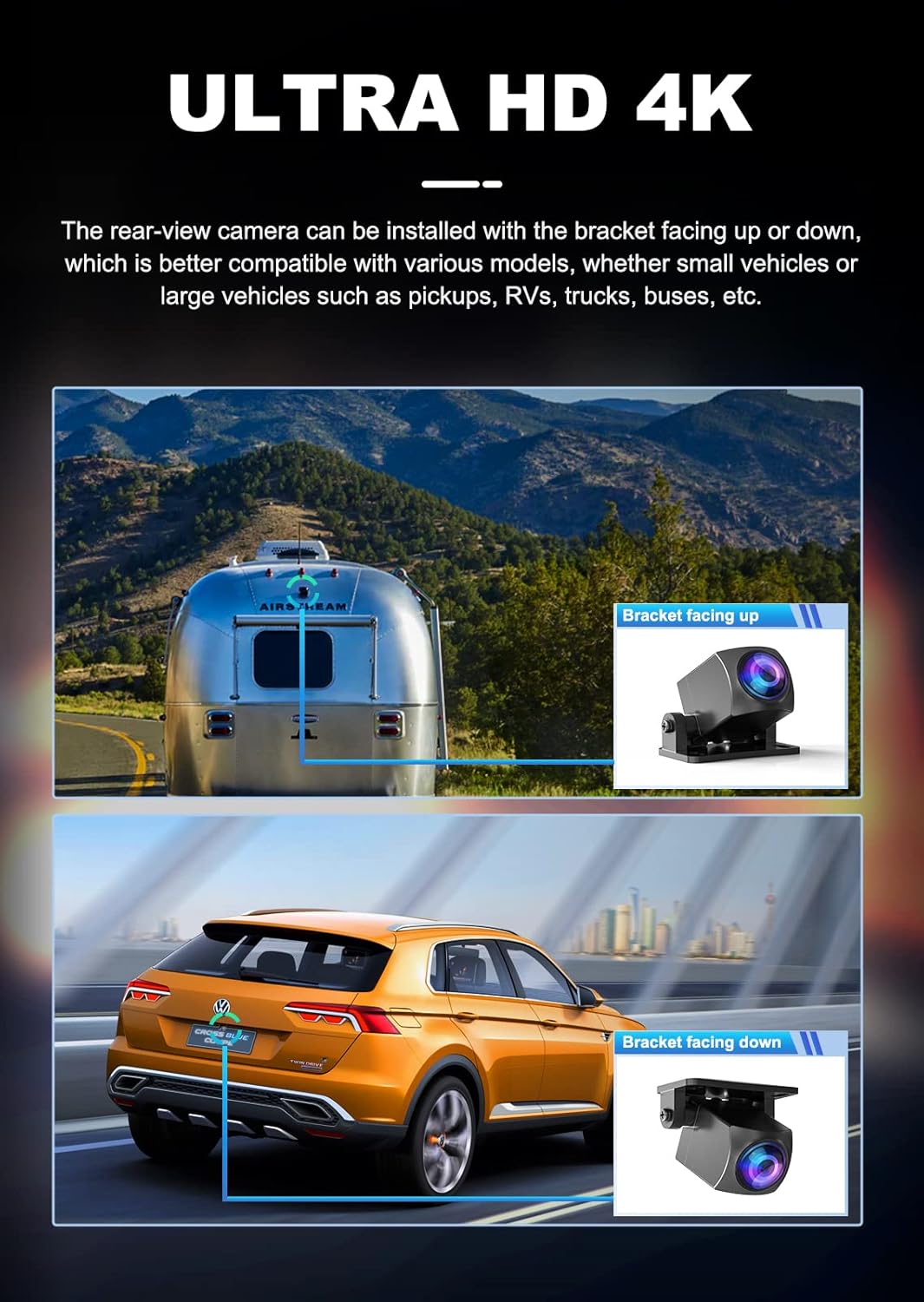
Image: Smartphone displaying live view from the dash cam via the mobile app.
4.4 Enhanced Night Vision
The JOMISE D530 utilizes a SONY Starvis sensor and Wide Dynamic Range (WDR) technology to provide clear video quality in low-light conditions. This helps to balance exposure and suppress glare from headlights, improving visibility during night driving.

Image: Visual representation of WDR technology improving image clarity in varying light conditions.
5. Maintenance
5.1 SD Card Management
- Formatting: Regularly format the SD card (at least once a month) to ensure optimal performance and prevent data corruption. This can be done through the dash cam's settings menu.
- Replacement: Replace the SD card every 6-12 months, depending on usage, as continuous overwriting can degrade its performance.
5.2 Cleaning
- Lens: Use a soft, lint-free cloth to gently clean the camera lenses. Avoid abrasive materials or chemical cleaners.
- Screen: Wipe the screen with a soft, dry cloth.
6. Troubleshooting
- Dash Cam Not Powering On: Check the car charger connection and ensure the vehicle's cigarette lighter socket is functioning.
- Recording Issues: Ensure the SD card is inserted correctly and has sufficient free space. Format the SD card. If issues persist, try a new SD card.
- Poor Video Quality: Clean the camera lenses. Ensure the protective film is removed from the lenses. Adjust exposure settings if necessary.
- GPS Not Working: Ensure the GPS module is properly connected and the vehicle is in an open area with clear sky view.
- Wi-Fi Connection Problems: Restart both the dash cam and your smartphone. Ensure you are within range of the dash cam's Wi-Fi signal.
7. Specifications
| Feature | Specification |
|---|---|
| Model Name | JOMISE D530 |
| Front Video Resolution | 4K (3840x2160) |
| Rear Video Resolution | 1080P |
| Screen Size | 3-inch IPS |
| Field of View | 170 Degrees (Front) |
| Connectivity | Wi-Fi, GPS |
| Storage | Supports up to 256GB Micro SD Card (32GB included) |
| Power Source | Super Capacitor |
| Mounting Type | Windshield Mount |
| Control Method | App |
| Item Weight | 1.41 pounds |
| Package Dimensions | 8.23 x 6.14 x 2.64 inches |
8. Warranty and Support
JOMISE products come with a standard manufacturer's warranty. For detailed warranty information, technical support, or any inquiries regarding your D530 Dash Cam, please refer to the official JOMISE website or contact JOMISE customer service directly. Contact information can typically be found in the packaging or on the product's support page online.

