
1. Introduction
Thank you for choosing the AOHI MAGCUBE 30W Type-C GaN+ Fast Charger. This compact and powerful charger is designed to provide efficient and safe charging for a wide range of devices, including smartphones, tablets, and other digital electronics. Please read this manual carefully before use to ensure optimal performance and safety.

Image 1.1: AOHI MAGCUBE 30W Charger overview, highlighting its compact size, 30W output, 3-color status light, and safety features.
2. Product Features
- 30W Fast Charging: Delivers a maximum of 30W output, supporting USB Power Delivery (PD) and Programmable Power Supply (PPS) for rapid charging. Charges compatible smartphones up to 50% in approximately 30 minutes.
- GaN+ Technology: Utilizes advanced Gallium Nitride (GaN+) technology for a highly compact design, high-efficiency power delivery, and effective heat management.
- Compact and Portable: Approximately 70% smaller than conventional 30W chargers, weighing only about 42g, making it ideal for travel and daily portability.
- 3-Color Status Light: An integrated LED light indicates the charging status:
- Yellow (blinking): Fast Charging
- Blue (solid): Normal Charging
- Green (solid): Trickle Charging (near full charge)
- Comprehensive Safety Protections: Equipped with multiple safety features including protection against overheating, overcharging, overvoltage, overcurrent, and short circuits to safeguard your devices.
- Wide Compatibility: Supports various devices such as iPhone, Android smartphones (Samsung Galaxy, etc.), iPad, AirPods, Apple Watch, and Nintendo Switch.

Image 2.1: Size comparison of the AOHI MAGCUBE 30W charger (left) with a conventional 30W charger (right), illustrating its compact design.

Image 2.2: Visual representation of the charger's built-in safety mechanisms, including protection against overvoltage, overcurrent, short circuits, and overheating.
3. Setup
- Unpack the Charger: Carefully remove the AOHI MAGCUBE 30W charger from its packaging.
- Inspect for Damage: Before use, visually inspect the charger for any signs of physical damage. Do not use if damaged.
- Connect to Power Outlet: Plug the charger into a standard AC power outlet (100-240V).
- Connect Charging Cable: Insert a compatible USB-C to USB-C or USB-C to Lightning charging cable (not included) into the charger's USB-C port.
- Connect to Device: Connect the other end of the charging cable to your device.
4. Operating Instructions
The AOHI MAGCUBE 30W charger automatically detects your device's charging requirements and delivers the optimal power. The integrated status light provides visual feedback on the current charging mode:
- Fast Charging (Yellow Blinking Light): Indicates that your device is receiving fast charging power. This mode is typically active when your device's battery is low.
- Normal Charging (Solid Blue Light): Indicates standard charging. This mode may activate if your device does not support fast charging, or as the battery level increases.
- Trickle Charging (Solid Green Light): Indicates that your device is almost fully charged and is receiving a low current to maintain battery health.

Image 4.1: Explanation of the 3-color status light on the AOHI MAGCUBE 30W charger, indicating different charging states.
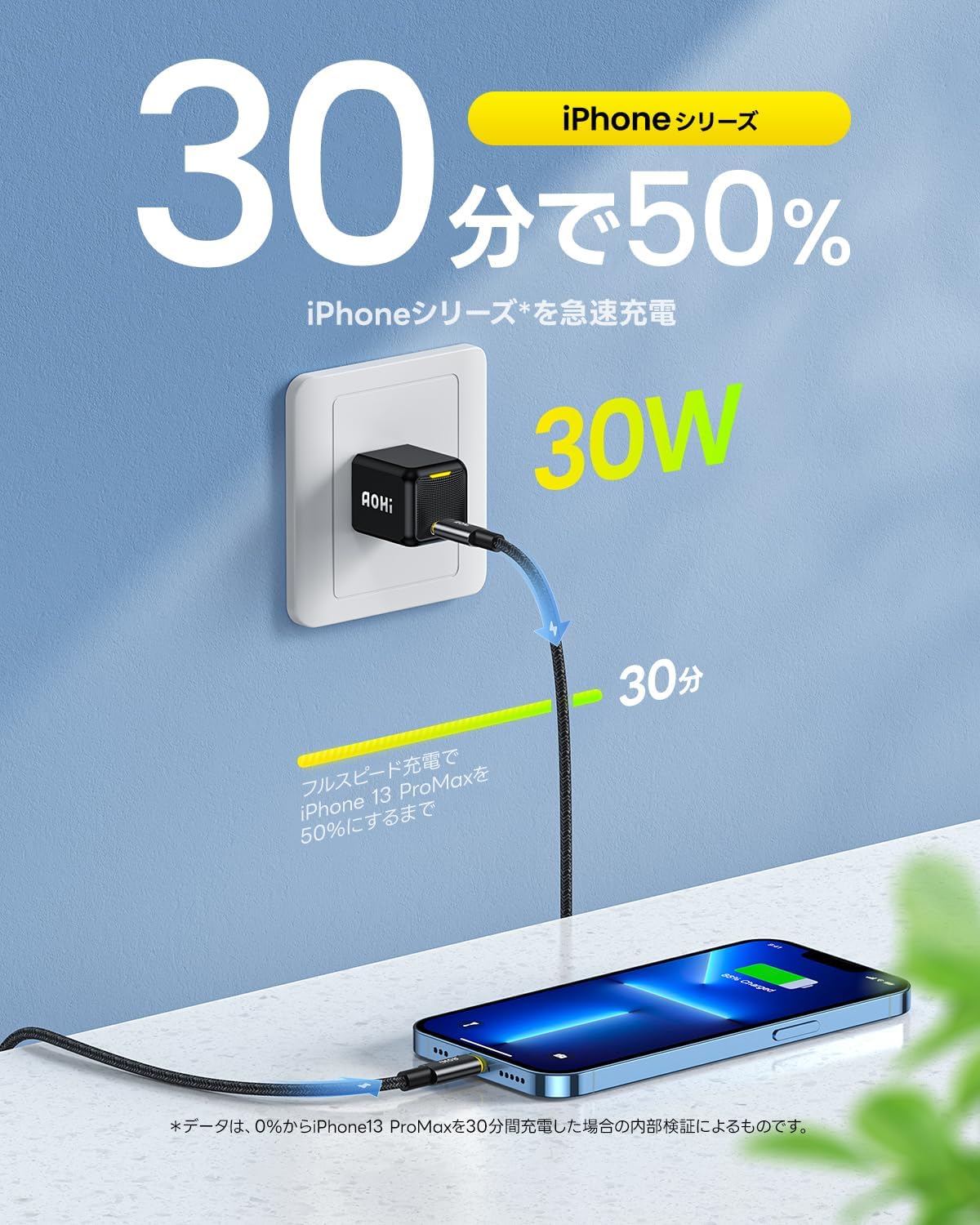
Image 4.2: Illustrates the fast charging capability, showing an iPhone 13 Pro Max reaching 50% charge in 30 minutes using the 30W charger.
5. Maintenance
- Cleaning: Disconnect the charger from the power outlet and your device before cleaning. Use a soft, dry cloth to wipe the surface. Do not use liquid cleaners or aerosols.
- Storage: Store the charger in a cool, dry place away from direct sunlight and extreme temperatures.
- Handling: Avoid dropping the charger or subjecting it to strong impacts. Do not attempt to disassemble or modify the charger.
- Cable Care: Ensure charging cables are not bent sharply or tangled, as this can damage the cable and affect charging performance.
6. Troubleshooting
- Charger Not Working:
- Ensure the charger is securely plugged into a working power outlet.
- Check if the charging cable is properly connected to both the charger and your device.
- Try using a different power outlet or charging cable to rule out external issues.
- Slow Charging:
- Verify that your device and cable support fast charging protocols (PD/PPS).
- Ensure the cable is not damaged.
- Close background applications on your device that may consume significant power during charging.
- Status Light Not Displaying Correctly:
- The light indicates the charging state. If it's not showing the expected color, it might be due to the device's current battery level or its charging protocol compatibility.
- If the light is off, ensure the charger is receiving power and the cable is connected.
- Overheating:
- It is normal for the charger to become slightly warm during operation.
- If the charger becomes excessively hot, disconnect it immediately and contact customer support.
7. Specifications
| Model Number | EN-MC30BL1 |
| Input Voltage | AC 100-240V |
| Max Output Power | 30W |
| Output Voltage/Current | 5V/3A, 9V/2.22A, 9V/2.77A, 15V/2A, 20V/1.5A, 3.3-11V/3A (PPS) |
| Compatible Protocols | PD 2.0, PD 3.0, QC 2.0, QC 3.0, QC 4+, PPS, Apple 2.4, BC 1.2 |
| Dimensions | Approximately 28 x 28 x 32 mm (excluding plug) |
| Weight | Approximately 42g (0.06 kg) |
| Color | Black |
| Compatible Devices | Mobile phones, Tablets (iPad, iPhone 14), Laptops (MacBook Air), Nintendo Switch, AirPods, Apple Watch |

Image 7.1: Detailed dimensions and weight of the AOHI MAGCUBE 30W charger.
8. Warranty and Support
AOHI provides an 18-month warranty from the date of purchase. In case of any product defects during this period, a replacement will be provided.
For product inquiries or support, please contact our customer service team:
- Email: support@aohi.jp (Japanese support available)
- Refer to the customer support information provided on the product packaging or the included instruction manual.
9. Safety Information
To ensure safe operation and prevent damage to the product or connected devices, please observe the following safety guidelines:
- Do not expose the charger to water, moisture, or high humidity.
- Avoid using the charger in environments with extreme temperatures or direct sunlight.
- Keep the charger away from flammable materials.
- Do not attempt to open, repair, or modify the charger. This will void the warranty and may cause safety hazards.
- Use only compatible charging cables.
- Keep out of reach of children.
- Disconnect the charger from the power outlet when not in use for extended periods.
