
1. Introduction
This manual provides essential instructions for the safe and effective use of your Deerma CM800 Electric Dust Mite Remover Instrument. Please read this manual thoroughly before operating the device and retain it for future reference. The Deerma CM800 is designed to help maintain a clean and healthy environment by effectively removing dust mites and allergens from soft surfaces such as sofas and beds.
2. Important Safety Instructions
WARNING: To reduce the risk of fire, electric shock, or injury, always follow basic safety precautions when using an electrical appliance.
- Read all instructions before using the appliance.
- Do not use outdoors or on wet surfaces.
- Do not allow to be used as a toy. Close attention is necessary when used by or near children.
- Use only as described in this manual. Use only manufacturer's recommended attachments.
- Do not use with a damaged cord or plug. If appliance is not working as it should, has been dropped, damaged, left outdoors, or dropped into water, return it to a service center.
- Do not pull or carry by cord, use cord as a handle, close a door on cord, or pull cord around sharp edges or corners. Do not run appliance over cord. Keep cord away from heated surfaces.
- Do not unplug by pulling on cord. To unplug, grasp the plug, not the cord.
- Do not handle plug or appliance with wet hands.
- Keep hair, loose clothing, fingers, and all parts of body away from openings and moving parts.
- Do not pick up anything that is burning or smoking, such as cigarettes, matches, or hot ashes.
- Do not use without dust cup and/or filters in place.
- Turn off all controls before unplugging.
- Use extra care when cleaning on stairs.
- Do not use to pick up flammable or combustible liquids, such as gasoline, or use in areas where they may be present.
- The appliance is equipped with pressure sensing safety protection for the UV-C lamp. Ensure proper contact with the surface for the UV-C lamp to activate.
- This appliance is for indoor use only.
3. Product Overview
The Deerma CM800 is a handheld electric dust mite remover featuring powerful suction, high-frequency vibration, and UV-C sterilization.
Key Features:
- Powerful Suction: 13,000 Pa suction for effective removal of dust, mites, and pet hair.
- High-Frequency Vibration: 7,000 beats per minute to dislodge mites from deep within fabrics.
- UV-C Sterilization: Integrated UV-C lamp for germ and mite elimination, with pressure-sensing safety.
- Hot Air Function: 50°C constant temperature hot air to drive away heat-sensitive mites and remove dampness.
- Dual Filtration System: Spiral wind separation and HEPA filter (0.03mm) for thorough dust filtration.
- Ergonomic Design: Comfortable grip for ease of use.
Components:
Your Deerma CM800 package includes:
- 1 x Deerma CM800 Electric Dust Mite Remover Instrument
- Power Cord (integrated)
- User Manual (this document)

Image: The Deerma CM800 Electric Dust Mite Remover Instrument, highlighting its anti-dust and mite removal capabilities, equipped with UV-C lamp and powerful suction.
4. Setup
- Unpack: Carefully remove the Deerma CM800 from its packaging. Retain all packaging materials for future storage or transport.
- Inspect: Check the device for any signs of damage. Do not use if the device or power cord is damaged.
- Power Connection: Plug the power cord into a standard 220V electrical outlet. Ensure the outlet is easily accessible.
- Filter Check: Ensure the dust cup and HEPA filter are correctly installed before first use. Refer to the "Maintenance" section for filter installation details.
5. Operating Instructions
General Operation:
- Power On/Off: Press the power button located on the handle to turn the device on or off.
- Surface Contact: Place the cleaner head firmly against the surface you wish to clean (e.g., mattress, sofa). The UV-C lamp will only activate when sufficient pressure is applied to the surface, ensuring user safety.
- Cleaning Motion: Move the device slowly and steadily across the surface in overlapping passes to ensure thorough cleaning.
- Target Areas: Focus on areas prone to dust mites, such as mattresses, pillows, blankets, sofas, and upholstered furniture.
Key Functions in Use:

Image: The Deerma CM800 demonstrating its high-frequency vibration feature, which shakes out mites from deep within fabrics at 7,000 beats per minute.
- High-Frequency Vibration: The device automatically engages its 7,000 beats per minute vibration function upon activation, dislodging mites and dust particles from deep within the fabric.
- Powerful Suction: The 13,000 Pa suction power works simultaneously to vacuum up the dislodged particles.
- UV-C Sterilization: The UV-C lamp activates when the cleaner head is pressed against a surface, providing sterilization against mites and bacteria. Avoid direct exposure to UV-C light.
- Hot Air Function: The integrated 50°C hot air function helps to eliminate heat-sensitive mites and reduce moisture in fabrics.

Image: The Deerma CM800 illustrating its 13,000 Pa suction power, effectively removing stubborn mites and debris from bedding.
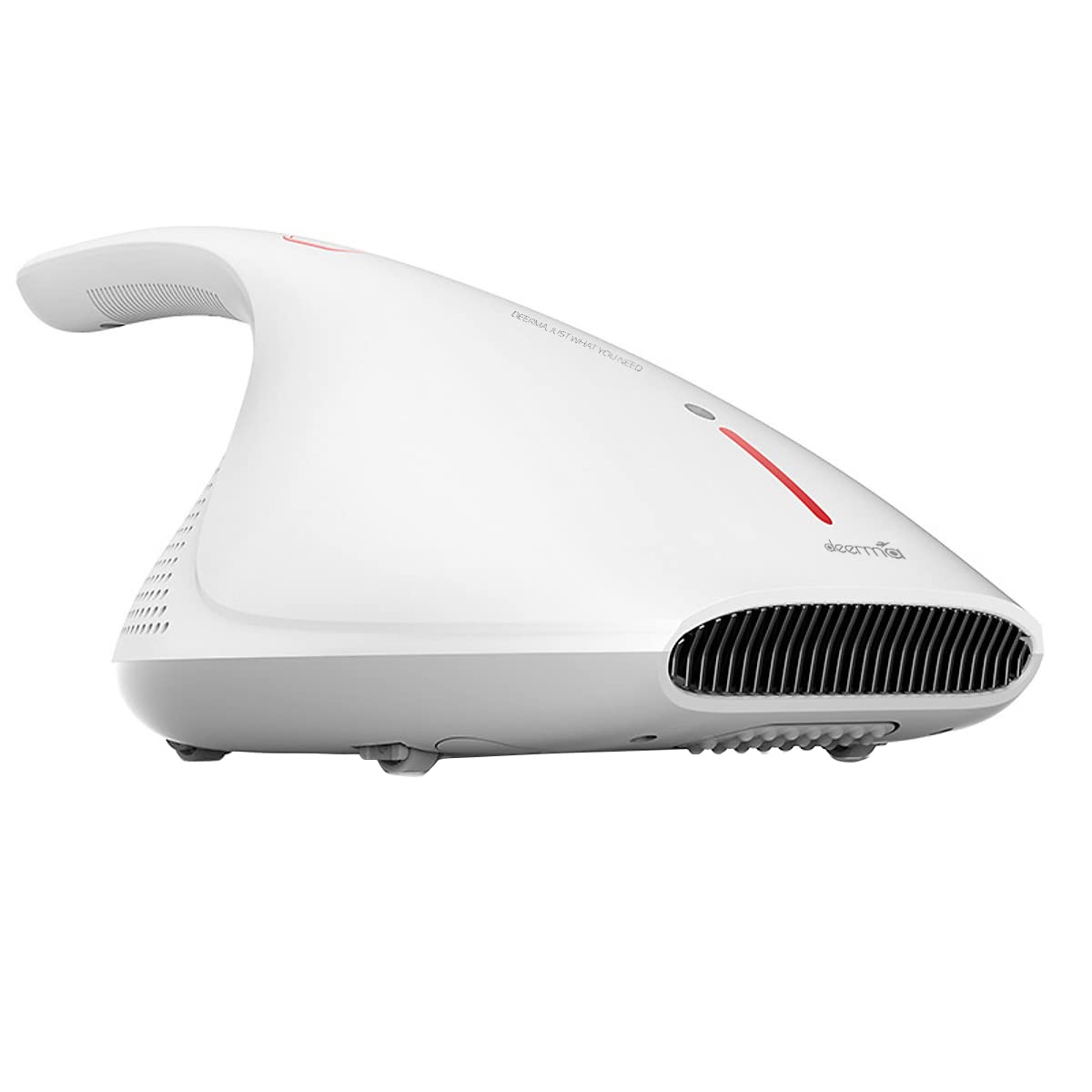
Image: The Deerma CM800 emitting 50°C constant temperature hot air, designed to drive away heat-sensitive mites from surfaces.
After cleaning, turn off the device and unplug it from the power outlet.
6. Maintenance
Regular maintenance ensures optimal performance and extends the lifespan of your Deerma CM800. Always unplug the device before performing any maintenance.
Cleaning the Dust Cup:
- Locate the dust cup release button/latch, typically on the side or top of the main unit.
- Press the release button and carefully detach the dust cup from the main body.
- Empty the contents of the dust cup into a waste bin.
- Rinse the dust cup with water if necessary. Ensure it is completely dry before reattaching.
Cleaning/Replacing the HEPA Filter:
The Deerma CM800 uses a HEPA filter for fine dust filtration.
- With the dust cup removed, locate the HEPA filter inside.
- Gently remove the HEPA filter.
- Tap the filter against a hard surface to dislodge accumulated dust. For a more thorough clean, rinse the filter under running water.
- Important: Allow the HEPA filter to air dry completely for at least 24 hours before reinstalling. Do not use the device with a wet filter.
- Replace the HEPA filter if it is visibly damaged or if suction power significantly decreases even after cleaning.
Cleaning the UV-C Lamp:
Periodically wipe the UV-C lamp with a soft, dry cloth to ensure optimal performance. Do not use water or cleaning solutions directly on the lamp.
Storage:
Store the appliance in a cool, dry place, away from direct sunlight and out of reach of children.
7. Troubleshooting
| Problem | Possible Cause | Solution |
|---|---|---|
| Device does not turn on. |
|
|
| Low suction power. |
|
|
| UV-C lamp not activating. |
|
|
| Device overheating and shutting off. |
|
|
If you encounter problems not listed here, or if solutions do not resolve the issue, please contact Deerma customer support.
8. Specifications
| Brand | Deerma |
| Model Number | CM800 |
| Type | Electric Dust Mite Remover Instrument / Vacuum Cleaner |
| Special Feature | HEPA Filter, UV-C Sterilization, Hot Air Function, High-Frequency Vibration |
| Filter Type | Cloth, HEPA |
| Power Source | Corded Electric |
| Voltage | 220 Volts |
| Wattage | 450 Watts |
| Suction Power | 13,000 Pa |
| Vibration Frequency | 7,000 beats per minute |
| Hot Air Temperature | 50°C (Constant Temperature) |
| Form Factor | Handheld |
| Recommended Uses | Indoor, Sofa, Bed, Upholstery |
| Product Dimensions | 62L x 18W x 18H Centimeters |
| Item Weight | 400 Grams |
| Noise Level | 75 Decibels |
| Included Components | 1 x Vacuum Cleaner |
| Manufacturer | Guangdong Deerma Technology Co., Ltd. |
| Country of Origin | China |
9. Warranty and Support
For warranty information, please refer to the documentation provided with your purchase or contact the retailer.
For technical support, service, or inquiries about replacement parts, please contact Deerma customer service through their official website or the contact details provided in your product packaging.


