
1. Introduction
The SINGCALL J008 Wireless Strobe Siren Panic Alarm System is designed to provide an audible and visual alert in emergency situations. This waterproof siren operates wirelessly and is intended to be used in conjunction with a compatible call button (sold separately) to enhance personal safety and property security in various environments such as homes, offices, schools, and commercial establishments. This manual provides essential information for the proper installation, operation, and maintenance of your device.
2. Safety Information
- Read all instructions carefully before using the device.
- This siren is designed to work with a call button and cannot be used alone as a standalone alarm system.
- Ensure the siren is installed in a location where its sound and strobe light are clearly visible and audible in an emergency.
- Do not expose the device to extreme temperatures outside its specified operating range (-4°F to 130°F).
- Keep the device away from children and pets.
- Only use the provided power adapter or a compatible power source.
- Do not attempt to open or repair the device yourself. Refer all servicing to qualified personnel.
3. Package Contents
Please check the package for the following items:
- 1 x SINGCALL J008 Strobe Siren Unit
- 1 x Power Adapter
- Mounting Hardware (screws, wall anchors)
- User Manual (this document)
Note: Call buttons or remote controls are sold separately and are required for the siren's operation.
4. Product Features
- Loud Alarm: Emits a 120dB sound to attract attention.
- Strobe Light: Features a red indicator light that blinks during an alarm.
- Waterproof Design: Suitable for both indoor and outdoor use.
- Wireless Operation: Receives RF signals from compatible call buttons.
- Rechargeable Battery: Built-in battery ensures operation even during power outages.
- Adjustable Alarm Duration: Alarm can last for 5 minutes or be canceled manually.

Image: The SINGCALL J008 Strobe Siren shown at night, illustrating its 120dB sound output, suitability for outdoor/indoor environments, and integrated backup battery.
5. Specifications
| Specification | Value |
|---|---|
| Model Number | J008 |
| Noise Level | 120 dB |
| Control Method | Wireless (via call button) |
| Mounting Type | Floor Mount (can be wall-mounted with hardware) |
| Maximum Range | Up to 100 meters (approx. 328 feet) |
| Power Source | Battery Powered (rechargeable) / AC Adapter |
| Voltage | 15 Volts |
| Product Dimensions | 6.69 x 5.12 x 3.35 inches (17 x 13 x 8.5 cm) |
| Item Weight | 15.4 ounces (436 grams) |
| Operating Temperature | -4°F to 130°F (-20°C to 54°C) |

Image: A side view of the SINGCALL J008 Strobe Siren with its dimensions clearly marked: 7.9 inches (20.1 cm) in height and 4.4 inches (11.2 cm) in width.

Image: The SINGCALL J008 Strobe Siren depicted in contrasting environments (hot desert and snowy landscape) to illustrate its wide operating temperature range of -4°F to 130°F.
6. Setup
6.1 Powering the Siren
- Unpack the siren unit and power adapter.
- Connect the power adapter to the siren's power input port.
- Plug the power adapter into a standard electrical outlet. The siren will begin charging its internal rechargeable battery.
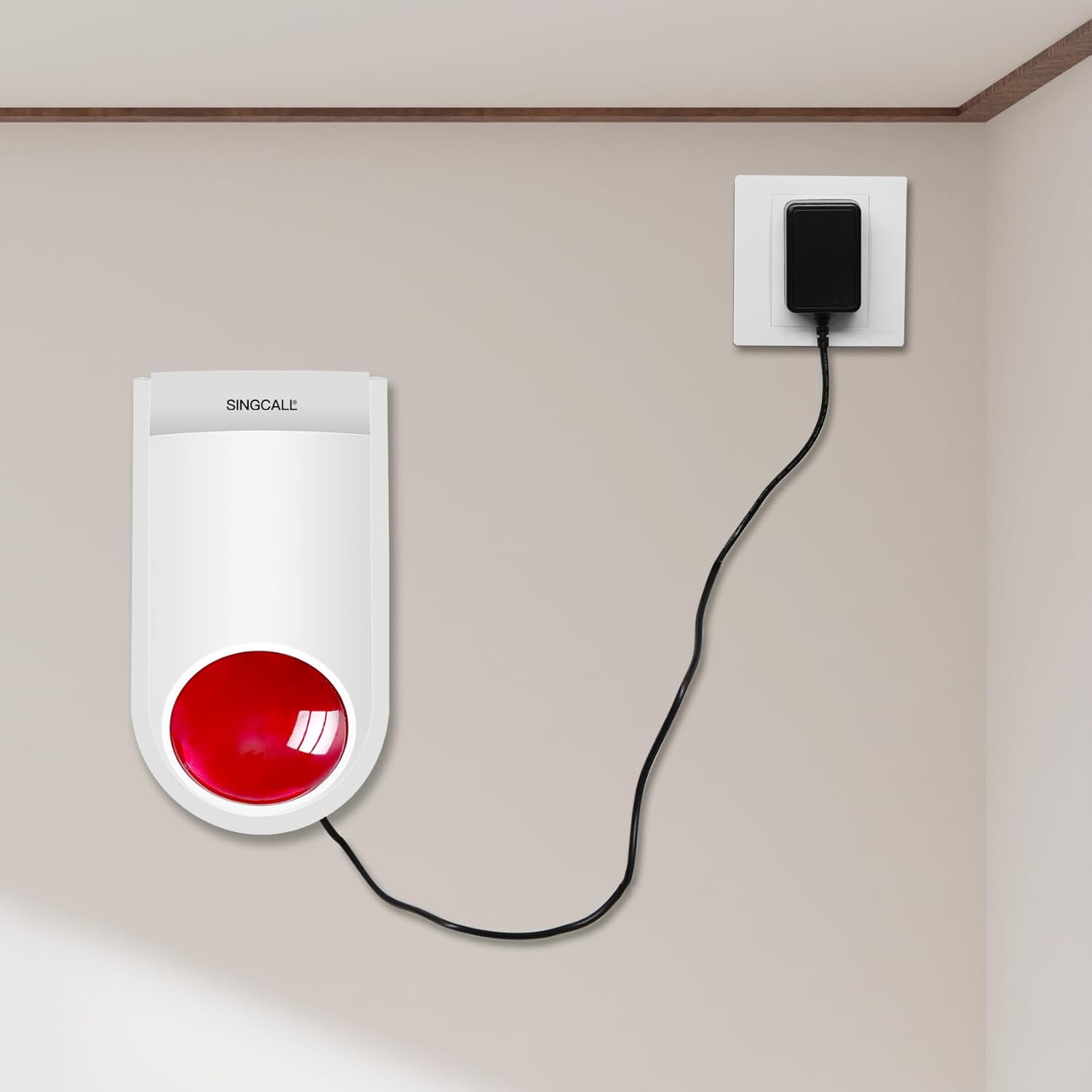
Image: The SINGCALL J008 Strobe Siren is shown connected to a wall outlet via its power adapter, indicating the power connection process.
6.2 Mounting the Siren
The siren can be placed on a flat surface or mounted to a wall. For wall mounting:
- Choose a suitable location that is within range of your call button and where the alarm can be easily heard and seen.
- Use the provided mounting hardware (screws and wall anchors) to secure the siren to the wall. Ensure it is firmly attached.
6.3 Pairing with a Call Button
The SINGCALL J008 siren requires pairing with a compatible SINGCALL call button or remote control to function. The specific pairing procedure may vary slightly depending on the call button model. Generally, the process involves:
- Put the siren into pairing mode (refer to the siren's specific instructions, often involving a small button or sequence).
- Activate the call button (e.g., press the 'CALL' button) to send a signal to the siren.
- The siren will typically emit a confirmation sound or flash to indicate successful pairing.
Refer to the instruction manual of your specific SINGCALL call button for detailed pairing instructions.
7. Operating Instructions
7.1 Triggering the Alarm
Once the siren is paired with a call button:
- Press the 'CALL' button on your paired call device.
- The siren will immediately activate, emitting a 120dB sound and flashing its red indicator light.
- The alarm will continue for approximately 5 minutes unless manually canceled.
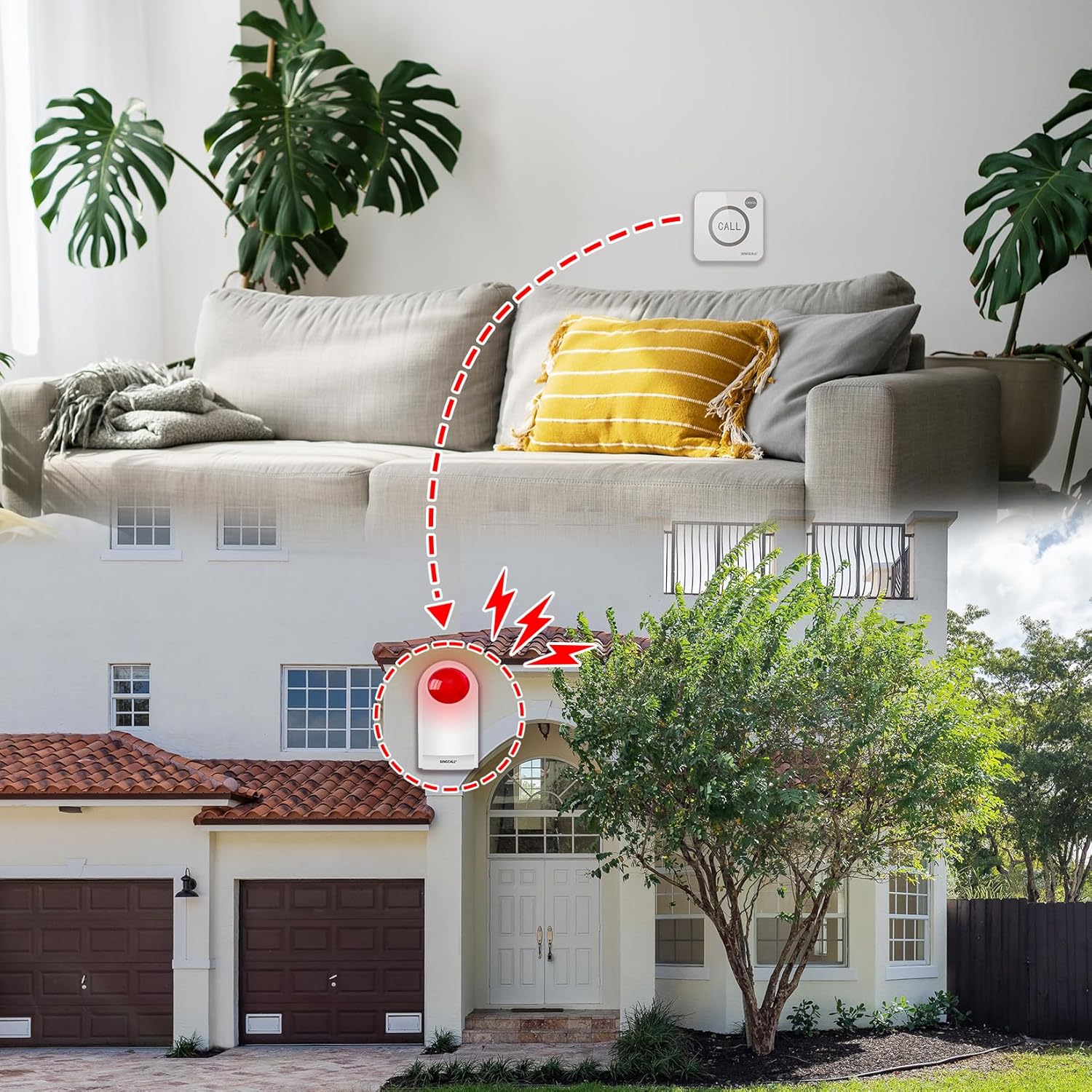
Image: An illustration of the siren's outdoor application, where a call button inside a residence wirelessly activates the siren positioned outside the house.

Image: An illustration of the siren's indoor application, depicting a call button at a store counter wirelessly activating the siren located inside the store.

Image: An illustration of the siren's industrial application, where a call button in a factory setting wirelessly activates the siren located within the factory.
7.2 Canceling the Alarm
To stop the alarm once it has been triggered:
- Press the 'CANCEL' button on your paired call device or remote control.
- The siren will cease sounding and flashing.
8. Maintenance
8.1 Battery Information
The siren contains a built-in rechargeable battery. This battery provides backup power in case of a power outage, ensuring the alarm can still function. Keep the siren plugged into its power adapter for continuous operation and to keep the battery charged.
8.2 Cleaning
To clean the siren, use a soft, dry cloth. Do not use abrasive cleaners, solvents, or harsh chemicals, as these can damage the device's surface or internal components. Ensure the device is unplugged before cleaning.
9. Troubleshooting
| Problem | Possible Cause | Solution |
|---|---|---|
| Siren does not activate when call button is pressed. |
|
|
| Siren alarm is weak or intermittent. |
|
|
| Siren does not stop after pressing 'CANCEL'. |
|
|
10. Warranty and Support
For warranty information and technical support, please contact SINGCALL customer service. Details can typically be found on the product packaging or the official SINGCALL website. Please have your model number (J008) and purchase information ready when contacting support.
Manufacturer: EASTWAY INTERNATIONAL (HK) LIMITED


