
1. Product Overview
The HP Envy Inspire 7255e is a versatile all-in-one printer designed for home use, offering print, scan, and copy functionalities. It features wireless connectivity, a color touchscreen, and advanced photo printing capabilities.

Image 1: The HP Envy Inspire 7255e Wireless Color Inkjet Printer, a compact and modern all-in-one device.
Key Features
- Print, Copy, Scan: All essential functions integrated into one device.
- Automatic 2-Sided Printing: Saves paper and time.
- Advanced Photo Features: Dedicated photo tray and vibrant, true-to-phone quality prints.
- Mobile and Wireless Printing: Print from smartphones, PCs, or tablets using the HP app.
- Easy Wireless Setup: Streamlined process for connecting to your network.
- Customizable Touchscreen Shortcuts: Personalize your workflow for frequently used tasks.
- Self-Healing Wi-Fi: Automatically detects and resolves connectivity issues.
- HP AI-Enabled: Optimizes prints by removing unwanted content from web pages and emails.
2. Setup Guide
2.1 Unboxing and Initial Power-On
Carefully remove the printer from its packaging. Ensure all protective tapes and packing materials are removed from the exterior and interior of the printer. Connect the power cord to the printer and then to a wall outlet. Press the power button to turn on the printer.
2.2 Installing Ink Cartridges
Open the ink cartridge access door. Wait for the print carriage to stop moving. Insert the HP 64 Setup Black Ink Cartridge and HP 64 Setup Tri-color Ink Cartridge into their respective slots until they click into place. Close the access door.

Image 2: HP 64 Setup Black and Tri-color Ink Cartridges included with the printer.
Video 1: This video demonstrates the process of replacing ink cartridges in the HP Envy Inspire 7255e printer, specifically using HP 64 Black Ink.
2.3 Connecting to a Network and Installing the HP Smart App
Follow the on-screen instructions on the printer's color touchscreen to connect to your Wi-Fi network. For full functionality, download the HP Smart app on your smartphone, PC, or tablet. The app guides you through the remaining setup steps and enables mobile printing, scanning, and copying.
Video 2: This video highlights the easy wireless setup process for the HP Envy Inspire 7255e printer, emphasizing its user-friendly connectivity.
3. Operating the Printer
3.1 Loading Paper
The printer features two trays: a main input tray for standard paper (up to 125 sheets) and a separate photo tray for various photo paper sizes. Adjust the paper guides to fit the loaded paper snugly.

Image 3: The HP Envy Inspire 7255e printer showing its 2.7" color touchscreen, 125-sheet input tray, and separate photo tray.
3.2 Printing Documents and Photos
Send print jobs from your connected device or use the customizable touchscreen shortcuts. The printer supports printing documents, high-quality borderless photos, and creative projects. Print speeds are up to 15 ppm for black and 10 ppm for color.
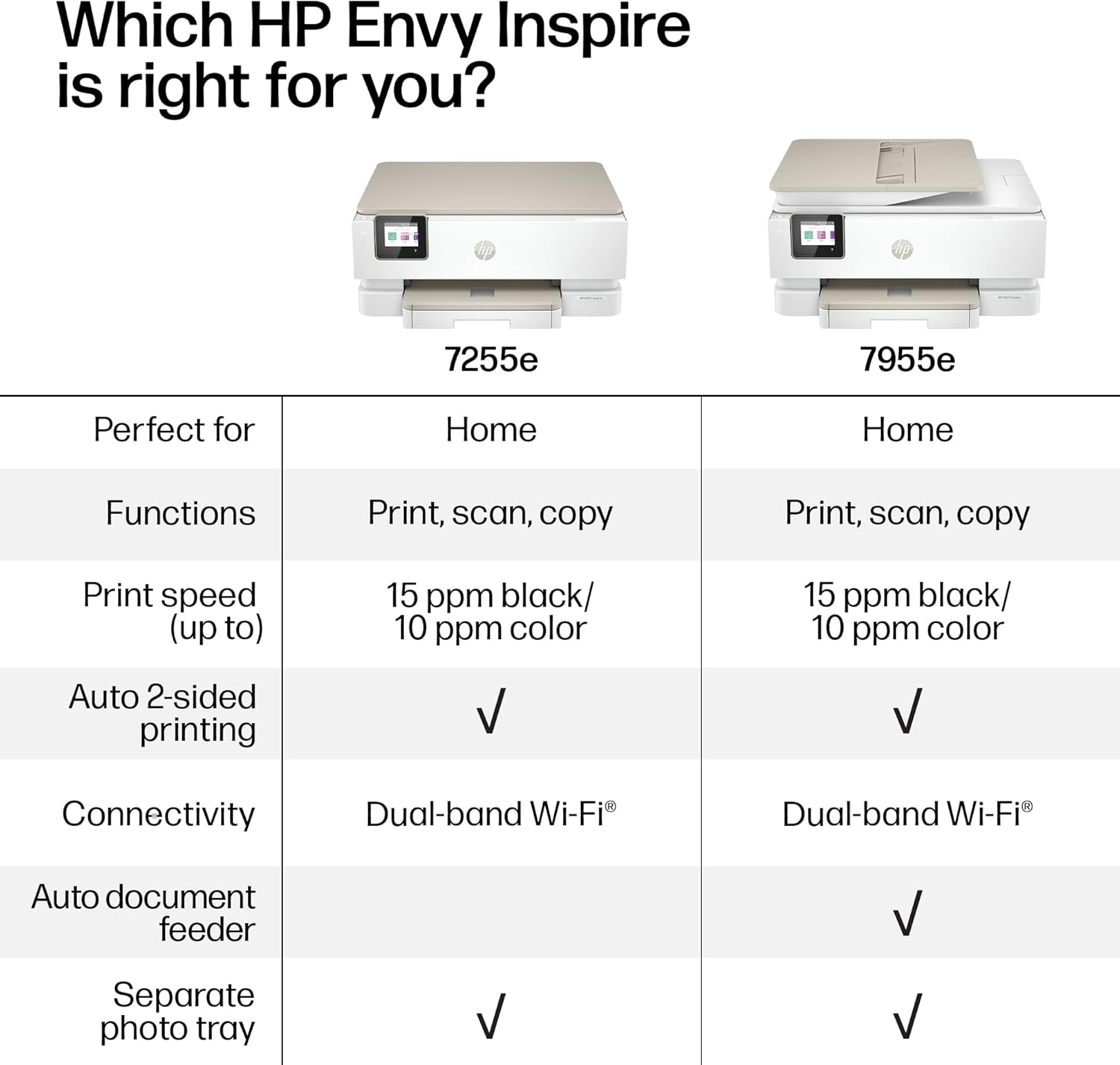
Image 4: A woman using the HP app on her smartphone to print, scan, and copy documents wirelessly.
3.3 Scanning and Copying
Place documents on the flatbed scanner. Use the touchscreen or the HP Smart app to initiate scanning or copying. The printer supports various scan destinations and copy settings.
Video 3: This video provides an overview of the HP Envy Inspire 7255e, showcasing its suitability for home use and various features.
4. Maintenance
4.1 Ink Cartridge Management
The printer uses HP 64 ink cartridges. Monitor ink levels via the touchscreen or HP Smart app. Replace cartridges when prompted to ensure optimal print quality. Consider subscribing to HP Instant Ink for automatic ink delivery.

Image 5: Information regarding the 3-month Instant Ink trial included with the HP Envy Inspire 7255e.
4.2 Connectivity Maintenance
The self-healing Wi-Fi feature helps maintain a stable wireless connection. If connectivity issues persist, refer to the HP Smart app for troubleshooting steps or restart your printer and router.

Image 6: The HP Envy Inspire 7255e printer highlighting its self-healing Wi-Fi capability for reliable connectivity.
5. Troubleshooting
For common issues such as print quality problems, paper jams, or connectivity errors, consult the HP Smart app's help section or the HP support website. Ensure your printer's firmware is up to date for optimal performance and security.
6. Specifications
| Feature | Detail |
|---|---|
| Product Dimensions | 15.08"D x 18.11"W x 7.5"H |
| Printing Technology | Thermal Inkjet |
| Printer Output | Color |
| Connectivity Technology | Wireless (Dual Band Wi-Fi) |
| Max Print Speed (Color) | 10 ppm |
| Max Print Speed (Monochrome) | 15 ppm |
| Max Color Print Resolution | 4800 x 1200 Dots Per Inch |
| Max Black and White Print Resolution | 1200 x 1200 Dots Per Inch |
| Scanner Type | Flatbed |
| Max Input Sheet Capacity | 125 sheets |
| Number of Trays | 2 (Main and Photo) |
| Dual-sided printing | Yes (Automatic) |
| Item Weight | 15.23 pounds |
| Included Components | HP ENVY Inspire 7255e All-in-One Printer; HP 64 Setup Black Ink Cartridge; HP 64 Setup Tri-color Ink Cartridge; Power cord; Ink Caution Flyer; User guide; Setup poster; Legal Flyer, Photo Media Pack |
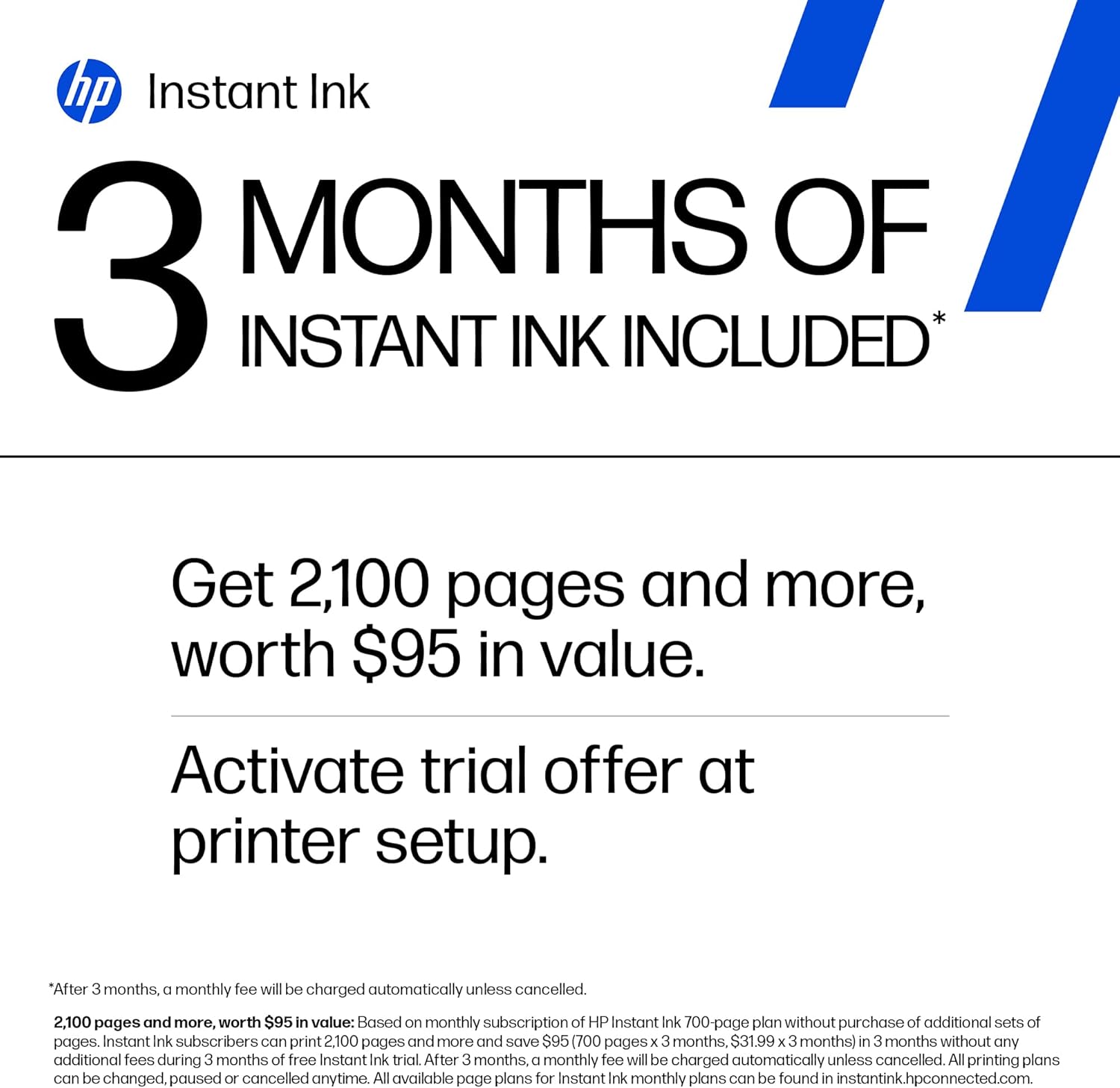
Image 7: Visual representation of the HP Envy Inspire 7255e printer's dimensions.
7. Warranty and Support
7.1 Warranty Information
This product comes with a limited warranty. Please refer to the warranty documentation included in your product packaging for specific terms and conditions.
7.2 Customer Support
For additional support, troubleshooting, or to access drivers and software, visit the official HP support website or use the HP Smart app. You can also find helpful resources and FAQs online.


