
Introduction
This manual provides instructions for the safe and efficient operation of the VECTOR 120 Watt Power Inverter, Model PI120SV. This device converts your vehicle's 12V DC power into 120V AC household power and includes dual USB charging ports, making it suitable for powering and charging various electronic devices while traveling.
Please read all instructions carefully before use and retain this manual for future reference.
Safety Information
To ensure safe operation and prevent damage to the inverter or connected devices, adhere to the following safety guidelines:
- Do not expose the inverter to water, rain, or snow.
- Do not operate the inverter if it appears damaged or has been dropped.
- Ensure adequate ventilation around the inverter during operation to prevent overheating.
- Do not connect the inverter to household AC wiring.
- Keep the device out of reach of children.
- Proposition 65 Warning: This product contains chemicals known to the State of California to cause cancer and birth defects or other reproductive harm. For more information, visit www.P65Warnings.ca.gov.
Product Features
The VECTOR PI120SV Power Inverter is equipped with the following features:
- 120 Watt AC Output: Provides 120V AC power for small household electronics.
- Dual USB Charging Ports: Includes two USB ports for charging mobile phones, tablets, and other USB-powered devices.
- 12V DC Accessory Plug: Designed for direct connection to a vehicle's 12V DC accessory outlet.
- Compact and Portable: Its small size allows for convenient storage and use in various vehicle interiors.
- LED Indicator: Displays the operational status of the unit.
- Low Voltage Cutoff: Automatically shuts off to prevent excessive discharge of the vehicle's battery.
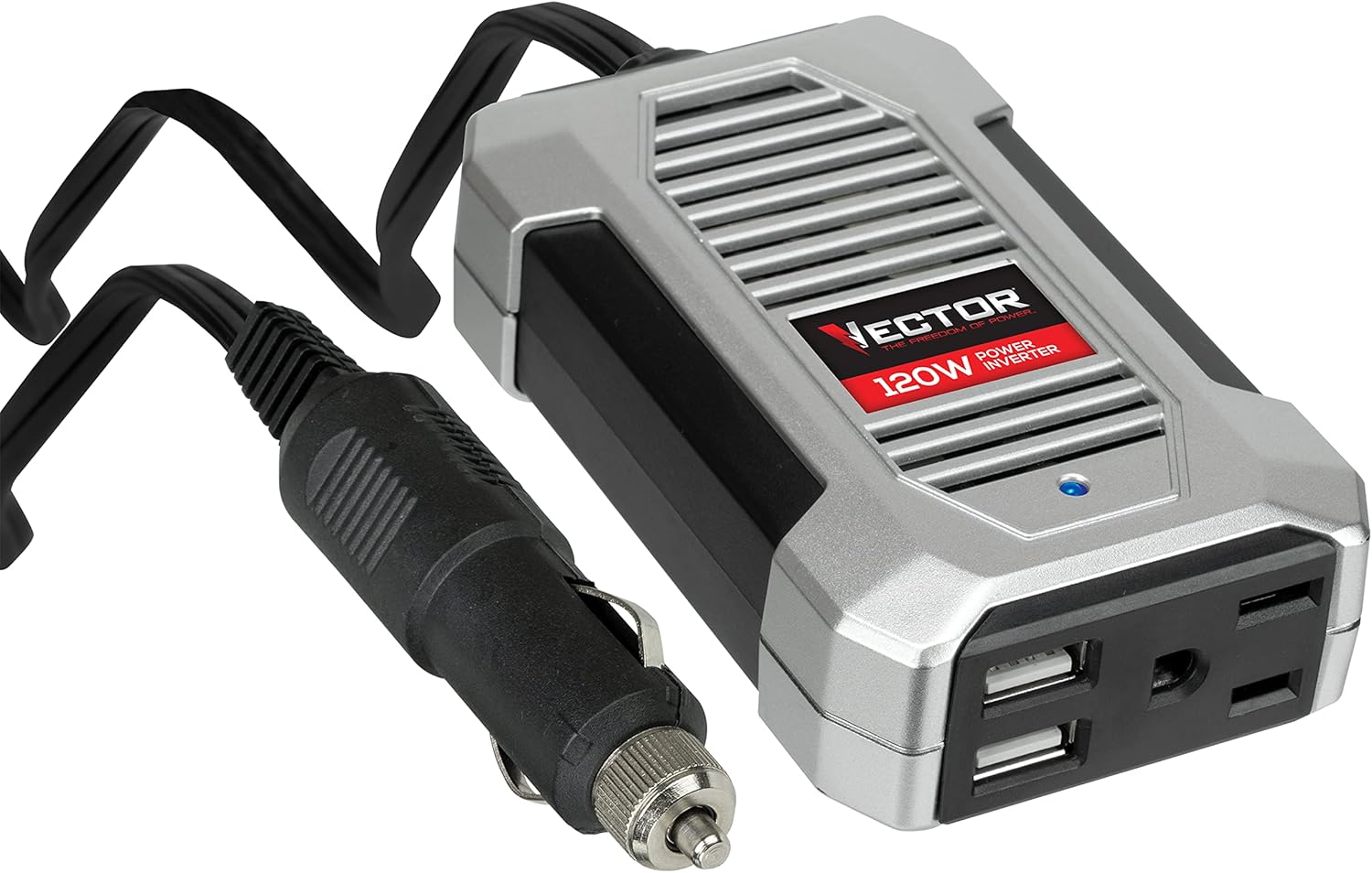
Image: A top-down view of the VECTOR 120 Watt Power Inverter PI120SV, showcasing its compact design, 12V DC plug, AC outlet, and dual USB charging ports.
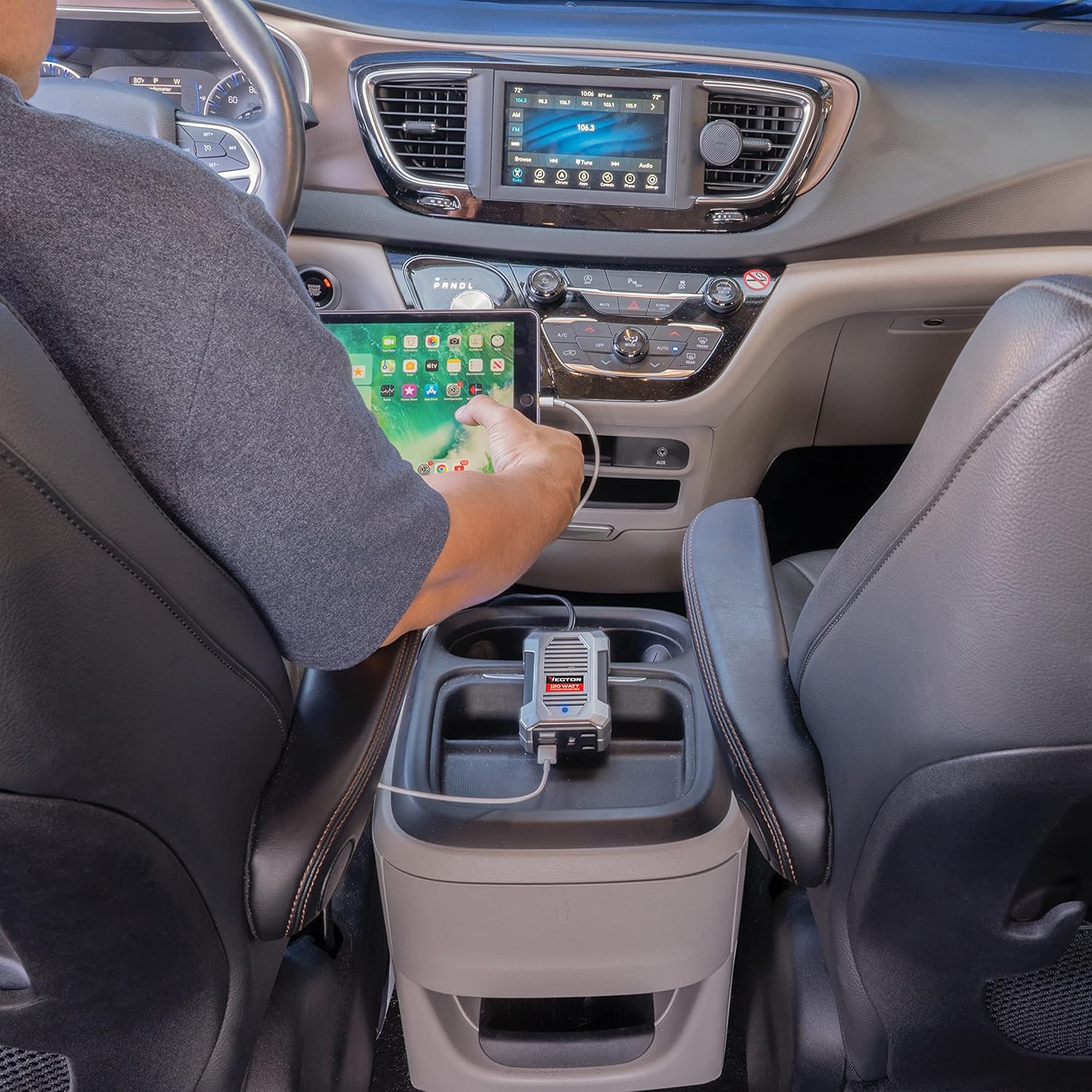
Image: A detailed diagram of the VECTOR PI120SV inverter, pointing out its key components: the 12V DC Plug with 3' long cord, LED Power Indicator, 120 Volt AC Outlet, and Dual 2.1 Amp USB Charging Ports.
Setup and Installation
Follow these steps to set up your power inverter:
- Vehicle Compatibility: Confirm your vehicle is equipped with a standard 12V DC accessory outlet (cigarette lighter socket).
- Placement: Position the inverter in a secure location within your vehicle, such as a cup holder, console, or dashboard, ensuring it does not interfere with driving or safety features. Maintain clear space around the unit for proper airflow.
- Connection: Insert the inverter's 12V DC plug firmly into your vehicle's 12V accessory outlet.
- Power Indicator: The blue LED indicator on the inverter will illuminate, signifying that the unit is powered on and ready for use.

Image: The VECTOR PI120SV power inverter plugged into a vehicle's console, actively charging a tablet. This illustrates a typical setup for mobile device charging.
Operating Instructions
Using the 120V AC Outlet:
- Ensure the inverter is securely connected to the vehicle's 12V DC outlet and its LED indicator is lit.
- Plug your 120V AC electronic device into the inverter's AC outlet. Verify that the device's power requirement does not exceed 120 watts.
- Turn on your device. The inverter will supply the necessary AC power.
Using the USB Charging Ports:
- Connect your USB-powered device to either of the inverter's dual USB ports using a compatible USB charging cable.
- The inverter will automatically detect and begin charging your device.
Note: For prolonged use or when powering devices close to the 120-watt limit, it is advisable to keep the vehicle's engine running to prevent draining the vehicle's battery.
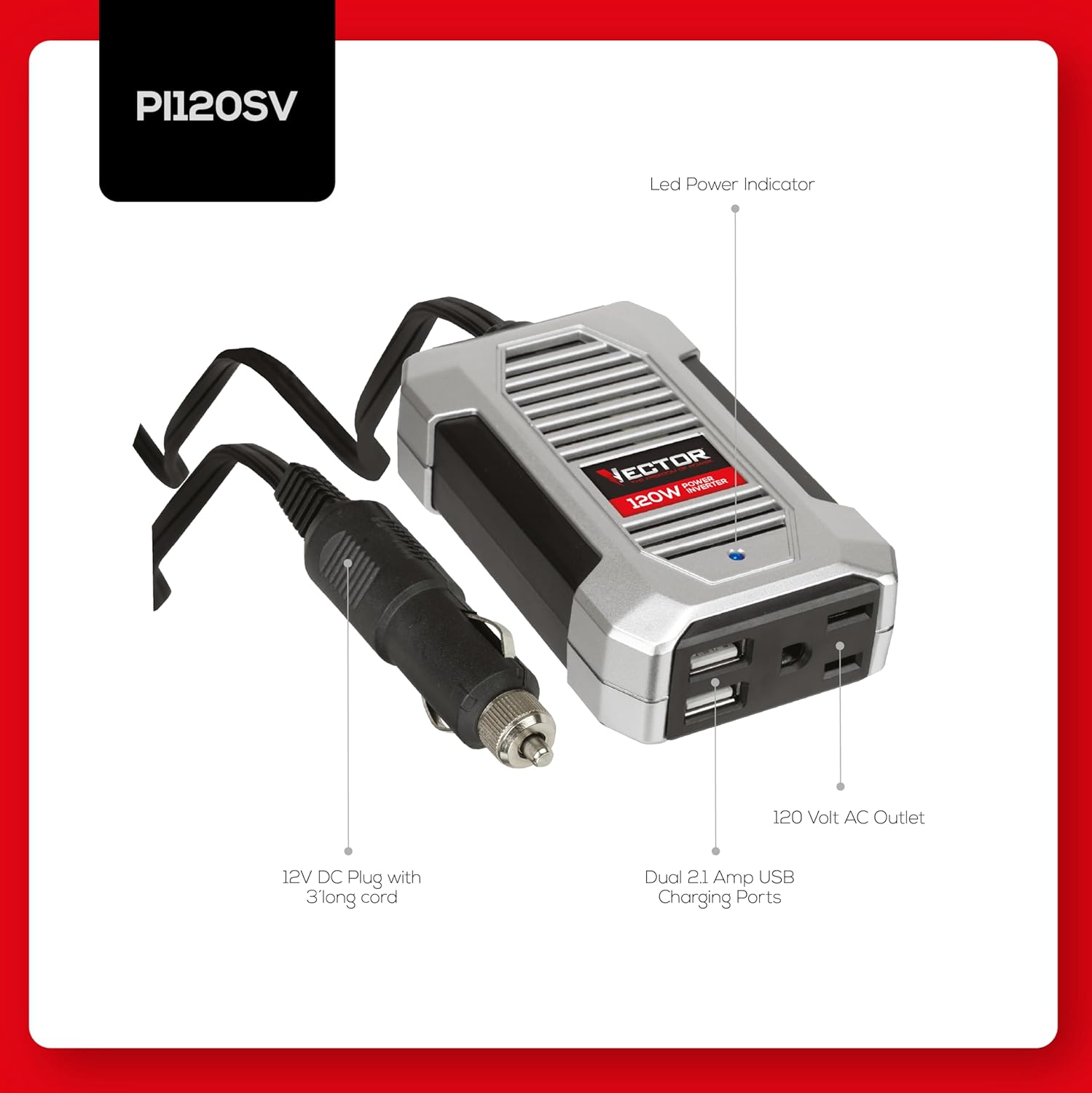
Image: The VECTOR PI120SV power inverter in use, providing AC power to a laptop within a vehicle, demonstrating its capability to support larger portable electronics.
Maintenance
The VECTOR PI120SV Power Inverter is designed for low maintenance. Adhere to these simple practices to ensure optimal performance and extend the product's lifespan:
- Cleaning: Use a soft, dry cloth to clean the exterior surfaces of the inverter. Avoid using liquid cleaners, solvents, or abrasive materials.
- Storage: When not in regular use, store the inverter in a cool, dry environment, away from direct sunlight and extreme temperatures.
- Ventilation: Periodically check that the ventilation slots are free from dust, lint, or other obstructions to ensure proper heat dissipation.
Troubleshooting
Refer to the table below for common issues and their solutions:
| Problem | Possible Cause | Solution |
|---|---|---|
| Inverter does not power on (LED off) |
|
|
| Connected device not charging/powering |
|
|
| Inverter becomes hot during operation |
|
|
Specifications
- Model: PI120SV
- Input Voltage: 12V DC
- Output Voltage: 120V AC
- Continuous Power: 120 Watts
- USB Output: Dual 2.1 Amp USB Charging Ports
- Dimensions (L x W x H): Approximately 4.5 x 2.5 x 1 inches
- Weight: Approximately 8 ounces (0.5 lbs)

Image: A visual representation of the VECTOR PI120SV inverter's physical dimensions (4.5 inches length, 2.5 inches width, 1 inch thickness) and its approximate weight (0.5 lbs).
Warranty and Support
The VECTOR 120 Watt Power Inverter PI120SV is covered by a 1-year limited warranty. For detailed warranty terms, claims, or technical assistance, please refer to the documentation included with your product or visit the official VECTOR support website.
An electronic version of the user guide is also available for download: User Guide (PDF).
