Introduction
Thank you for choosing the Hupro Model 777 Humidifier. This device is designed to enhance your indoor air quality by adding moisture to the air, providing relief from respiratory symptoms and dry skin. It features a large 5-liter capacity, top-fill design, cool and warm mist options, essential oil diffusion, and a smart humidification system. Please read this manual carefully before operation to ensure safe and optimal performance.
Important Safety Instructions
- Always place the humidifier on a firm, flat, waterproof surface at least 12 inches (30 cm) away from walls and appliances.
- Do not place the humidifier directly on carpet or rugs.
- Do not immerse the base unit in water or other liquids.
- Unplug the humidifier from the power outlet before filling, cleaning, or moving.
- Do not add essential oils directly into the water tank. Use the designated aroma box only.
- Keep out of reach of children and pets.
- Use only clean, cool tap water. Distilled or demineralized water is recommended to prevent white dust.
- Do not block the mist outlet.
- If the humidifier is damaged, do not operate it. Contact customer support.
Package Contents
- Hupro Model 777 Humidifier
- Water tank
- Ceramic filter
- Aroma box
- User Manual
Product Overview
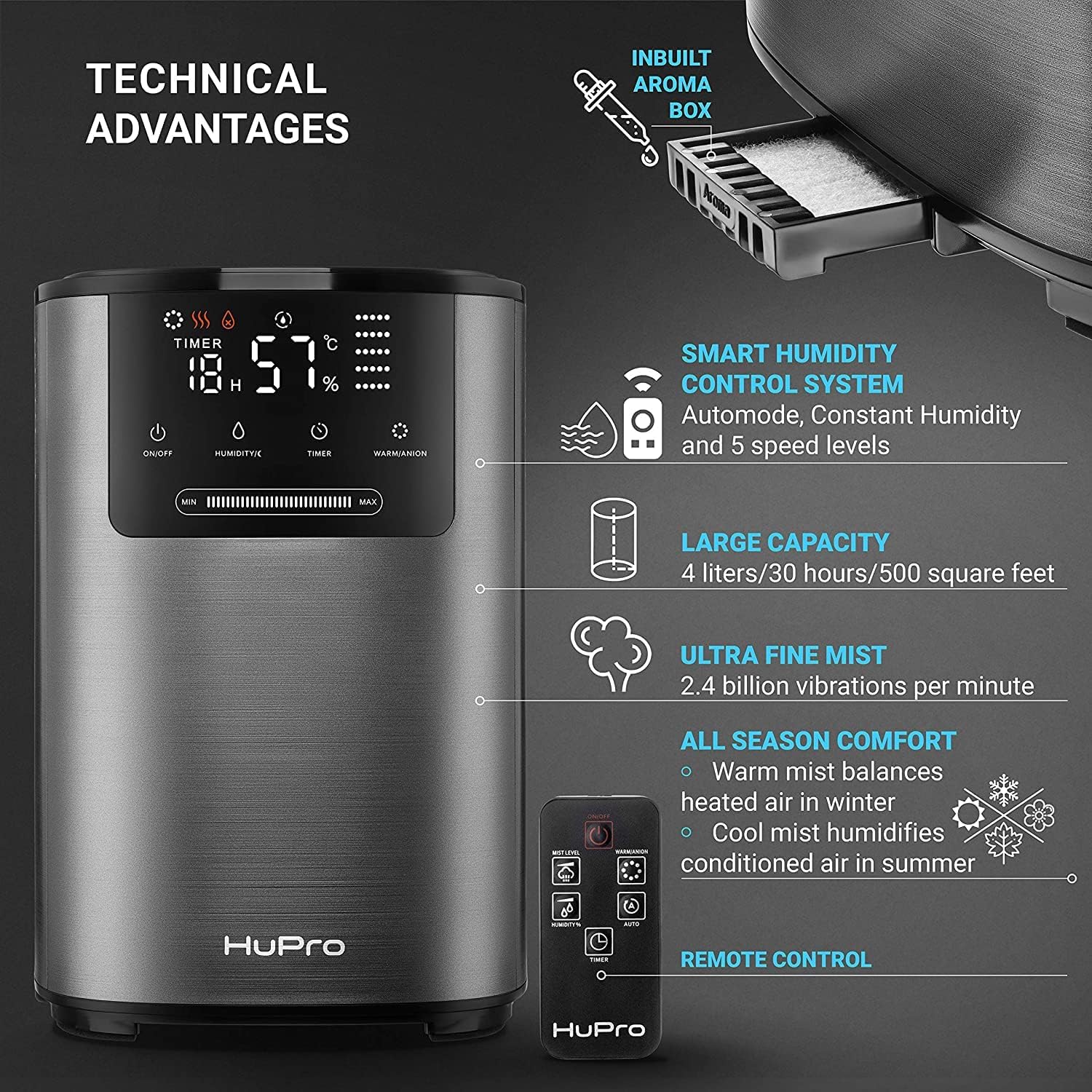
The Hupro Model 777 features an intuitive LED display and touch controls for easy operation. Its sleek design integrates seamlessly into any home or office environment.
Setup
- Unpack: Carefully remove all packaging materials and tape from the humidifier.
- Place: Position the humidifier on a flat, stable surface.
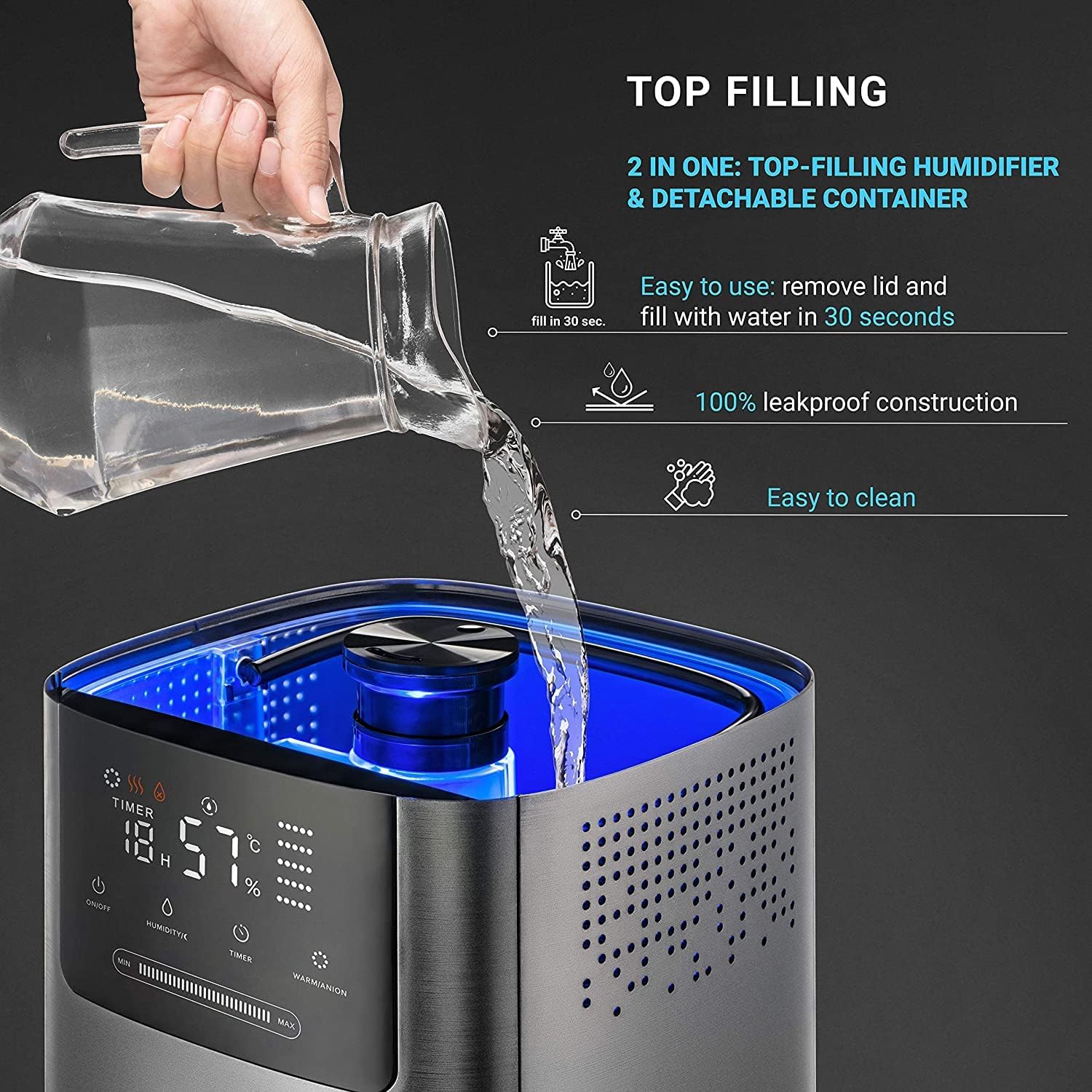
- Fill Water Tank: The Hupro Model 777 features a convenient top-fill design. Remove the top cover and lift the water tank using its built-in handle. Fill the tank with clean, cool water up to the 'MAX' line. Do not overfill.
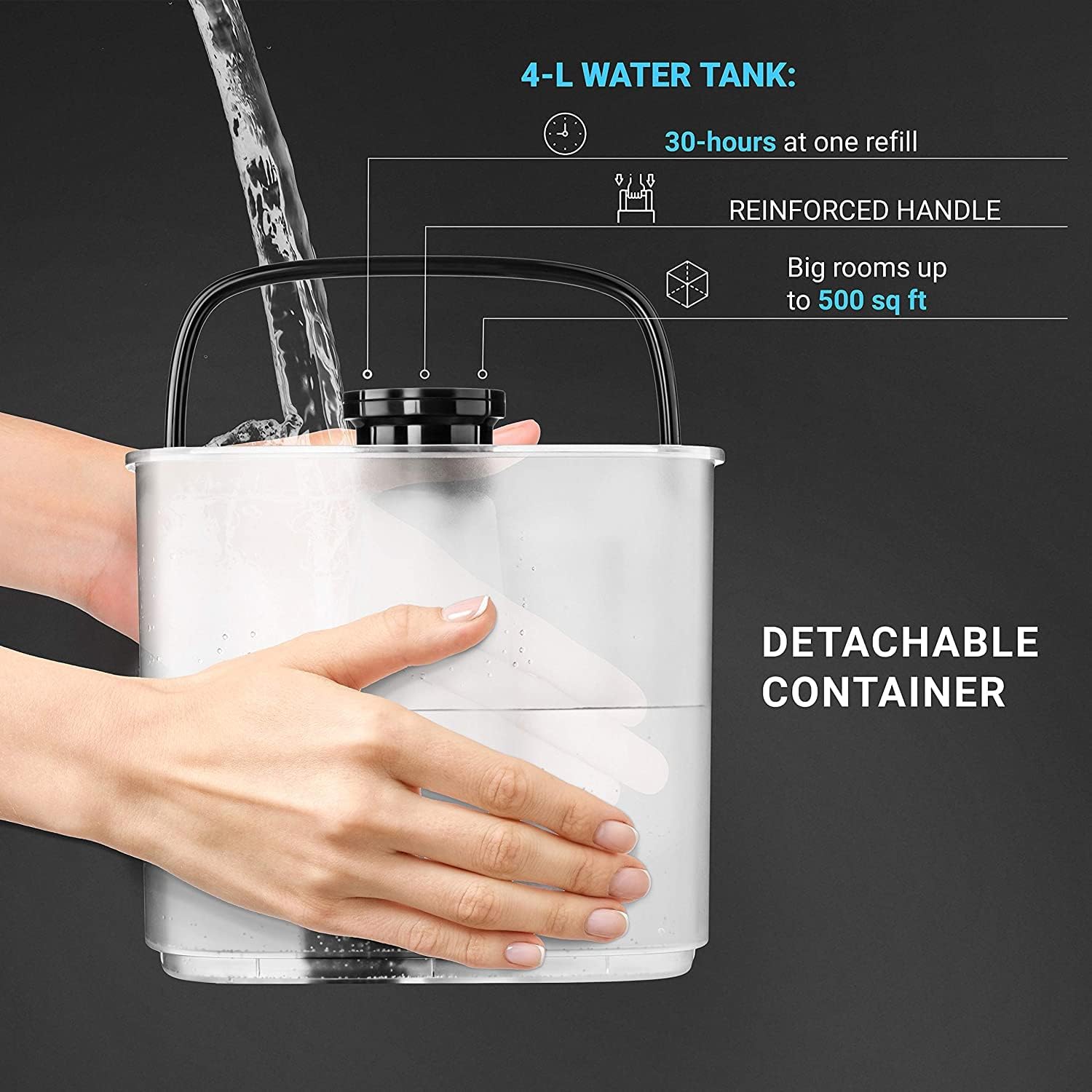
- Replace Tank & Cover: Carefully place the filled water tank back onto the base unit, ensuring it is seated correctly. Replace the top cover.
- Connect Power: Plug the power cord into a suitable electrical outlet.
Setup Video Guide
Video 1: A seller-provided video demonstrating the unboxing, assembly, and initial water filling process for a similar 5L ultrasonic humidifier. This video highlights the detachable water tank and easy top-fill method.
Operating Instructions
The Hupro Model 777 can be operated using the touch control panel on the device or the included remote control.
Power On/Off
- Press the Power button (symbol: circle with vertical line) on the control panel or remote to turn the humidifier on or off.
Mist Modes & Humidity Control
- Auto Mode: Press the Auto button (symbol: 'A' in a circle) to activate Auto Mode. The humidifier will automatically adjust mist output to maintain your set humidity level.
- Manual Mode: Press the Mist button (symbol: three wavy lines) repeatedly to cycle through 5 mist speed levels (Low, Medium, High, etc.).
- Cool/Warm Mist: Press the Warm Mist button (symbol: three wavy lines with a heat icon) to toggle between cool and warm mist. Warm mist can reach up to 140°F.
- Set Humidity: In Auto Mode, use the Humidity button (symbol: water drop with percentage) to set your desired humidity level (e.g., 40%-60% is generally recommended).
Timer Function
- Press the Timer button (symbol: clock) repeatedly to set an auto-off timer from 1 to 12 hours.
Night Light & Sleep Mode
- Night Light: Press the Light button (symbol: light bulb) to turn the ambient light on or off.
- Sleep Mode: Press the Sleep button (symbol: crescent moon) to enter Sleep Mode. This deactivates all lights and sounds for undisturbed rest.


Essential Oil Diffuser
- Pull out the aroma box located at the back of the base unit.
- Add a few drops of your favorite essential oil onto the aroma pad.
- Slide the aroma box back into the humidifier. The mist will diffuse the scent into the air.
App Connectivity
The Hupro Model 777 can be connected to a smart app for remote control and advanced features. Refer to the quick start guide for detailed instructions on connecting to the app.
Maintenance & Cleaning
Regular cleaning is essential for optimal performance and hygiene.
- Daily Cleaning: Empty and rinse the water tank and base chamber daily.
- Weekly Cleaning: For thorough cleaning, detach the water tank and remove the top cover. Clean the base chamber and water tank with a soft brush and mild detergent. Rinse thoroughly.
- Descaling: To remove mineral buildup, fill the base chamber with 1 cup (240 mL) of white vinegar and let it soak for 20 minutes. Gently scrub with a brush and rinse well.
- Ceramic Filter: The ceramic filter does not need to be replaced. Clean it by rinsing under running water.
- Aroma Box: Clean the aroma pad and box as needed by rinsing with water.
Troubleshooting
| Problem | Possible Cause | Solution |
|---|---|---|
| No mist/Low mist output | Low water level; Mist outlet blocked; Transducer dirty | Refill water tank; Clear obstruction; Clean transducer |
| White dust around humidifier | Hard water used | Use distilled or demineralized water |
| Unusual odor | Dirty water tank/base; Stale water | Clean water tank and base; Replace water daily |
| Humidifier leaks | Water tank not properly seated; Overfilled tank | Ensure tank is correctly placed; Do not overfill |
| Error Code EF | Water shortage | Refill water tank. If issue persists, contact support. |
Specifications
- Model Name: 777
- Capacity: 5 Liters
- Floor Area: Up to 500 Square Feet
- Operation Mode: Ultrasonic
- Special Feature: Cool Mist, Warm Mist (up to 140°F), Essential Oil Diffuser, Smart Humidification System, Triple Purification (Lamp, Ceramic Filter, Air Ionization), Auto Shut-off, 12-hour Timer, Sleep Mode, Quiet Operation (<30dB)
- Item Weight: 6.78 pounds
- Package Dimensions: 14.25 x 11.25 x 10.35 inches
Warranty & Support
Hupro provides a standard manufacturer's warranty for this product. For warranty claims, technical support, or any questions regarding your humidifier, please refer to the contact information provided in your product packaging or visit the official Hupro website. Please have your model number (777) and purchase details ready when contacting support.