
iWALK DBS4500C
iWALK DBS4500C Ultra-Compact 4500mAh USB Type-C Portable Charger User Manual
Model: DBS4500C
1. Introduction
Thank you for purchasing the iWALK DBS4500C Ultra-Compact 4500mAh USB Type-C Portable Charger. This device is designed to provide convenient, on-the-go power for your compatible electronic devices. Please read this manual thoroughly before use to ensure proper operation and to maximize the lifespan of your product.
2. Package Contents
Verify that all items listed below are included in your package:
- iWALK DBS4500C 4500mAh Portable Charger
- USB-C to USB-C Cable (approximately 1 meter)
- Storage Bag
- User Manual (this document)
3. Product Features
- Ultra-Compact and Lightweight Design: Easily fits into pockets or small bags for portability.
- Cable-Free Direct Charging: Features a built-in USB Type-C connector for direct plug-in charging.
- 4500mAh Capacity: Provides approximately one full charge for most smartphones, such as iPhone 16 (90% charge) or Google Pixel 6 (60% charge).
- PSE Certified with Multiple Protections: Equipped with overcurrent, overpower, overvoltage, overcharge, and short circuit protection for safe use.
- Pass-Through Charging: Allows charging of your device while the portable charger itself is being recharged.
- Wide Compatibility: Supports iPhone 17/16/15 series, iPad, AirPods, and various Android devices with USB Type-C ports.
4. Setup
4.1 Initial Charging of the Portable Charger
Before first use, fully charge your iWALK DBS4500C portable charger.
- Connect the provided USB-C to USB-C cable to the charging port on the side of the portable charger.
- Plug the other end of the USB-C cable into a compatible USB wall adapter (not included) or a computer's USB-C port.
- The indicator lights on the portable charger will illuminate to show the charging status. Once fully charged, all indicator lights will remain solid.
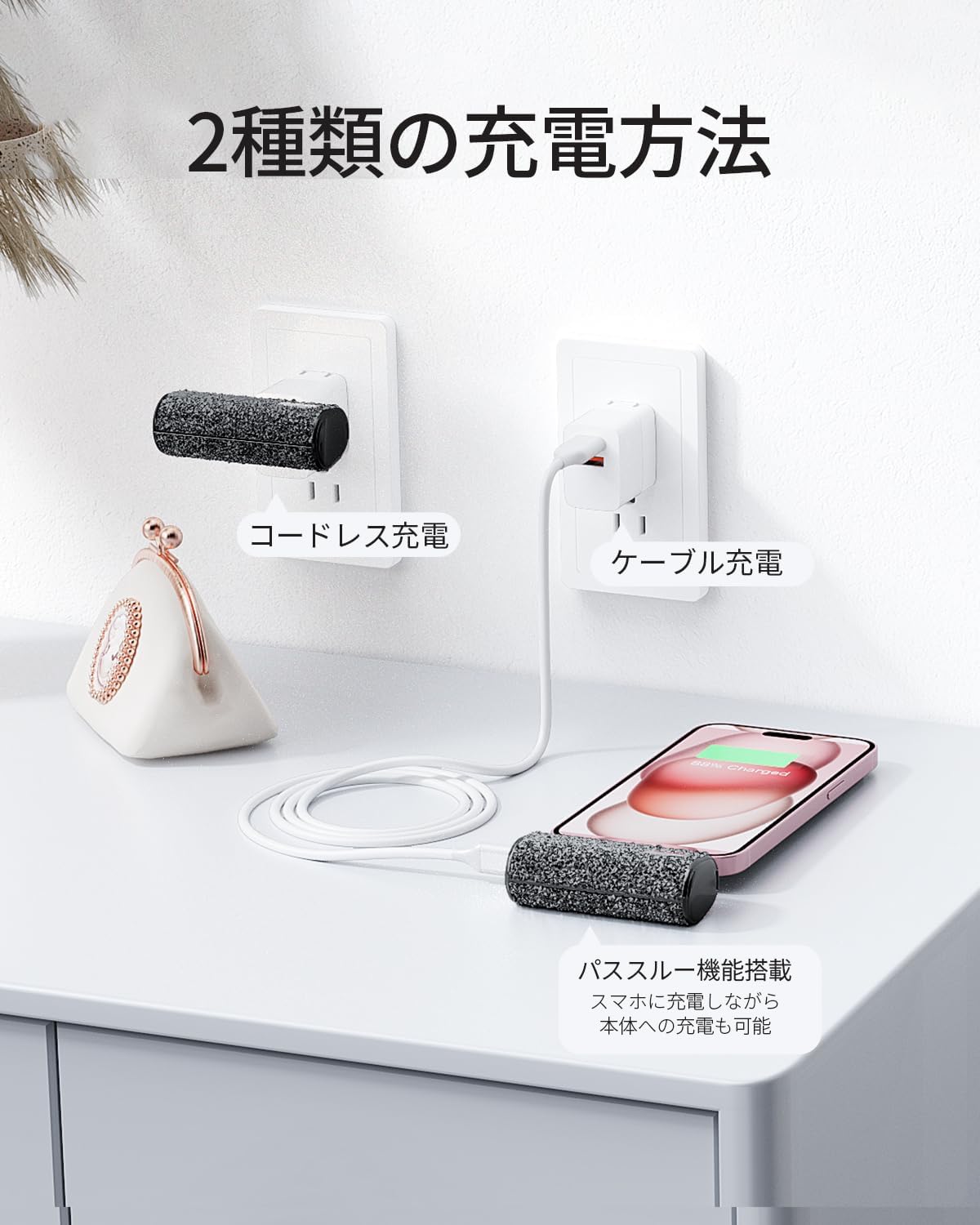
Image: Two charging methods for the iWALK DBS4500C. The portable charger can be charged directly via a wall adapter (cordless charging) or via a USB-C cable connected to a power source.
5. Operating Instructions
5.1 Charging Your Device
The iWALK DBS4500C offers convenient cable-free charging.
- Locate the built-in USB Type-C connector on the portable charger.
- Carefully plug the USB Type-C connector directly into your smartphone, tablet, or other compatible device's charging port.
- Charging will begin automatically. The indicator lights on the portable charger will show its remaining battery level.
- To stop charging, simply unplug the portable charger from your device.

Image: The iWALK DBS4500C portable charger directly connected to the bottom of a smartphone, illustrating its compact and integrated design for charging.
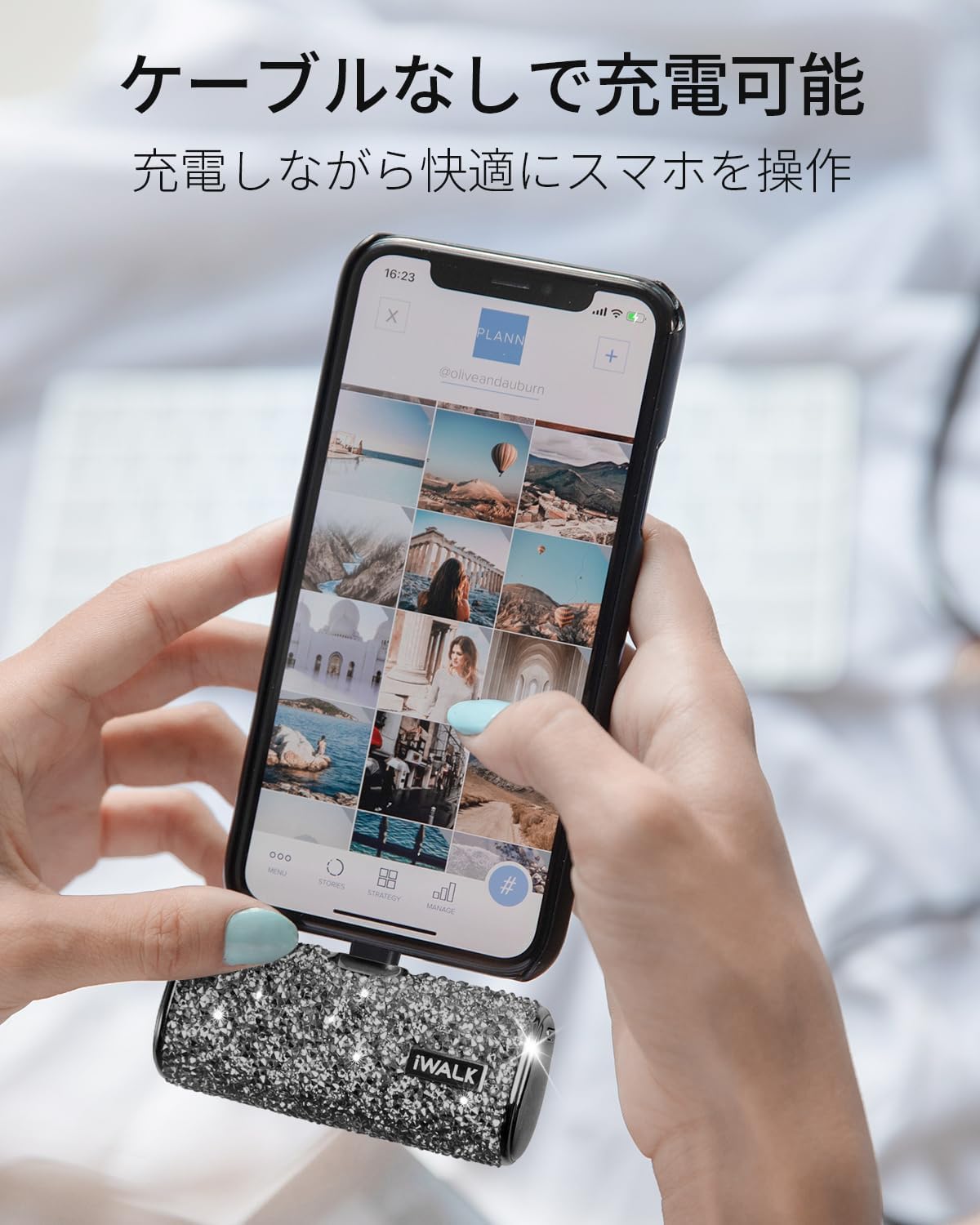
Image: A person holding a smartphone that has the iWALK DBS4500C portable charger plugged directly into its charging port, showcasing the convenience of cable-free usage while operating the phone.
5.2 Pass-Through Charging
The iWALK DBS4500C supports pass-through charging, allowing you to charge both your device and the portable charger simultaneously.
- Plug the iWALK DBS4500C directly into your smartphone or other compatible device.
- Connect the USB-C to USB-C cable to the charging port on the side of the portable charger.
- Plug the other end of the USB-C cable into a power source (e.g., wall adapter).
- Both your device and the portable charger will begin charging.
5.3 Checking Battery Level
The portable charger features LED indicator lights to display its remaining battery capacity. Refer to the product's physical indicators for specific light patterns and their corresponding battery levels.
6. Maintenance
6.1 Cleaning
- Ensure the device is powered off and disconnected from all power sources and devices before cleaning.
- Wipe the surface with a soft, dry, lint-free cloth.
- Do not use abrasive cleaners, solvents, or harsh chemicals.
6.2 Storage
- Store the portable charger in a cool, dry place away from direct sunlight and extreme temperatures.
- If storing for an extended period, charge the device to approximately 50-70% every three months to maintain battery health.
7. Troubleshooting
| Problem | Possible Cause | Solution |
|---|---|---|
| Portable charger not charging. | Low battery on portable charger. Loose connection. Faulty cable or adapter. | Ensure the portable charger is fully charged. Check all connections are secure. Try a different USB-C cable or wall adapter. |
| Device not charging from portable charger. | Portable charger low on battery. Incorrect connection. Device incompatibility. | Recharge the portable charger. Ensure the USB-C connector is fully inserted into your device. Verify your device has a USB Type-C port and is compatible. |
| Slow charging. | Using a low-power adapter. Cable quality. Device's charging input limit. | Use a higher wattage USB wall adapter for faster charging of the portable charger. Ensure the USB-C cable is of good quality. Some devices have a maximum charging input. |
8. Specifications
- Model: DBS4500C
- Battery Capacity: 4500mAh
- Battery Type: Lithium Ion
- Connector Type: Built-in USB Type-C
- Product Weight: 97.4 g
- Dimensions: 11.8 x 11.1 x 4.6 cm (Package Size)
- Special Features: Pocket size, Lightweight, High-speed charging, Pass-through charging
- Safety Certifications: PSE Certified
- Manufacturer: U2O Global Co.,Ltd
- Country of Origin: China
9. Important Safety Information
Please observe the following safety guidelines to prevent damage to the product or injury to yourself:
- Do not expose the portable charger to extreme temperatures (hot or cold), direct sunlight, or high humidity.
- Do not disassemble, modify, or attempt to repair the device. This will void the warranty and may cause safety hazards.
- Keep out of reach of children.
- Do not drop, puncture, or apply excessive force to the device.
- Avoid contact with water or other liquids. If the device gets wet, discontinue use immediately.
- Use only approved chargers and cables for recharging the portable charger.
- Dispose of the product responsibly according to local regulations for electronic waste.
10. Warranty and Support
10.1 Warranty Information
This iWALK product is covered by a standard manufacturer's warranty against defects in materials and workmanship. The warranty period typically begins from the date of purchase. Please retain your proof of purchase for warranty claims. Specific warranty terms and conditions may vary by region and retailer.
10.2 Customer Support
For technical assistance, warranty claims, or any questions regarding your iWALK DBS4500C portable charger, please contact the retailer where you purchased the product or visit the official iWALK website for support contact information.
Online Support: www.iwalk.net/support (Example link, please refer to actual product documentation for correct URL)
Related documentsDBS4500C


Ask a question about this manual
Ask about setup, troubleshooting, compatibility, parts, safety, or missing instructions. Manuals+ will review the question and use this page’s manual context to help answer it.