
1. Product Overview
The JMEXSUSS Outdoor Net Lights (Model EXS-N-0360) are designed for outdoor decorative lighting. This product features 360 LED lights arranged in a 12ft x 5ft (3.6m x 1.5m) net, offering multiple lighting modes, a timer function, and dimmable brightness. The net lights are waterproof (IP44 rated) for outdoor use, while the power adapter and controller require protection from water.
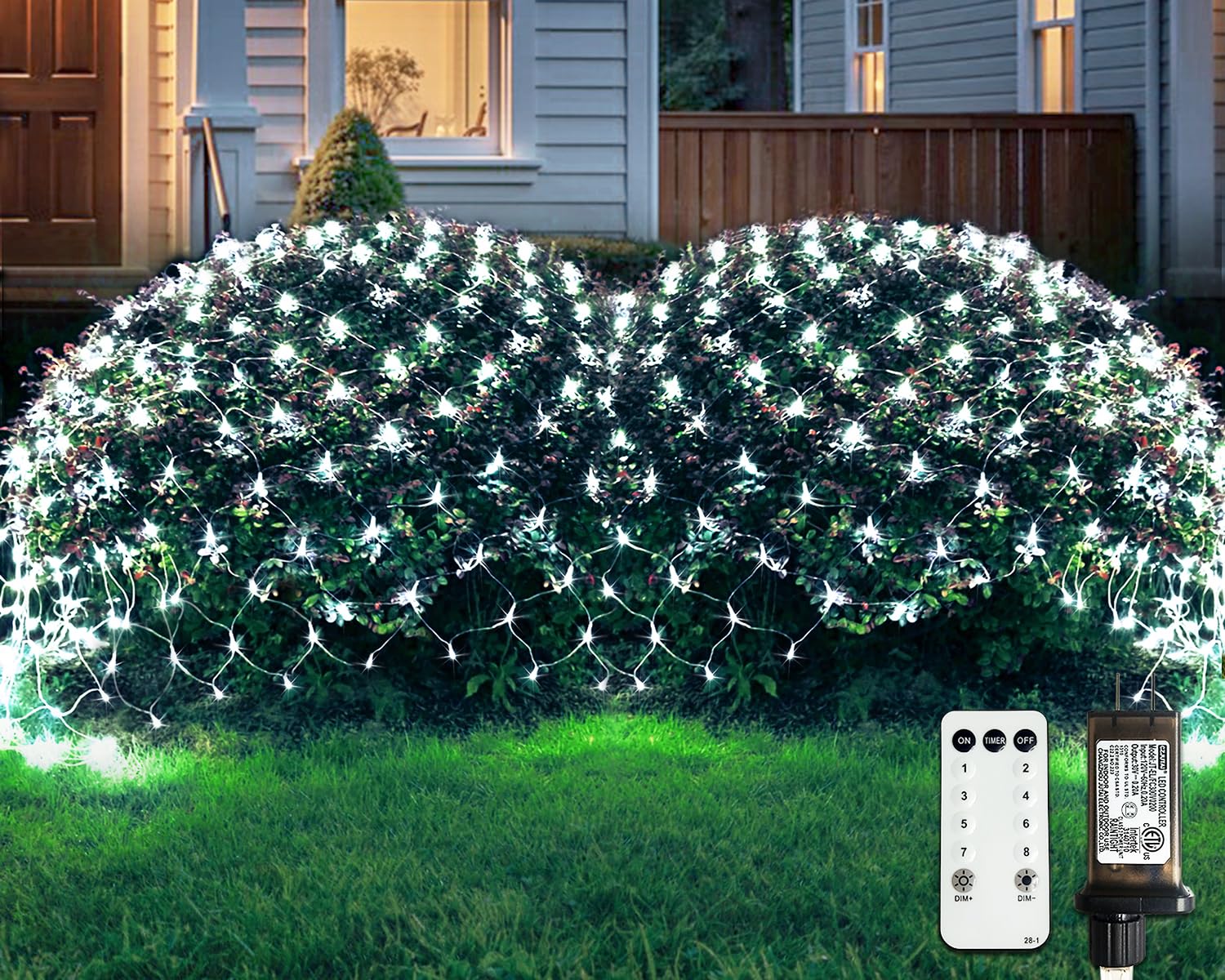
Image 1.1: JMEXSUSS Outdoor Net Lights (White, 360 LED)
2. Important Safety Instructions
- Power Source: Use only the provided UL-certified 30V low-voltage power adapter. Do not use any other power source.
- Water Resistance: The LED net lights are IP44 waterproof rated, suitable for outdoor exposure to rain and snow. However, the power adapter and control box are NOT waterproof and must be protected from direct water exposure. Place them in a dry, sheltered location or use a waterproof cover.
- Overheating: The low-voltage design ensures the lights are safe to touch and will not overheat during normal operation.
- Installation: Ensure all connections are secure before plugging into a power outlet. Do not install near flammable materials.
- Damage: Do not operate the lights if any part of the wiring or LEDs is damaged. Discontinue use immediately if any malfunction occurs.

Image 2.1: Illustration of waterproof net lights and non-waterproof plug.
3. Package Contents
Verify that all components are present and undamaged upon opening the package:
- 1 x JMEXSUSS Outdoor Net Lights (12ft x 5ft, 360 White LEDs)
- 1 x UL-certified 30V Low-Voltage Power Adapter with Control Box
- 1 x Remote Control
4. Installation Guide
These net lights are designed for easy installation over various outdoor structures.
- Unpack the Lights: Carefully unroll the net lights from their packaging. Avoid tangling the wires.
- Placement: Drape the net lights over bushes, fences, walls, gazebos, or other desired outdoor areas. Ensure the net is spread evenly for optimal light distribution.
- Connect to Power: Connect the net light string to the power adapter. Ensure the connection is secure.
- Protect the Adapter: Position the power adapter and control box in a location protected from direct rain or snow. Consider using a waterproof enclosure if a sheltered spot is unavailable.
- Plug In: Insert the power adapter into a standard outdoor electrical outlet.
- Expandability: Up to 3 sets of these net lights (total 1080 LEDs) can be connected end-to-end using the integrated connectors for wider coverage. Ensure the total wattage does not exceed the adapter's capacity.

Image 4.1: Securely connecting light strings.

Image 4.2: Net light dimensions (12ft x 5ft) and control options.
5. Operating Instructions
The net lights can be operated using either the control button on the power adapter or the included remote control.
Using the Control Button on the Adapter:
- Change Modes: Press the button repeatedly to cycle through the 8 different lighting modes.
- Set/Reset Timer: Press and hold the button for 3 seconds to activate or deactivate the timer function. A green light will indicate the timer is active (6 hours ON / 18 hours OFF cycle).

Image 5.1: Control button on the power adapter.
Using the Remote Control:
Ensure the remote control has a working battery and is pointed towards the control box.
- ON/OFF: Press the 'ON' button to turn the lights on, and 'OFF' to turn them off.
- Change Modes: Use buttons '1' through '8' to directly select a specific lighting mode, or cycle through them using the mode button on the adapter.
- Timer: Press the 'TIMER' button to activate the 6 hours ON / 18 hours OFF cycle. Press again to deactivate.
- Dimming: Use 'DIM+' to increase brightness and 'DIM-' to decrease brightness. Available levels are 25%, 50%, 75%, and 100%.

Image 5.2: Remote control for net lights.
6. Lighting Modes and Features
The JMEXSUSS Outdoor Net Lights offer 8 distinct lighting modes to suit various preferences:
- Combination: Cycles through all modes automatically.
- In Waves: Lights fade in and out in a wave-like pattern.
- Sequential: Lights illuminate in sequence.
- Slow-Glow: Lights slowly glow on and off.
- Chasing/Flash: Lights chase and flash rapidly.
- Slow Fade: Lights slowly fade from bright to dim.
- Twinkle/Flash: Lights twinkle and flash intermittently.
- Steady On: All lights remain continuously lit.
Additional Features:
- Memory Function: The lights will remember the last selected lighting mode when turned off and resume that mode when turned back on.
- Timer Function: Activates a 6-hour ON and 18-hour OFF cycle. Once set, the lights will automatically turn on for 6 hours and then off for 18 hours, repeating daily.
- Dimmable: Adjust the brightness to 25%, 50%, 75%, or 100% using the remote control.

Image 6.1: Remote control features including dimming, timer, and modes.
7. Care and Maintenance
- Cleaning: Gently wipe the LED net lights with a soft, damp cloth if they become dirty. Do not use harsh chemicals or abrasive cleaners.
- Storage: Before storing, ensure the lights are dry. Carefully roll or fold the net to prevent tangling and damage to the wires. Store in a cool, dry place away from direct sunlight.
- Protecting the Control Box: As the power adapter and control box are not waterproof, always ensure they are protected from moisture, especially during heavy rain or snow. Consider wrapping them in plastic or placing them in a waterproof container.
- Regular Inspection: Periodically inspect the wires and LEDs for any signs of damage, such as cuts, fraying, or broken bulbs. Replace or repair damaged sections as necessary to ensure safe operation.
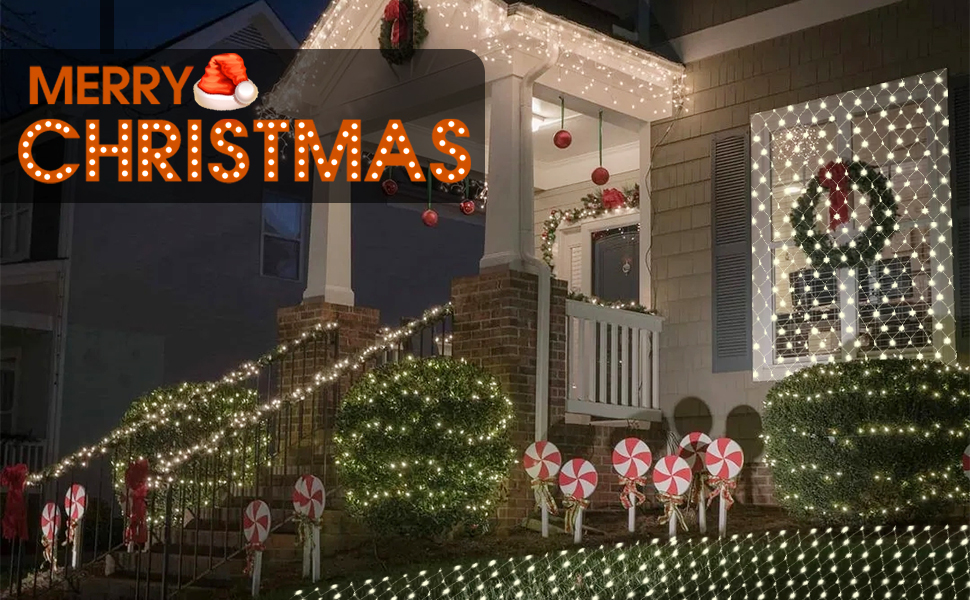
Image 7.1: Net lights installed on outdoor bushes, demonstrating typical usage.
8. Troubleshooting Guide
| Problem | Possible Cause | Solution |
|---|---|---|
| Lights do not turn on. | No power, loose connection, faulty adapter. | Check if the power adapter is securely plugged into a working outlet. Ensure all connections between the lights and adapter are firm. Test the outlet with another device. |
| Some sections of the net lights are not lit. | Damaged LED or wiring, loose internal connection. | Inspect the unlit section for visible damage to LEDs or wires. If damage is found, discontinue use. If no visible damage, ensure connections between multiple sets (if applicable) are secure. |
| Remote control is not working. | Dead battery, obstruction, out of range. | Replace the remote control battery. Ensure there are no obstructions between the remote and the control box. Point the remote directly at the control box and ensure you are within range. |
| Timer function is not activating/deactivating. | Incorrect button press, malfunction. | Ensure you press and hold the control button on the adapter for 3 seconds until the green light appears/disappears, or press the 'TIMER' button on the remote. |
9. Product Specifications
| Feature | Specification |
|---|---|
| Model Number | EXS-N-0360 |
| Dimensions | 12 ft x 5 ft (3.6m x 1.5m) |
| LED Count | 360 LEDs |
| Light Color | White |
| Power Source | Corded Electric (UL-certified 30V Low-Voltage Plug) |
| Indoor/Outdoor Usage | Outdoor (Lights IP44 Waterproof, Adapter/Controller Not Waterproof) |
| Lighting Modes | 8 Modes (Combination, In Waves, Sequential, Slow-Glow, Chasing/Flash, Slow Fade, Twinkle/Flash, Steady On) |
| Special Features | Remote Control, Timer (6H ON/18H OFF), Dimmable (25%, 50%, 75%, 100%), Memory Function, Connectable (up to 3 sets) |
| Material | Plastic |
| Item Weight | 1.32 pounds (0.6 kg) |
| Manufacturer | Linhai Exsuss Light & Decor Co.,Ltd |
10. Warranty and Customer Support
For any questions, concerns, or support regarding your JMEXSUSS Outdoor Net Lights, please contact JMEXSUSS customer service. While specific warranty details are not provided in this manual, please refer to your purchase documentation or the retailer's policy for warranty information.
Manufacturer: Linhai Exsuss Light & Decor Co.,Ltd
Brand: JMEXSUSS