
Important Safety Information
Please read all instructions carefully before using the device. Keep this manual for future reference.
- Initial Charge: Charge the device for at least 5 hours before the first use to activate the battery.
- Do not expose the device to extreme temperatures, moisture, or direct sunlight.
- Do not attempt to disassemble or modify the device. This will void the warranty and may cause damage.
- Use only the provided USB cable for charging.
Package Contents
Verify that all items are present in the package:
- 1 x Aigital Bluetooth Car Speakerphone
- 1 x USB Charging Cable
- 1 x User Manual

Image: The Aigital T825 speakerphone, its packaging box, a USB charging cable, and the included user manual.
Product Overview
The Aigital T825 is a hands-free Bluetooth car speakerphone designed to enhance driving safety by allowing you to manage calls and music without distraction. It features Bluetooth 5.0+EDR for stable connections, HD voice, noise cancellation technology, and a powerful 3-watt speaker for clear audio.
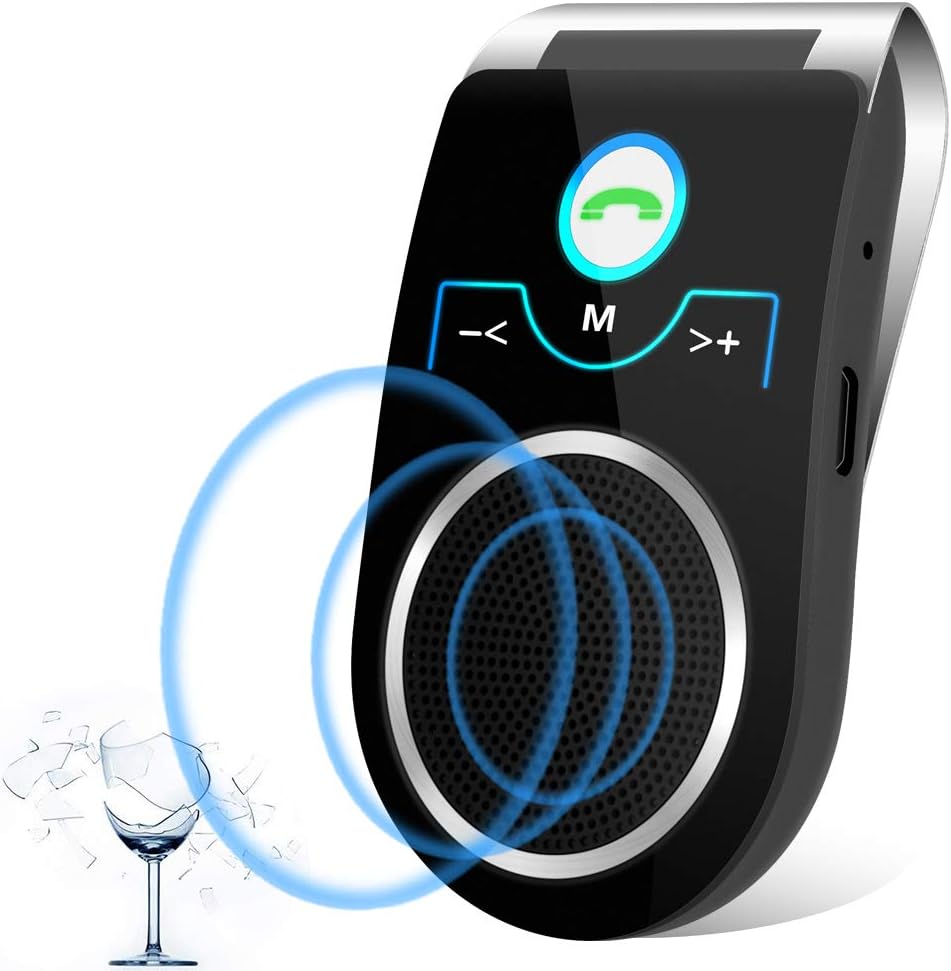
Image: Front view of the Aigital T825 Bluetooth Car Speakerphone, highlighting its main buttons and speaker.

Image: A detailed diagram of the Aigital T825 speakerphone, showing the location and function of each button and port.
Setup
1. Charging the Device
Before first use, fully charge the speakerphone for at least 5 hours. Subsequent charges typically take 1-2 hours.
- Connect the provided USB charging cable to the Micro USB Charging Port on the speakerphone.
- Plug the other end of the USB cable into a USB power adapter (not included) or a car USB port.
- The indicator light will show charging status (refer to device for specific light behavior).
2. Mounting the Speakerphone
The T825 is designed to clip onto your car's sun visor for optimal microphone and speaker placement.
- Open the visor clip on the back of the speakerphone.
- Securely attach the speakerphone to your car's sun visor. Ensure it does not obstruct your view or interfere with driving controls.

Image: A woman driving, showing the Aigital T825 speakerphone securely clipped to the car's sun visor.
3. Powering On/Off
- To Power On: Slide the ON/OFF switch to the 'ON' position. You will hear an audible confirmation.
- To Power Off: Slide the ON/OFF switch to the 'OFF' position.
4. Bluetooth Pairing
The speakerphone will automatically enter pairing mode when powered on for the first time or if no device is connected.
- Ensure the speakerphone is powered on and within 10 meters (33 feet) of your mobile phone.
- Enable Bluetooth on your mobile phone.
- Search for available Bluetooth devices. The speakerphone will appear as "T825" or "Aigital T825".
- Select "T825" to connect. You will hear a confirmation tone or voice prompt when successfully paired.
5. Dual Phone Connection
The T825 supports connecting two mobile phones simultaneously.
- Pair the first phone as described above.
- Once the first phone is connected, disable Bluetooth on the first phone temporarily.
- Pair the second phone to the T825.
- Re-enable Bluetooth on the first phone. Both phones should now be connected to the speakerphone.

Image: A man driving, illustrating the multi-point connection feature of the Aigital T825, allowing two phones to be connected at once.
Operating Instructions
1. Making and Receiving Calls
- Answering a Call: Press the Green Phone Button once.
- Ending a Call: Press the Green Phone Button once during a call.
- Rejecting a Call: Press and hold the Green Phone Button for 2 seconds.
- Redialing Last Number: Double-press the Green Phone Button.
- Switching Call to Phone: During a call, press and hold the Green Phone Button for 2 seconds to transfer the call to your phone. Repeat to transfer back to the speakerphone.

Image: A woman driving, engaged in a hands-free call using the Aigital T825 speakerphone, with a phone screen showing an active call.
2. Voice Command (Siri/Google Assistant)
Activate your phone's voice assistant (Siri or Google Assistant) with a single button press to make calls, send texts, or get directions while keeping your hands on the wheel.
- Activate Voice Assistant: Press the M (Mode) Button once.
- Once activated, speak your command clearly.

Image: A man driving, demonstrating the voice guidance feature of the Aigital T825, with speech bubbles indicating "Siri, Ok Google.." and "Call Mom".

Image: A man driving, utilizing the Aigital T825 for GPS navigation audio, with a smartphone displaying a map application.
3. Music Streaming
Stream music from your connected phone through the speakerphone.
- Play/Pause: Press the M (Mode) Button once during music playback.
- Next Track: Press the >+ (Next) Button once.
- Previous Track: Press the -< (Previous) Button once.

Image: Two individuals in a car, enjoying HiFi music streaming through the Aigital T825 speakerphone, with a smartphone displaying a music player interface.
4. Volume Control
- Increase Volume: Press and hold the >+ (Next) Button.
- Decrease Volume: Press and hold the -< (Previous) Button.
5. Language Switching
- To switch the voice prompt language, double-press the M (Mode) Button.
Maintenance
Proper care will ensure the longevity of your Aigital T825 speakerphone.
- Cleaning: Wipe the device with a soft, dry cloth. Do not use abrasive cleaners or solvents.
- Storage: When not in use for extended periods, store the device in a cool, dry place away from direct sunlight and extreme temperatures.
- Battery Care: To preserve battery life, avoid fully discharging the battery frequently. Charge the device when the low battery indicator is active.
Troubleshooting
If you encounter issues with your Aigital T825, refer to the following common problems and solutions:
| Problem | Possible Cause | Solution |
|---|---|---|
| Device does not power on. | Battery is depleted; Power switch is off. | Charge the device for at least 5 hours initially, then 1-2 hours for subsequent charges. Ensure the ON/OFF switch is firmly in the 'ON' position. |
| Cannot pair with phone. | Bluetooth is off on phone; Device is too far; Device is already connected to another phone. | Ensure Bluetooth is enabled on your phone. Move the device closer to your phone (within 10m). Disconnect from other devices or restart the speakerphone. |
| Low or unclear audio. | Volume is too low; Speakerphone position; Environmental noise. | Increase the volume on both the speakerphone and your phone. Ensure the speakerphone is positioned correctly on the visor, facing you. The device has noise cancellation, but extreme noise may still affect clarity. |
| USB charging cable is hard to plug in. | Misalignment; New port stiffness. | Ensure the cable is oriented correctly. The port may be stiff initially; apply gentle, firm pressure. Do not force it. |
| Battery life is shorter than expected. | Frequent use; Age of battery; Not fully charged. | Ensure the device is fully charged before use. Battery performance may degrade over time. Reduce usage time if possible. |
| No low battery alert before shutting off. | Limited warning period. | The device provides a short warning (1-2 minutes of beeps) before shutting off. It is recommended to charge regularly, especially before long trips. |
Specifications
- Model Number: T825
- Product Dimensions: 2.36 x 1.57 x 4.33 inches
- Item Weight: 4.2 ounces
- Batteries: 1 Lithium Ion battery (included)
- Connectivity Technology: Bluetooth 5.0 + EDR
- Power Source: Battery Powered
- Material: Plastic
- Speaker Output: 3 Watts
- Talk Time: Up to 22 hours
- Standby Time: Up to 45 days
- Bluetooth Range: Up to 10 meters (33 feet)
Official Product Video
Video: This video demonstrates the key features of the Aigital T825 Bluetooth Car Speakerphone, including its hands-free conversation capabilities, DSP noise reduction technology for clear calls, long talk time, voice guidance for Siri and Google Assistant, HiFi music streaming, and its portable design.
Warranty and Support
Aigital is committed to providing high-quality products and customer satisfaction.
- Warranty: This product comes with a 60-day satisfaction guarantee. If you are not absolutely satisfied, you may return it within 60 days for a refund, no questions asked.
- Customer Support: For any questions, technical assistance, or warranty claims, please refer to the contact information provided on the product packaging or the official Aigital website.