
Panana TVFRTS06-all4
Panana Modern TV Stand Instruction Manual
Model: TVFRTS06-all4
Introduction
This manual provides detailed instructions for the assembly, operation, and maintenance of your Panana Modern TV Stand. Please read all instructions carefully before beginning assembly and retain this manual for future reference. This TV stand is designed to accommodate televisions up to 70 inches and features a modern design with ample storage.
Safety Information
Important Safety Instructions:
- Always assemble the TV stand according to the provided instructions.
- Ensure the stand is stable and level before placing any heavy items on it.
- Do not exceed the weight limit of the stand to prevent accidents.
- Keep the area around the stand clear to avoid potential hazards.
- Use caution when moving the assembled stand to prevent injury or damage.
Product Features
The Panana Modern TV Stand offers a blend of style and functionality:
- Modern Design: Crafted from high-quality MDF with smooth lines, suitable for various interior decor styles.
- Ample Storage: Dimensions of 63 inches (W) x 21.6 inches (H) x 15 inches (D) with 2 doors and 2 open cubby spaces for media equipment, DVDs, game consoles, and accessories.
- Cable Management: Features pre-drilled holes on the back panel to organize and conceal cables, maintaining a tidy appearance.
- Stable and Durable: Constructed with a sturdy honeycomb board and durable handles for enhanced stability and longevity. Designed for TVs up to 70 inches.
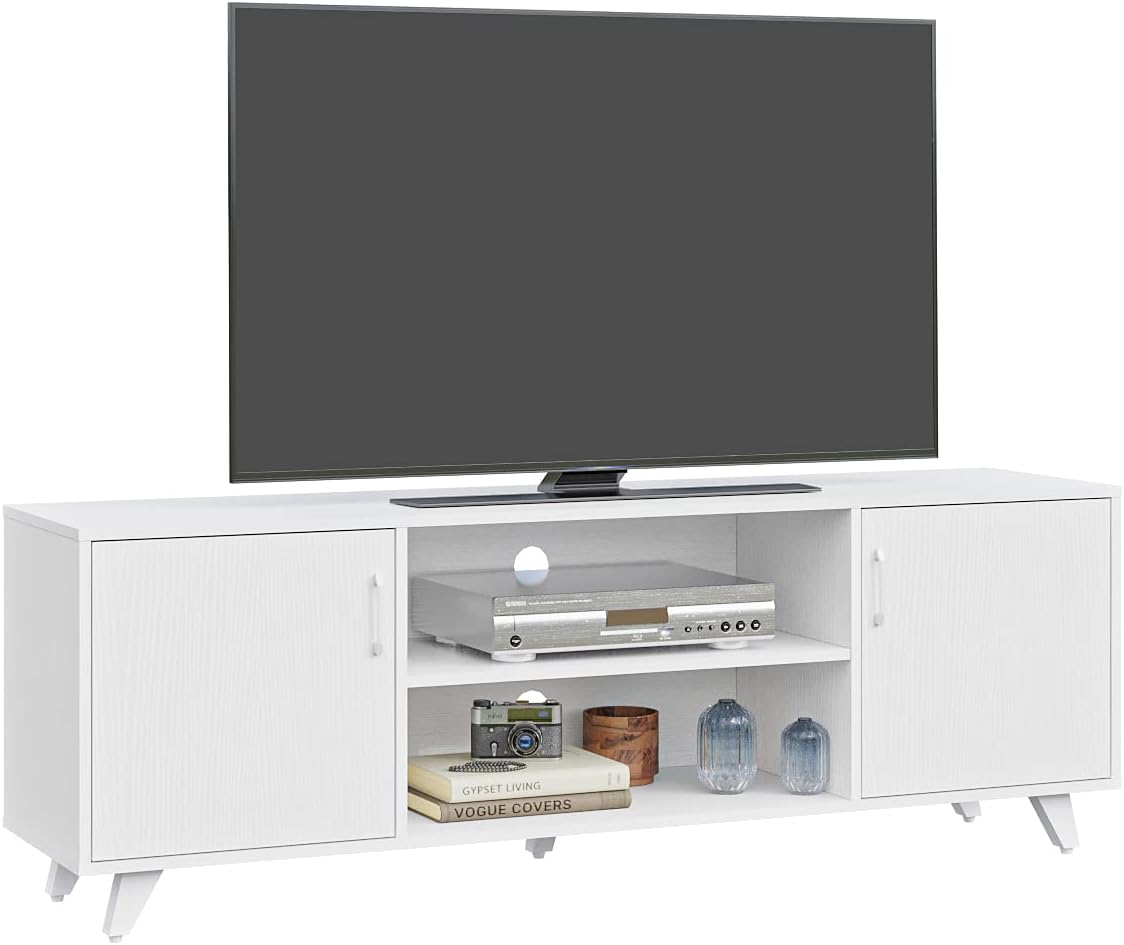
Image showing detailed features: (1) Door Magnet Device, (2) Durable Metal Handle, (3) Cable Management Hole, (4) Strong Support Foot.
Specifications
| Brand | Panana |
| Model Number | TVFRTS06-all4 |
| Color | White |
| Material | Engineered Wood |
| Product Dimensions (D x W x H) | 15"D x 63"W x 21.6"H |
| Item Weight | 33 pounds |
| Recommended TV Size | Up to 70 inches |
| Number of Doors | 2 |
| Number of Shelves | 3 (1 adjustable in center, 2 fixed in cabinets) |
| Mounting Type | Floor Mount |
| Assembly Required | Yes, assembly instructions included |

Detailed dimensions of the TV stand, including overall width (62.99"), height (21.65"), and depth (14.96").
Setup and Assembly
This TV stand requires assembly. Please follow the included assembly guide step-by-step. All necessary hardware is provided in the package.
- Unpack Components: Carefully remove all parts from the packaging and lay them out on a clean, soft surface to prevent scratches. Verify all parts and hardware are present against the parts list in the assembly guide.
- Assemble Frame: Begin by attaching the side panels to the base and top panels using the provided fasteners. Ensure all connections are secure.
- Install Shelves: Insert the adjustable shelf into the central compartment at your desired height. The fixed shelves within the cabinet sections are typically integrated during frame assembly.
- Attach Back Panel: Secure the back panel to the frame. Ensure the cable management holes are correctly oriented.
- Mount Doors: Attach the door hinges to the cabinet doors and then to the side panels. Adjust hinges as needed for proper door alignment.
- Install Handles and Feet: Attach the door handles and the support feet to the base of the stand.
- Final Check: Once assembled, gently shake the stand to ensure it is stable. Tighten any loose fasteners.
View of the TV stand with cabinet doors open, revealing the internal storage layout and central shelves.
Operating Instructions
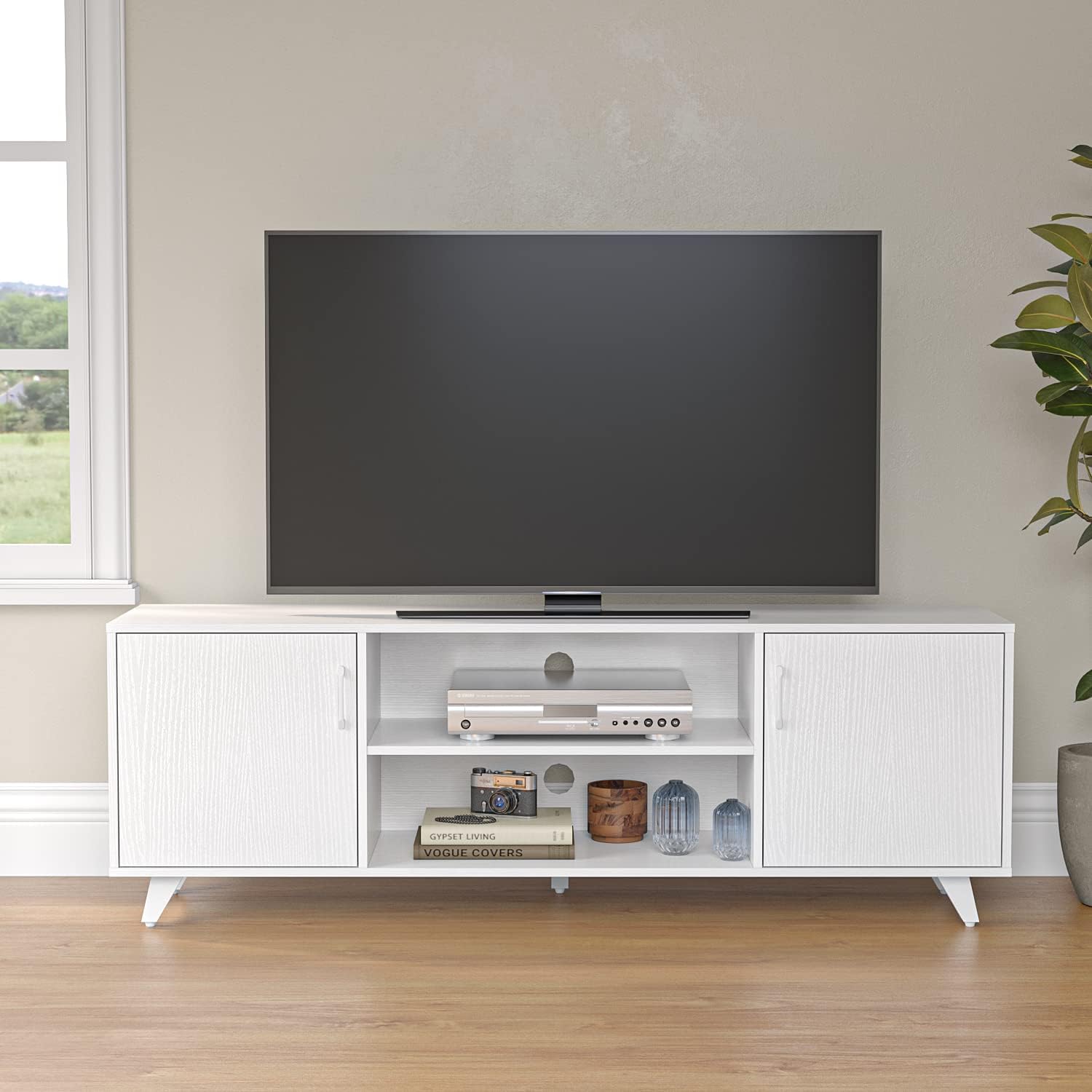
Once assembled, place the TV stand on a flat, level surface. Position your television centrally on the top surface, ensuring it does not exceed the stand's weight capacity or dimensions. Utilize the open shelves for media devices such as DVD players, game consoles, or soundbars. The enclosed cabinets can store additional items, keeping your living space organized.
Use the integrated cable management holes on the back panel to route and conceal power cords and audio/video cables. This helps maintain a clean aesthetic and prevents cable clutter.

The TV stand integrated into a living room, showcasing its use with a television and various media components.
Maintenance
To maintain the appearance and longevity of your Panana Modern TV Stand, follow these simple care instructions:
- Cleaning: Wipe the surfaces with a dry, soft cloth. Avoid using abrasive cleaners, harsh chemicals, or excessive moisture, as these can damage the finish.
- Spills: Immediately wipe up any spills with a dry cloth to prevent staining or water damage.
- Sunlight: Avoid prolonged exposure to direct sunlight to prevent fading or discoloration of the finish.
- Heat: Do not place hot items directly on the surface. Use coasters or protective pads if necessary.
- Inspections: Periodically check all fasteners and connections to ensure they remain tight and secure.
Troubleshooting
If you encounter any issues with your Panana Modern TV Stand, please refer to the following common solutions:
- Stand is Wobbly: Ensure all screws and fasteners are securely tightened. Verify the stand is on a level surface; adjust feet if necessary.
- Doors Do Not Align: Check the hinge adjustments. Most hinges allow for minor adjustments to align doors properly. Refer to the assembly guide for specific hinge adjustment instructions.
- Missing Parts: If any parts are missing upon unboxing, please contact customer support immediately with your purchase details.
- Damage During Assembly: If a part is damaged during assembly, stop and contact customer support for assistance.
Warranty and Support
For warranty information or technical support, please refer to your purchase documentation or contact Panana customer service. Keep your proof of purchase for any warranty claims.
Customer Service: Please visit the official Panana website or contact your retailer for support.
Ask a question about this manual
Ask about setup, troubleshooting, compatibility, parts, safety, or missing instructions. Manuals+ will review the question and use this page’s manual context to help answer it.