
Treocho MC2101-BK
Treocho Wood Wall Cabinet
Model: MC2101-BK
Introduction
This instruction manual provides detailed guidance for the assembly, installation, operation, and maintenance of your Treocho Wood Wall Cabinet, Model MC2101-BK. Please read all instructions carefully before beginning assembly and retain this manual for future reference. Proper assembly and care will ensure the longevity and safe use of your cabinet.
Important Safety Information
Failure to follow these safety instructions may result in injury or damage to the product.
- Always unplug and disconnect the cabinet from any power source before assembly or installation (if applicable, though this cabinet does not have electrical components, general safety advice).
- Use appropriate safety gear, including safety glasses and work gloves, during assembly and installation.
- Ensure the wall surface is flat and sturdy enough to support the cabinet's weight and its contents.
- Do not overload the cabinet, as this could cause it to tip over or become unstable.
- Keep the cabinet away from heat sources and flammable materials.
- Always supervise children when they are near the cabinet.
Product Specifications
| Feature | Detail |
|---|---|
| Brand | Treocho |
| Model Number | MC2101-BK |
| Color | Black |
| Product Dimensions (D x W x H) | 9.25" x 18.9" x 23.43" |
| Item Weight | 20.5 Pounds |
| Weight Limit | 20.5 Pounds (for contents, ensure even distribution) |
| Mounting Type | Wall Mount |
| Number of Shelves | 3 (including 1 adjustable internal shelf and 1 fixed open shelf) |
| Assembly Required | Yes |
| Frame Material | Wood |
| Top/Back Material Type | Engineered Wood |
| Special Feature | Adjustable Shelf |
Setup and Assembly
Your Treocho Wood Wall Cabinet requires assembly. Detailed instructions, numbered parts, and accessories are included in the product package. Please follow the enclosed guide for a smooth assembly process.
Tools Required:
- Phillips Head Screwdriver
General Assembly Steps:
- Unpack all components and verify against the parts list provided in your package.
- Assemble the main frame of the cabinet according to the step-by-step diagrams.
- Attach the back panel.
- Install the adjustable shelf supports and the adjustable shelf.
- Attach the hinges to the doors and then to the cabinet frame.
- Install the door handles.
- Mount the cabinet to a sturdy wall using appropriate hardware (wall anchors may be required depending on wall type, not always included).
Tip: The hinges are adjustable. If you notice a gap between the door panels, you can adjust the alignment by turning the screws on the hinge mechanism. Refer to your specific assembly guide for detailed hinge adjustment instructions.

This diagram illustrates the key dimensions of the Treocho Wood Wall Cabinet. It measures 18.9 inches in width, 9.25 inches in depth, and 23.43 inches in height. The internal height of the open shelf is also indicated as 7.30 inches.

This image highlights various features of the Treocho Wood Wall Cabinet. Callouts point to the adjustable shelf inside, the retro-style handles, the elegant lines of the design, the sturdy wood frame construction, and the convenient extra storage provided by the open shelf.
Operating Instructions
The Treocho Wood Wall Cabinet is designed for convenient storage in various rooms. It features two cabinet doors and an open bottom shelf.
Adjustable Shelf:
The interior of the cabinet includes one adjustable shelf. This shelf can be moved to three different positions (up, down, or removed entirely) to customize the storage space according to your needs. To adjust, carefully remove the shelf, reposition the shelf pins to the desired height, and then reinsert the shelf.
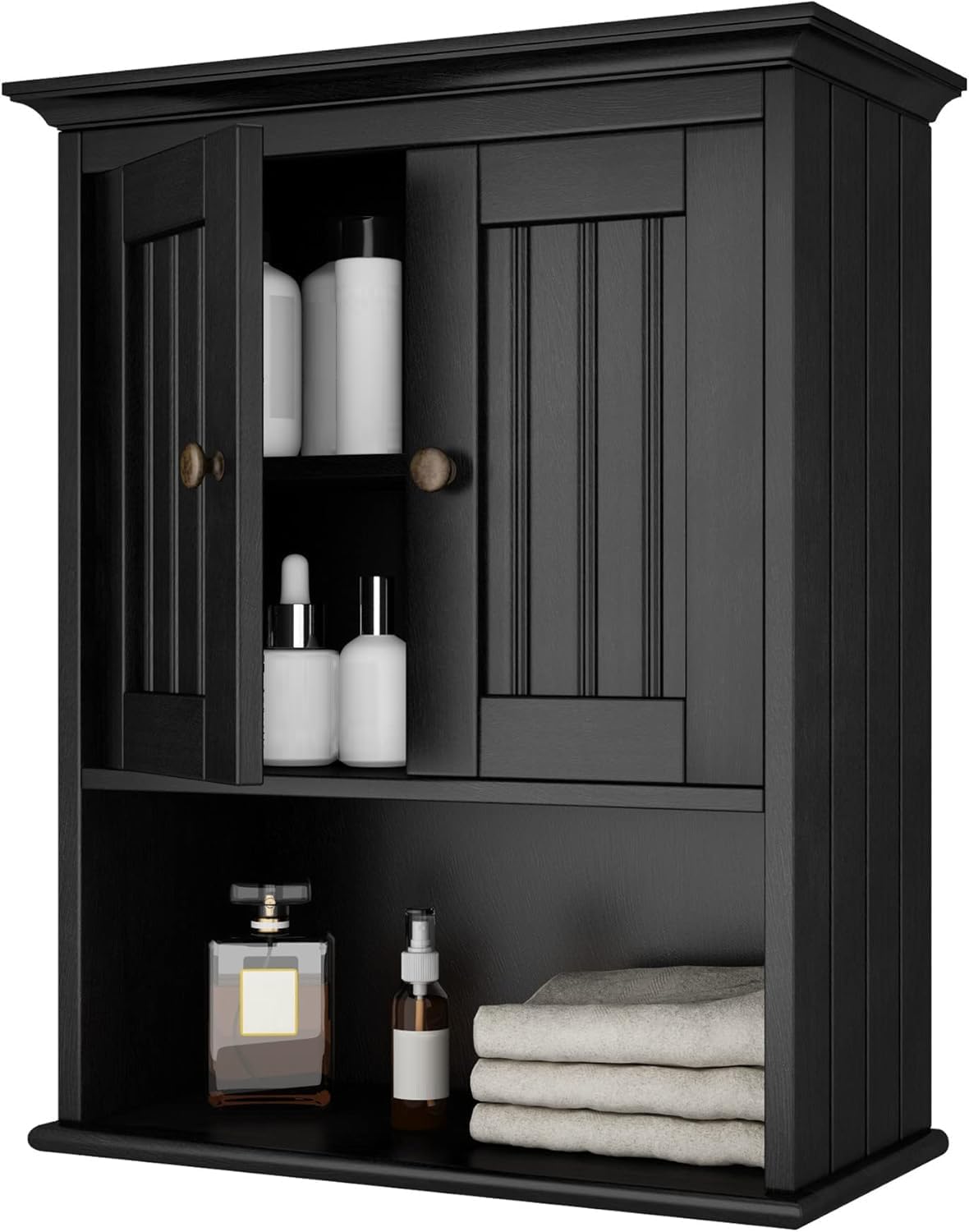
This image shows the Treocho Wood Wall Cabinet with its left door open, revealing an adjustable shelf and various items stored inside. The right door is closed, and an open shelf is visible at the bottom.

The Treocho Wood Wall Cabinet is shown installed on a wall above a white pedestal sink in a bathroom. The cabinet doors are slightly ajar, and an open shelf below holds small items. Other matching furniture pieces are visible in the background.
Maintenance
To maintain the appearance and longevity of your Treocho Wood Wall Cabinet, follow these simple care guidelines:
- Cleaning: Wipe surfaces with a soft, damp cloth. Avoid abrasive cleaners or harsh chemicals, as these can damage the finish.
- Spills: Immediately wipe up any spills to prevent water damage or staining.
- Dusting: Regularly dust with a dry, soft cloth.
- Inspection: Periodically check all screws and connections to ensure they remain tight. Tighten if necessary.
- Environment: Avoid placing the cabinet in direct sunlight or near heat sources to prevent warping or fading.
Troubleshooting
- Issue: Doors do not align or have a gap.
Solution: The cabinet features adjustable European hinges. Refer to the assembly guide for instructions on how to adjust the hinge screws to align the doors and minimize gaps. - Issue: Cabinet feels unstable after mounting.
Solution: Ensure the cabinet is securely mounted to a sturdy wall. If mounting into drywall, use appropriate drywall anchors (often sold separately) that can support the cabinet's weight plus its intended contents. Verify all mounting screws are tightened. - Issue: Missing parts or damaged components.
Solution: Review the parts list in your assembly manual. Contact Treocho customer support with details of the missing or damaged items.
Warranty Information
Treocho products are manufactured with quality and care. For specific warranty details regarding your MC2101-BK Wood Wall Cabinet, please refer to the warranty card included in your product packaging or contact Treocho customer support. Keep your proof of purchase for any warranty claims.
Customer Support
If you have any questions, require assistance with assembly, or need to report missing/damaged parts, please contact Treocho customer support. Refer to your product packaging or the official Treocho website for contact information.
Ask a question about this manual
Ask about setup, troubleshooting, compatibility, parts, safety, or missing instructions. Manuals+ will review the question and use this page’s manual context to help answer it.