
Introduction
This manual provides instructions for the PerFascin Replacement Remote Control, model FN2QAYB000698. This remote is designed to function as a direct replacement for the original Panasonic Blu-ray recorder remote control, offering equivalent functionality and a similar design. It is compatible with various Panasonic Blu-ray recorder models, ensuring seamless operation without complex setup procedures.
Compatible Models:
- DMR-BWT520
- DMR-BWT620
- DMR-BZT720
- DMR-BWT520-K
- DMR-BWT620-K
- DMR-BZT720-K
- DMR-BZT701
- DMR-BZT725
- DMR-BZT725-K

Image: PerFascin replacement remote control in a living room setting, emphasizing its full functionality and ease of use with no troublesome settings required.
Setup
The PerFascin Replacement Remote Control is designed for immediate use without any complex programming or pairing. Simply install the batteries, and it's ready to operate your compatible Panasonic Blu-ray recorder.
Battery Installation
- Locate the battery compartment cover on the back of the remote control.
- Slide the cover downwards or press the latch to open it.
- Insert two (2) AAA alkaline batteries into the compartment, ensuring the positive (+) and negative (-) terminals match the diagrams inside the compartment.
- Replace the battery compartment cover by sliding it back into place until it clicks securely.
Note: Batteries are not included and must be purchased separately.

Image: Side view of the PerFascin remote control, indicating its dimensions and the requirement for two AAA alkaline batteries (sold separately).
Operating Instructions
This replacement remote control provides all essential functions for your Panasonic Blu-ray recorder. The button layout is designed to be intuitive and similar to the original remote.
General Functions
- Power Button: Turns the device on or off.
- Numeric Keypad (0-9): For direct channel input or menu selections.
- Channel Up/Down: Navigates through channels.
- Volume Up/Down: Adjusts the audio volume.
- Menu/Guide: Accesses the device's main menu or program guide.
- Directional Arrows (Up, Down, Left, Right) & Enter/OK: For navigating menus and confirming selections.
- Playback Controls (Play, Pause, Stop, Fast Forward, Rewind, Skip): Manages media playback.
- Record Button: Initiates recording.
- Color Buttons (Red, Green, Yellow, Blue): Used for specific functions within menus or applications, as indicated on-screen.
Note: While the remote offers equivalent functionality, the exact button layout may differ slightly from your original remote. Please refer to the on-screen prompts of your Panasonic Blu-ray recorder for specific button actions.

Image: A detailed view of the PerFascin replacement remote control, illustrating its button layout and design, which is similar to the original remote.

Image: A note on the PerFascin remote control, advising that functions not present on the connected device or not mapped to a button on the remote cannot be operated, and that the button layout may vary slightly.
Maintenance
Cleaning
To maintain the remote control's performance and appearance, wipe it regularly with a soft, dry cloth. For stubborn dirt, slightly dampen the cloth with water or a mild, non-abrasive cleaner. Avoid using harsh chemicals, solvents, or abrasive materials, as these can damage the remote's surface or internal components.
Battery Replacement
Replace batteries when the remote's response becomes sluggish or stops working. Always replace both batteries at the same time with new AAA alkaline batteries. Do not mix old and new batteries, or different types of batteries, as this can lead to leakage or malfunction.
- Remove old batteries promptly to prevent leakage.
- Dispose of used batteries according to local regulations.
Troubleshooting
If you encounter issues with your PerFascin Replacement Remote Control, please refer to the following common solutions:
| Problem | Solution |
|---|---|
| Remote is not responding. |
|
| Some buttons do not work. |
|
| Remote range is reduced. |
|
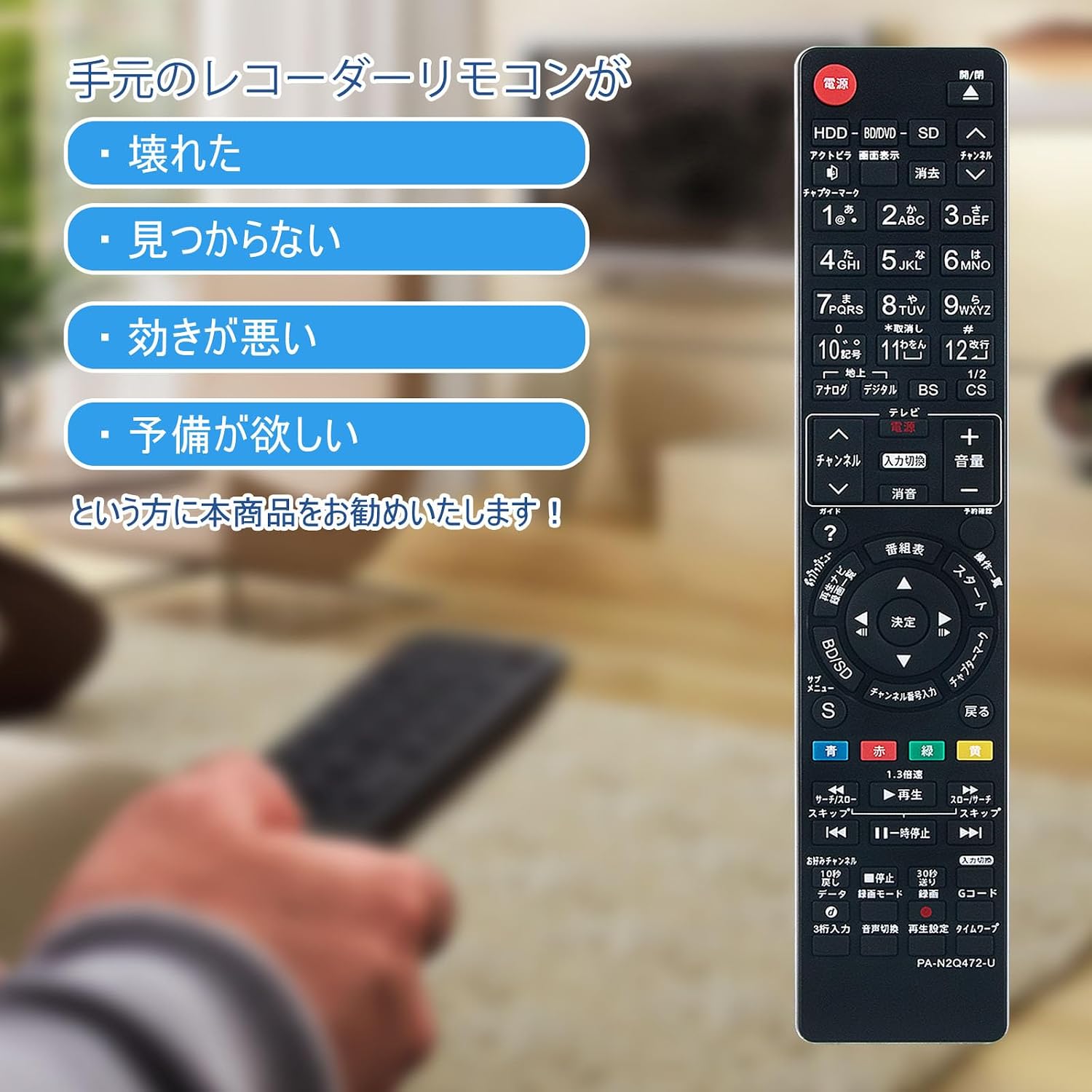
Image: This product is recommended if your current recorder remote is broken, lost, not working well, or if you simply desire a spare.
Specifications
- Brand: PerFascin
- Model Number: FN2QAYB000698 (Manufacturer Model: QH-472-PF-BFH-10)
- Compatibility: Panasonic Blu-ray Recorders (DMR-BWT520, DMR-BWT620, DMR-BZT720, DMR-BWT520-K, DMR-BWT620-K, DMR-BZT720-K, DMR-BZT701, DMR-BZT725, DMR-BZT725-K)
- Connectivity Technology: Infrared (IR)
- Color: Black
- Power Source: 2 x AAA Alkaline Batteries (not included)
- Maximum Range: 10 meters (approximately 33 feet)
- Special Feature: No setup required
- Country of Origin: China
Warranty and Support
This PerFascin replacement remote control comes with a 1-Year Warranty Against Manufacturer Defects. This warranty covers any defects in materials or workmanship under normal use during the warranty period.
For warranty claims or technical support, please contact the seller or refer to your purchase documentation for contact information. Please provide your model number (FN2QAYB000698) and a detailed description of the issue when seeking support.

Image: The PerFascin remote control features quick response, an environmentally friendly design, a comfortable feel, and includes a 1-year quality assurance, making it a convenient replacement.