
DCT CG1-magnetic
DCT Wireless Magnetic Camera
User Manual
Introduction
Thank you for choosing the DCT Wireless Magnetic Camera. This battery-powered WiFi camera is designed for versatile home security, offering features such as color night vision, advanced motion detection, and flexible storage options. Its magnetic mount allows for easy installation and repositioning. This manual provides detailed instructions for setting up, operating, and maintaining your camera to ensure optimal performance.
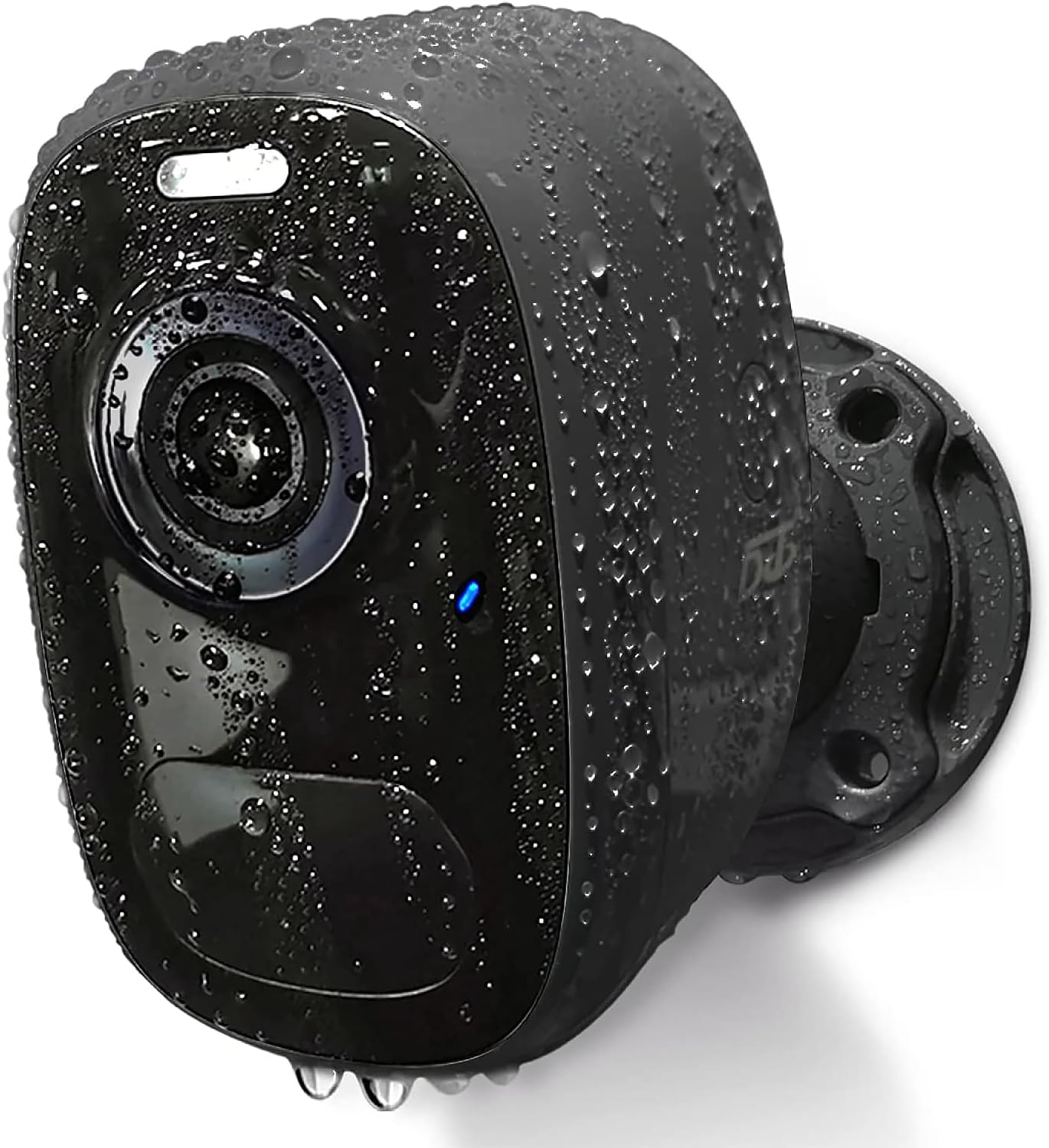
Image: The DCT Wireless Magnetic Camera, highlighting its waterproof capabilities.
Package Contents
Please verify that all items are included in your package:
- Camera Body
- Installation Accessories (Magnetic Mount, Screws, Wall Plugs)
- Instruction Manual
- USB Charging Cable

Image: Overview of the camera and its included accessories.
Technical Specifications
| Feature | Specification |
|---|---|
| Model Name | CG1-magnetic |
| Indoor/Outdoor Usage | Outdoor, Indoor |
| Power Source | Battery Powered |
| Connectivity Protocol | Wi-Fi (2.4GHz only) |
| Controller Type | iOS, Android |
| Video Capture Resolution | 1080p (2K HD Live Video) |
| Night Vision Range | 33 Feet |
| Water Resistance Level | IP65 Waterproof |
| Flash Memory Supported Size Maximum | 128 GB (SD Card) |
| Item Dimensions (L x W x H) | 3.7 x 3.4 x 2.5 inches |
| Special Features | HD Resolution, Magnetic mount, 2-Way Audio, Night Vision, Motion Sensor |
Setup Guide
1. Charging the Camera
Before first use, fully charge the camera using the provided USB cable. A full charge typically takes 8 hours and can last 1-3 months depending on usage. The camera can also be continuously powered by connecting it to a compatible solar panel (sold separately).
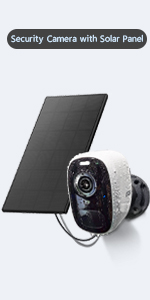
Image: Charging options for the camera.
2. App Installation and Account Registration
The DCT camera operates with the VicoHome app. Download the app from your device's app store (iOS or Android) or by scanning the QR code below. Register a new account with a valid email address.

3. Network Configuration (2.4GHz WiFi Only)
Ensure your camera is within range of a 2.4GHz WiFi network. This camera does not support 5GHz WiFi. Follow the in-app instructions to connect your camera to your home network.

Image: The camera's waterproof design and 2.4GHz WiFi compatibility.
4. Mounting the Camera
The DCT camera offers two installation methods:
- Magnetic Installation: The strong magnetic mount allows for quick, drill-free installation and 360° rotation. This method is ideal for temporary use or frequent repositioning and will not damage walls.
- Standard Bracket Installation: For a more permanent fixture, use the included bracket, screws, and wall plugs.

Image: Magnetic mount installation with 360° rotation.
Operating Instructions
1. Live Video Monitoring
Access the VicoHome app on your smartphone to view live 2K HD video from your camera anytime, anywhere. The app provides a comprehensive overview of all connected cameras.

Image: House Security Overview in the VicoHome App.
2. Motion Detection and AI Recognition
The camera features an advanced PIR sensor for accurate motion detection. It can identify and differentiate between people, pets, vehicles, and packages using smart AI technology. When motion is detected, you will receive real-time notifications on your phone.

Image: PIR Motion Detection features.

Image: AI Smart Recognition with Behavior Analysis.
3. Night Vision Modes
The camera offers two night vision modes for clear visibility in low-light conditions:
- Full-Color Night Vision: Provides excellent color images and videos at night.
- Infrared Night Vision: Offers a visible range of 33ft in black and white.

Image: Comparison of day, white light, and infrared night vision modes.
4. Two-Way Audio and Alarms
Utilize the built-in microphone and speaker for two-way audio communication. You can talk to visitors or deter intruders directly through the app. The camera also features an automatic or manual siren and spotlight as a deterrent.

Image: Two-Way Audio functionality.
5. Video Storage
All motion detection videos can be stored in two ways:
- Local SD Card: Supports up to a 128GB micro SD card (not included).
- Cloud Storage: Free 3-day, 0.5GB cycle cloud storage is provided without subscription.
6. Device Sharing
You can share access to your camera with up to 8 other users. They will need to download the VicoHome app and register an account. The camera owner can then share access via a QR code within the app.

Image: Device Sharing process.
Maintenance
- Battery Life: Recharge the camera when the battery level is low, as indicated in the app. Battery life varies based on activity and settings.
- Cleaning: Gently wipe the camera lens and body with a soft, damp cloth. Avoid harsh chemicals.
- Weather Protection: The camera is IP65 waterproof, designed to withstand various weather conditions (windy, rainy, snowy). Ensure the charging port cover is securely closed when not charging.
Troubleshooting
- Camera Not Connecting to WiFi:
- Ensure your WiFi network is 2.4GHz.
- Check WiFi signal strength at the camera's location.
- Restart your router and the camera.
- Verify correct WiFi password entry in the app.
- Short Battery Life:
- Frequent motion detection events and live viewing consume more battery. Adjust motion sensitivity or recording duration.
- Ensure the camera is fully charged (8 hours).
- Consider connecting to a solar panel for continuous power.
- Motion Detection Issues:
- Adjust PIR sensitivity settings in the app.
- Ensure there are no obstructions in the camera's field of view.
- Check for strong light sources or heat vents that might trigger false alarms.
- Poor Video Quality:
- Ensure a stable WiFi connection.
- Clean the camera lens.
Warranty and Support
DCT provides lifelong technical support for your camera. If you have any questions or encounter issues, please contact DCT's 24-hour customer service team for assistance. Your satisfaction is our priority.
For further assistance, please refer to the official DCT website or the VicoHome app's support section.
Related documentsCG1-magnetic


Ask a question about this manual
Ask about setup, troubleshooting, compatibility, parts, safety, or missing instructions. Manuals+ will review the question and use this page’s manual context to help answer it.