
1. Introduction
This manual provides comprehensive instructions for the FDUCE UHF Wireless Lavalier Microphone System, Model C01. This system is designed for high-quality audio recording with various devices, including smartphones, cameras, and computers. Please read this manual thoroughly before use to ensure proper operation and to maximize the product's performance.

Image: The FDUCE C-01 wireless lavalier microphone system, featuring a transmitter with a furry windshield and a receiver unit.
2. Package Contents
Verify that all items listed below are included in your package:
- 1 x Transmitter
- 1 x Receiver
- 1 x Type-C Charging Cable
- 1 x 3.5mm TRS Cable
- 1 x 3.5mm TRRS Cable
- 1 x Furry Windshield
- 1 x Furry Windshield Fixer

Image: All components included in the FDUCE C-01 wireless microphone system package.
3. Product Overview
Transmitter (TX)
- ON/OFF Button: Powers the unit on or off.
- Frequency Modulation (SET) Button: Changes the UHF frequency band.
- Volume + Button: Increases microphone volume.
- Volume - Button: Decreases microphone volume.
- Headphone Output: For real-time audio monitoring.
- Built-in Microphone: Omnidirectional pickup.
- External Microphone Input: 3.5mm jack for connecting an external lavalier microphone (not included).
Receiver (RX)
- ON/OFF Button: Powers the unit on or off.
- 3.5mm TRS Jack: Connects to recording devices.
- Power Indicator: Shows power status; flashes when battery is low.
- Connection Indicator: Shows pairing status.
- Type-C Charging Port: For charging the internal battery.
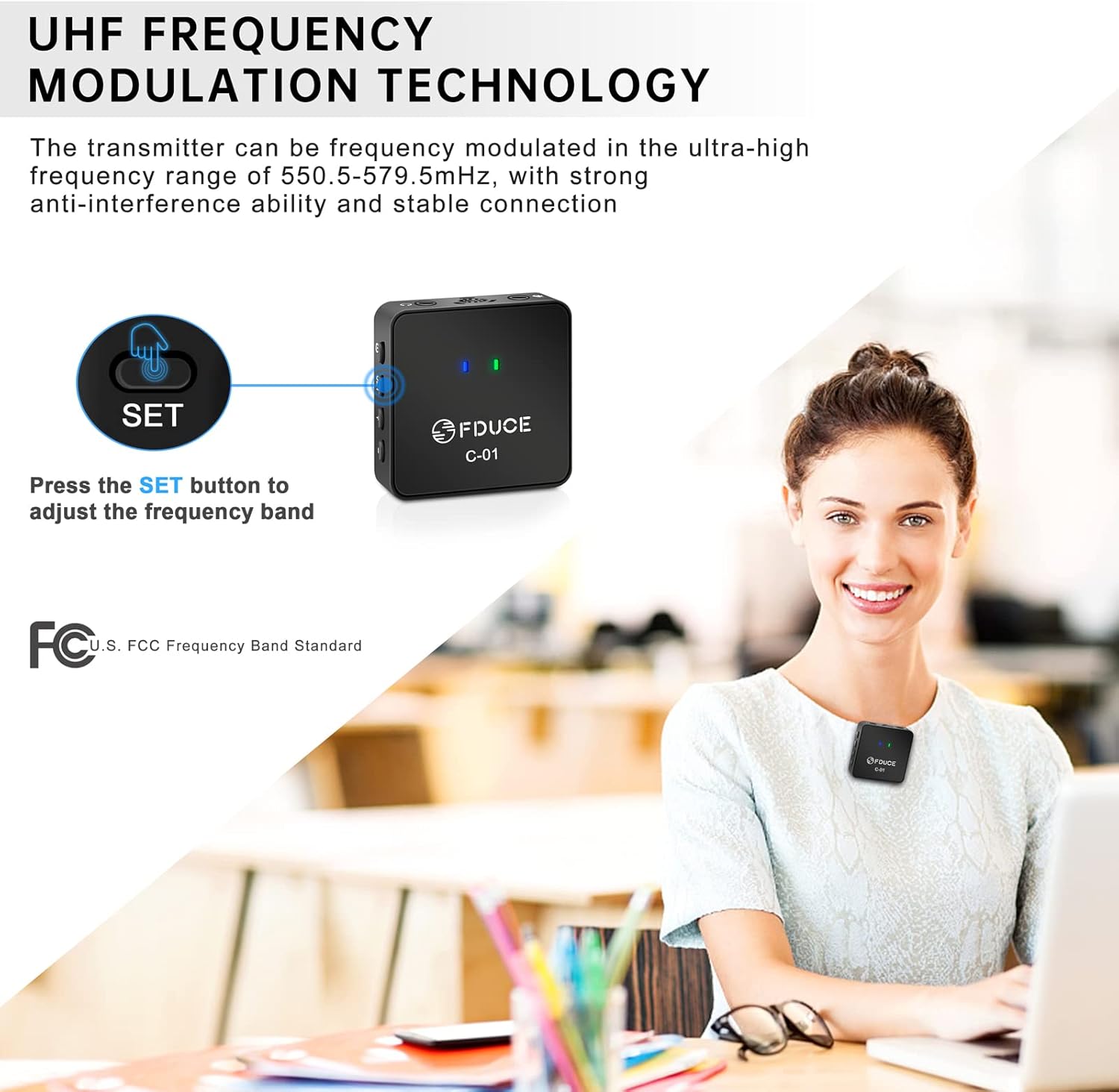
Image: Labeled diagram of the FDUCE C-01 transmitter and receiver, highlighting all buttons, ports, and indicators.
4. Setup Guide
- Charge the Devices: Before first use, fully charge both the transmitter and receiver using the provided Type-C charging cable. The power indicator will show charging status.
- Power On: Press and hold the ON/OFF button on both the transmitter and receiver until the indicator lights illuminate.
- Automatic Connection: The transmitter and receiver will automatically pair within approximately 3 seconds. The connection indicator light will become solid when successfully paired.
- Connect to Recording Device:
- For smartphones/laptops with a single 3.5mm TRRS port (headphone/mic combo), use the 3.5mm TRRS cable.
- For cameras/camcorders/desktops with separate 3.5mm TRS microphone input, use the 3.5mm TRS cable.
- If your device lacks a 3.5mm interface, a standard adapter (not included) will be required.
- Attach Transmitter: Clip the transmitter to your collar or clothing, ensuring the built-in microphone faces the sound source. For outdoor use or to reduce plosives, attach the furry windshield over the built-in microphone.

Image: Illustration of the FDUCE C-01 transmitter and receiver connecting to a laptop, demonstrating the automatic pairing process.
5. Operating Instructions
Recording Audio
- Ensure both transmitter and receiver are powered on and successfully paired.
- Connect the receiver to your recording device (smartphone, camera, laptop).
- Open your recording application or camera app.
- Perform a test recording to verify audio input and adjust volume levels using the Volume +/- buttons on the transmitter as needed.
- Begin your recording.
UHF Frequency Adjustment
The C01 system operates on UHF frequency bands (550.5-579.5MHz) with 30 adjustable channels. If you experience interference or noise during recording:
- Press the SET button on the transmitter to switch to a different frequency band.
- The receiver will automatically adjust its frequency to match the transmitter. No manual adjustment is required on the receiver.

Image: A user demonstrating how to adjust the frequency band on the FDUCE C-01 transmitter by pressing the SET button.
6. Compatibility
The FDUCE C01 Wireless Lavalier Microphone System is compatible with a wide range of devices:
- Smartphones (iPhone, Android)
- Tablets (iPad)
- DSLR Cameras
- Camcorders
- Laptops
- Desktop Computers
Ensure you use the correct 3.5mm cable (TRS or TRRS) for your device. For devices without a 3.5mm audio jack, a compatible adapter (not included) is necessary.

Image: Visual representation of the FDUCE C-01 system's compatibility with smartphones, cameras, and computers, highlighting the use of TRS and TRRS cables.
7. Maintenance
- Cleaning: Use a soft, dry cloth to clean the microphone units. Avoid using liquids or abrasive cleaners.
- Storage: Store the system in a cool, dry place away from direct sunlight and extreme temperatures.
- Battery Care: To prolong battery life, avoid fully discharging the units frequently. Charge them regularly, even if not in use for extended periods.
- Furry Windshield: Clean the furry windshield gently by shaking off dust or using a soft brush.
8. Troubleshooting
| Problem | Possible Cause | Solution |
|---|---|---|
| No sound or low sound output. |
|
|
| Interference or static noise. |
|
|
| Short transmission range. |
|
|
| Device not recognizing microphone. |
|
|
9. Specifications
- Model: C01
- Brand: FDUCE
- Microphone Form Factor: Lavalier
- Polar Pattern: Omnidirectional
- Connectivity Technology: Auxiliary (3.5mm Jack)
- Wireless Technology: UHF
- Frequency Band Range: 550.5 - 579.5 MHz
- Number of Channels: 30 (adjustable)
- Signal-to-Noise Ratio: 65 dB
- Power Source: Battery Powered (Type-C rechargeable)
- Item Weight (each unit): Approximately 30 Grams (1.06 ounces)
- Material: Plastic
- Compatible Devices: Camera, Smartphone, Laptop, Desktop
10. Warranty and Support
FDUCE products are manufactured to high-quality standards. For warranty information, technical support, or customer service inquiries, please refer to the official FDUCE website or contact your retailer. Keep your purchase receipt as proof of purchase for warranty claims.
