
ISOtunes IT-43
ISOtunes Sport DEFY Slim Earmuffs User Manual
Model: IT-43
Introduction
The ISOtunes Sport DEFY Slim Earmuffs are designed to provide superior hearing protection while enhancing situational awareness through advanced sound control technology. These Bluetooth-enabled earmuffs are ideal for shooting sports, offering both passive noise reduction and electronic amplification of ambient sounds, ensuring safety and clear communication in loud environments.
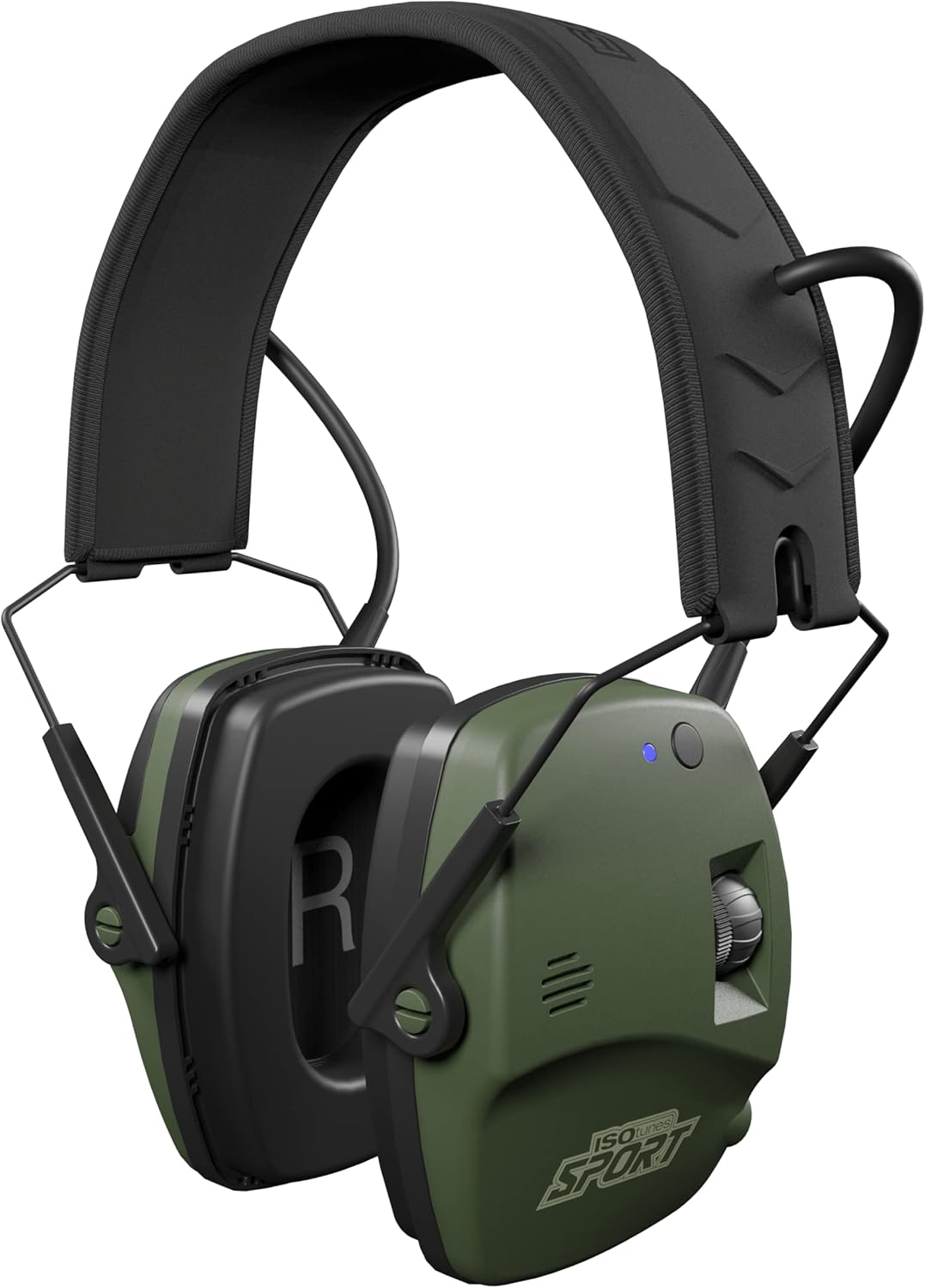
Image: Front view of the ISOtunes Sport DEFY Slim Earmuffs, showcasing their slim profile and olive green color.
Box Contents
Please verify that all items listed below are included in your package:
- ISOtunes Sport DEFY Slim Bluetooth Earmuffs
- 2 x AAA Batteries
- Auxiliary Cable

Image: Contents of the box, including the DEFY Slim BT Earmuff, two AAA batteries, and an auxiliary cable.
Key Features
- Tactical Sound Control™: Amplifies desired sounds up to 8 times their natural volume while instantly suppressing harmful gunshot noises within 2 milliseconds.
- 21 NRR Noise Isolation: Provides a Noise Reduction Rating of 21 dB, effectively protecting against dangerous noise levels common in shooting environments (150-170 dB).
- Ultra-Slim Design: Lightweight at 310g, offering comfort for extended wear and allowing for easy sight alignment.
- Long Battery Life: Up to 25 hours of battery life with two AAA batteries (included).
- IPX4 Durability: Resistant to water, sweat, and dust, suitable for various outdoor conditions.
- Noise-Isolating Microphone: Enables clear communication even in noisy surroundings.
- Bluetooth 5.0: For wireless connection, allowing phone calls, music streaming, and voice assistant use.

Image: Infographic highlighting key features: OSHA compliant, Tactical Sound Control, 21 NRR, IPX4, 25 hours music/120 hours TSC battery, and Bluetooth 5.0.
Setup
1. Battery Installation
- Locate the battery compartment on one of the earmuff cups.
- Open the compartment cover.
- Insert two AAA batteries, ensuring correct polarity (+/-).
- Close the battery compartment cover securely.
2. Wearing the Earmuffs
- Pull the earcups apart and place the headband over your head.
- Adjust the earcup position by extending or retracting the headband arms until the earcups fully cover your ears and create a comfortable, secure seal.
- Ensure the earmuffs fit snugly around your ears to provide optimal noise isolation.

Image: Diagrams illustrating how to pull earcups apart and adjust the headband for a proper fit.
Operating Instructions
Power On/Off
- To power on, press and hold the power button until the indicator light illuminates.
- To power off, press and hold the power button until the indicator light turns off.
Bluetooth Pairing
- Ensure the earmuffs are powered on.
- Activate Bluetooth on your device (e.g., smartphone, tablet).
- Search for "ISOtunes DEFY Slim BT" in your device's Bluetooth settings.
- Select the device to pair. A voice prompt will confirm successful pairing.
Volume Control & Tactical Sound Control™
- Use the volume dial or buttons on the earmuff to adjust the listening volume for both Bluetooth audio and ambient sound amplification.
- Tactical Sound Control™ automatically activates when the earmuffs are powered on, amplifying safe sounds and instantly suppressing loud impulses.
Using the Auxiliary Input
- Connect one end of the auxiliary cable to the earmuffs' auxiliary port.
- Connect the other end to your audio device's headphone jack.
- Audio will play through the earmuffs. Note that Tactical Sound Control™ and Bluetooth functions may operate independently or be affected when using the auxiliary input, depending on the specific model's design.
Maintenance
- Cleaning: Wipe the earmuffs with a soft, damp cloth. Do not use abrasive cleaners or immerse in water.
- Storage: Store the earmuffs in a cool, dry place away from direct sunlight and extreme temperatures.
- Battery Replacement: Replace AAA batteries when the low battery indicator appears or audio quality degrades. Always use fresh batteries.
- Earcup Seals: Periodically inspect the earcup seals for wear and tear. Damaged seals can compromise noise reduction. Replace if necessary.
Troubleshooting
| Problem | Possible Cause | Solution |
|---|---|---|
| No power | Dead or incorrectly inserted batteries. | Replace batteries or ensure correct polarity. |
| Cannot pair Bluetooth | Earmuffs not in pairing mode; device Bluetooth off; too far from device. | Ensure earmuffs are on and in pairing mode. Turn device Bluetooth off/on. Move closer to device. |
| Poor sound quality / No amplification | Low batteries; earcup seals not tight; volume too low. | Replace batteries. Adjust earmuffs for a tight seal. Increase volume. |
| Intermittent Bluetooth connection | Interference; device too far; multiple devices connected. | Move closer to device. Disconnect other Bluetooth devices. Avoid strong interference sources. |
Specifications
- Model: IT-43
- Noise Reduction Rating (NRR): 21 dB
- Battery Type: 2 x AAA batteries (included)
- Battery Life: Up to 25 hours (Bluetooth audio), Up to 120 hours (Tactical Sound Control™ only)
- Bluetooth Version: 5.0
- Wireless Range: Up to 30 feet (9 meters)
- Durability Rating: IPX4 (Water, Sweat, and Dust Resistant)
- Weight: 310 grams (10.93 ounces)
- Product Dimensions: 3.94 x 3.15 x 5.51 inches
Warranty and Support
For warranty information, product registration, or technical support, please visit the official ISOtunes website or contact their customer service directly. Details can typically be found on the product packaging or on the manufacturer's website.
ISOtunes Customer Service: Refer to your product packaging or the ISOtunes official website for the most current contact information and support resources.
You can also visit the ISOtunes Store on Amazon for additional product information and support.
Related documentsIT-43


Ask a question about this manual
Ask about setup, troubleshooting, compatibility, parts, safety, or missing instructions. Manuals+ will review the question and use this page’s manual context to help answer it.