
Kärcher 1.628-002.0
Kärcher WD 2 Plus Wet & Dry Vacuum Cleaner Instruction Manual
Model: 1.628-002.0
1. Important Safety Instructions
Please read these instructions carefully before operating the appliance. Keep this manual for future reference.
- Always disconnect the appliance from the power supply before cleaning or maintenance.
- Do not vacuum flammable or explosive substances, hot ash, or sharp objects.
- Ensure the filter is correctly installed for the intended use (wet or dry).
- Do not operate the appliance if the power cord or other parts are damaged.
- This appliance is not intended for use by persons with reduced physical, sensory or mental capabilities unless they have been given supervision or instruction.
2. Product Overview and Included Components
The Kärcher WD 2 Plus is a versatile wet and dry vacuum cleaner designed for various cleaning tasks around the home, garage, and workshop.

Image: The Kärcher WD 2 Plus vacuum cleaner shown with its main components including the suction hose, extension tubes, floor nozzle, crevice nozzle, cartridge filter, and paper filter bag.
Included Components:
- Kärcher WD 2 Plus Wet & Dry Vacuum Cleaner unit
- Cartridge Filter (for wet and dry vacuuming)
- Paper Filter Bag (for dry vacuuming)
- Floor Nozzle
- Crevice Nozzle
- 2 Suction Tubes
- Suction Hose (6-foot length)
3. Setup and Assembly
Follow these steps to assemble your Kärcher WD 2 Plus vacuum cleaner before first use.
3.1 Attaching the Wheels
- Turn the vacuum cleaner unit upside down.
- Insert the four wheels into the designated slots on the base until they click into place.
3.2 Installing the Filter
The WD 2 Plus features a one-piece cartridge filter suitable for both wet and dry vacuuming without needing to change filters.
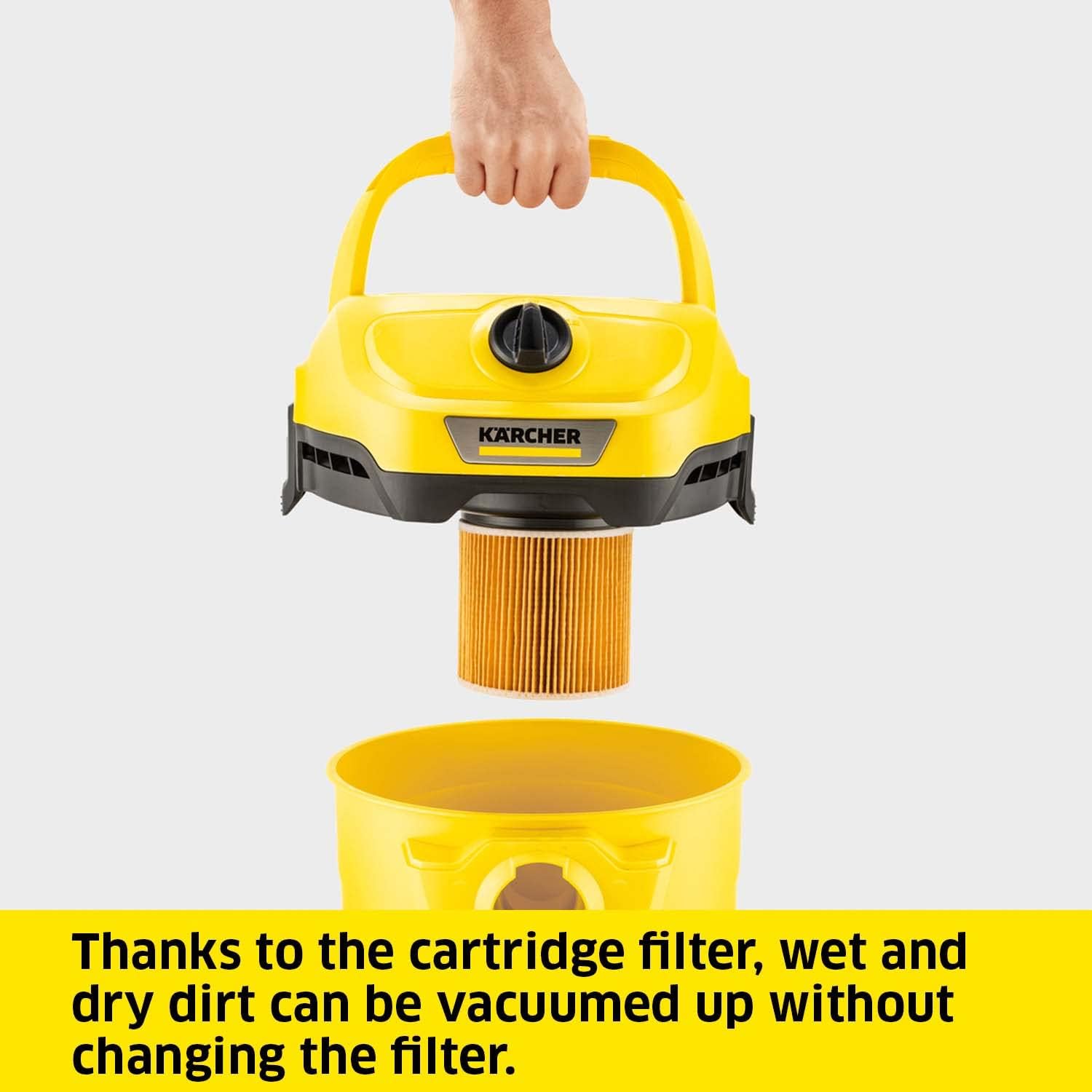
Image: The cartridge filter being inserted into the motor head of the vacuum cleaner. This filter allows for seamless switching between wet and dry vacuuming.
- Remove the motor head from the collection bin by unlatching the side clips.
- Place the cartridge filter onto the filter cage on the underside of the motor head. Ensure it is seated firmly.
- For dry vacuuming, you may also insert a paper filter bag into the collection bin, ensuring the opening aligns with the suction inlet.
- Reattach the motor head to the collection bin, securing the side clips.
3.3 Connecting the Suction Hose and Accessories
- Insert the suction hose into the suction inlet on the front of the vacuum cleaner until it locks.
- Connect the two suction tubes together, then attach them to the end of the suction hose.
- Attach the desired nozzle (floor nozzle or crevice nozzle) to the end of the suction tubes.
- Alternatively, the nozzles can be attached directly to the suction hose for closer work.
4. Operating the Vacuum Cleaner
The Kärcher WD 2 Plus is designed for powerful and versatile cleaning.
4.1 Powering On/Off
- Plug the power cord (4 meters length) into a suitable electrical outlet.
- Press the push button switch located on the top of the motor head to turn the appliance ON.
- Press the switch again to turn the appliance OFF.
4.2 Dry Vacuuming
Use the floor nozzle for general dry cleaning of floors and carpets. The crevice nozzle is ideal for narrow spaces.

Image: The floor nozzle effectively removing coarse dirt particles from a concrete surface, demonstrating the vacuum's capability for various debris.
- Ensure the cartridge filter is clean and properly installed. A paper filter bag can be used for improved dust retention and easier disposal.
- Move the nozzle slowly over the surface to be cleaned to allow the powerful 180 AW suction to pick up dirt.
4.3 Wet Vacuuming
The WD 2 Plus can effectively vacuum liquids and wet dirt.

Image: A user demonstrating the wet vacuuming capability by cleaning a liquid spill on a wooden floor using the Kärcher WD 2 Plus.
- The cartridge filter allows for wet vacuuming without needing to remove it.
- Remove any paper filter bag before wet vacuuming to prevent damage.
- Vacuum liquids slowly. The appliance will automatically shut off when the collection bin is full.
- After wet vacuuming, empty the collection bin and allow the filter and bin to dry thoroughly to prevent odors and mold.
4.4 Blower Function
The integrated blower function is useful for removing dirt from hard-to-reach areas or for collecting leaves.

Image: A man utilizing the blower function of the Kärcher WD 2 Plus to clear leaves and light debris from a gravel path, showcasing its outdoor utility.
- To activate the blower function, detach the suction hose from the front inlet and connect it to the blower port located at the rear of the motor head.
- Turn on the appliance and direct the airflow as needed.
4.5 Versatile Applications

Image: A woman using the crevice nozzle of the Kärcher WD 2 Plus to clean the interior of a car, highlighting its effectiveness for automotive detailing.
The Kärcher WD 2 Plus is suitable for:
- Cleaning car interiors (use crevice nozzle for tight spots).
- Workshop and garage cleaning (sawdust, debris).
- Renovation clean-up (dust, small debris).
- General household spills and dry dirt.
5. Maintenance and Care
Regular maintenance ensures optimal performance and extends the life of your vacuum cleaner.
5.1 Emptying the Collection Bin
- Disconnect the appliance from the power supply.
- Unlatch the side clips and remove the motor head.
- Carefully lift the collection bin and empty its contents. For dry dirt with a paper filter bag, simply remove and dispose of the bag.
- Clean the inside of the bin with a damp cloth if necessary.
5.2 Cleaning the Cartridge Filter
- Remove the cartridge filter from the motor head.
- Tap the filter gently to dislodge dry dust. For stubborn dirt, rinse the filter under running water.
- Allow the filter to dry completely before re-installing it or storing the appliance. Do not use the appliance with a wet filter for dry vacuuming.
5.3 Cleaning Accessories
- Clean the suction hose, tubes, and nozzles with water and a mild detergent if needed.
- Ensure all parts are dry before reassembling or storing.
5.4 Storage
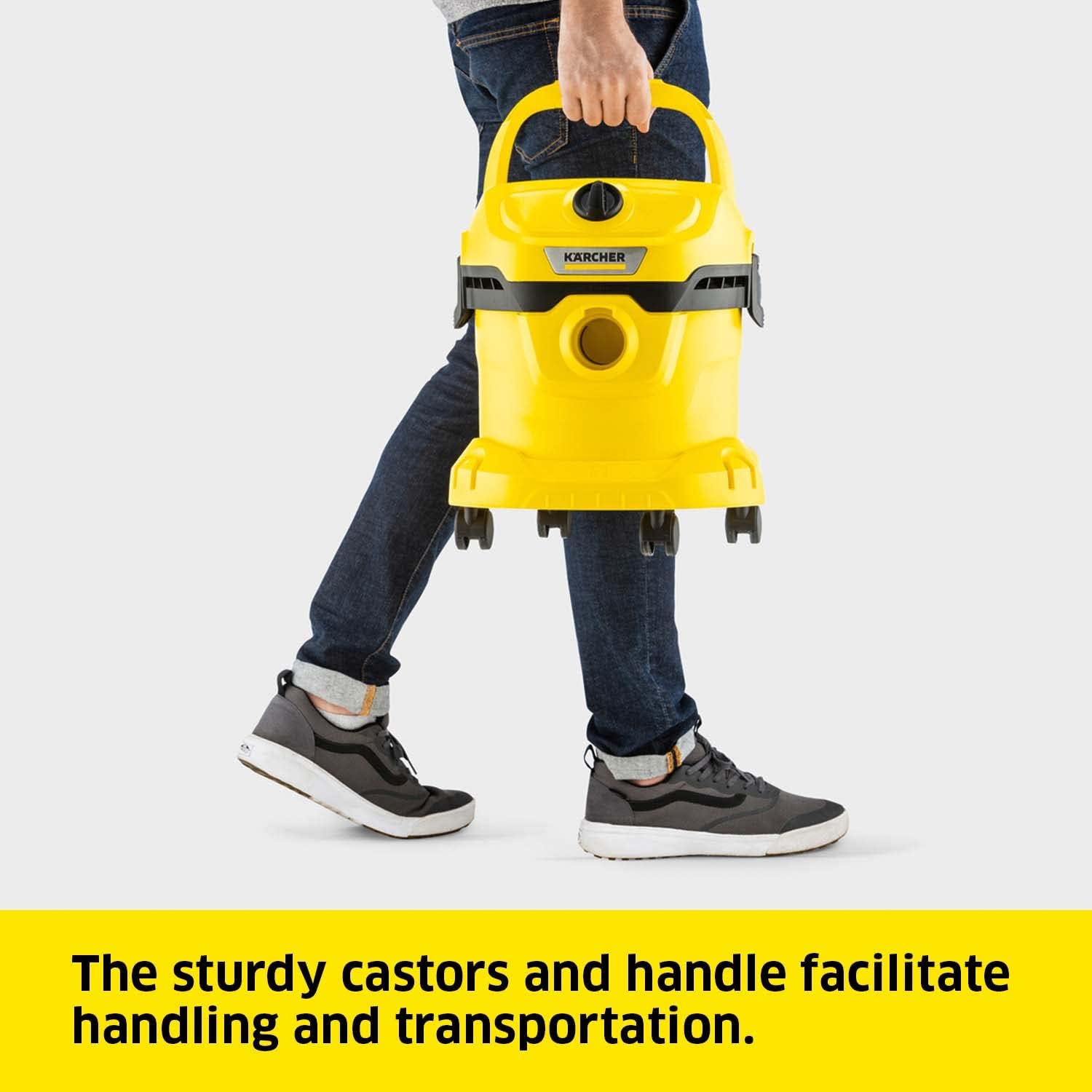
Image: The Kärcher WD 2 Plus being carried by its robust handle, demonstrating its portability and ease of transport for storage or moving between cleaning areas.
- Store the appliance and accessories in a dry, frost-free place.
- Utilize the integrated storage options for accessories, cables, and hoses on the unit.
6. Troubleshooting
If you encounter issues with your Kärcher WD 2 Plus, refer to the table below for common problems and solutions.
| Problem | Possible Cause | Solution |
|---|---|---|
| Appliance does not start | No power supply; Power switch is off. | Check power cord connection and outlet; Ensure power switch is in the 'ON' position. |
| Reduced suction power | Collection bin full; Filter clogged; Hose or nozzle blocked. | Empty collection bin; Clean or replace filter; Check hose and nozzles for blockages. |
| Water leaks during wet vacuuming | Collection bin is full; Filter not properly seated. | Empty collection bin; Ensure cartridge filter is correctly installed. |
| Unusual noise | Blockage in hose/nozzle; Motor issue. | Check for and remove blockages; If noise persists, contact customer support. |
If the problem persists after attempting these solutions, please contact Kärcher customer support.
7. Technical Specifications
| Specification | Value |
|---|---|
| Model Name | WD 2 Plus |
| Model Number | 1.628-002.0 |
| Brand | Kärcher |
| Wattage | 1000 watts |
| Capacity | 12 Liters |
| Hose Length | 1.8 Meters (6 feet) |
| Cable Length | 4 Meters |
| Filter Type | Cartridge |
| Noise Level | 79.2 dB |
| Product Dimensions (L x W x H) | 5.41"L x 5.08"W x 5.86"H |
| Item Weight | 9.34 pounds |
| Color | Yellow |
| Control Method | Push Button |
| Assembly Required | Yes |
8. Warranty and Customer Support
Kärcher products are manufactured to the highest quality standards and come with a manufacturer's warranty. For specific warranty details, please refer to the warranty card included with your product or visit the official Kärcher website.
For technical assistance, spare parts, or further inquiries, please contact Kärcher customer support. Contact information can typically be found on the Kärcher website or in the product packaging.
You can visit the official Kärcher Store on Amazon for more information: Kärcher Store
Related documents1.628-002.0


Ask a question about this manual
Ask about setup, troubleshooting, compatibility, parts, safety, or missing instructions. Manuals+ will review the question and use this page’s manual context to help answer it.