
Audio Pro A28
Audio Pro A28 Wireless Bookshelf Speakers
User Manual
Introduction
The Audio Pro A28 Wireless Bookshelf Speakers are designed to deliver a superior audio experience for both music and home entertainment. Featuring WiFi, Bluetooth 4.2, multiroom capabilities, and compatibility with AirPlay 2, Google Cast, and Spotify Connect, these speakers offer versatile connectivity and exceptional sound quality. This manual provides detailed instructions for setting up, operating, maintaining, and troubleshooting your A28 speakers to ensure optimal performance.
- Excellent TV-Compatibility: Offers astonishing music and TV sound experience with a wider soundstage than traditional soundbars.
- Experience Virtual Surround: Finetune bass/treble and add virtual surround effect via the app for an immersive movie-watching experience.
- Multiroom Streaming: Seamlessly group and play music across multiple Audio Pro multiroom speakers in your network.
- Easy TV Setup: Connect via HDMI ARC for convenient control with your TV remote.
- Presets Available: Utilize 5 presets for quick access to radio stations or playlists.
Setup
Package Contents
Before you begin, ensure all items are present in the package:
- Audio Pro A28 Bookshelf Speakers (Left and Right)
- Remote Control
- Power Cable
- Speaker Cable (for connecting left and right speakers)
Physical Placement
For optimal sound performance, place the speakers on a stable, flat surface such as a bookshelf or speaker stands. Ensure there is adequate space around each speaker for proper ventilation and sound dispersion. Position the speakers equidistant from your primary listening position to create a balanced stereo image.

Connections
Follow these steps to connect your Audio Pro A28 speakers:
- Connect the Speakers: Use the provided speaker cable to connect the left and right speakers. Ensure the positive (+) and negative (-) terminals on both speakers are matched correctly.
- Power Connection: Connect the power cable to the main (left) speaker and plug it into a wall outlet.
- Audio Inputs:
- HDMI ARC: For TV connection, use an HDMI cable to connect the speaker's ARC input to your TV's HDMI ARC port. This allows your TV remote to control the speaker volume.
- Optical: For digital audio sources, connect an optical cable from your device to the speaker's Optical input.
- RCA: For analog audio sources, connect an RCA cable from your device to the speaker's RCA input.

Operating
Powering On/Off
Once connected to power, the speakers will enter standby mode. Press the power button on the remote control or the main speaker to turn them on. To turn off, press the power button again.
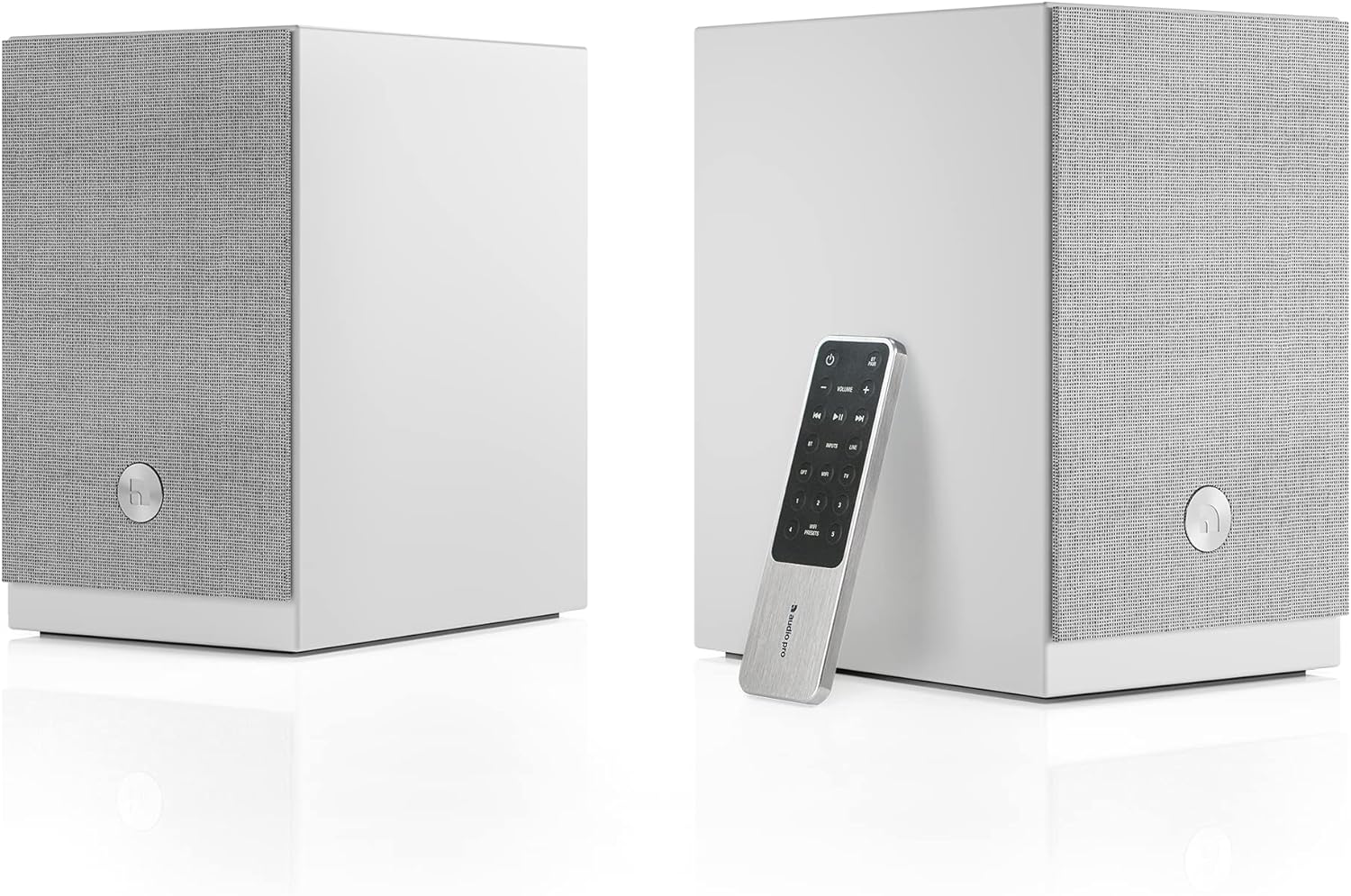
Remote Control Usage
The included remote control allows you to manage various functions of your A28 speakers, including volume, input selection, and playback controls.
App Control
Download the Audio Pro app on your smartphone or tablet for advanced control over your speakers. The app allows you to:
- Select audio inputs.
- Adjust bass and treble settings.
- Activate and finetune the virtual surround effect.
- Manage multiroom groups.
- Access streaming services.
Input Selection
Switch between connected audio sources (HDMI ARC, Optical, RCA, Bluetooth, WiFi) using the input selection buttons on the remote control or through the Audio Pro app.
Wireless Connectivity
The A28 speakers support various wireless streaming options:
- Bluetooth: Pair your device via Bluetooth for direct wireless audio streaming.
- WiFi: Connect the speakers to your home WiFi network for high-quality audio streaming and multiroom functionality.
- AirPlay 2: Stream audio from Apple devices.
- Google Cast: Cast audio from compatible apps and devices.
- Spotify Connect: Directly control music playback from the Spotify app.
Using Google Cast
You can send audio to your A28 speakers using Google Cast from various devices and applications. Look for the Google Cast symbol within your audio apps, Chromebooks, or Google Chrome browser on PC/Mac. You can also cast any audio from your Android device to any Google Cast speaker.
Multiroom Streaming
The A28 speakers can be integrated into an Audio Pro multiroom system. Use the Audio Pro app to group multiple speakers together to play the same music in different rooms, or play different music on individual speakers.
Virtual Surround
Enhance your movie-watching experience by enabling the virtual surround effect. This feature is available for the HDMI ARC input and can be finetuned in 3 different steps via the Audio Pro app to suit your preferences and room acoustics.
Presets
The A28 speakers offer 5 programmable presets. Use these to quickly access your favorite radio stations or playlists directly from the remote control or the app.
Maintenance
Proper care and maintenance will ensure the longevity and performance of your Audio Pro A28 speakers.
- Cleaning: Use a soft, dry cloth to wipe down the speaker cabinets. Avoid using abrasive cleaners or solvents, as they may damage the finish. The matte white finish is designed to be easy to clean.
- Grilles: The magnetic speaker grilles can be easily removed for cleaning or if you prefer the aesthetic without them. Clean grilles with a soft brush or lint roller.
- Placement: Avoid placing speakers in direct sunlight, near heat sources, or in areas with high humidity.
- Ventilation: Ensure proper airflow around the speakers to prevent overheating.
Troubleshooting
If you encounter issues with your Audio Pro A28 speakers, refer to the following common troubleshooting steps:
| Problem | Possible Cause | Solution |
|---|---|---|
| No sound from speakers | Power not connected; incorrect input selected; volume too low; speaker cable loose. | Check power connection; verify correct input is selected (e.g., HDMI ARC, Optical); increase volume; ensure speaker cable between left and right units is securely connected. |
| Bluetooth pairing issues | Speakers not in pairing mode; device too far; interference. | Ensure speakers are in Bluetooth pairing mode; move device closer to speakers; minimize interference from other wireless devices. |
| WiFi connectivity problems | Incorrect WiFi password; weak signal; network issues. | Verify WiFi password in the Audio Pro app; ensure speakers are within WiFi range; restart your router and speakers. |
| No sound from TV via HDMI ARC | TV ARC not enabled; incorrect TV audio output settings; speaker not selected as output. | Ensure HDMI ARC is enabled on your TV; check TV audio settings to output sound to external speakers (PCM format is generally recommended, as the A28 may not decode Dolby Digital); select the HDMI ARC input on the speakers. |
| Remote control not working | Dead batteries; obstructed path; remote not paired (if applicable). | Replace batteries; ensure no obstructions between remote and speaker; refer to the app for remote pairing instructions if necessary. |
If the problem persists, try resetting the speakers to factory settings (refer to the full manual or Audio Pro app for specific instructions) or contact Audio Pro customer support.
Specifications
Key technical specifications for the Audio Pro A28 Wireless Bookshelf Speakers:
- Model Name: Audio Pro A28 Wireless Bookshelf Speakers - White
- Speaker Type: Bookshelf
- Special Feature: Multi Room Audio
- Recommended Uses: Music, Movies, Watching
- Compatible Devices: Smartphone, Tablet, Laptop, Desktop
- Controller Type: Remote Control, App
- Surround Sound Channel Configuration: 4.2
- Color: White
- Product Dimensions: 14"D x 14"W x 17"H
- Item Weight: 17.77 pounds (8.08 Kilograms)
- Wireless Communication Technology: Bluetooth, Wi-Fi
- Speaker Size: 4.7 Inches (Woofer Diameter)
- Power Source: Corded Electric
- Speaker Maximum Output Power: 25 Watts
- Connectivity Technology: Optical, HDMI ARC, RCA, Bluetooth, Wi-Fi
- Audio Output Mode: Surround, Stereo
- Mounting Type: Shelf Mount
Warranty
The Audio Pro A28 Wireless Bookshelf Speakers come with a limited warranty. Please retain your proof of purchase for warranty claims. For specific details regarding the warranty period and coverage, refer to the warranty card included with your product or visit the official Audio Pro website.
Support
For further assistance, technical support, or to explore additional Audio Pro products, please visit the official Audio Pro website or contact their customer service department. Contact information can typically be found on the Audio Pro website or in the product packaging.
Audio Pro Official Website: www.audiopro.com
Related documentsA28


Ask a question about this manual
Ask about setup, troubleshooting, compatibility, parts, safety, or missing instructions. Manuals+ will review the question and use this page’s manual context to help answer it.