
Silvercrest Smart
SILVERCREST Monsieur Cuisine Smart Multifunction Food Processor
Model: Smart
Introduction
The SILVERCREST Monsieur Cuisine Smart is a versatile multifunction food processor designed to simplify your cooking experience. It features an intuitive interface, powerful motor, and a wide range of functionalities to assist with various culinary tasks, from kneading dough to guided cooking.
This manual provides essential information for the safe and efficient operation, maintenance, and troubleshooting of your Monsieur Cuisine Smart.
Important Safety Instructions
Please read all instructions carefully before using the appliance. Failure to follow these instructions may result in electric shock, fire, or serious injury.
- Always ensure the appliance is placed on a stable, flat, and dry surface.
- Do not immerse the motor unit in water or any other liquid.
- Keep hands and utensils away from moving blades during operation. Always use the provided spatula.
- Unplug the appliance from the power outlet before cleaning, assembling, or disassembling parts.
- Do not operate the appliance if the power cord or plug is damaged, or if the appliance malfunctions or has been dropped.
- This appliance is for household use only. Do not use outdoors.
- Supervise children closely when the appliance is in use.
- Exercise caution when handling sharp blades.
- Do not overfill the mixing bowl.
Components and What's Included
Your Monsieur Cuisine Smart comes with several essential components to facilitate various cooking tasks. Please ensure all parts are present and undamaged upon unboxing.

Image: Exploded view showing the main unit, mixing bowl, mixing bowl handle, mixing bowl lid, mixer blade, and spatula.
- Main Unit: The base unit housing the motor and control panel.
- Mixing Bowl: Stainless steel bowl for processing ingredients.
- Mixing Bowl Handle: Ergonomically designed for single-hand use.
- Mixing Bowl Lid: For covering the mixing bowl during operation.
- Mixer Blade: For chopping, mixing, and pureeing.
- Recipe Database: Integrated for guided cooking.
- 8-inch Touchscreen Display: For intuitive control and recipe viewing.
- Spatula: For scraping and stirring ingredients.
Setup
- Unpacking: Carefully remove all components from the packaging. Retain packaging for future storage or transport.
- Initial Cleaning: Before first use, wash all removable parts (mixing bowl, lid, blade, spatula) with warm soapy water. Rinse thoroughly and dry completely. Wipe the main unit with a damp cloth.
- Placement: Place the main unit on a clean, dry, stable, and heat-resistant surface, away from the edge of the countertop. Ensure adequate ventilation around the appliance.
- Assemble Mixing Bowl: Insert the mixer blade into the mixing bowl. Place the mixing bowl securely into the main unit.
- Power Connection: Plug the power cord into a grounded electrical outlet. The appliance is now ready for use.
Operating Instructions
The Monsieur Cuisine Smart offers a variety of functions to assist with your cooking. Its 8-inch touchscreen provides an intuitive interface for navigation and control.
Basic Operation
- Power On/Off: The appliance powers on automatically when plugged in. Use the on-screen controls or the main dial to navigate.
- Touchscreen Navigation: The large 8-inch touchscreen is highly responsive. Swipe, tap, and select options as you would on a smartphone.
- Main Dial: Use the physical dial to adjust speed, temperature, and time, or to confirm selections.
Guided Cooking (Cooking Pilot)
The Cooking Pilot feature provides step-by-step instructions for over 600 pre-programmed recipes. This includes video guidance for preparing meals.
- Select "Recipes" from the main menu.
- Browse or search for your desired recipe.
- Follow the on-screen instructions, which will guide you through ingredient addition, cooking steps, and appliance settings.
- Video guidance will play automatically for relevant steps.
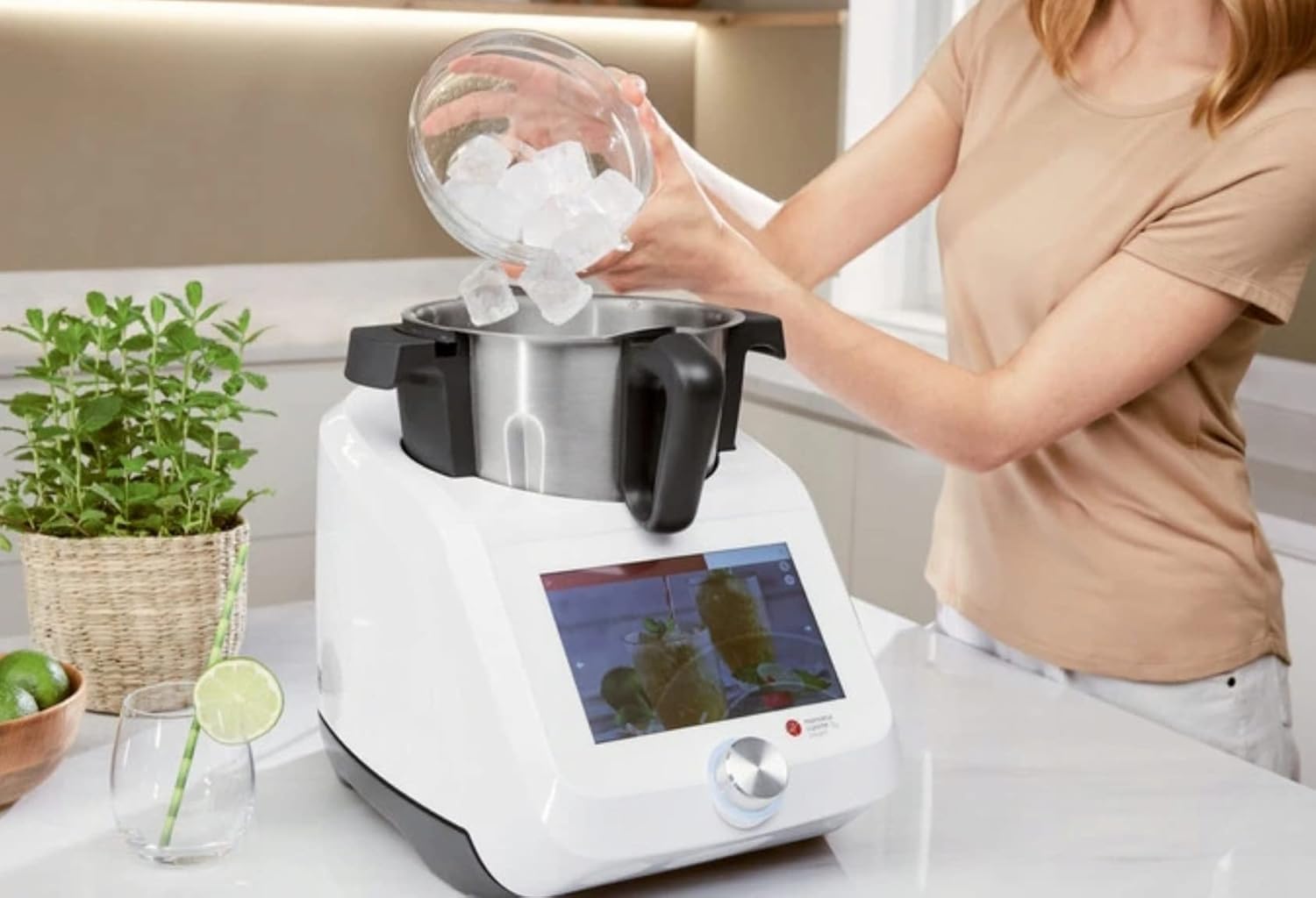
Image: A user demonstrating adding ingredients, such as ice, to the mixing bowl of the Monsieur Cuisine Smart.
Recipe Customization and App Functionalities
Personalize your cooking experience and manage your recipes with the integrated features and companion app.
- Customization: Adjust portion sizes and add personal notes to recipes directly on the device.
- Recipe App: Connect your device to the companion recipe app (via Wi-Fi) for enhanced features:
- Create shopping lists based on selected recipes.
- Utilize the weekly planning function.
- Receive personalized recipe suggestions.
- Access improved filtering criteria for recipes.
Specific Functions and Settings
- Kneading: The powerful 1000W motor allows kneading of up to 1 kg of flour. Select the kneading program and follow the on-screen instructions.
- Mixing/Blending: Adjust speed from approximately 125 to 5500 rpm with 10 speed settings. Use the turbo function for pulsed mixing.
- Temperature Control: Set cooking temperature from 37°C to 130°C in 5°C increments for optimal cooking results.
- Timer: Set the timer for up to 99 minutes for precise cooking durations.
- Recommended Uses: The appliance is suitable for emulsifying, chopping, grinding, and liquefying.
Connectivity
- Wi-Fi Function: Connect to Wi-Fi for free manual recipe updates when your user account is activated.
- Voice Control: Utilize voice recognition with Google Assistant when Wi-Fi is activated.
Maintenance and Cleaning
Proper maintenance ensures the longevity and optimal performance of your Monsieur Cuisine Smart.
- Daily Cleaning: After each use, unplug the appliance. Remove the mixing bowl, blade, and lid.
- Dishwasher Safe Parts: The mixing bowl, mixing bowl handle, mixing bowl lid, and mixer blade are dishwasher safe.
- Hand Washing: For hand washing, use warm soapy water and a non-abrasive sponge. Rinse thoroughly and dry immediately.
- Main Unit Cleaning: Wipe the main unit and touchscreen with a soft, damp cloth. Do not use abrasive cleaners or immerse the main unit in water.
- Storage: Store the appliance in a clean, dry place when not in use.
Troubleshooting
If you encounter issues with your Monsieur Cuisine Smart, refer to the following common problems and solutions:
| Problem | Possible Cause | Solution |
|---|---|---|
| Appliance does not turn on. | Not plugged in; power outlet issue; safety lock not engaged. | Ensure power cord is securely plugged into a working outlet. Check if the mixing bowl and lid are correctly assembled and locked into place. |
| Motor stops during operation. | Overload protection activated; overheating. | Reduce the amount of ingredients. Unplug the appliance and allow it to cool down for at least 30 minutes before restarting. The motor is protected against overheating. |
| Ingredients not mixing properly. | Insufficient liquid; too many ingredients; incorrect speed setting. | Add more liquid if necessary. Reduce ingredient quantity. Increase speed or use the turbo function. |
| Wi-Fi connection issues. | Incorrect password; out of range; network problem. | Verify Wi-Fi password. Move the appliance closer to the router. Restart your router. |
If the problem persists after attempting these solutions, please contact customer support.
Specifications
| Feature | Detail |
|---|---|
| Brand | Silvercrest |
| Model Number | Smart |
| Color | White |
| Material | Stainless Steel |
| Max Power Consumption | 1200 W (1050 W for cooking function, 1000 W for mixing) |
| Voltage | 230 Volts (AC) |
| Speed Settings | 10 speeds, approx. 125-5500 rpm, plus turbo function |
| Temperature Control | 37°C to 130°C in 5°C increments |
| Timer | 99 minutes |
| Display | 8-inch responsive touchscreen |
| Connectivity | Wi-Fi, Google Assistant voice control |
| Dimensions (Product) | Approx. 40P x 40W x 40H cm (based on package dimensions and typical product size) |
| Item Weight | 14.5 Kilograms |
| Care Instructions | Dishwasher safe parts (mixing bowl, lid, blade) |
Warranty and Support
For warranty information or technical support, please refer to the documentation included with your purchase or visit the official Silvercrest website. You may also contact Silvercrest customer service directly for assistance with product inquiries, troubleshooting, or spare parts.
Please have your model number (Smart) and purchase details ready when contacting support.
Related documentsSmart


Ask a question about this manual
Ask about setup, troubleshooting, compatibility, parts, safety, or missing instructions. Manuals+ will review the question and use this page’s manual context to help answer it.