
Introduction
This manual provides detailed instructions for the assembly, usage, and maintenance of your HOOBRO 29.5" L Narrow Console Table, Model BF75XG01. This versatile table is designed for small spaces and offers two tiers for storage and display. Please read these instructions carefully before assembly and retain them for future reference.
Safety Information
- For safety reasons, children are not allowed to climb on or play with the product.
- Ensure all screws and fasteners are securely tightened before use.
- Do not exceed the maximum weight recommendation of 44 pounds (20 kg).
- Place the table on a level surface to prevent tipping.
Package Contents
Verify that all components listed below are present before beginning assembly:
- 1 x Console Table (Disassembled components)
- 1 x Accessory Kit (Includes screws, bolts, etc.)
- 1 x Allen Key
- 1 x Assembly Guide (This document)
Assembly Instructions
Assembly is recommended for one person and typically requires an Allen Key, which is included. Follow the steps below for proper assembly:
-
Step 1: Unpack and Identify Components
Carefully unpack all parts and lay them out on a clean, soft surface to prevent scratches. Refer to the included parts list to identify each component.
Image: The HOOBRO 29.5 inch Narrow Console Table, showcasing its rustic brown top and black metal frame.
-
Step 2: Attach Side Frames to Bottom Shelf
Using the provided screws and Allen key, attach the metal side frames to the bottom shelf panel. Ensure the screw holes align correctly. Do not fully tighten screws until all parts are loosely assembled. -
Step 3: Attach Top Panel
Position the top panel onto the assembled side frames and bottom shelf. Secure it with the remaining screws. Once all parts are in place, gradually tighten all screws until the table is stable.
Image: Close-up view of the rustic brown particleboard panel, highlighting its texture and finish.
-
Step 4: Install Adjustable Feet
Screw the adjustable feet into the bottom of the table legs. Adjust them as needed to ensure the table is level and stable on uneven surfaces.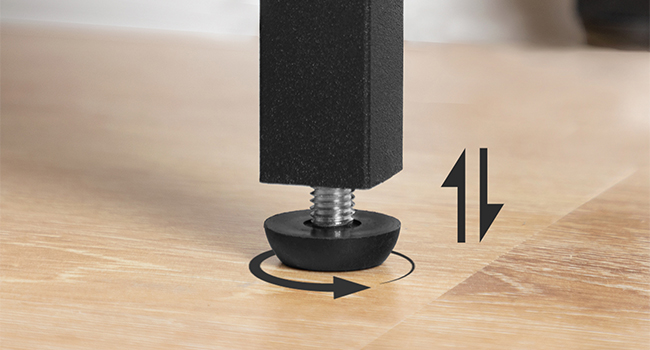
Image: Detail of an adjustable furniture leg, showing the threaded screw and circular base for leveling.
For a visual guide, please refer to the official product videos below:
Video: Official HOOBRO Console Table product showcase. This video provides a general overview of the table's appearance and features.
Video: Official HOOBRO Narrow Console Table product showcase. This video highlights the table's slim design and suitability for various spaces.
Operating and Usage
The HOOBRO Narrow Console Table is designed for versatile use in various indoor settings:
- Entryway Table: Place in your hallway or foyer to hold keys, mail, decorative items, or a small lamp.
- Sofa Table: Position behind a couch to provide additional surface area for drinks, books, or remote controls.
- Display Shelf: Utilize the two tiers to display plants, picture frames, or other decorative accents in living rooms, bedrooms, or studies.
- Small Space Solution: Its narrow design makes it ideal for tight spaces where traditional furniture may not fit.
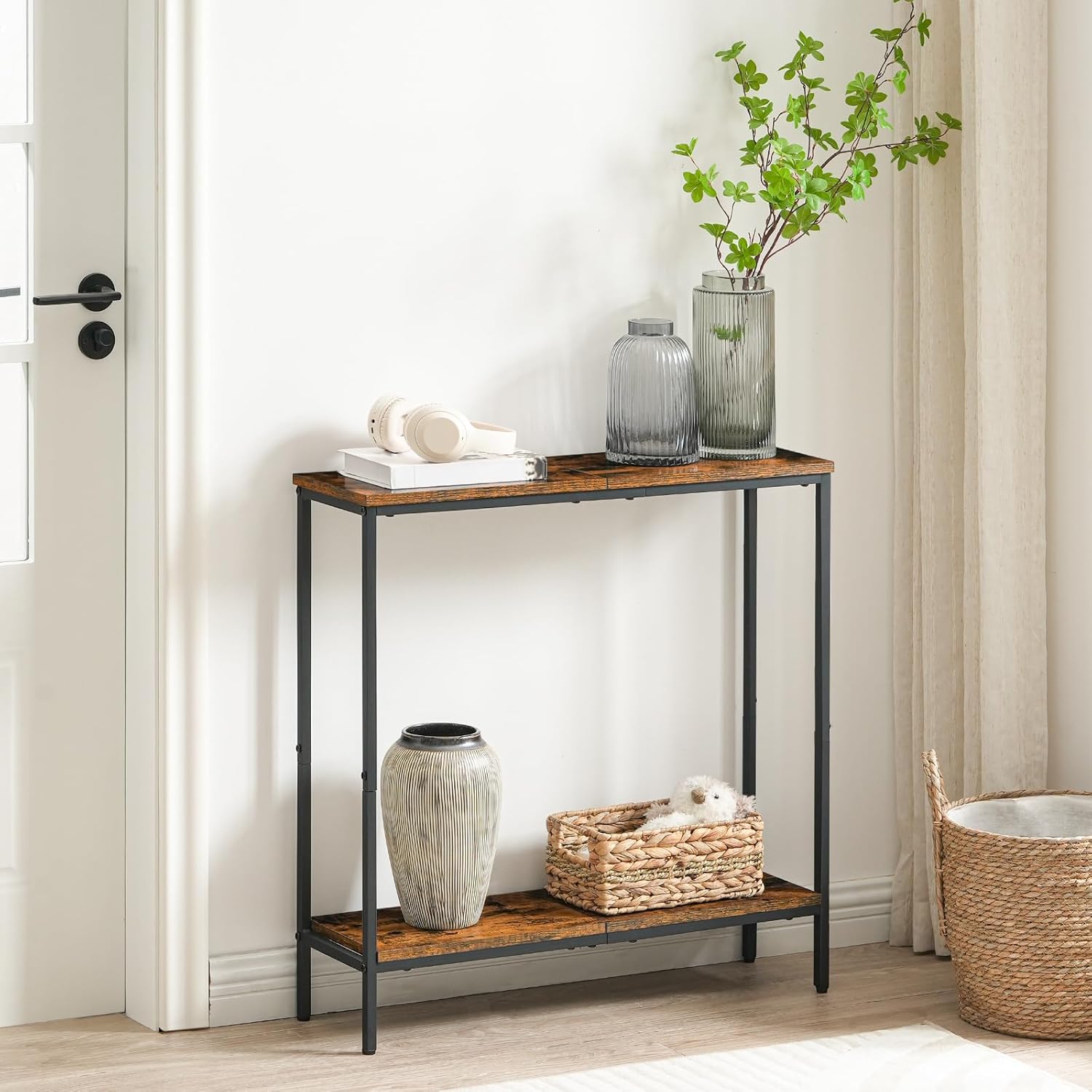
Image: The console table functioning as an entryway table, adorned with a lamp, headphones, and decorative vases.
Maintenance
To ensure the longevity and appearance of your console table, follow these simple maintenance guidelines:
- Cleaning: Wipe the surfaces with a dry cloth. Avoid using harsh chemicals or abrasive cleaners, which can damage the finish.
- Spills: Promptly clean up any spills to prevent staining, as the product is not stain resistant.
- Stability Check: Periodically check all screws and connections to ensure they remain tight. Re-tighten if necessary.
- Environment: Use indoors only. Avoid prolonged exposure to direct sunlight or extreme humidity.
Troubleshooting
If you encounter any issues with your console table, refer to the following common problems and solutions:
| Problem | Possible Cause | Solution |
|---|---|---|
| Table is wobbly or unstable. | Screws are loose; uneven floor surface. | Tighten all assembly screws. Adjust the leveling feet on the bottom of the legs until stable. |
| Parts do not align during assembly. | Incorrect orientation of parts; screws overtightened prematurely. | Loosen all screws, re-orient parts as per the assembly diagram, then gradually tighten. Ensure not to overtighten until all parts are in place. |
| Missing parts or hardware. | Packaging error. | Contact HOOBRO customer support for assistance. |
Specifications
| Feature | Detail |
|---|---|
| Brand | HOOBRO |
| Model Number | BF75XG01 |
| Dimensions (L x W x H) | 29.5" x 8.7" x 29.5" (75cm x 22cm x 75cm) |
| Item Weight | 12.8 lbs (5.8 kg) |
| Maximum Load Capacity | 44 lbs (20 kg) |
| Material | Engineered Wood (Particleboard), Metal |
| Color | Rustic Brown and Black |
| Number of Shelves | 2 (including top surface) |
| Assembly Required | Yes |
| Assembly Tools Included | Yes (Allen Key) |
| Recommended Assembly Persons | 1 |
| Care Instructions | Wipe with Dry Cloth |
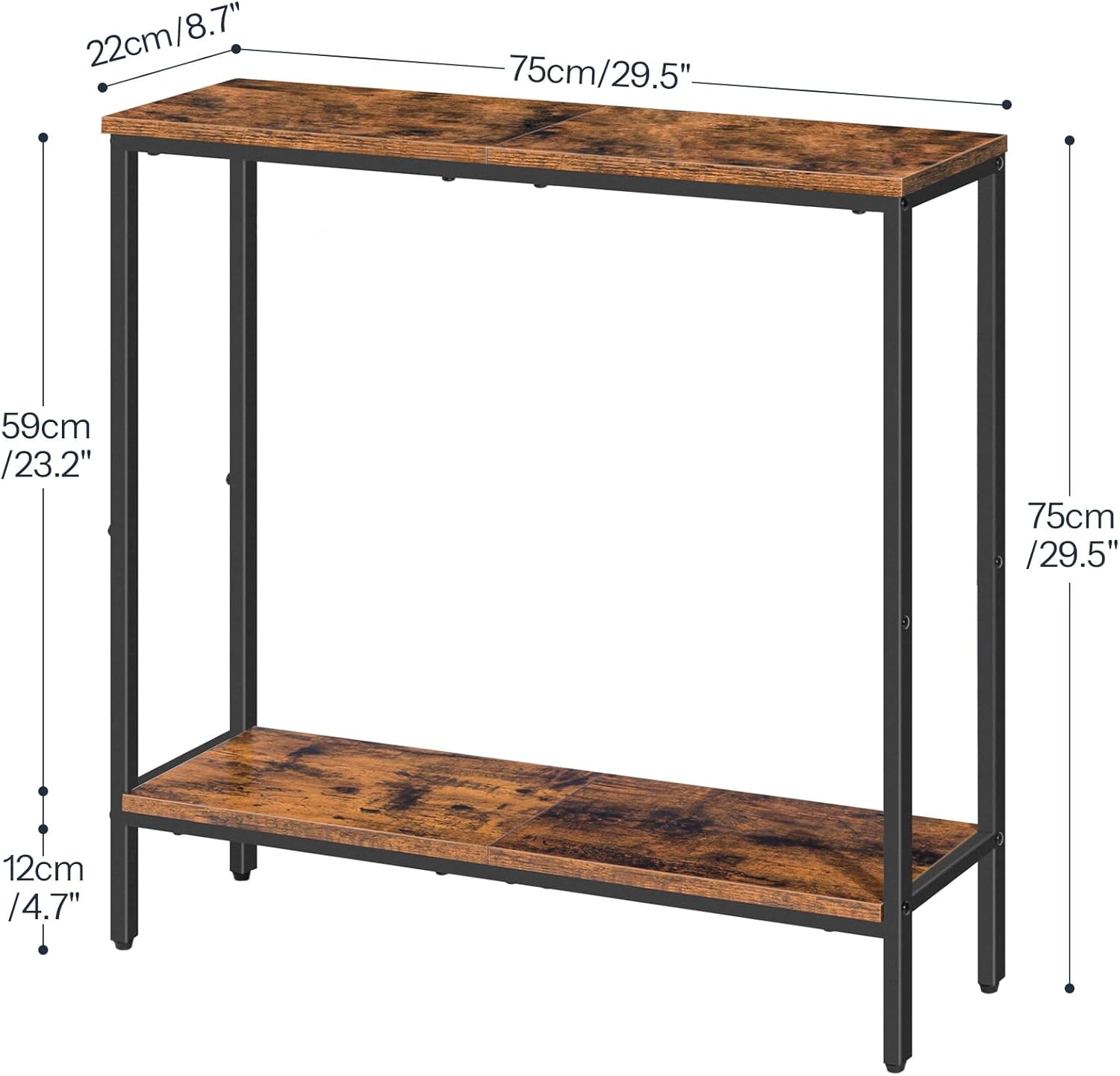
Image: Detailed diagram illustrating the length, width, and height dimensions of the console table in both centimeters and inches.
Warranty and Support
For warranty information or customer support regarding your HOOBRO console table, please refer to the documentation included with your purchase or contact the retailer where the product was acquired. You may also visit the official HOOBRO website for further assistance.


