
1. Introduction and Overview
This manual provides detailed instructions for the installation, operation, and maintenance of your DEKCO Wireless Outdoor Security Camera. Designed for home security, this 2K solar-powered camera offers features such as two-way audio, smart human detection, and night vision, ensuring comprehensive surveillance without the need for constant battery changes or complex wiring.

DEKCO Wireless Outdoor Security Camera with Solar Panel
2. Key Features
- 365-Day Non-Stop Solar Power: Sunlight each day is sufficient to continuously power the camera, eliminating the need for battery changes.
- 100% Wireless, Simple Setup: Install the camera anywhere in minutes without complex wiring.
- Smart Human Detection: Advanced technology intelligently detects human shapes, reducing false alerts from animals or other movements.
- No Monthly Fees: All features and storage options are available without recurring subscription costs.
- IP65 Weatherproof Rating: Built to withstand rain, sleet, snow, and extreme temperatures for reliable outdoor performance.
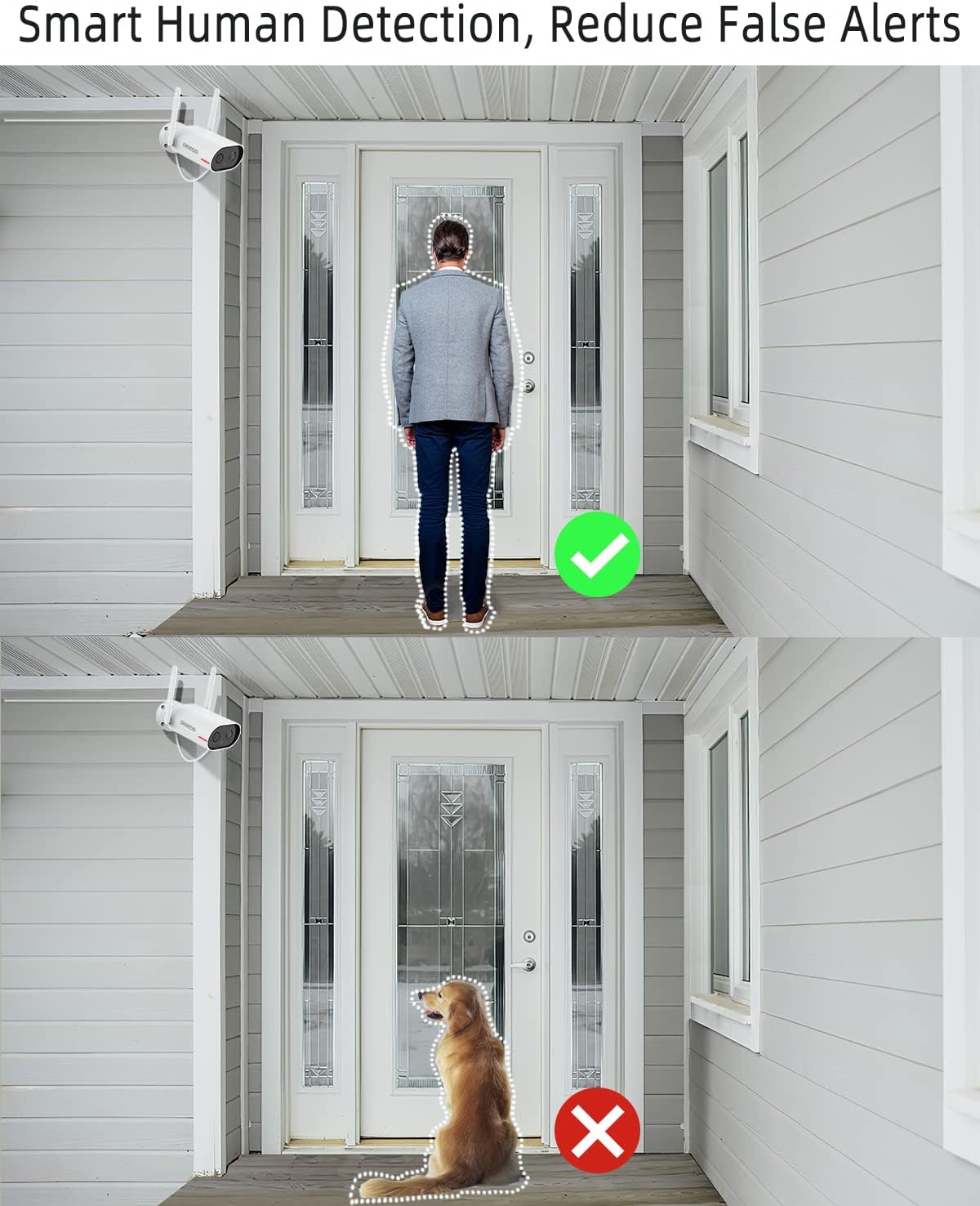
Smart Human Detection minimizes false alarms.
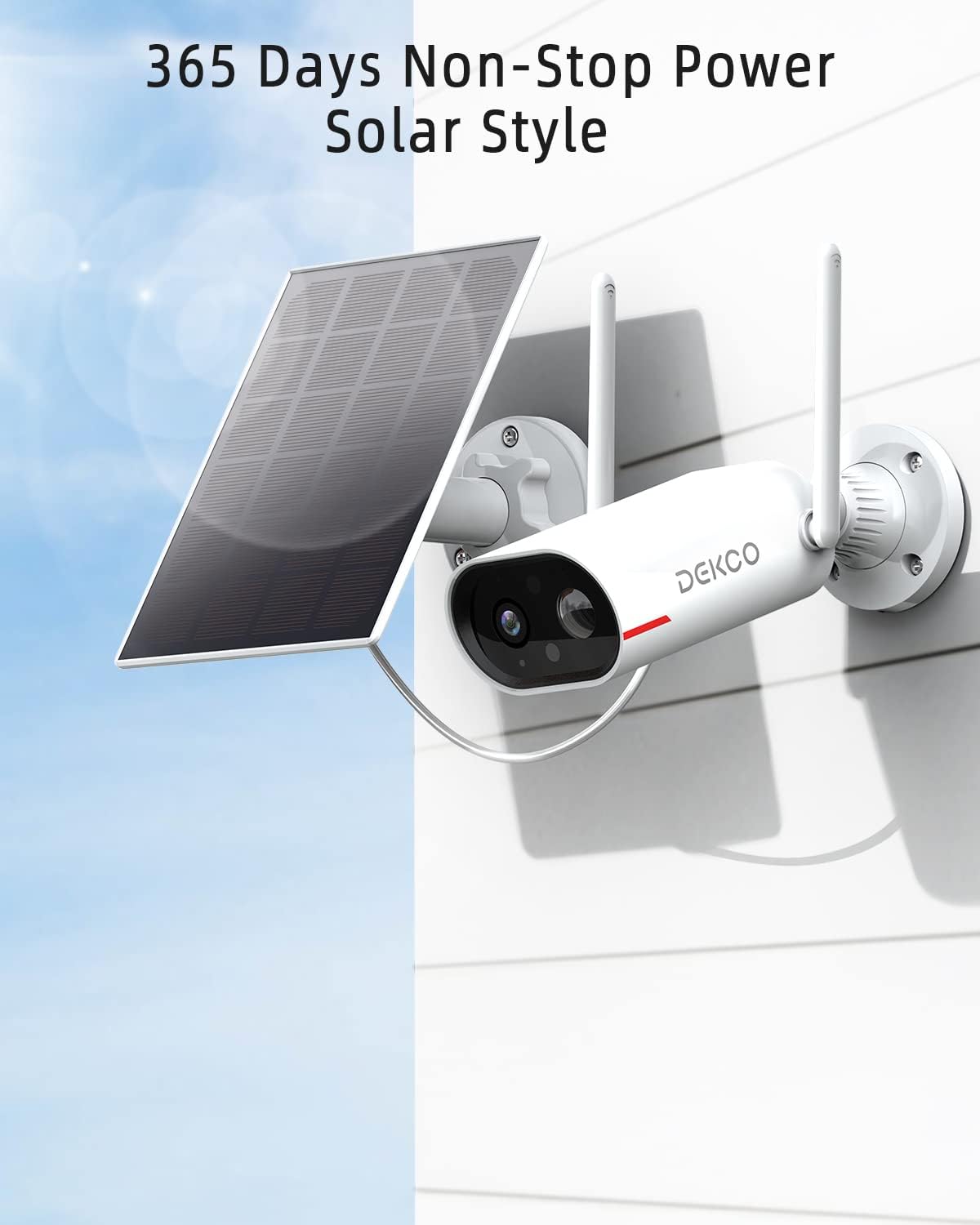
Continuous power with solar charging.
3. Setup Guide
Follow these steps to set up your DEKCO security camera:
- Charge the Camera: Although solar-powered, it is recommended to fully charge the camera's built-in battery via the USB port before initial installation.
- Download the App: Download the official DEKCO app (CloudEdge) from your smartphone's app store (Android/iOS).
- Create an Account: Register for a new account or log in if you already have one.
- Add Device: In the app, select 'Add Device' or the '+' icon. Follow the on-screen prompts to connect your camera to your 2.4GHz Wi-Fi network.
- Mount the Camera: Choose a suitable outdoor location with good Wi-Fi signal and direct sunlight exposure for the solar panel. Use the provided mounting hardware to securely install the camera and solar panel.

Simple installation process.
Official Setup Video
This video provides a brief introduction to the DEKCO Solar Security Camera, highlighting its key features and ease of use.
4. Operating Instructions
Once set up, you can control and monitor your camera via the app:
- Live View: Access real-time video feed from your camera anytime, anywhere.
- Two-Way Audio: Use the intercom feature to speak with visitors or deter intruders directly through the camera.
- Motion Detection Alerts: Receive instant notifications on your smartphone when human motion is detected. Adjust sensitivity settings to minimize unwanted alerts.
- Night Vision: The camera automatically switches to night vision mode in low-light conditions, providing clear surveillance even in complete darkness.
- Local & Cloud Storage: Record and store video footage on a local Micro SD card (not included, supports 8-128GB, Class 10, FAT32 format) or opt for cloud storage services (optional).

Clear night vision for 24/7 monitoring.
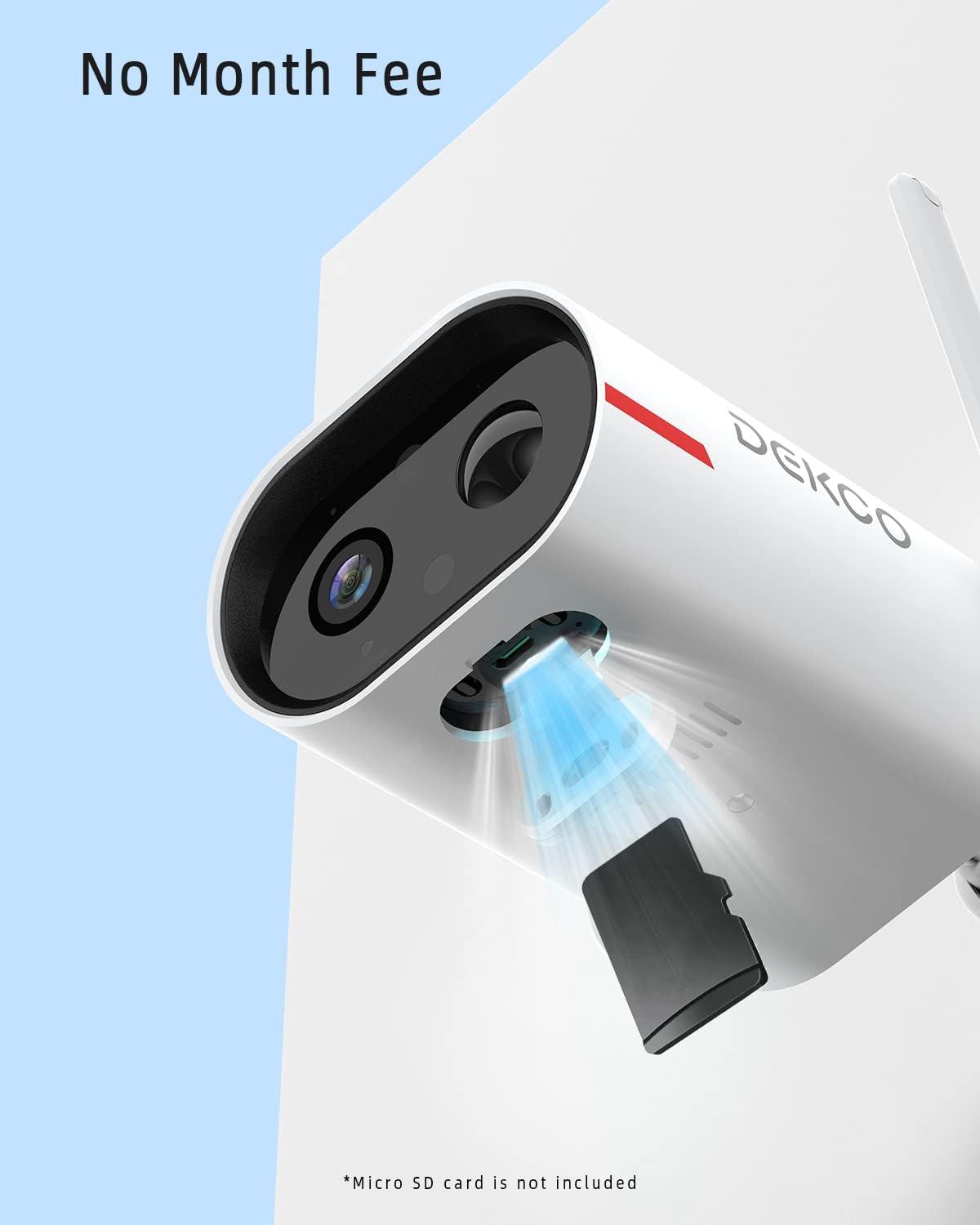
Supports local SD card storage without monthly fees.
5. Maintenance
To ensure optimal performance and longevity of your DEKCO camera:
- Clean the Solar Panel: Periodically wipe the solar panel with a soft, damp cloth to remove dust, dirt, or debris that may hinder charging efficiency.
- Check Wi-Fi Signal: Ensure your camera maintains a strong Wi-Fi connection for uninterrupted monitoring. Relocate if necessary.
- Firmware Updates: Regularly check the app for firmware updates to ensure your camera has the latest features and security enhancements.
- Battery Health: Monitor the battery level via the app. While solar-powered, extreme weather or prolonged lack of sunlight may require manual charging.
6. Troubleshooting
Common issues and solutions:
- Camera not connecting to Wi-Fi: Ensure your Wi-Fi is 2.4GHz. This camera does not support 5GHz networks. Check Wi-Fi signal strength at the installation location.
- Excessive Notifications: Adjust the motion detection sensitivity settings in the app. Enable 'Smart Human Detection' to filter out non-human movements.
- SD Card Not Recognized: Use a genuine Micro SD card (8-128GB, Class 10, FAT32 format). Ensure the card is inserted correctly and formatted via the app.
- Poor Night Vision: Ensure the camera lens is clean and free from obstructions. Check for any external light sources that might interfere with the infrared sensors.
7. Specifications
| Feature | Detail |
|---|---|
| Model Number | DC8L |
| Video Resolution | 2K (Effective 1080 Pixels) |
| Viewing Angle | 130 Degrees |
| Night Vision Range | 66 Feet |
| Connectivity | 2.4GHz Wi-Fi |
| Power Source | Solar Powered / Battery Powered |
| Weatherproof Rating | IP65 |
| Storage Options | Micro SD Card (8-128GB, Class 10, FAT32) / Cloud Storage |
| Two-Way Audio | Yes |
| Human Detection | Yes |
| Dimensions | 7.09 x 1.97 x 1.18 inches |
| Item Weight | 1.7 pounds |
8. Warranty and Support
Specific warranty details are not provided in this manual. For warranty claims, technical support, or further assistance, please refer to the product packaging or contact DEKCO customer service directly through their official website or the contact information provided with your purchase.


