Introduction
The Bell+Howell BH65TWS Bluetooth True Wireless Stereo Link Cinema Speaker offers a versatile audio experience. It allows wireless music streaming via Bluetooth up to 33 feet away and includes an auxiliary input for wired connections. Featuring True Wireless Stereo (TWS) technology, two BH65TWS speakers can be paired for an immersive surround sound experience. Its compact and robust design makes it suitable for various environments, providing up to 10 hours of audio playback on a single charge.
What's in the Box
Please check the package contents to ensure all items are present:
- BH65TWS Speaker
- USB Cable
- Auxiliary Cable
- Instruction Manual (this document)
- Warranty Card
Product Overview
Familiarize yourself with the speaker's controls and ports.

Image 1: Front view of the Bell+Howell BH65TWS speaker, highlighting the top control panel with power, volume, play/pause, and mode buttons, and the front speaker grille.
Control Buttons:
- Power Button: Press and hold to turn the speaker ON or OFF.
- Volume Down (-): Press to decrease volume. Press and hold to skip to the previous track.
- Volume Up (+): Press to increase volume. Press and hold to skip to the next track.
- Play/Pause/Call Button: Press to play or pause music. Press to answer or end a phone call. Press and hold to reject an incoming call. Double-press to redial the last number.
- Mode Button (M): Press to switch between Bluetooth and Auxiliary input modes.
Ports and Indicators:
- Micro USB Charging Port: For charging the speaker's internal battery.
- 3.5mm AUX Input: For connecting external audio devices via the auxiliary cable.
- LED Indicator: Displays charging status and Bluetooth pairing status.
- Microphone: For hands-free calling.
Setup
Charging the Speaker
- Connect the small end of the included USB cable to the Micro USB charging port on the speaker.
- Connect the large end of the USB cable to a USB power adapter (not included) or a computer's USB port.
- The LED indicator will illuminate to show charging status. It will typically turn off or change color once fully charged. A full charge provides up to 10 hours of music playtime.
Powering On/Off
- To Power On: Press and hold the Power button for approximately 3 seconds until you hear an audible tone and the LED indicator flashes.
- To Power Off: Press and hold the Power button for approximately 3 seconds until you hear an audible tone and the LED indicator turns off.
Operating Instructions
Bluetooth Pairing
- Ensure the speaker is powered on and in Bluetooth mode (the LED indicator will be flashing blue). If not, press the Mode button to switch to Bluetooth mode.
- Enable Bluetooth on your smartphone, tablet, or other Bluetooth-enabled device.
- Search for available Bluetooth devices. Select "BH65TWS" from the list.
- Once paired, the LED indicator will stop flashing and remain solid blue, and you will hear a confirmation tone.
- You can now stream audio wirelessly from your device to the speaker. The effective range is up to 33 feet (10 meters).
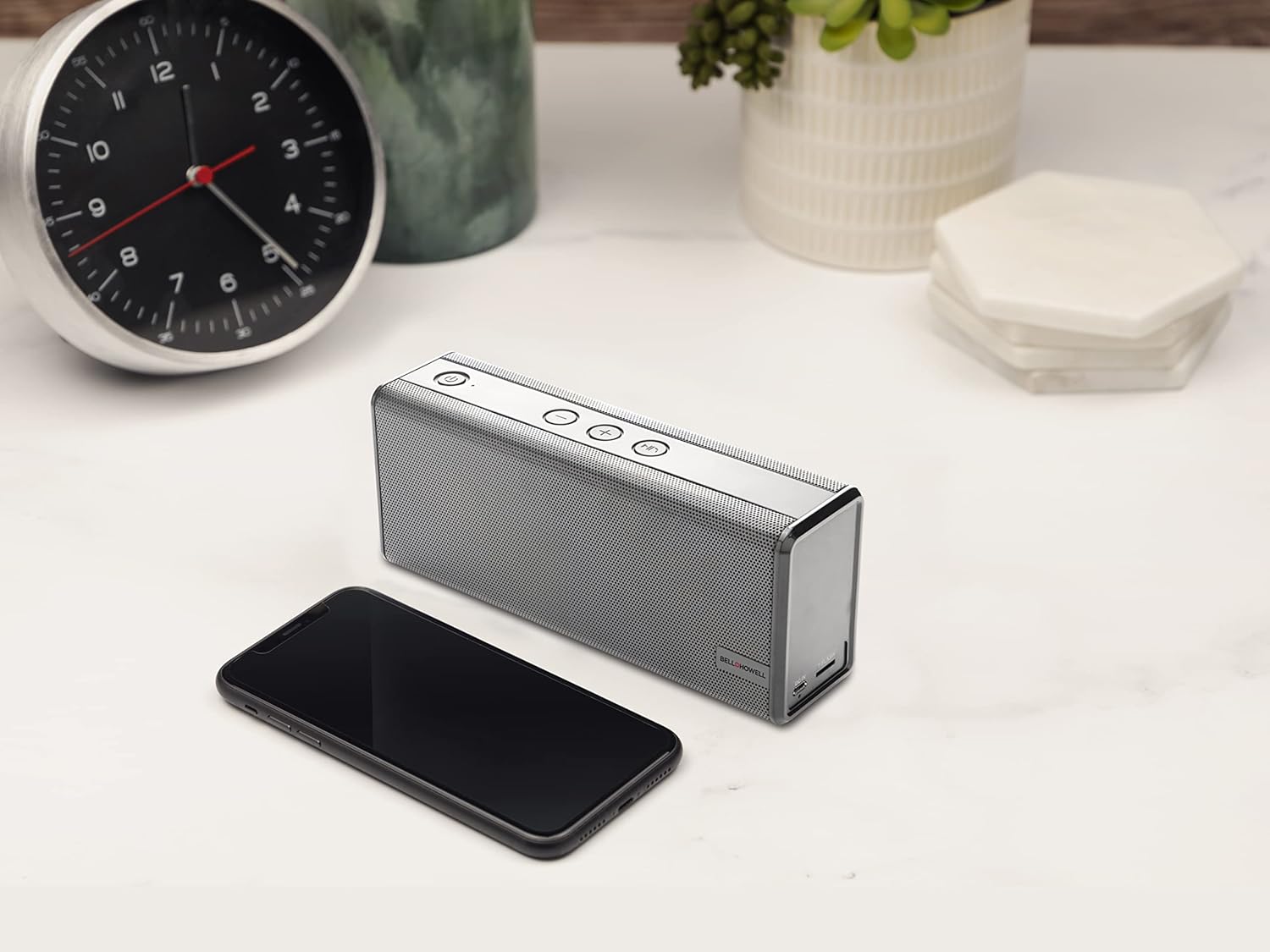
Image 2: The Bell+Howell BH65TWS speaker positioned on a desk next to a smartphone, illustrating its compact size and readiness for wireless audio streaming.
True Wireless Stereo (TWS) Pairing
To achieve a true stereo sound experience, you can pair two BH65TWS speakers together.
- Ensure both BH65TWS speakers are powered on and not connected to any Bluetooth device.
- On one of the speakers (this will be your primary speaker), press and hold the Mode button for approximately 3 seconds. You will hear a tone, and the speaker will enter TWS pairing mode.
- The two speakers will automatically search for and connect to each other. Once connected, you will hear a confirmation tone, and the LED indicator on the primary speaker will flash blue, while the secondary speaker's LED will be solid blue.
- Now, connect your Bluetooth device to the primary speaker as described in the "Bluetooth Pairing" section. The audio will play through both speakers in stereo.
Auxiliary Input (AUX) Mode
For devices without Bluetooth, use the auxiliary input:
- Connect one end of the included 3.5mm auxiliary cable to the AUX input port on the speaker.
- Connect the other end of the auxiliary cable to the headphone jack or audio output of your external device.
- Press the Mode button on the speaker until it enters AUX mode (the LED indicator may change color or pattern).
- Control playback and volume directly from your connected device.
Hands-Free Calling
When connected via Bluetooth to a smartphone, the speaker can be used for hands-free calls:
- Answer Call: Press the Play/Pause/Call button once to answer an incoming call.
- End Call: Press the Play/Pause/Call button once to end an active call.
- Reject Call: Press and hold the Play/Pause/Call button for 2 seconds to reject an incoming call.
- Redial: Double-press the Play/Pause/Call button to redial the last number called.
Maintenance
Proper care ensures the longevity of your speaker.
- Cleaning: Use a soft, dry cloth to wipe the speaker's surface. Do not use abrasive cleaners, waxes, or solvents.
- Storage: When not in use for extended periods, store the speaker in a cool, dry place away from direct sunlight and extreme temperatures.
- Battery Care: To maintain battery health, fully charge the speaker at least once every three months, even if not in regular use.
- Water Resistance: This speaker is not waterproof. Avoid exposure to water or excessive moisture.
Troubleshooting
If you encounter issues, refer to the following solutions:
| Problem | Possible Solution |
|---|---|
| Speaker does not power on. | Ensure the battery is charged. Connect the speaker to a power source using the USB cable and try again after a few minutes. |
| Cannot pair via Bluetooth. |
|
| No sound from the speaker. |
|
| TWS pairing fails. |
|
Specifications
| Feature | Detail |
|---|---|
| Model Name | True Wireless Stereo Bluetooth Speaker |
| Brand | Bell+Howell |
| Connectivity Technology | Bluetooth, Auxiliary |
| Wireless Communication Technology | Bluetooth |
| Bluetooth Range | 33 Feet (10 meters) |
| Speaker Type | Surround Sound (with TWS pairing) |
| Special Features | Built-in Microphone, Stereo Pairing (TWS) |
| Recommended Uses | Music, Outdoor, Travel |
| Compatible Devices | Desktop, Laptop, MP3 Player, Smartphone, Tablet |
| Power Source | Battery Powered |
| Battery Type | 1 Lithium Ion battery (included) |
| Battery Capacity | 2200 mAh |
| Music Playtime | Up to 10 hours |
| Speaker Maximum Output Power | 6 Watts (Dual 3 watt drivers) |
| Audio Output Mode | Stereo, Surround |
| Control Method | Touch Buttons |
| Product Dimensions | 8.7 x 4.7 x 2.8 inches |
| Item Weight | 2 pounds |
| Color | Silver |
| Waterproof | No |
Safety Information
Please read and follow these safety guidelines for safe operation:
- Do not expose the speaker to extreme temperatures, direct sunlight, or high humidity.
- Avoid dropping or subjecting the speaker to strong impacts.
- Do not disassemble, repair, or modify the speaker yourself. This may void the warranty and pose safety risks.
- Keep the speaker away from water and liquids. It is not waterproof.
- Use only the provided USB cable for charging.
- Do not operate the speaker at excessively high volumes for prolonged periods, as this may cause hearing damage.
- Dispose of the battery and speaker according to local regulations. Do not dispose of batteries in fire.
Warranty Information
The Bell+Howell BH65TWS speaker comes with a Limited Warranty. Please refer to the included Warranty Card for specific terms, conditions, and duration of coverage. Keep your purchase receipt as proof of purchase for warranty claims.
Support
For further assistance or inquiries not covered in this manual, please contact Bell+Howell customer support. Refer to the contact information provided on the Warranty Card or visit the official Bell+Howell website for support resources.


