
1. Introduction
Thank you for choosing the GalaxyElec HOTRC A400 Digital Lipo Battery Balance Charger. This charger is designed for safe and efficient charging and discharging of 3S and 4S LiPo batteries, commonly used in RC FPV racing drones and quadcopters. Please read this manual thoroughly before operation to ensure proper use and to prevent damage to the charger or batteries.
2. Safety Instructions
WARNING: Never use the charger unsupervised. Read the entire operating manual before using this charger. Operate the charger in a well-ventilated area, away from flammable materials. Failure to follow safety procedures may cause serious injury or property damage.
- Always connect the charger to a stable AC power source (100-240V).
- Ensure the battery type and cell count (3S or 4S) match the charger's designated port.
- Do not charge damaged, swollen, or leaking batteries.
- Keep the charger away from water, moisture, and direct sunlight.
- Do not cover the charger during operation to allow for proper heat dissipation.
- Keep out of reach of children.
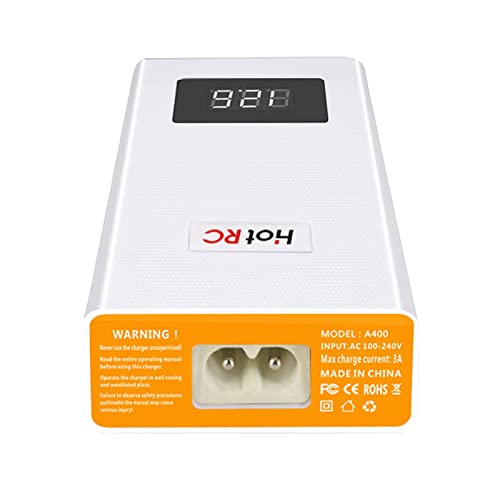
Figure 2.1: Rear view of the HOTRC A400 charger, displaying the AC power input port, model number, input voltage range, max charge current, and safety warnings.
3. Package Contents
Verify that all items listed below are included in your package:
- 1 x HOTRC A400 Lipo Battery Balance Charger
- 1 x AC Power Cable
- 1 x Instruction Manual
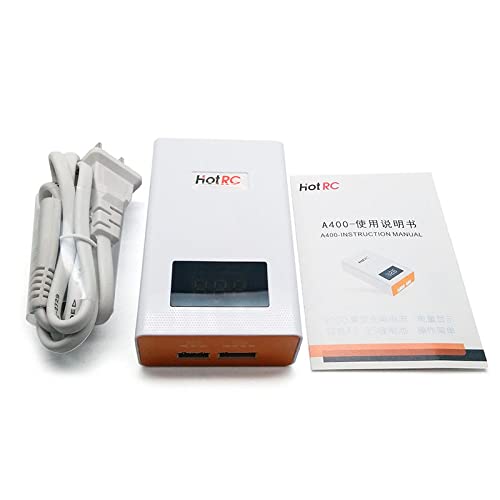
Figure 3.1: The HOTRC A400 charger alongside its power cable and a printed instruction manual, illustrating the typical package contents.
4. Product Overview
The HOTRC A400 charger features a compact design with a digital LED display for real-time voltage monitoring. It includes dedicated balance ports for 3S and 4S LiPo batteries.
- Digital LED Display: Shows the total voltage of the connected battery.
- 3 CELLS Port: For connecting 3-cell (3S) LiPo batteries.
- 4 CELLS Port: For connecting 4-cell (4S) LiPo batteries.
- AC Power Input: Connects to the main power supply.
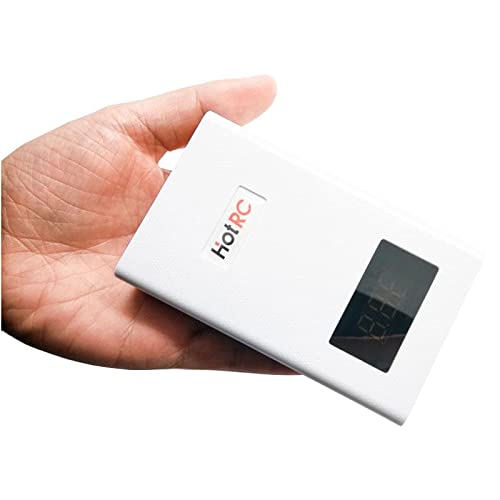
Figure 4.1: Front and side view of the HOTRC A400 charger, showing its compact white casing with an orange front panel and digital display.
5. Setup
- Place the charger on a stable, non-flammable surface in a well-ventilated area.
- Connect the provided AC power cable to the AC power input port on the rear of the charger.
- Plug the other end of the AC power cable into a standard wall outlet (AC 100-240V). The LED display will illuminate, indicating the charger is powered on and ready.
6. Operating Instructions
6.1. Charging 3S LiPo Batteries
- Ensure the charger is powered on.
- Connect your 3S LiPo battery's balance plug to the '3 CELLS' port on the front of the charger. Ensure the plug is inserted correctly, aligning the pins.
- The LED display will show the current total voltage of the battery. The charger will automatically begin balancing and charging the battery.
- Charging is complete when the LED display shows 12.6V (4.2V per cell for a 3S battery) and the indicator light turns green (if applicable, refer to specific model indicators).
- Once charging is complete, disconnect the battery from the charger.
6.2. Charging 4S LiPo Batteries
- Ensure the charger is powered on.
- Connect your 4S LiPo battery's balance plug to the '4 CELLS' port on the front of the charger. Ensure the plug is inserted correctly, aligning the pins.
- The LED display will show the current total voltage of the battery. The charger will automatically begin balancing and charging the battery.
- Charging is complete when the LED display shows 16.8V (4.2V per cell for a 4S battery) and the indicator light turns green (if applicable, refer to specific model indicators).
- Once charging is complete, disconnect the battery from the charger.
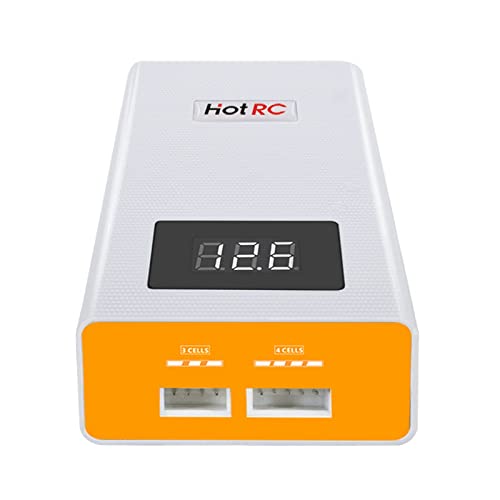
Figure 6.1: Close-up front view of the HOTRC A400 charger, highlighting the '3 CELLS' and '4 CELLS' balance ports and the digital LED display.
6.3. LED Display and Indicators
- The digital LED display shows the real-time total voltage of the connected battery.
- During charging, the display will show the increasing voltage.
- Once the battery reaches its full charge voltage (e.g., 12.6V for 3S, 16.8V for 4S), the charger will stop charging and maintain the balance.
6.4. Discharging Function
The HOTRC A400 charger includes a discharge function. To discharge a battery, simply connect it to the appropriate balance port (3S or 4S). The charger will automatically begin to discharge the battery to a safe storage voltage. Monitor the display to see the voltage decrease. Disconnect the battery once the desired storage voltage is reached or when the charger indicates completion.
7. Maintenance and Storage
- Clean the charger regularly with a dry, soft cloth. Do not use solvents or abrasive cleaners.
- Store the charger in a cool, dry place, away from direct sunlight and extreme temperatures.
- Ensure all ports are free from dust and debris.
- When not in use, disconnect the charger from the power outlet.
8. Troubleshooting
- Charger not powering on: Check the AC power cable connection to both the charger and the wall outlet. Ensure the outlet is functional.
- Battery not charging: Verify that the battery's balance plug is fully and correctly inserted into the corresponding 3S or 4S port. Check if the battery is severely over-discharged or damaged.
- Incorrect voltage display: Ensure the battery is properly connected. If the issue persists, the battery or charger may require service.
- Overheating: Disconnect the charger immediately. Ensure it is in a well-ventilated area and not covered. Allow it to cool down before resuming use. If overheating continues, discontinue use.
9. Specifications
| Specification | Value |
|---|---|
| Item Name | HOTRC A400 Battery Charger |
| Weight | 138g |
| Size | Approx. 100 x 60 x 30mm |
| Max Charge Current | 3A |
| Battery Type | 3S/4S LiPo |
| Balanced Current | 300mAh/cell |
| Max Charge Power | 40W |
| Charge Stop Voltage | 4.2V ±0.02V per cell |
| Shell Material | ABS+PC Fireproof Material |
| Input Voltage | AC 100-240V |
| Output Voltage | 11.1 Volts (DC) for 3S, 14.8 Volts (DC) for 4S (nominal) |
| Number of Ports | 2 (1x 3S, 1x 4S) |
| Manufacturer Reference | ZZYtsFPV-10851 |
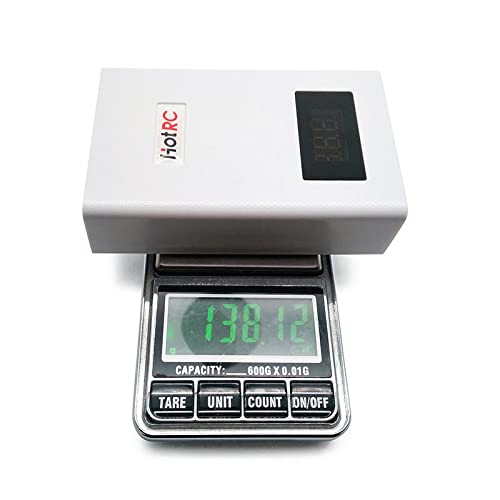
Figure 9.1: The HOTRC A400 charger placed on a digital scale, showing its weight of approximately 138 grams, emphasizing its lightweight design.
10. Warranty and Support
This product comes with a standard manufacturer's warranty. For specific warranty details, please refer to the documentation provided at the time of purchase or contact your retailer. For technical support or inquiries, please reach out to the customer service department of GalaxyElec or your authorized dealer.