
Introduction
This manual provides instructions for the safe and efficient operation of your iDance Groove 214N Portable Bluetooth Karaoke Machine. The Groove 214N is a portable karaoke system featuring 100W power output, an integrated LED light show, and Bluetooth connectivity for wireless audio streaming. It includes a microphone with echo effect, a remote control, and a USB charging cable.
Package Contents
Ensure all items are present in the package:
- iDance Groove 214N Karaoke Machine
- Microphone with Echo Effect
- Remote Control
- USB Charging Cable
- User Manual (this document)
Product Overview
The iDance Groove 214N features a robust ABS cabinet with an 8-inch woofer. The front grille integrates an LED light show. It is designed for portability with a telescopic handle and wheels.
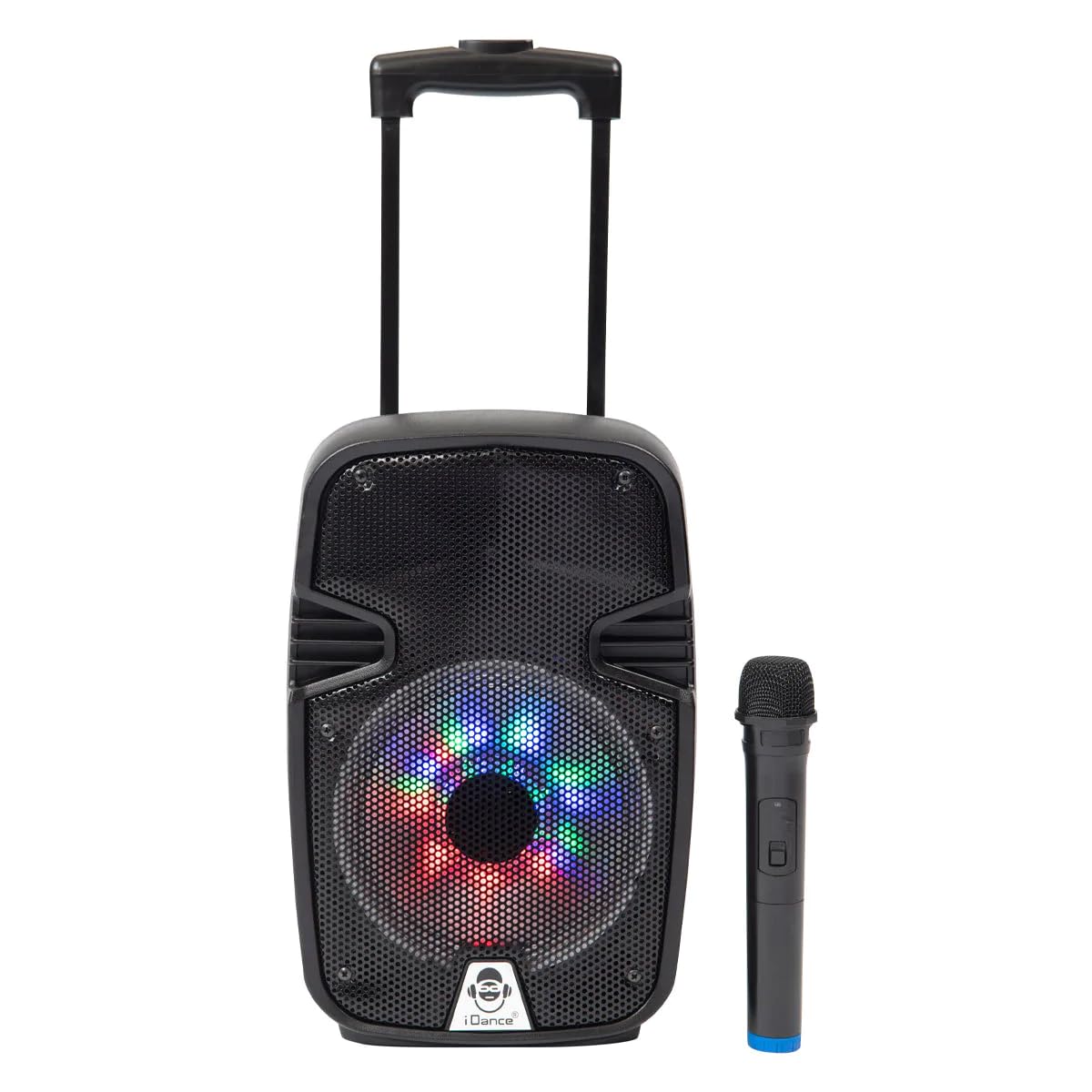
Image of the iDance Groove 214N Portable Bluetooth Karaoke Machine, showing its front panel with the speaker grille and integrated LED lights, along with the telescopic handle and wheels.
Setup
- Unpacking: Carefully remove the unit from its packaging.
- Initial Charge: Before first use, fully charge the internal LI-ON battery using the provided USB charging cable. Connect the USB cable to the charging port on the unit and to a compatible USB power adapter (not included). The charging indicator will show the charging status. A full charge provides up to 4 hours of playtime.
- Power On/Off: Press and hold the power button (location typically on the control panel) to turn the unit on or off.
Operating Instructions
Bluetooth Pairing
- Turn on the iDance Groove 214N.
- Activate Bluetooth on your smartphone, tablet, or laptop.
- Search for "iDance Groove 214N" in the list of available devices.
- Select the device to pair. A confirmation sound will indicate successful pairing.
- You can now stream audio wirelessly from your device to the karaoke machine.
Microphone Use
- Connect the microphone to the designated microphone input jack on the unit.
- Adjust the microphone volume and echo effect using the controls on the unit or remote control.
- Sing along to your music.
MP3 Playback (USB)
- Insert a USB drive containing MP3 audio files into the USB port.
- The unit will automatically detect and begin playing MP3 files.
- Use the controls on the unit or remote control to navigate tracks (play, pause, skip).
LED Light Show
The integrated LED lights on the front grille provide dynamic disco effects. These lights activate automatically when the unit is powered on and enhance your karaoke experience.
Remote Control
Use the included remote control to manage playback, volume, microphone settings, and other functions from a distance.
Charging
The iDance Groove 214N is equipped with a rechargeable LI-ON battery. When the battery level is low, connect the USB charging cable to the unit's charging port and a compatible USB power source (e.g., a wall adapter or computer USB port). The charging time may vary. Do not use damaged cables or chargers.
Maintenance
- Cleaning: Wipe the unit with a soft, dry cloth. Do not use abrasive cleaners, solvents, or harsh chemicals.
- Storage: Store the unit in a cool, dry place away from direct sunlight and extreme temperatures.
- Battery Care: To prolong battery life, avoid fully discharging the battery frequently. Charge the unit regularly, even if not in use for extended periods.
Troubleshooting
- No Power:
- Ensure the unit is charged. Connect the USB charging cable and allow it to charge for a period.
- Check the power button to ensure it is pressed and held correctly.
- No Sound:
- Check the volume levels on both the karaoke machine and your connected Bluetooth device.
- Ensure the Bluetooth device is properly paired.
- If using a microphone, ensure it is securely connected to the input jack and its volume is turned up.
- Bluetooth Pairing Issues:
- Ensure the unit is in Bluetooth mode (if applicable, some units have mode buttons).
- Turn off and then on Bluetooth on your source device.
- Move your source device closer to the karaoke machine to ensure a strong signal.
- On your source device, "forget" or "unpair" the "iDance Groove 214N" and try pairing again.
- Microphone Echo Not Working:
- Ensure the echo effect is enabled and adjusted via the controls on the unit or remote control.
Specifications
| Model: | GROOVE214 |
| Power Output: | 100W |
| Woofer Size: | 8 inches |
| Cabinet Material: | ABS |
| Connectivity: | Bluetooth, USB |
| Battery: | Rechargeable LI-ON, up to 4 hours playtime |
| Included Components: | Microphone (with echo effect), Remote Control, USB Charging Cable |
| Portability Features: | Telescopic handle, wheels |
| Manufacturer: | iDance |
Warranty and Support
For warranty information and customer support, please refer to the documentation included with your purchase or visit the official iDance website. Keep your proof of purchase for warranty claims.