
Lanteso S21
Lanteso S21 Wireless Earbuds User Manual
Model: S21
1. Introduction
Thank you for choosing the Lanteso S21 Wireless Earbuds. This manual provides essential information for setting up, operating, maintaining, and troubleshooting your earbuds. Please read it carefully to ensure proper use and to maximize the lifespan of your device.
2. Product Overview
The Lanteso S21 are mini TWS (True Wireless Stereo) Bluetooth earbuds designed for clear audio and comfortable wear. They feature 4 microphones for clear calling, bass sound, and are suitable for home, work, and sports activities.
2.1 What's in the Box
- Lanteso S21 Wireless Earbuds (Left and Right)
- Charging Case
- User Manual
- Multiple sizes of Silicone Ear Tips (S, M, L)
2.2 Earbuds and Charging Case Diagram

Figure 2.2.1: Lanteso S21 Earbuds and Charging Case
This image displays the Lanteso S21 Wireless Earbuds placed within their open charging case. The earbuds are black, compact, and show their charging contacts. The case is also black with a smooth, matte finish, indicating its portable design.
3. Setup
3.1 Initial Charging
Before first use, fully charge the earbuds and the charging case. Place both earbuds into the charging case. Connect the charging case to a power source using a compatible USB cable. The indicator lights on the case will show the charging status.
3.2 Pairing with Your Device (One-Step Pairing)
- Ensure the earbuds are charged.
- Open the charging case. The earbuds will automatically enter pairing mode.
- On your device (smartphone, tablet, etc.), go to Bluetooth settings and turn Bluetooth on.
- Look for 'S21' in the list of available devices and select it to connect.
- Once connected, the earbuds are ready for use. For subsequent uses, they will automatically connect to the last paired device when taken out of the case.

Figure 3.2.1: One-Step Pairing Process
This image illustrates the one-step pairing process. A smartphone displays its Bluetooth settings with 'S21' listed as 'Connected', indicating successful pairing. The Lanteso S21 earbuds are shown outside their charging case, ready for use.
Video 3.2.2: S21 Mini True Wireless Earbuds Connection Guide
This video demonstrates the connection process for the S21 Mini True Wireless Earbuds, showing how they pair quickly with a device. It also highlights features like call noise reduction, smart touch control, and comfortable fit, suitable for various activities including sports.
4. Operating Instructions
4.1 Smart Touch Control
The Lanteso S21 earbuds feature intuitive touch controls on each earbud. Refer to the diagram below for specific functions:

Figure 4.1.1: Smart Touch Control Functions
This diagram visually explains the touch control gestures for the Lanteso S21 earbuds. It shows that a single tap on either earbud controls play/pause and answers calls. Double taps control previous/next track, and long presses adjust volume. Triple taps activate the voice assistant or hang up/reject calls.
- Play/Pause: Tap either earbud once.
- Volume -: Long press left earbud.
- Volume +: Long press right earbud.
- Previous Track: Tap left earbud twice.
- Next Track: Tap right earbud twice.
- Answer Call: Tap either earbud once.
- Hang up/Reject Call: Tap either earbud three times.
- Voice Assistant (Siri): Tap left/right earbud three times.
4.2 Wearing the Earbuds
For optimal sound quality and comfort, choose the ear tips that best fit your ears. The earbuds are designed for a stable and comfortable fit, even during physical activity.

Figure 4.2.1: Ear Tip Sizes for Optimal Fit
This image displays three different sizes (S, M, L) of silicone ear tips, allowing users to select the most comfortable and secure fit for their ears. A diagram of an ear with an earbud inserted demonstrates proper placement.
5. Maintenance
5.1 Waterproof Protection
The Lanteso S21 earbuds feature an IPX5 waterproof design, protecting them from sweat and light splashes. This makes them suitable for workouts and outdoor activities. However, they are not designed for submersion in water.
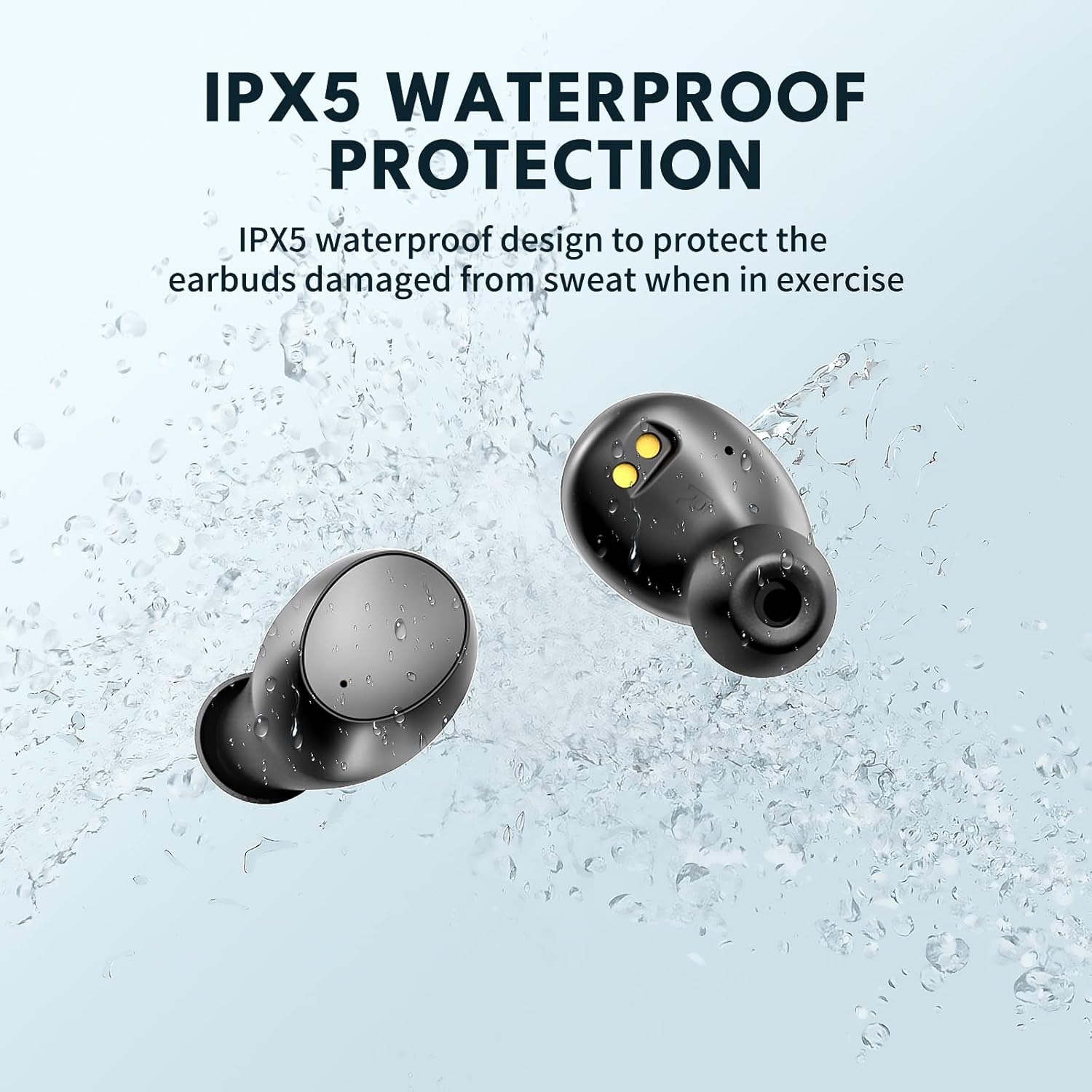
Figure 5.1.1: IPX5 Waterproof Protection
This image visually represents the IPX5 waterproof capability of the Lanteso S21 earbuds, showing water splashing over them. This highlights their resistance to sweat and light rain, making them durable for active use.
5.2 Cleaning and Storage
- Regularly clean the earbuds and charging contacts with a dry, soft cloth.
- Avoid using abrasive cleaners or solvents.
- Store the earbuds in their charging case when not in use to protect them and keep them charged.
- Keep the device away from extreme temperatures and humidity.
6. Troubleshooting
If you encounter issues with your Lanteso S21 earbuds, please refer to the following common solutions:
| Problem | Possible Solution |
|---|---|
| Earbuds not pairing | Ensure earbuds are charged. Turn off and on Bluetooth on your device. Forget 'S21' from your device's Bluetooth list and re-pair. |
| No sound from one earbud | Place both earbuds back into the charging case, close the lid, wait a few seconds, then take them out again. Check earbud volume and device volume. |
| Earbuds not charging | Ensure charging contacts on earbuds and case are clean. Try a different USB cable and power adapter. Ensure the charging case itself has power. |
| Poor sound quality | Ensure earbuds are properly seated in your ears. Try different sized ear tips. Move closer to your connected device to improve Bluetooth signal. |
| Touch controls unresponsive | Ensure your fingers are clean and dry. Restart the earbuds by placing them in the case and taking them out. |
7. Specifications
Detailed technical specifications for the Lanteso S21 Wireless Earbuds:
| Feature | Detail |
|---|---|
| Model Name | S21 |
| Brand | Lanteso |
| Connectivity Technology | Wireless (Bluetooth) |
| Bluetooth Version | 5.0 |
| Bluetooth Range | Up to 10 Meters (33 feet) |
| Audio Driver Type | Dynamic Driver |
| Microphones | 4 Mics for Clear Calling |
| Noise Control | Active Noise Cancellation |
| Control Type | Voice Control, Touch Control |
| Water Resistance Level | IPX5 Waterproof |
| Material | Silicone |
| Earpiece Shape | Rounded tip (In-Ear) |
| Item Weight (Earbuds) | 4.1 Grams |
| Batteries | 1 Lithium Ion battery required (included) |
| Compatible Devices | Bluetooth-enabled Devices, Smartphones, Tablets, Laptops, Desktops, Smart Speakers, Televisions |
8. Warranty and Support
Lanteso is committed to providing high-quality products. For any product-related inquiries, technical support, or warranty claims, please contact Lanteso customer service through the retailer where you purchased the product or visit the official Lanteso store on Amazon.
Lanteso Store Link: https://www.amazon.com/stores/Lanteso/page/4C24AF37-8D41-4748-AD6D-2013B720A5A0
Ask a question about this manual
Ask about setup, troubleshooting, compatibility, parts, safety, or missing instructions. Manuals+ will review the question and use this page’s manual context to help answer it.