
Introduction
This manual provides essential information for the safe and efficient operation, setup, and maintenance of your MIEBELY Mercedes Benz GT R Pro RC Car. Please read all instructions carefully before use.
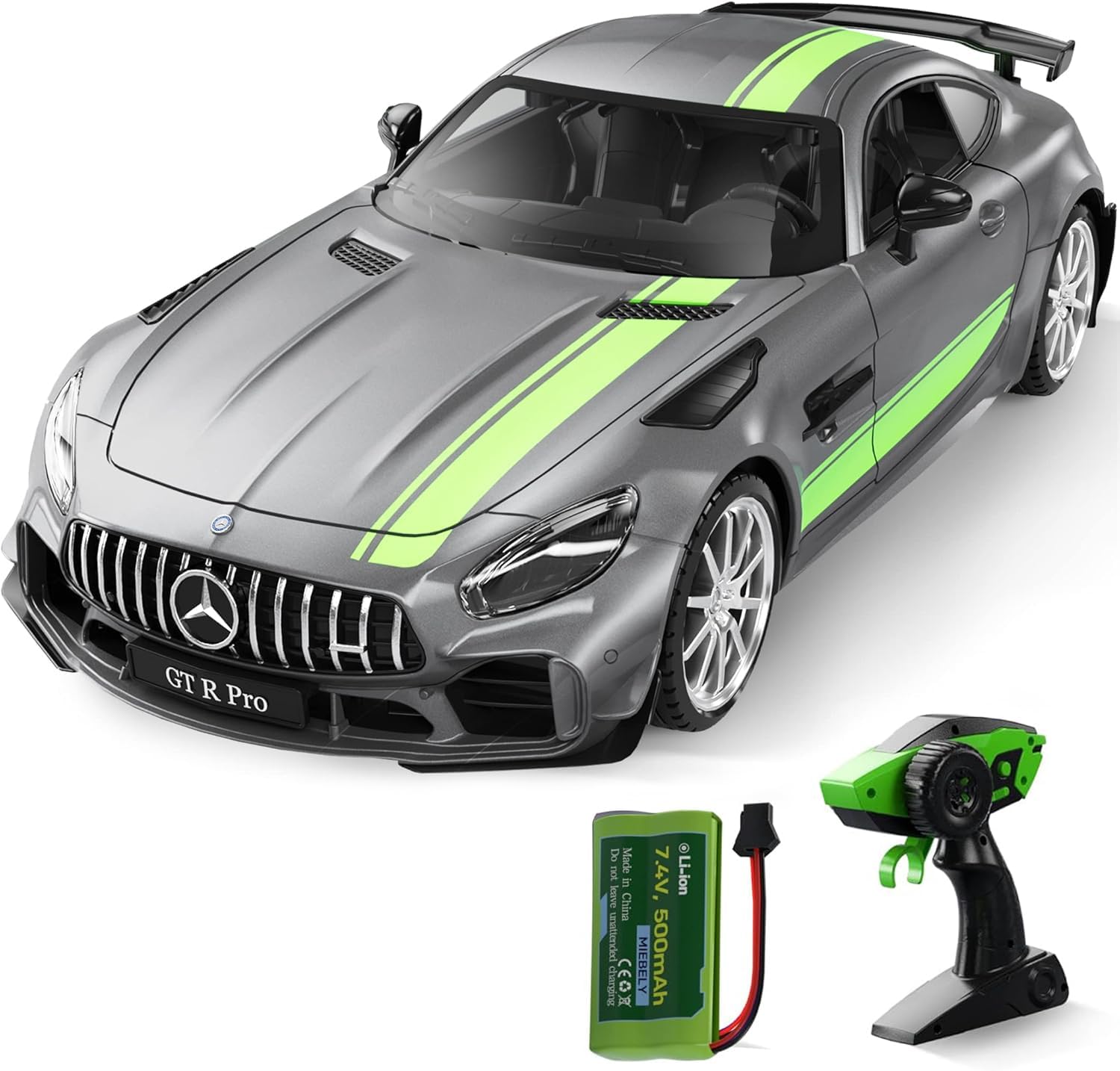
Image: MIEBELY Mercedes Benz GT R Pro RC Car, remote control, and rechargeable battery.
What's in the Box
- Remote control car
- Rechargeable Battery (7.4V 500mAh Lithium Ion)
- Charger
- Charging Cable (USB)
- Remote Control

Image: The complete package contents, including the car, remote, battery, and charging accessories.
Setup
1. Charging the Car Battery
- Locate the 7.4V 500mAh Lithium Ion battery and the USB charging cable.
- Connect the battery to the charging cable.
- Plug the USB charging cable into a compatible USB power source (e.g., computer, USB wall adapter).
- The indicator light on the charging cable will show the charging status. Refer to the charger's specific instructions for light indications (e.g., blinking red/green while charging, solid green when fully charged).
- Charging typically takes a few hours. Do not overcharge the battery.
2. Installing the Car Battery
- Using the included screwdriver, open the battery compartment cover located on the underside of the car.
- Connect the fully charged 7.4V 500mAh battery to the car's power connector. Ensure the connection is secure.
- Carefully place the battery inside the compartment, ensuring wires are not pinched.
- Close the battery compartment cover and secure it with the screw.
Video: Demonstration of battery installation and charging process for the RC car.
3. Installing Remote Control Batteries
- Using the included screwdriver, open the battery compartment cover on the back of the remote control.
- Insert two AA batteries (not included) into the compartment, observing the correct polarity (+/-).
- Close the battery compartment cover and secure it with the screw.
4. Attaching the Steering Wheel to the Remote
- The remote control features a detachable steering wheel.
- Attach the steering wheel to either the left or right side of the remote control, depending on your preference (left-handed or right-handed operation).
- Ensure it clicks securely into place.

Image: The remote control showing the detachable steering wheel for ambidextrous use.
5. Pairing the Remote Control
- Turn on the RC car using the power switch on its underside.
- Turn on the remote control using its power switch.
- The remote and car should automatically pair. An indicator light on the remote will confirm successful pairing.
Operating Instructions
1. Basic Controls
- Forward/Reverse: Use the trigger on the remote control. Pull the trigger to move forward, push it to move in reverse.
- Left/Right: Use the steering wheel on the remote control to turn the car left or right.
2. Steering Adjustment
If the car does not drive straight, use the steering trim adjuster located on the underside of the car to fine-tune the alignment. Turn the adjuster left or right until the car maintains a straight path.

Image: The underside of the car highlighting the direction spinner for fine-tuning steering.
3. Lights Functionality
- Headlights: The LED headlights illuminate when the car moves forward.
- Taillights/Brake Lights: The taillights illuminate when the car moves in reverse or brakes.

Image: Detailed view of the car's functional LED headlights and taillights.
4. Recommended Operating Environment
This RC car is designed for smooth, flat surfaces. Avoid operating on rough terrain, grass, or gravel, as this may impede performance and cause damage.
Video: MIEBELY Mercedes Benz GT R Pro RC Car in action, demonstrating its movement and features.
Maintenance
- Cleaning: Wipe the car and remote control with a soft, dry cloth after each use. Avoid using water or harsh chemicals.
- Battery Care: Always fully charge the car's battery before storage. Remove batteries from the remote control if not in use for extended periods. Store batteries in a cool, dry place.
- Storage: Store the car and remote control in a dry, cool environment away from direct sunlight and extreme temperatures.
Troubleshooting
- Car not responding: Ensure both the car and remote control are powered on and batteries are fully charged/fresh. Re-pair the remote control if necessary.
- Poor steering: Adjust the steering trim dial on the underside of the car. Check for any obstructions in the wheels.
- Reduced range: Ensure there are no strong interference sources (e.g., other 2.4GHz devices) nearby.
Specifications
- Brand: MIEBELY
- Model: 29716
- Scale: 1/16
- Product Dimensions: 11.25 x 5 x 3.27 inches
- Item Weight: 2.14 pounds
- Car Battery: 7.4V 500mAh Lithium Ion (included)
- Remote Control Battery: 2 x AA (not included)
- Control Frequency: 2.4GHz
- Top Speed: Approximately 12 km/h (7.4 MPH)
- Recommended Age: 6 years and up

Image: Visual representation of the car's 1:16 scale and dimensions.
Warranty and Support
Warranty and support information for this product is not explicitly detailed in the provided product data. Please refer to the manufacturer's official website or contact their customer service for specific warranty terms and support options.