
1. Introduction
Thank you for choosing the Energizer LED Camping Lantern X1000. This versatile and rugged lantern is designed to provide bright, reliable illumination for various activities, including camping, hiking, fishing, and emergency situations. It features multiple light modes, a rechargeable battery, and the ability to charge other devices. Please read this manual thoroughly before use to ensure safe and optimal performance.

The Energizer LED Camping Lantern X1000, shown with its retail packaging and included Micro USB charging cable.
2. Safety Information
- Do not look directly into the LED light when it is on, as this may cause temporary vision impairment.
- Keep out of reach of children.
- Do not disassemble, modify, or attempt to repair the lantern. This may void the warranty and pose a safety risk.
- Avoid exposing the lantern to extreme temperatures or direct sunlight for prolonged periods.
- Ensure the charging port cover is securely closed when not charging to maintain water resistance.
- Use only the provided or a compatible Micro USB cable for charging.
3. Package Contents
- Energizer LED Camping Lantern X1000
- Micro USB Charging Cable
4. Product Overview
The Energizer LED Camping Lantern X1000 is designed for ease of use and durability. Familiarize yourself with its key components:
- Power Button: Located on the front, controls power and light modes.
- Charging Port (Micro USB): Used to recharge the lantern's internal battery.
- USB-A Output Port: Allows the lantern to function as a power bank for other devices.
- Carrying Handle: Integrated at the top for easy transport or hanging.
- Base Hook: A foldable hook on the bottom for hanging the lantern upside down.
- Shatterproof Lens: Provides durable light diffusion.
Built for durability, the lantern features a shatterproof lens and IPX4 water resistance, making it suitable for outdoor use.
5. Setup
5.1 Initial Charging
Before first use, fully charge your Energizer LED Camping Lantern X1000. The lantern is equipped with a built-in Lithium-Ion battery.
- Locate the Micro USB charging port on the back of the lantern, usually protected by a rubber cover.
- Open the rubber cover and insert the Micro USB end of the provided cable into the lantern's port.
- Connect the standard USB-A end of the cable to a compatible USB power source (e.g., wall adapter, computer USB port, power bank).
- The power button will illuminate red during charging. Once fully charged, the indicator light may change or turn off (refer to specific product behavior).
- After charging, securely close the rubber cover to maintain water resistance.
This video illustrates how to charge the Energizer LED Camping Lantern X1000 and highlights the functionality of its base-mounted hook for versatile hanging options.
6. Operating Instructions
6.1 Power On/Off and Light Modes
The lantern features multiple light modes and a dimming function.
- To Turn On: Press the power button once. The lantern will typically turn on in its brightest mode.
- To Cycle Modes: Press the power button repeatedly to cycle through the available light modes (e.g., Cool, Warm, Combo, Strobe).
- To Dim: While the lantern is on, press and hold the power button. The brightness will gradually dim. Release the button at your desired brightness level. Repeat the process to increase brightness.
- To Turn Off: Press the power button until the light turns off, or press and hold the button for a few seconds in any mode.

The lantern offers versatile lighting with cool white, warm white, a combination of both, and an emergency strobe light mode.

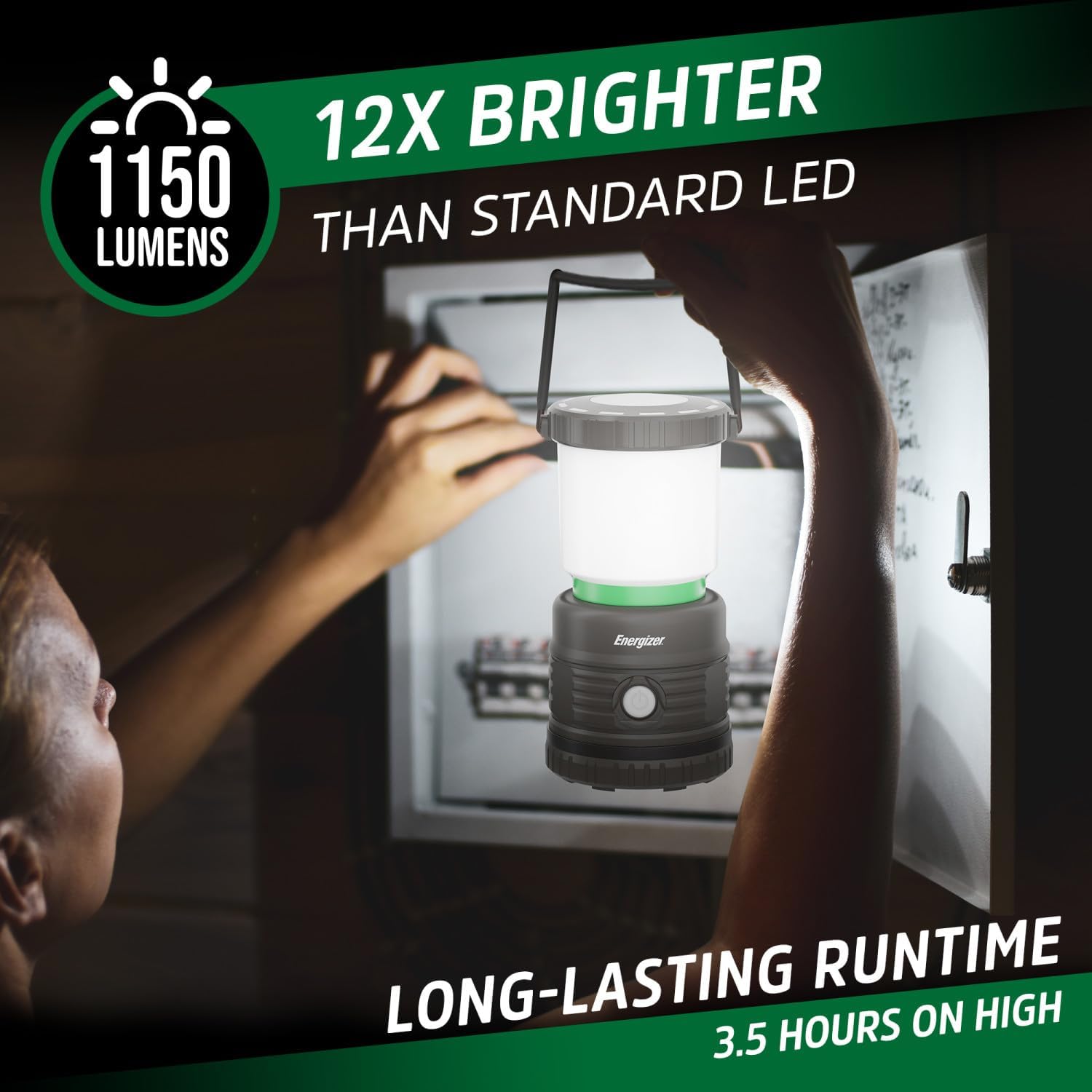
This image demonstrates the lantern's powerful 1150 lumens output, capable of brightly illuminating an area, with a stated runtime of 3.5 hours on high.
This video demonstrates the various light modes and brightness levels of the Energizer LED Camping Lantern X1000, including its dimming and strobe functions.
6.2 Power Bank Function
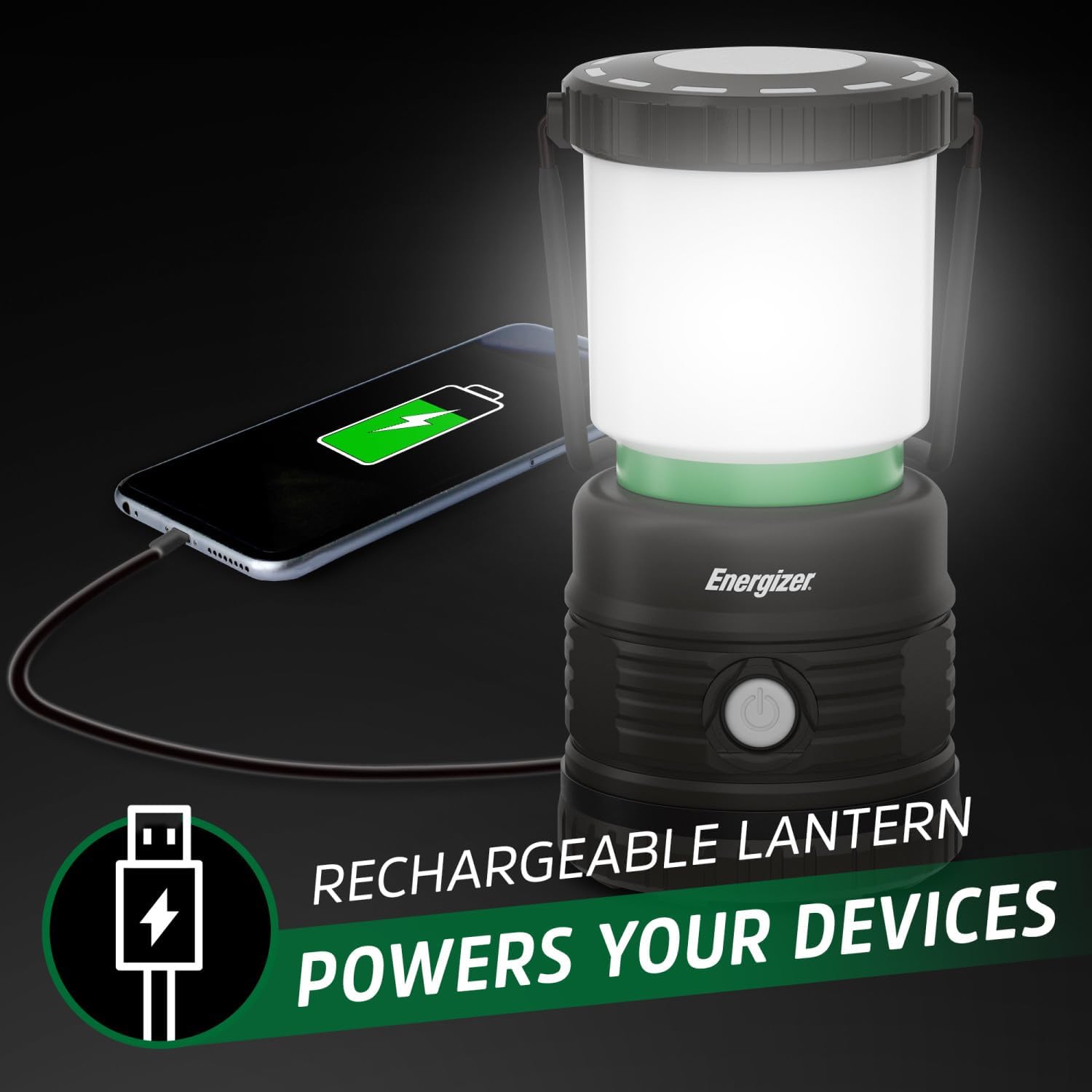
The lantern can be used to charge other USB-powered devices.
- Locate the USB-A output port, usually next to the Micro USB charging port, protected by the same rubber cover.
- Open the rubber cover and connect your device's charging cable to the USB-A output port.
- The lantern will begin charging your device. Note that using the power bank function will reduce the lantern's battery life.
- After charging your device, disconnect the cable and securely close the rubber cover.

The lantern includes a USB output port, allowing it to function as a power bank to charge other electronic devices like smartphones.
6.3 Hanging Options
The lantern offers flexible placement options:
- Top Handle: Use the integrated handle to carry the lantern or hang it from a hook or branch.
- Base Hook: Extend the foldable hook from the bottom of the lantern to hang it upside down. This provides a wider, more diffused 360-degree light spread, ideal for illuminating a tent or campsite.

A convenient base-mounted hook allows the lantern to be hung upside down, providing comprehensive 360-degree area illumination.
The lantern provides ample light for interior spaces like camping tents, enhancing visibility and comfort.
7. Maintenance
- Cleaning: Wipe the lantern with a soft, damp cloth. Do not use abrasive cleaners or solvents.
- Storage: Store the lantern in a cool, dry place when not in use. For prolonged storage, it is recommended to charge the battery every 3-6 months to maintain its health.
8. Troubleshooting
- Lantern not turning on: Ensure the battery is charged. Connect to a power source and check the charging indicator.
- Device not charging from lantern: Ensure the lantern has sufficient battery charge. Check the connection of the USB cable to both the lantern and your device.
- Reduced runtime: Battery performance can decrease over time with repeated charge cycles. Ensure the lantern is fully charged before use. Extreme temperatures can also affect battery performance.
9. Specifications
| Feature | Specification |
|---|---|
| Model Number | ENALER28A |
| Brightness | Up to 1150 Lumens |
| Battery Type | Lithium-Ion (1 required) |
| Battery Life (High Mode) | Approximately 3.5 Hours |
| Water Resistance Level | IPX4 (Water Resistant) |
| Product Dimensions | 3.9"L x 3.9"W x 7.95"H |
| Item Weight | 1.28 pounds (0.58 Kilograms) |
| Material | Plastic |
| Light Source Type | Light Emitting Diode (LED) |
| UPC | 039800139795 |
10. Warranty and Support
For warranty information or technical support, please refer to the product packaging or contact Energizer customer service. Keep your purchase receipt as proof of purchase.