
Introduction
This manual provides detailed instructions for the safe and effective use of your COMFIER Hand Massager with Heat and Compression, Model SKB-4101-CF-WHT. Please read this manual thoroughly before operating the device and retain it for future reference.

Image: Front view of the COMFIER Hand Massager, showing the control panel and a gift box.
Safety Information
To ensure safe use, always follow the instructions provided with the massager. Do not use the massager while standing or moving, as this could lead to injury. If you have sensitive hands, start with the lowest intensity setting and gradually increase as needed. If you experience any pain or discomfort, stop using the massager immediately. Always unplug the massager when not in use and store it in a dry place. Keep the massager away from water and do not submerge it in water. If you have any medical conditions, consult with a healthcare professional before using the massager.
Product Features
- Customized Compression Massage: Features a multi-zone, independent airbag system for finger-specific pressing, palm, and wrist compression. Offers 3 modes and 3 intensity levels.
- Soothing Heat Function: Utilizes heat-compression technology focused on the palm area to provide gentle warmth, promoting circulation and alleviating muscle soreness, numbness, and coldness. Includes 3 heating levels.
- Vibration Massage: Provides additional relaxation with 3 distinct vibration modes.
- Cordless and Portable Design: Equipped with a built-in rechargeable battery for up to 90 minutes of continuous use. Weighs 1.65 lbs, making it suitable for home, office, or travel.
- Automatic Timer: Includes a 15-minute auto-shutoff timer for safe operation.
- Relief for Hand Discomfort: Designed to help ease discomfort associated with carpal tunnel, arthritis, joint soreness, and cold hands.

Image: Diagram showing the internal airbags providing compression massage to the hand and fingers.

Image: Diagram illustrating the vibration and heat functions targeting the hand.
Package Contents
Please check the package contents upon receipt to ensure all items are present:
- 1 x COMFIER Hand Massager (Model SKB-4101-CF-WHT)
- 1 x USB Charging Cable
- 1 x User Manual
Setup
Charging the Device
Before first use, fully charge the hand massager. The device features a Type-C interface and can be charged using various methods:
- Connect to a phone adapter.
- Connect to a power bank.
- Connect to a laptop's USB port.
A full charge provides approximately 90 minutes of continuous operation.
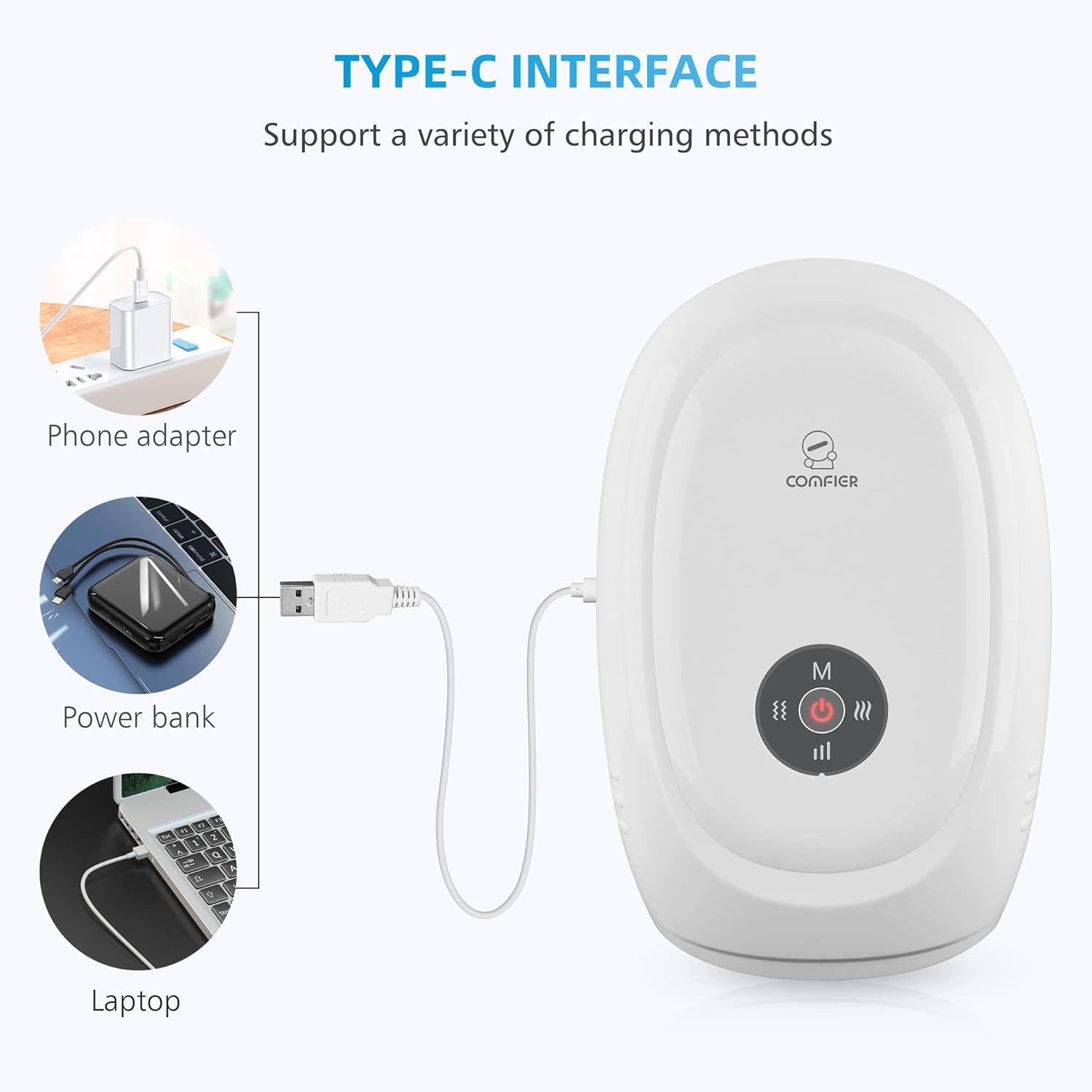
Image: Illustration of the Type-C charging port and compatible charging sources like a phone adapter, power bank, and laptop.
Operating Instructions
The COMFIER Hand Massager is designed for ease of use with its panel controls.
- Power On: Press the power button located on the control panel to turn on the device.
- Select Massage Mode: Use the mode selection button to cycle through the available compression massage modes. The device offers 3 distinct modes.
- Adjust Intensity: Use the intensity control button to select one of the 3 intensity levels for the compression massage.
- Activate Heat Function: Press the heat button to turn on the soothing heat function. You can cycle through 3 heating levels.
- Activate Vibration Function: Press the vibration button to activate the vibration massage. There are 3 vibration modes available.
- Automatic Shut-off: The massager is equipped with a 15-minute automatic timer for each session. The device will power off automatically after 15 minutes of continuous use.
- Power Off: Press and hold the power button to turn off the device manually.

Image: A woman using the hand massager while working at a desk, demonstrating a typical use case.

Image: A woman relaxing on a couch while using the hand massager, highlighting its portable and versatile nature.
Maintenance
Cleaning
- Ensure the device is powered off and unplugged before cleaning.
- Wipe the exterior of the massager with a soft, damp cloth.
- Do not use abrasive cleaners or immerse the device in water.
Storage
- Store the massager in a cool, dry place away from direct sunlight.
- Keep out of reach of children and pets.
Troubleshooting
| Problem | Possible Cause | Solution |
|---|---|---|
| Device does not turn on | Battery is depleted. | Charge the device using the provided USB cable. |
| Device not charging | USB cable or adapter is faulty; connection is loose. | Ensure the USB cable is securely connected. Try a different USB port or adapter. |
| Massage intensity feels too weak/strong | Intensity setting is not optimal for user preference. | Adjust the intensity level using the control panel buttons. |
| Heat function not noticeable | Heat setting is too low or not activated. | Ensure the heat function is activated and try increasing the heat level. |
Specifications
- Product Dimensions: 11.81 x 7.87 x 5.63 inches
- Item Model Number: SKB-4101-CF-WHT
- Batteries: 1 A battery required (built-in rechargeable)
- Item Weight: 1.65 Pounds (748.43 Grams)
- Power Source: Battery Powered
- Material: Plastic

Image: Diagram illustrating the dimensions (11 inches length, 7.1 inches width, 4.7 inches hand opening width, 2.4 inches hand opening height) and highlighting its lightweight (1.65 lbs), portability, and ease of storage.
Warranty and Support
The COMFIER Hand Massager typically comes with a standard manufacturer's warranty. Please refer to the warranty card included in your package or visit the official COMFIER website for specific details regarding warranty coverage and registration. For technical support or any inquiries, please contact COMFIER customer service through their official channels.


