
1. Product Overview
The KZ AZ09Pro Bluetooth Earbuds Hook transforms compatible wired in-ear monitors (IEMs) into true wireless Bluetooth earphones. Featuring Bluetooth V5.2, aptX HD audio, and TWS+ dual transmission technology, it offers a high-quality wireless listening experience with extended battery life and CVC call noise reduction.


2. Package Contents
- KZ AZ09Pro Bluetooth Ear Hooks (Left and Right)
- Charging Case
- USB-C Charging Cable (not explicitly listed but implied by charging case)
- User Manual (this document)
3. Specifications
| Feature | Specification |
|---|---|
| Model | AZ09Pro |
| Bluetooth Version | V5.2 |
| Bluetooth Range | 15 meters |
| Ear Hook Weight (single) | 4.5g |
| Charging Case Weight | 85g |
| Ear Hook Battery Capacity | 50mA |
| Charging Case Battery Capacity | 800mA |
| Total Playback Time | Up to 48 hours (with charging case) |
| Charging Interface | USB-C |
| Audio Codecs | aptX HD, AAC, SBC |
| Noise Reduction | CVC Call Noise Reduction |
| Connector Type | 2PIN (0.75mm/0.78mm, C PIN compatible) |
| Control Method | Physical Buttons, App Control |
| Material | Silicone (ear hooks) |

4. Setup
4.1 Charging the Device
Before initial use, fully charge the KZ AZ09Pro ear hooks and their charging case. Connect the charging case to a USB power source using a USB-C cable. The charging case indicator will show charging status.
- Charging Case Indicator: Red light indicates charging; green light indicates fully charged.
- Earphone Indicator: Red light flashes when ear hooks are charging inside the case.

4.2 Connecting IEMs to Ear Hooks
The KZ AZ09Pro ear hooks are designed for IEMs with 0.75mm/0.78mm 2PIN connectors, specifically C PIN compatible models. Carefully align the 2PIN connector of your IEM with the socket on the ear hook and push gently until it is securely connected.
- Compatible Models (C PIN): KZ ZSN/ZSN PRO/ZSN PRO X/ZS10 PRO/ZSX/AS12/AS16/ZAX/ASF/ASX/DQ6/AST/EDX Pro/ZEX/ZEXPro/ZAS, CCA CA4/CA16/C12/A10/CKX/CS16/CSN/C10PRO.

4.3 Bluetooth Pairing
- Ensure the ear hooks are charged and your IEMs are securely attached.
- Open the charging case. The ear hooks will automatically enter pairing mode.
- On your Bluetooth device (smartphone, tablet, etc.), go to Bluetooth settings and search for available devices.
- Select "KZ AZ09Pro" from the list to connect.
- Once connected, a voice prompt will confirm successful pairing.
The TWS+ Dual Transmission Technology allows for independent use of either ear hook after initial pairing.
5. Operating Instructions
5.1 Power On/Off
- Power On: Open the charging case, or long-press the button on each ear hook.
- Power Off: Place the ear hooks back into the charging case and close the lid, or long-press the button on each ear hook until the indicator light turns off.
5.2 Basic Controls
Each ear hook features a multi-function button for controlling playback and calls.
- Play/Pause: Click the button once.
- Next Song: Double-click the right ear hook button.
- Previous Song: Double-click the left ear hook button.
- Answer/Hang Up Call: Click the button once during an incoming call or active call.
- Refuse Call: Long-press the button during an incoming call.
- Activate Voice Assistant (Siri, Google Assistant): Long-press the button for 2 seconds. (Features may vary by device).
5.3 Dual Mode Function (Full Power / Gaming Mode)
The AZ09Pro offers two distinct operating modes:
- Full Power Output Mode: Provides maximum audio fidelity and power.
- Gaming Mode: Reduces audio latency for an improved gaming experience.
To switch between modes:
- Activate Gaming Mode: Triple-click the right ear hook button.
- Activate Full Power Output Mode: Triple-click the left ear hook button.
6. Features
- aptX HD Pure Sound Quality: High-definition audio analysis restores a detailed sound field. Note: Some devices may not support aptX mode and will use AAC/SBC mode.
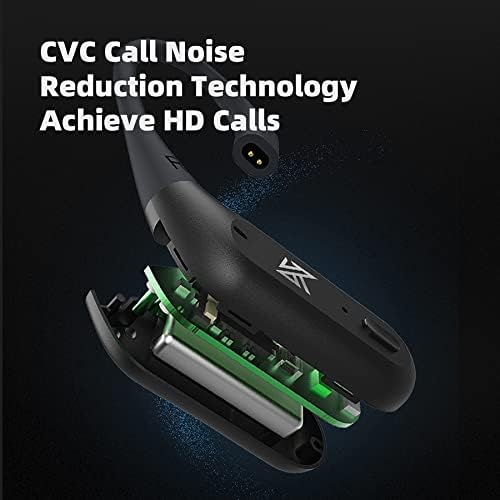
- CVC Call Noise Reduction Technology: Enhances call clarity by reducing ambient noise for HD calls.
- TWS+ Dual Transmission Technology: Allows for independent use of each ear hook, providing flexibility and stable connection.
- Extended Battery Life: Up to 48 hours of playback with the portable charging case.
- Comfortable Design: Memory shaping liquid silicone ear hooks provide a comfortable and skin-friendly fit.

7. Maintenance
- Cleaning: Use a soft, dry cloth to clean the ear hooks and charging case. Avoid using liquids or abrasive cleaners.
- Storage: When not in use, store the ear hooks in their charging case to protect them and ensure they remain charged.
- Water Resistance: The product is water resistant. Avoid prolonged exposure to water or submersion.
- Charging: Only use the provided USB-C cable or a certified equivalent for charging.
8. Troubleshooting
- No Power: Ensure the ear hooks and charging case are fully charged.
- Cannot Pair: Make sure the ear hooks are in pairing mode (indicator light flashing). Turn off and on Bluetooth on your device, then try pairing again. Ensure the ear hooks are not connected to another device.
- Intermittent Connection/Audio Dropouts: Ensure your device is within the 15-meter Bluetooth range. Avoid strong electromagnetic interference. Try resetting the ear hooks by placing them in the charging case and closing the lid for a few seconds.
- One Ear Hook Not Working: Ensure both ear hooks are charged. Try re-pairing them with your device.
- Poor Call Quality: Ensure the microphone is not obstructed. Check for strong background noise. CVC noise reduction is active, but extreme noise may still affect clarity.
9. Warranty and Support
For warranty information, please refer to the documentation provided at the time of purchase or contact your retailer. For technical support, please visit the official KZ website or contact their customer service department.
Manufacturer: Shenzhen Yuanze Electronic Co., Ltd