
Jansite Dual Dash Cam 1080P
Jansite Dual Dash Cam 1080P User Manual
Model: Dual Dash Cam 1080P
Introduction
Thank you for choosing the Jansite Dual Dash Cam. This device is designed to provide comprehensive video surveillance for your vehicle, capturing both the road ahead and the interior cabin simultaneously in 1080P resolution. Equipped with advanced features such as infrared night vision, G-sensor for emergency locking, and 24-hour parking monitoring, it offers reliable evidence recording and enhanced safety for drivers and passengers. Please read this manual carefully to ensure proper installation and operation of your dash cam.
Product Overview and Components
The Jansite Dual Dash Cam package includes the following components:
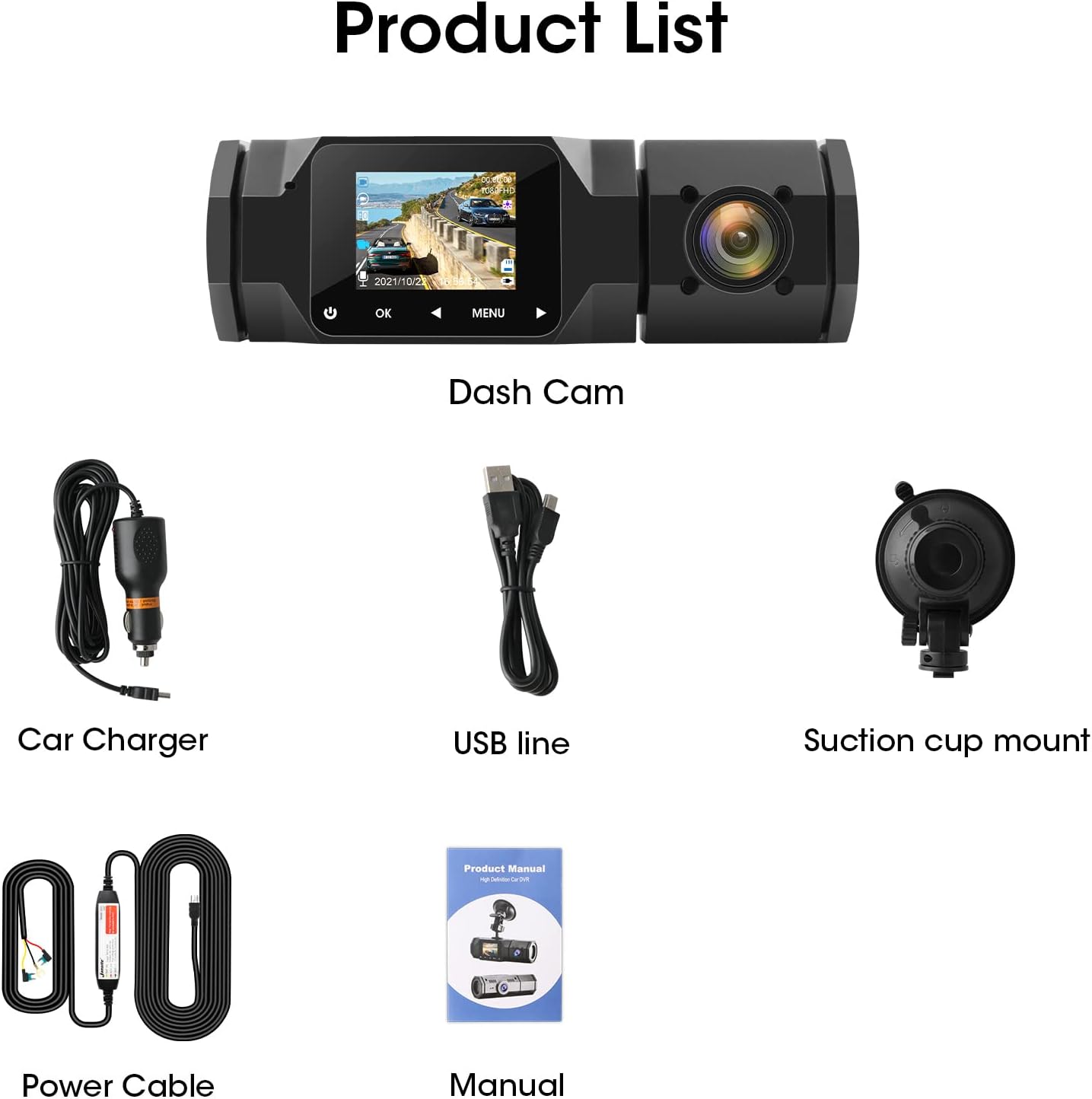
Image: The Jansite Dual Dash Cam, car charger, USB cable, suction cup mount, power cable, and user manual are shown.
- Dash Cam Unit: Main recording device with front and interior cameras.
- Car Charger: For powering the dash cam via your vehicle's cigarette lighter socket.
- USB Cable: For data transfer and power.
- Suction Cup Mount: For secure attachment to your windshield.
- Power Cable (Hardwire Kit): For 24-hour parking monitoring (optional, may require professional installation).
- User Manual: This instruction guide.
Setup and Installation
- Prepare the Micro SD Card: Insert a high-speed (Class 10 or higher) Micro SD card (not included) into the dash cam's SD card slot. Format the card within the dash cam's settings before first use.
- Attach the Suction Cup Mount: Clean the area on your windshield where you intend to mount the dash cam. Press the suction cup firmly against the glass and flip the lever to secure it. Ensure it does not obstruct your view.
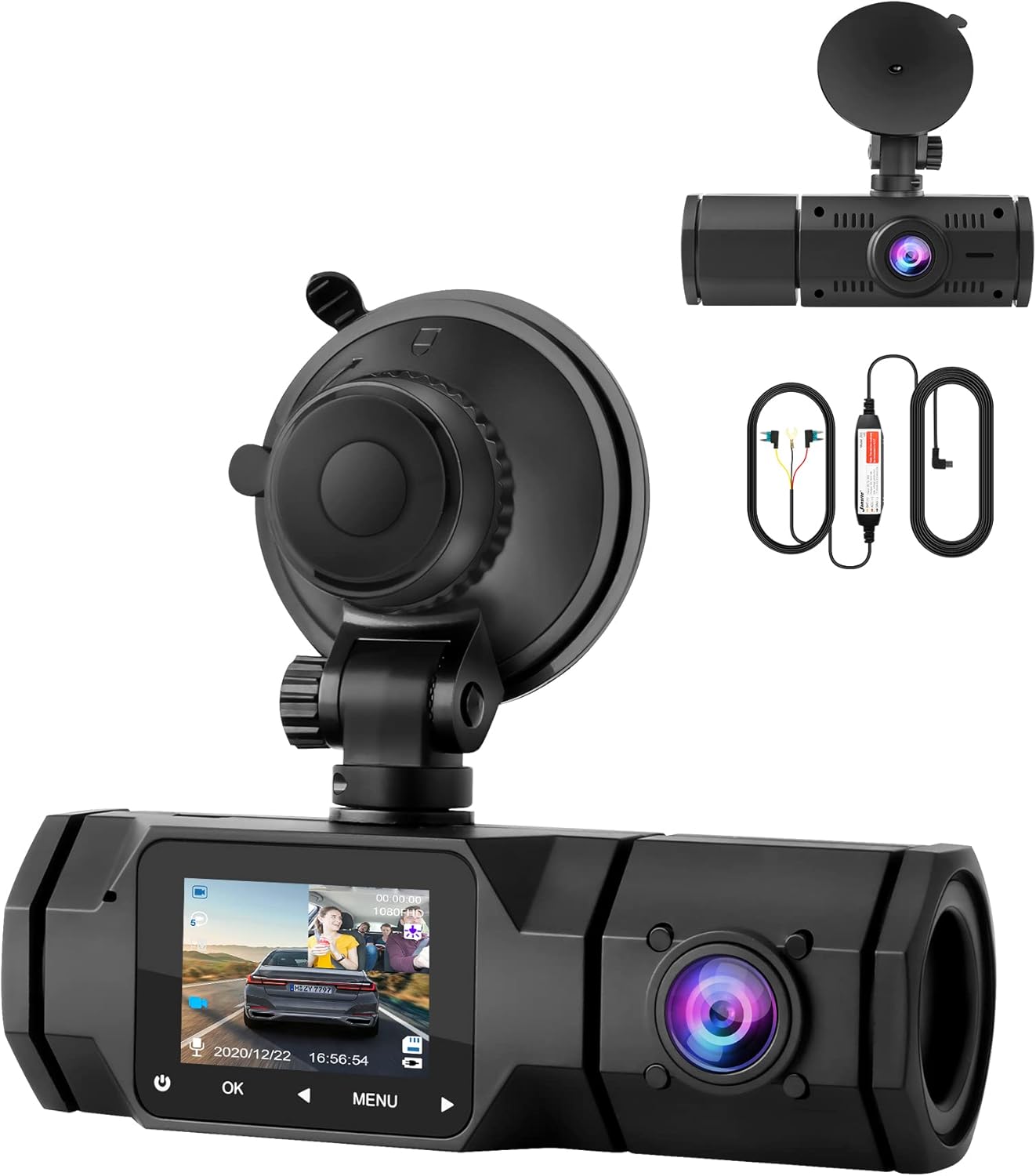
Image: The dash cam is shown attached to a windshield via its suction cup mount, with the front and interior cameras visible.
- Mount the Dash Cam: Slide the dash cam onto the suction cup mount until it clicks into place.
- Adjust Camera Angles: The front camera supports 180° front and rear adjustment, the interior camera supports 90° up and down adjustment, and the entire dash cam unit supports 360° rotation. Adjust the cameras to capture the desired views of the road ahead and the vehicle's interior.

Image: A diagram illustrating the 360° rotation capability of the dash cam and the 90° vertical adjustment of the interior camera.
- Connect Power: Plug the car charger into your vehicle's cigarette lighter socket and connect the other end to the dash cam's power input. Route the cable neatly along the windshield edge to avoid obstruction.
- Initial Power On: The dash cam will typically power on automatically when the vehicle's ignition is turned on. Follow the on-screen prompts for initial setup, including language and time settings.
Operating Instructions
Recording Modes
The dash cam supports simultaneous recording from both the front and interior cameras in 1080P resolution, ensuring comprehensive coverage.

Image: A visual representation of the dual 1080P recording feature, showing views from both the front and interior cameras simultaneously.
Night Vision and HDR
The interior camera features 4 infrared LED lights for clear recording in low-light conditions. The Wide Dynamic Range (WDR) technology automatically balances bright and dark areas in the video, ensuring clear images day or night.

Image: A comparison demonstrating the enhanced night vision capability of the dash cam, showing a clear image captured by the dash cam versus a darker, less detailed image from a standard camera at night.
G-Sensor (Emergency Recording)
The built-in G-sensor detects sudden shakes or collisions. When triggered, it automatically locks the current video footage to prevent it from being overwritten, securing critical evidence in case of an accident.

Image: An illustration depicting the G-sensor's function, showing a car accident scenario and a lock icon indicating that video footage is being protected.
Loop Recording
When the memory card is full, the loop recording feature automatically overwrites the oldest unlocked video files to ensure continuous recording. Locked files (from G-sensor events) are protected from being overwritten.

Image: A visual explanation of loop recording, showing video segments being recorded and older segments being overwritten as the memory card fills up.
24-Hour Parking Monitor
With the optional Jansite hardwire kit (sold separately), the dash cam can monitor your vehicle 24 hours a day. Triggered by motion detection, it will automatically record if movement is detected in front of or inside the vehicle while parked.

Image: An overhead view of cars in a parking lot, with an overlay indicating the wide coverage angles (170° front, 140° interior) and a graphic showing "24 hours" for parking monitoring.
Maintenance
- Micro SD Card: Format the Micro SD card regularly (e.g., once a month) to prevent data corruption and ensure optimal performance. Use a high-quality, genuine Class 10 or U3 Micro SD card.
- Cleaning: Gently wipe the camera lenses and the screen with a soft, lint-free cloth. Do not use abrasive cleaners or solvents.
- Temperature: Avoid exposing the dash cam to extreme temperatures for prolonged periods, as this can affect battery life and component integrity.
- Firmware Updates: Check the official Jansite website periodically for any available firmware updates to improve performance and add new features.
Troubleshooting
| Problem | Possible Cause / Solution |
|---|---|
| Dash cam does not power on. |
|
| Recording stops or freezes. |
|
| Video quality is poor or blurry. |
|
| G-sensor is too sensitive/not sensitive enough. | Adjust the G-sensor sensitivity setting in the dash cam's menu. |
Specifications
| Feature | Detail |
|---|---|
| Brand | Jansite |
| Model | Dual Dash Cam 1080P |
| Color | Black |
| Screen Size | 1.5 Inches (IPS Display) |
| Video Resolution | Dual 1080P (Front & Interior) |
| Front Camera Angle | 170° |
| Interior Camera Angle | 140° |
| Special Features | Compact Design, Loop Recording, Infrared Night Vision, WDR, G-Sensor, 24H Parking Monitor (with hardwire kit) |
| Connectivity Technology | Auxiliary |
| Control Method | Buttons |
| Mounting Type | Suction Cup Mount |
| Dimensions (L x W x H) | 10 x 4 x 5 cm (approx. 3.9 x 1.6 x 2 inches) |
Warranty and Support
The Jansite Dual Dash Cam comes with a 12-month warranty period (free replacement). If you encounter any issues during use or have questions regarding the product, please do not hesitate to contact Jansite customer support. Refer to the contact information provided on the product packaging or the official Jansite website for assistance.
For further support and product information, please visit the official Jansite website: www.jansite.com (Note: This is a placeholder URL, please refer to actual product documentation for correct support contact details).
Related documentsDual Dash Cam 1080P


Ask a question about this manual
Ask about setup, troubleshooting, compatibility, parts, safety, or missing instructions. Manuals+ will review the question and use this page’s manual context to help answer it.