
LIECTROUX M7S
Liectroux M7S Pro Robot Vacuum Cleaner User Manual
Model: M7S Pro
1. Introduction
Thank you for choosing the Liectroux M7S Pro Robot Vacuum Cleaner. This manual provides important information on how to operate and maintain your robot vacuum cleaner for optimal performance. Please read this manual carefully before using the product and keep it for future reference.
The Liectroux M7S Pro is an intelligent robot vacuum cleaner designed to provide efficient cleaning for your home. It features powerful suction, smart navigation, and a mop function, controllable via a dedicated app, remote control, and voice assistants like Alexa and Google Home.
2. Package Contents
Please check the package contents to ensure all items are present:
- Liectroux M7S Pro Robot Vacuum Cleaner
- Charging Dock
- Power Adapter
- Remote Control
- Water Tank and Mop Cloth
- Side Brushes (2 pairs)
- HEPA Filter (1 installed, 1 spare)
- Cleaning Tool
- User Manual

Image: Liectroux M7S Pro Robot Vacuum Cleaner, remote control, charging dock, mop pad, and app interface.
3. Important Safety Instructions
Before using this product, please read all safety instructions. Failure to follow these instructions may result in electric shock, fire, or serious injury.
- Do not use the robot in wet environments or near water.
- Do not allow children to operate the robot. Supervise children and pets when the robot is operating.
- Ensure the power adapter is compatible with your local power supply.
- Do not use the robot to pick up large debris, liquids, or burning objects.
- Regularly clean the brushes and filters to maintain optimal performance.
- Unplug the robot from the charging dock before cleaning or maintenance.
4. Setup
4.1 Charging Dock Placement
Place the charging dock against a wall in an open, uncluttered area. Ensure there is at least 0.5 meters (1.6 feet) of clear space on both sides and 1.5 meters (4.9 feet) in front of the dock. Connect the power adapter to the charging dock and plug it into a power outlet.
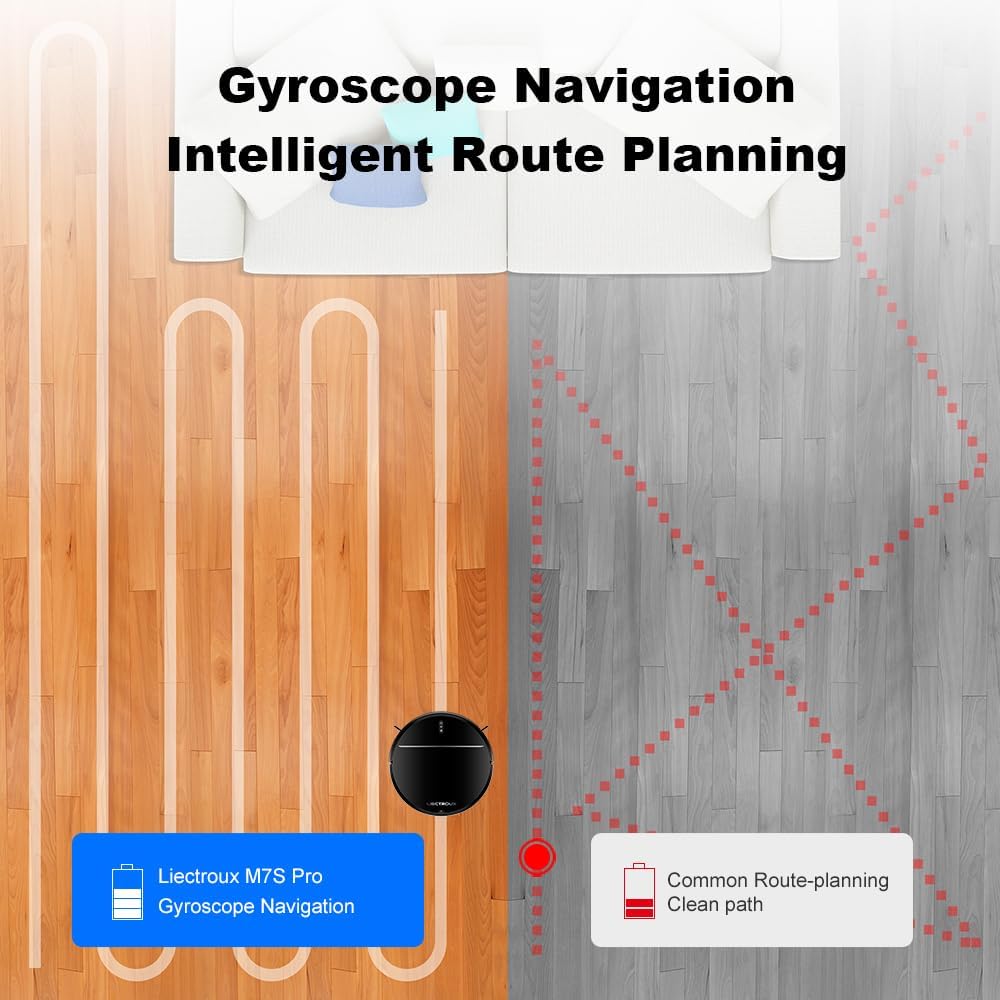
Image: The robot vacuum returning to its charging dock for auto-charging.
4.2 Initial Charging
Before first use, fully charge the robot. Place the robot on the charging dock, ensuring the charging contacts align. The indicator light on the robot will show charging status. A full charge typically takes 4-5 hours.
4.3 Installing Side Brushes
Attach the side brushes to the corresponding posts on the bottom of the robot until they click into place.
4.4 App Connection (Optional but Recommended)
For full functionality, download the "TUYA Smart" or "Liectroux" app from your app store. Follow the in-app instructions to connect your robot to your home Wi-Fi network. This enables remote control, scheduling, and map management.

Image: Demonstrates control options including remote control, TUYA app, Google Assistant, and Amazon Alexa.
5. Operating Instructions
5.1 Starting a Clean Cycle
- Manual Start: Press the power button on the robot or the "Clean" button on the remote control.
- App Control: Open the app and select the desired cleaning mode (Auto, Spot, Edge, Schedule).
- Voice Control: Connect to Alexa or Google Home (refer to app instructions for setup) and use voice commands like "Alexa, start Liectroux robot vacuum."

Image: Illustrates powerful suction and different cleaning modes: Schedule Cleaning, Auto Cleaning, Edge Cleaning, and Spot Cleaning.
5.2 Cleaning Modes
- Auto Cleaning: The robot intelligently navigates and cleans the entire floor area.
- Spot Cleaning: The robot cleans a specific area in a spiral pattern. Useful for concentrated dirt.
- Edge Cleaning: The robot cleans along walls and furniture edges.
- Scheduled Cleaning: Set specific times for the robot to clean automatically via the app.
5.3 Mopping Function
To use the mopping function:
- Fill the water tank with clean water.
- Attach the mop cloth to the water tank.
- Slide the water tank assembly into the back of the robot until it clicks into place.
- Start a cleaning cycle. The robot will automatically mop while vacuuming.
Note: Do not use the mopping function on carpets. Remove the water tank before charging.

Image: Close-up view of the robot's underside showing the advanced brush-less suction nozzle and the mop pad, designed to avoid hair entanglement.
6. Maintenance
Regular maintenance ensures your Liectroux M7S Pro operates efficiently.
6.1 Emptying the Dustbin
Press the dustbin release button, pull out the dustbin, and empty its contents. Clean the dustbin with a dry cloth or brush.
6.2 Cleaning Filters
Remove the HEPA filter and sponge filter from the dustbin. Tap them gently to remove dust. Do not wash HEPA filters with water. Replace filters every 3-6 months depending on usage.
6.3 Cleaning Side Brushes
Remove the side brushes and use the cleaning tool to remove any tangled hair or debris. Reinstall them securely.
6.4 Cleaning Main Brush (if applicable)
Open the main brush cover, remove the main brush, and use the cleaning tool to remove hair and debris. Reinstall the main brush and cover.
6.5 Cleaning Sensors and Charging Contacts
Wipe the cliff sensors, wall sensors, and charging contacts on both the robot and the charging dock with a clean, dry cloth.
7. Troubleshooting
| Problem | Possible Cause | Solution |
|---|---|---|
| Robot does not start | Low battery; Power switch off; Robot stuck. | Charge the robot; Turn on the power switch; Clear obstructions. |
| Poor cleaning performance | Full dustbin; Clogged filters; Tangled brushes. | Empty dustbin; Clean/replace filters; Clean brushes. |
| Robot cannot find charging dock | Dock obstructed; Dock not powered; Robot too far. | Ensure clear space around dock; Check power connection; Manually place robot closer. |
| App connection issues | Incorrect Wi-Fi password; Router too far; Robot offline. | Re-enter password; Move robot closer to router; Restart robot and router. |
8. Specifications
| Feature | Detail |
|---|---|
| Model | M7S Pro |
| Brand | LIECTROUX |
| Suction Power | Up to 4000Pa |
| Dimensions (L x W x H) | 32 x 32 x 7.8 cm (12.6 x 12.6 x 3.1 inches) |
| Weight | 5 Kilograms (11 lbs) |
| Battery Type | Lithium-ion |
| Control Methods | App Control, Remote Control, Voice Control (Alexa, Google Home) |
| Filter Type | HEPA |
| Navigation Type | Smart Gyro Navigation |
| Functions | Vacuuming, Mopping |
9. Warranty and Support
Liectroux products come with a standard manufacturer's warranty. Please refer to the warranty card included in your package for specific terms and conditions. For technical support, troubleshooting assistance, or spare parts, please contact Liectroux customer service through their official website or the contact information provided in your warranty documentation.
Manufacturer: LIECTROUX ROBOTICS SA
Website: www.liectroux.com
Related documentsM7S


Ask a question about this manual
Ask about setup, troubleshooting, compatibility, parts, safety, or missing instructions. Manuals+ will review the question and use this page’s manual context to help answer it.