
Introduction
Thank you for choosing the Retoo Digital Mirror LED Alarm Clock. This manual provides detailed instructions for setting up and operating your new device. Please read it carefully to ensure proper use and to fully utilize all its features.
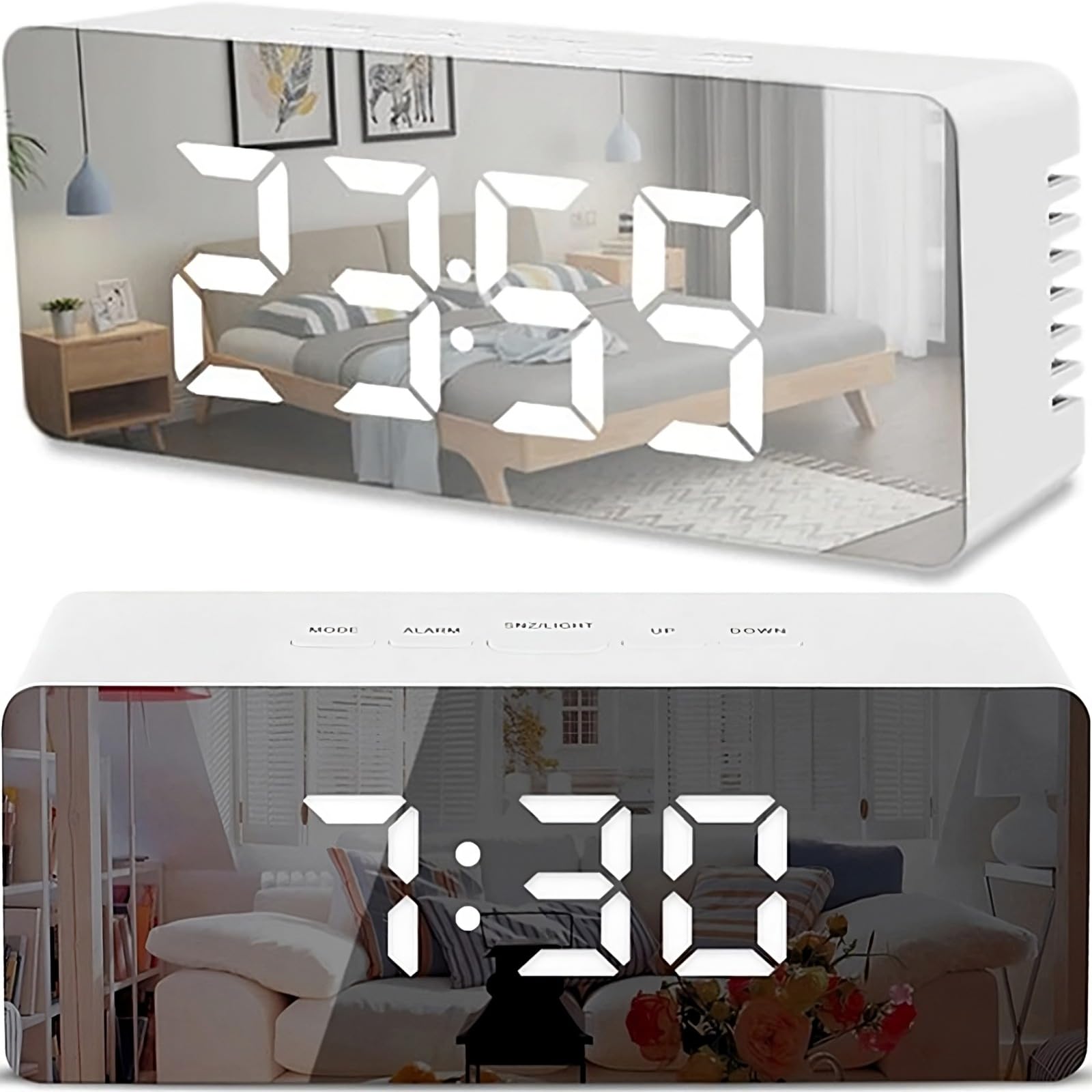
The Retoo Digital Mirror LED Alarm Clock displaying the current time and temperature.
Product Overview
The Retoo Digital Mirror LED Alarm Clock features a large, clear mirror-effect LCD display, making it easy to read the time and temperature from a distance. Its modern design integrates seamlessly into various room settings. It also functions as a portable mirror.
Components and Controls
The clock's controls are located on the back and top for easy access. Familiarize yourself with these buttons for optimal operation.

Top view of the alarm clock, highlighting the 'SNOOZE/LIGHT' button.

Rear view of the alarm clock, showing 'TIME SET', 'UP', 'DOWN', 'ALARM SET', and volume controls, along with alarm ON/OFF switches and USB power input.
Setup
Powering the Device
The alarm clock offers dual power options:
- USB Cable: For continuous display, connect the clock via the USB cable to a 5V/1A or 5V/2A adapter (not included).
- AAA Batteries: For mobile use and energy saving, insert 3 AAA batteries (not included). In battery mode, the screen will light up briefly after pressing a button and then turn off to conserve power.
Initial Time Setting
Upon first power-up or after a reset, you will need to set the current time.
- Press and hold the 'TIME SET' button.
- Use the 'UP' and 'DOWN' buttons to adjust the hour.
- Press 'TIME SET' again to confirm the hour and move to minutes.
- Use 'UP' and 'DOWN' to adjust the minutes.
- Press 'TIME SET' to confirm and exit time setting mode.
This video demonstrates how to set the time and alarms on the Retoo Digital Mirror LED Alarm Clock.
Operating Instructions
Setting Alarms
The clock supports two independent alarms (Alarm 1 and Alarm 2).
- To set Alarm 1, slide the 'ALARM1' switch to 'ON'. The alarm icon will appear on the display.
- Press and hold the 'ALARM SET' button.
- Use the 'UP' and 'DOWN' buttons to adjust the alarm hour.
- Press 'ALARM SET' again to confirm the hour and move to minutes.
- Use 'UP' and 'DOWN' to adjust the alarm minutes.
- Press 'ALARM SET' to confirm and exit alarm setting mode.
- Repeat these steps for Alarm 2 using the 'ALARM2' switch.
Adjusting Alarm Volume
You can adjust the volume of the alarm sound.
- While an alarm is sounding, press the volume button (speaker icon) to cycle through volume levels.
- Alternatively, during alarm setting, press the volume button to adjust the desired volume.
Using the Snooze Function
When the alarm sounds, you can activate the snooze function for a few extra minutes of sleep.
- When the alarm rings, press the 'SNZ/LIGHT' button on top of the clock. The alarm will pause and sound again after a customizable period (5 to 60 minutes).
- To stop the alarm completely, press any other button on the clock (except 'SNZ/LIGHT').
Manual Brightness Adjustment
You can manually adjust the display brightness to your preference during the day.
- Press the 'SNZ/LIGHT' button (short press) to cycle through different brightness levels (High, Medium, Low, Off).
Automatic Brightness Adjustment (Night Mode)
The clock features an integrated light sensor that automatically adjusts brightness to avoid disturbing your sleep.
- Between 6:00 PM and 6:00 AM, the display brightness will automatically dim to a lower level.
- Between 7:00 AM and 5:59 PM, the display brightness will be at a higher level.
- If you manually adjust the brightness during the automatic dimming period, it will remain at your set level until the next automatic adjustment cycle.

The alarm clock in a bedroom setting, illustrating its suitability for night use.
12/24 Hour Format and Temperature Display
The clock measures and displays ambient temperature and allows you to choose your preferred time format.
- To switch between 12-hour and 24-hour time formats, press the 'UP' button.
- The temperature can be displayed in Celsius (°C) or Fahrenheit (°F). To switch between these units, press the 'DOWN' button.

The alarm clock displaying time in 24-hour format and temperature in Celsius.
Maintenance
To ensure the longevity and optimal performance of your Retoo Digital Mirror LED Alarm Clock, follow these simple maintenance guidelines:
- Cleaning: Use a soft, dry cloth to gently wipe the mirror display and the body of the clock. Avoid using abrasive cleaners or chemical sprays, as they may damage the surface.
- Placement: Place the clock on a stable, flat surface away from direct sunlight, extreme temperatures, and high humidity.
- Battery Replacement: If using batteries, replace all 3 AAA batteries simultaneously when the display becomes dim or unresponsive.
Troubleshooting
If you encounter any issues with your alarm clock, refer to the following common problems and solutions:
- Display is blank or dim:
- Ensure the USB cable is securely connected to a power source (5V/1A or 5V/2A adapter).
- If using batteries, check if they are inserted correctly and have sufficient charge. Replace if necessary.
- If in battery mode, the display turns off after 6 seconds to save power. Press any button to reactivate it.
- Alarm is not sounding:
- Check if the 'ALARM1' or 'ALARM2' switch on the back is set to 'ON'.
- Ensure the alarm time is correctly set.
- Verify that the alarm volume is not set to 'L00' (mute).
- Time or settings reset unexpectedly:
- This may occur if both USB power and batteries are disconnected. Re-set the time and alarms.
- Ensure stable power supply.
If the problem persists, please contact customer support.
Specifications
| Brand | Retoo |
| Color | White |
| Display Type | Digital |
| Style | Modern |
| Special Features | Snooze function, adjustable alarm delay, manual or automatic lighting |
| Product Dimensions | 14L x 6H centimeters (5.5 x 2.4 inches) |
| Power Source | Battery Powered (3 AAA batteries required, not included) / USB (5V/1A-2A adapter) |
| Room Type | Home Office, Bedroom, Living Room, Kitchen |
| Shape | Square |
| Indoor/Outdoor Use | Indoor |
| Mounting Type | Tabletop |
| Alarm Clock | Yes |
| Operating Mode | Electrical |
| Connectivity Technology | USB |
| Watch Movement Type | Quartz |
| Item Weight | 115 Grams |
| Material Type | Plastic |
| Country of Origin | China |
Warranty and Support
Retoo products are designed for durability and reliability. For warranty information or technical support, please refer to the contact details provided with your purchase or visit the official Retoo website. Keep your proof of purchase for any warranty claims.