
1. Overview
The MZHOU PCI-E 1 to 6 USB Slots Riser Card is designed to expand the number of available PCI-E slots on a motherboard. This adapter card converts a single PCI-E x1 slot into six USB 3.0 ports, which function as PCI-E signals for connecting additional PCI-E devices, such as GPU risers for mining operations. It features an ASM1187e chip and a premium aluminum heat sink for stable operation.
Important Note: The six USB 3.0 ports on this adapter card transmit PCI-E signals, not standard USB signals. They are intended for connecting PCI-E devices via USB 3.0 riser cables and cannot be used with conventional USB devices like flash drives or external hard drives. Connecting standard USB devices may cause damage to both the device and the card.

Image: The adapter card clearly states that the USB ports are for PCI-E signals only.
2. Product Features
- Bus Interface: PCI-E x1, compatible with PCI-E x4, x8, and x16 slots.
- Ports: 6 x USB 3.0 ports (PCI-E signal output).
- Chipset: ASM1187e for reliable performance.
- Cooling: Integrated premium aluminum heat sink for efficient heat dissipation.
- Power Solution: Utilizes PCI-E slot power, eliminating the need for an additional power cable and ensuring high stability.
- System Compatibility: Supports Windows XP, Windows 7, Windows 8, Windows 10, Windows 11, DOS, and Linux operating systems.

Image: Key components and dimensions of the adapter card.

Image: The large aluminum heat sink helps reduce the temperature of the adapter card.

Image: System compatibility and applicable PCI-E interfaces.
3. Package Contents
Upon opening the package, you should find the following item:
- 1 x MZHOU PCI-E 1 to 6 USB Slots Riser Card (Model: PCE7PCE-A02)
4. Setup and Installation
Follow these steps to properly install the PCI-E 1 to 6 USB Slots Riser Card:
- Step 1: Power Off Computer
Before installing the adapter card, ensure your computer is completely powered off and disconnected from the main power supply. - Step 2: Insert Adapter Card
Carefully connect the PCI-E 1 to 6 USB Slots Riser Card into an available PCI-E slot on your motherboard. This card is compatible with PCI-E x1, x4, x8, and x16 slots. - Step 3: Connect PCI-E Devices
Use USB 3.0 riser cables to connect your PCI-E devices (e.g., graphics cards) to the USB 3.0 ports on the adapter card. Ensure all connections are secure. - Step 4: Power On and Verify
After making all connections, restart your computer. The system should automatically detect and recognize the adapter card. If the card is not recognized, power off the computer and repeat the installation process, ensuring all connections are firm.
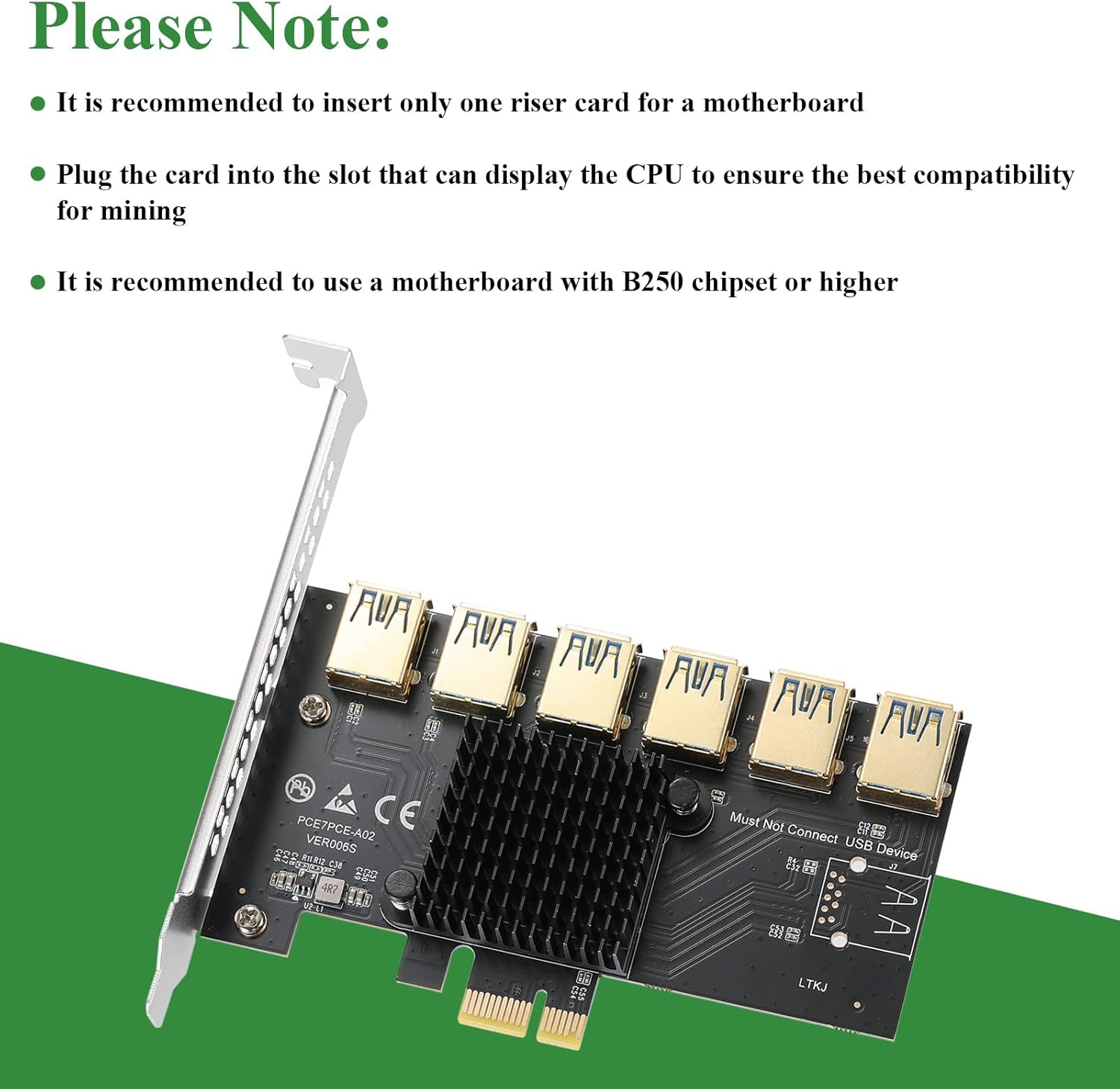
Image: Important recommendations for installation and compatibility.
5. Operating Instructions
Once installed, the MZHOU PCI-E 1 to 6 USB Slots Riser Card operates by converting a single PCI-E lane into multiple PCI-E signal outputs via its USB 3.0 ports. These ports are specifically designed to interface with PCI-E riser cables connected to external PCI-E devices. The card draws power directly from the PCI-E slot, ensuring a stable power supply to the connected devices through the risers.
Ensure that your operating system (Windows XP/7/8/10/11, DOS, or Linux) is up-to-date with the necessary drivers for your motherboard and any connected PCI-E devices. In most cases, the adapter card itself is plug-and-play and does not require specific drivers.
6. Maintenance
To ensure the longevity and optimal performance of your MZHOU PCI-E 1 to 6 USB Slots Riser Card, consider the following maintenance tips:
- Keep Clean: Periodically inspect the card for dust accumulation, especially on the heat sink. Use compressed air to gently clean dust from the components.
- Environmental Conditions: Operate the card in a well-ventilated environment to prevent overheating. Avoid extreme temperatures and humidity.
- Secure Connections: Ensure all PCI-E riser cables and the card itself are securely seated in their respective slots to prevent intermittent connectivity issues.
7. Troubleshooting
If you encounter issues with your MZHOU PCI-E 1 to 6 USB Slots Riser Card, refer to the following troubleshooting steps:
- Card Not Detected:
- Ensure the computer is completely powered off before installation and that the card is firmly seated in the PCI-E slot.
- Try inserting the card into a different PCI-E slot on the motherboard.
- Verify that your motherboard BIOS settings are configured to support multiple PCI-E devices and that PCI-E bifurcation (if applicable) is correctly set.
- Some motherboards may require a B250 chipset or higher for optimal compatibility with multiple PCI-E devices.
- Connected Devices Not Recognized:
- Confirm that the USB 3.0 riser cables are correctly connected between the adapter card and your PCI-E devices.
- Ensure that the PCI-E devices themselves (e.g., graphics cards) are properly powered and functioning.
- Crucial: Double-check that you are not attempting to connect standard USB devices to the card's USB 3.0 ports. These ports are for PCI-E signals only. Connecting standard USB devices will not work and may cause damage.
- Update or reinstall drivers for your connected PCI-E devices.
- System Instability or Crashes:
- Ensure your power supply unit (PSU) has sufficient wattage to power all connected components, including the motherboard, CPU, and all PCI-E devices.
- Check for any loose connections or damaged cables.
- Monitor the temperature of the adapter card and connected devices. Excessive heat can lead to instability.
8. Specifications
| Brand | MZHOU |
| Model Number | PCE7PCE-A02 |
| Bus Interface | PCI Express x1 (compatible with x4, x8, x16) |
| Output Ports | 6 x USB 3.0 (PCI-E signals) |
| Chipset | ASM1187e |
| Operating System Support | Windows XP/7/8/10/11, DOS, Linux |
| Material | Premium Aluminum Heat Sink |
| Item Weight | 3.17 ounces (approx. 90 grams) |
| Product Dimensions (LxWxH) | 2.76 x 2.36 x 0.39 inches (approx. 7 x 6 x 1 cm) |
| Compatible Devices | Laptop, Personal Computer (for PCI-E expansion) |
9. Support
MZHOU is dedicated to providing high-quality products and customer service. If you have any questions, concerns, or require assistance with your PCI-E 1 to 6 USB Slots Riser Card, please do not hesitate to contact MZHOU customer support. We aim to respond to all inquiries within 12 hours.
For the most up-to-date support information, please refer to the official MZHOU website or the platform where you purchased the product.


