
Holy Stone HS720G
Holy Stone HS720G GPS Drone User Manual
Model: HS720G | Brand: Holy Stone
Your comprehensive guide to operating and maintaining your Holy Stone HS720G GPS Drone.
1. Introduction
The Holy Stone HS720G is a high-performance GPS drone designed for both beginners and experienced pilots. Featuring a 2-axis gimbal with 4K EIS camera, powerful brushless motors, and intelligent flight functions, it offers stable flight and stunning aerial photography. This manual provides detailed instructions for setup, operation, maintenance, and troubleshooting to ensure a safe and enjoyable flying experience.
2. Safety Guidelines
Always prioritize safety during operation. Ensure you are familiar with all local regulations and restrictions for drone flight. The HS720G includes built-in Remote ID for FAA compliance. Avoid flying near airports, restricted airspace, or over crowds. Maintain visual line of sight with the drone at all times.
For detailed safety information, please refer to the official Safety Information PDF provided by Holy Stone.
3. Package Contents
Verify that all items are present in your package:
- Holy Stone HS720G Drone x 1
- Transmitter (Remote Controller) x 1
- Drone Battery x 1
- Blades (Propellers) x 4 (plus spares)
- Portable Bag x 1
- USB Charging Cable x 1
- Screwdriver x 1
- User Manual (this document)

Image: All components of the Holy Stone HS720G package, including the drone, remote, battery, propellers, and carrying case.
4. Setup Guide
4.1 Unfolding the Drone
Carefully unfold the drone's arms until they click into place. Ensure all propellers are free to spin.

Image: The Holy Stone HS720G drone with its arms fully extended, ready for operation.
4.2 Battery Installation & Charging
Insert the fully charged drone battery into the battery compartment on the drone until it clicks securely. To charge the battery, connect it to the provided USB charging cable and a compatible USB power source. The battery features LED indicators to show charging status.
Video: Unboxing and initial setup of the Holy Stone HS720G, showing battery and charging components.
Video: Detailed unboxing and component overview, including battery installation.
4.3 Controller Setup
Unfold the controller's handles and install 2 AA batteries (not included). Attach your smartphone to the phone holder on the controller for FPV viewing and app control.
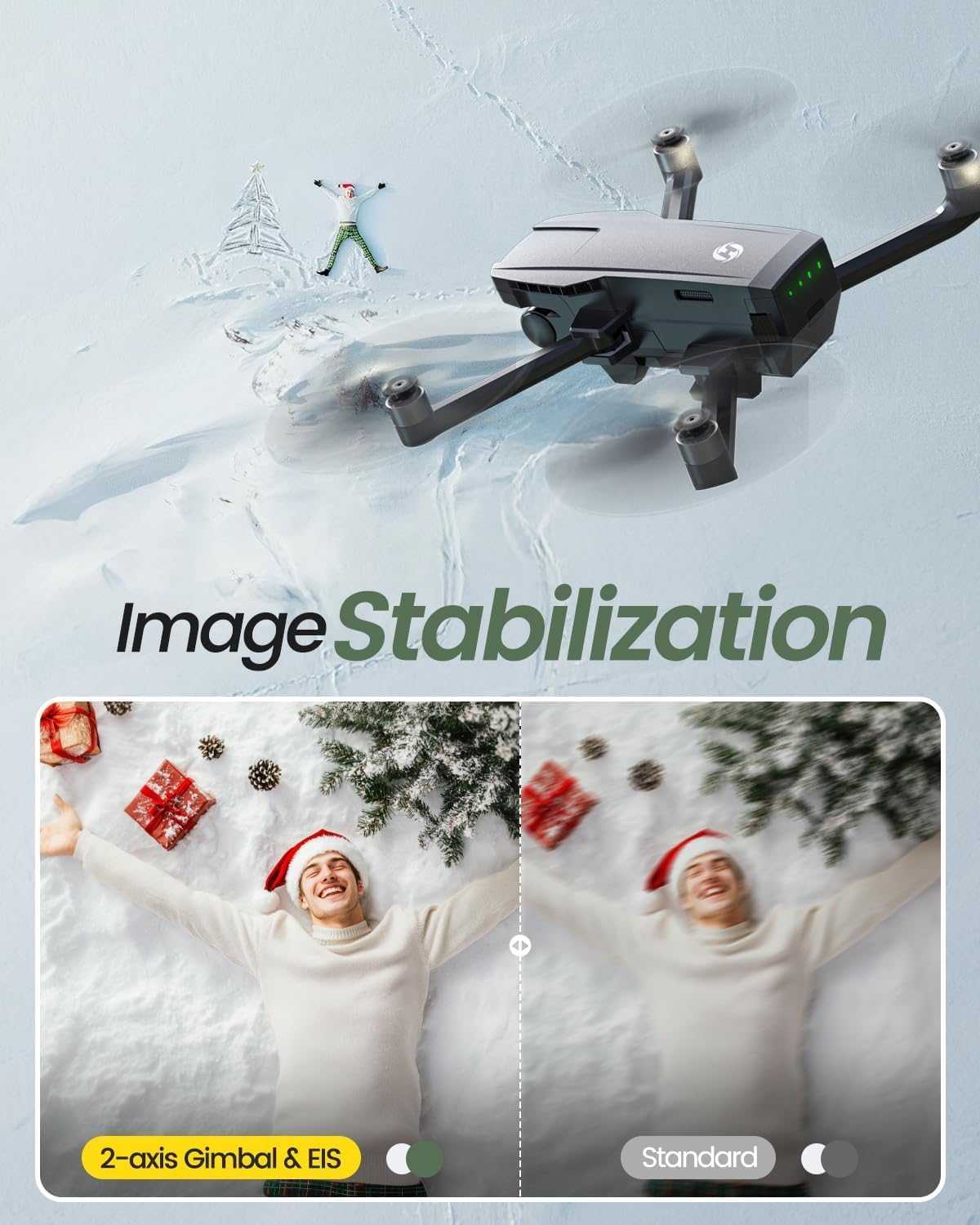
Image: The Holy Stone HS720G remote controller with a smartphone attached, displaying the FPV feed.
4.4 App Download and Connection
Download the "Ophelia FLY" app from your device's app store. Turn on the drone and the controller. Connect your smartphone to the drone's Wi-Fi SSID (usually "HolyStone_HS720G_XXXX"). Open the Ophelia FLY app to establish connection and view the live FPV feed.
4.5 Compass Calibration
Before your first flight, and whenever you fly in a new location, perform a compass calibration. Follow the on-screen instructions in the Ophelia FLY app to rotate the drone horizontally and vertically until calibration is complete. This ensures accurate GPS positioning and stable flight.
5. Operating the Drone
5.1 Basic Flight Controls
Familiarize yourself with the basic controls on the transmitter:
- Left Stick: Controls altitude (up/down) and yaw (rotate left/right).
- Right Stick: Controls forward/backward and left/right movement.
- One-Key Take-off/Landing: Press to automatically take off or land.
- Altitude Hold: Maintains current altitude for stable hovering.
- Emergency Stop: Immediately stops the propellers in an emergency.

Image: A user operating the Holy Stone HS720G drone with the remote controller, highlighting ease of control.
5.2 Intelligent Flight Modes
The HS720G offers several intelligent flight modes for enhanced creativity and ease of use:
- Follow Me: The drone automatically follows the subject (user with the controller/phone).
- Tap Fly: Tap points on the map in the app, and the drone will fly along the designated path.
- Point of Interest: The drone will circle around a specified point, capturing footage.
- Smart Return to Home (RTH): The drone automatically returns to its take-off point when GPS signal is lost, battery is low, or the RTH button is pressed.

Image: Visual representation of the drone's intelligent GPS functions: Return to Home, Waypoints Flight, and Follow Me.
5.3 Camera Operation
The 2-axis motorized gimbal and 4K EIS camera provide stable and high-quality footage. Use the Ophelia FLY app to control camera settings, capture photos, and record videos. The gimbal allows for vertical camera angle adjustment during flight.

Image: Comparison showing the effectiveness of the drone's 2-axis gimbal and EIS for image stabilization.
5.4 Flight Stability
Equipped with powerful brushless motors, the HS720G offers stable flight performance and strong wind resistance (up to Level 6 winds). The GPS module and Optical Flow Positioning further enhance stability and anti-interference capabilities, allowing for reliable outdoor flights.

Image: The Holy Stone HS720G drone maintaining stable flight even in challenging windy conditions.
6. Maintenance
Regular maintenance ensures the longevity and optimal performance of your drone:
- Propeller Inspection: Regularly check propellers for any damage (cracks, bends). Replace damaged propellers immediately using the provided spares and screwdriver.
- Cleaning: Keep the drone and camera lens clean from dust and debris. Use a soft, dry cloth.
- Battery Care: Store batteries in a cool, dry place. Do not overcharge or over-discharge.
- Gimbal Protection: Always reattach the gimbal cover when transporting or storing the drone to protect the camera.
7. Troubleshooting
| Issue | Possible Cause | Solution |
|---|---|---|
| Drone not powering on | Battery not charged or improperly installed. | Ensure battery is fully charged and securely inserted. |
| Loss of FPV feed/signal | Drone is out of Wi-Fi range or interference. | Fly closer to the drone. Avoid areas with strong Wi-Fi interference. |
| Unstable flight/Drifting | Improper calibration or strong winds. | Perform compass calibration. Avoid flying in strong winds. |
| Battery drains quickly | Cold weather or aggressive flying. | Battery performance can be affected by temperature. Consider purchasing additional batteries for longer flight times. |
8. Specifications
- Brand: Holy Stone
- Model Name: HS720G
- Special Features: Portable, Auto Follow, Built-in Remote ID, Integrated GPS, Auto Return to Home
- Age Range (Description): Adult
- Video Capture Resolution: 4K
- Connectivity Technology: Wi-Fi
- Item Weight: 377 Grams (13.3 ounces)
- Battery Capacity: 2950 Milliamp Hours
- Maximum Range: 999 Meters
- Material: Plastic
- Product Dimensions: 14.37"L x 14.37"W x 2.76"H
9. Warranty & Support
Holy Stone offers responsive customer service. If you encounter any issues or have questions, please refer to the official user guide or contact Holy Stone support directly.
Related documentsHS720G


Ask a question about this manual
Ask about setup, troubleshooting, compatibility, parts, safety, or missing instructions. Manuals+ will review the question and use this page’s manual context to help answer it.